
Zavedení
This manual provides instructions for the HOUSBAY Sunrise Alarm Clock with Bluetooth Speaker & Radio, Model TS9RA. Please read this manual thoroughly before using the device to ensure proper operation and to maximize its features.

Image: The HOUSBAY Sunrise Alarm Clock, an all-in-one device combining a sunrise alarm, FM radio, Bluetooth speaker, and night light.
Bezpečnostní informace
- Ujistěte se, že je zařízení umístěno na stabilním rovném povrchu.
- Nevystavujte zařízení vodě ani nadměrné vlhkosti.
- Používejte pouze dodaný napájecí adaptér.
- Uchovávejte mimo dosah dětí.
- Nepokoušejte se zařízení sami rozebírat nebo opravovat. Požádejte o pomoc zákaznickou podporu.
Obsah balení
- HOUSBAY Sunrise Alarm Clock (Model TS9RA)
- Napájecí adaptér
- Uživatelská příručka
Nastavení
1. Připojení napájení
- Connect the power adapter to the DC input port on the back of the alarm clock.
- Zapojte napájecí adaptér do standardní elektrické zásuvky.
- Displej se rozsvítí, což znamená, že je zařízení zapnuté.
2. Počáteční nastavení času
Upon first power-on, the clock may display a default time. Refer to the "Operating Instructions" section for detailed steps on setting the correct time and date.
3. FM Antenna Setup
For optimal FM radio reception, extend the integrated antenna fully. Position the antenna for the best signal quality.
Návod k obsluze
Nastavení času a data
- Stiskněte tlačítko Nastavení času tlačítko (obvykle označené ikonou hodin).
- Použijte +/- tlačítka pro nastavení hodiny a poté stiskněte Nastavení času znovu pro potvrzení.
- Opakujte pro minuty, rok, měsíc a den.
- Stiskněte Nastavení času naposledy pro ukončení režimu nastavení.
Alarm Setting (Sunrise & Sound)
- Stiskněte tlačítko Poplach button (bell icon).
- Použijte +/- tlačítky nastavte požadovaný čas budíku. Stiskněte Poplach potvrdit.
- Select your preferred wake-up sound (e.g., birdsong, ocean waves, piano, FM radio) using the Zvuk tlačítko.
- Upravte hlasitost zvuku pomocí +/- tlačítka.
- Set the sunrise simulation duration (0-60 minutes) before the alarm time. The light will gradually brighten during this period.
- Choose your wake-up mode: Pouze zvuk, Sunrise Onlynebo Sunrise & Sound.
- Stiskněte Poplach to save and activate the alarm.
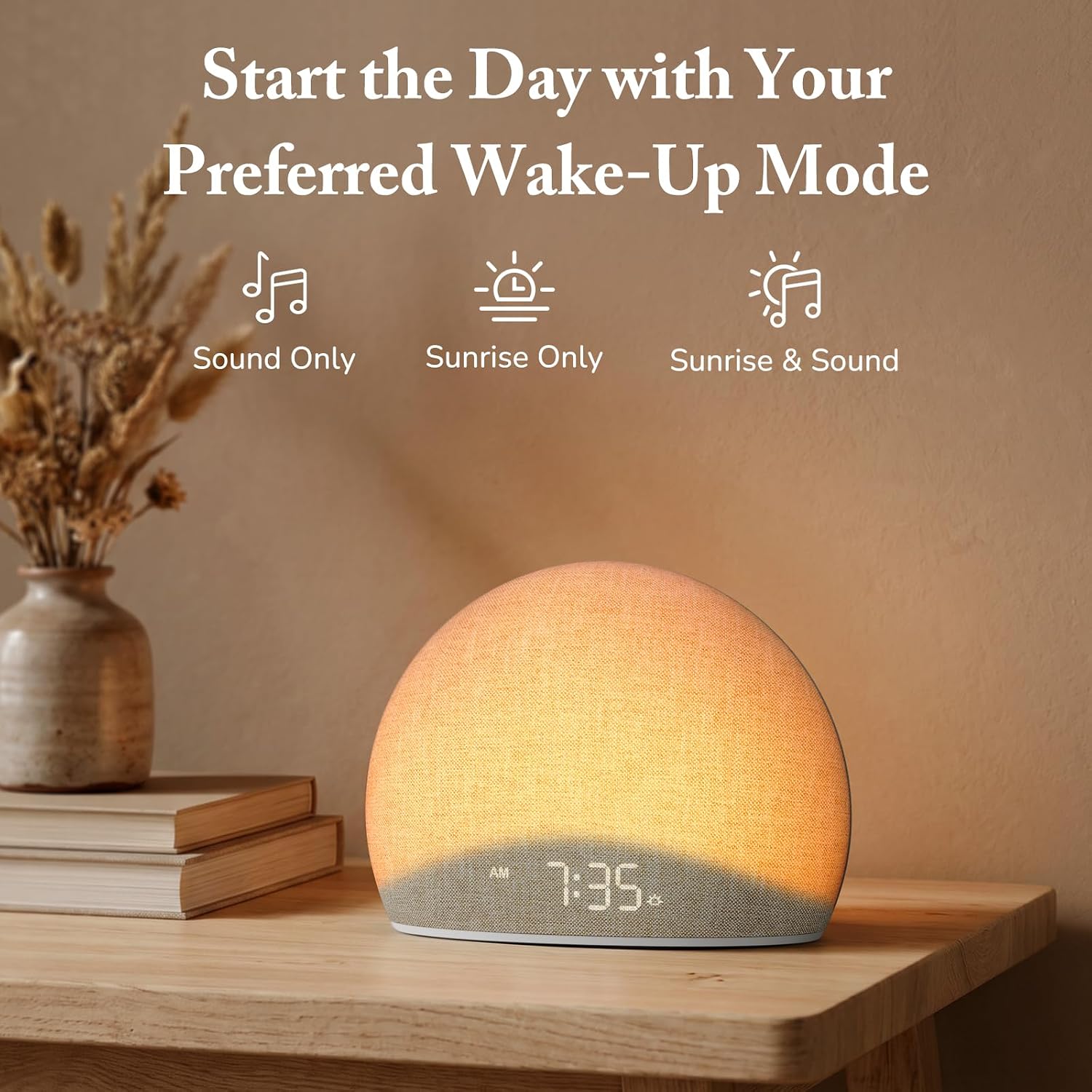
Image: The alarm clock offers three distinct wake-up modes: sound only, sunrise light only, or a combination of both.

Image: A selection of five natural wake-up sounds and FM radio options are available to customize your morning alarm.
Funkce nočního světla
- Stiskněte tlačítko Světlo button (sun icon) to turn on the night light.
- Stiskněte tlačítko Světlo button repeatedly to cycle through different colors and brightness levels.
- Chcete-li vypnout noční světlo, stiskněte a podržte tlačítko Světlo button or cycle through all options until it turns off.

Image: The device functioning as a night light, emitting a soft red glow at 10:30 PM.
Režim Bluetooth reproduktoru
- Stiskněte tlačítko Bluetooth button (Bluetooth symbol) to enter Bluetooth pairing mode. The display will show "BT" or a flashing Bluetooth icon.
- On your mobile device, enable Bluetooth and search for "HOUSBAY TS9RA" or a similar device name.
- Select the device to pair. A confirmation sound will indicate successful pairing.
- You can now stream audio from your device to the HOUSBAY alarm clock.
- Pro odpojení stiskněte Bluetooth button again or disconnect from your mobile device.
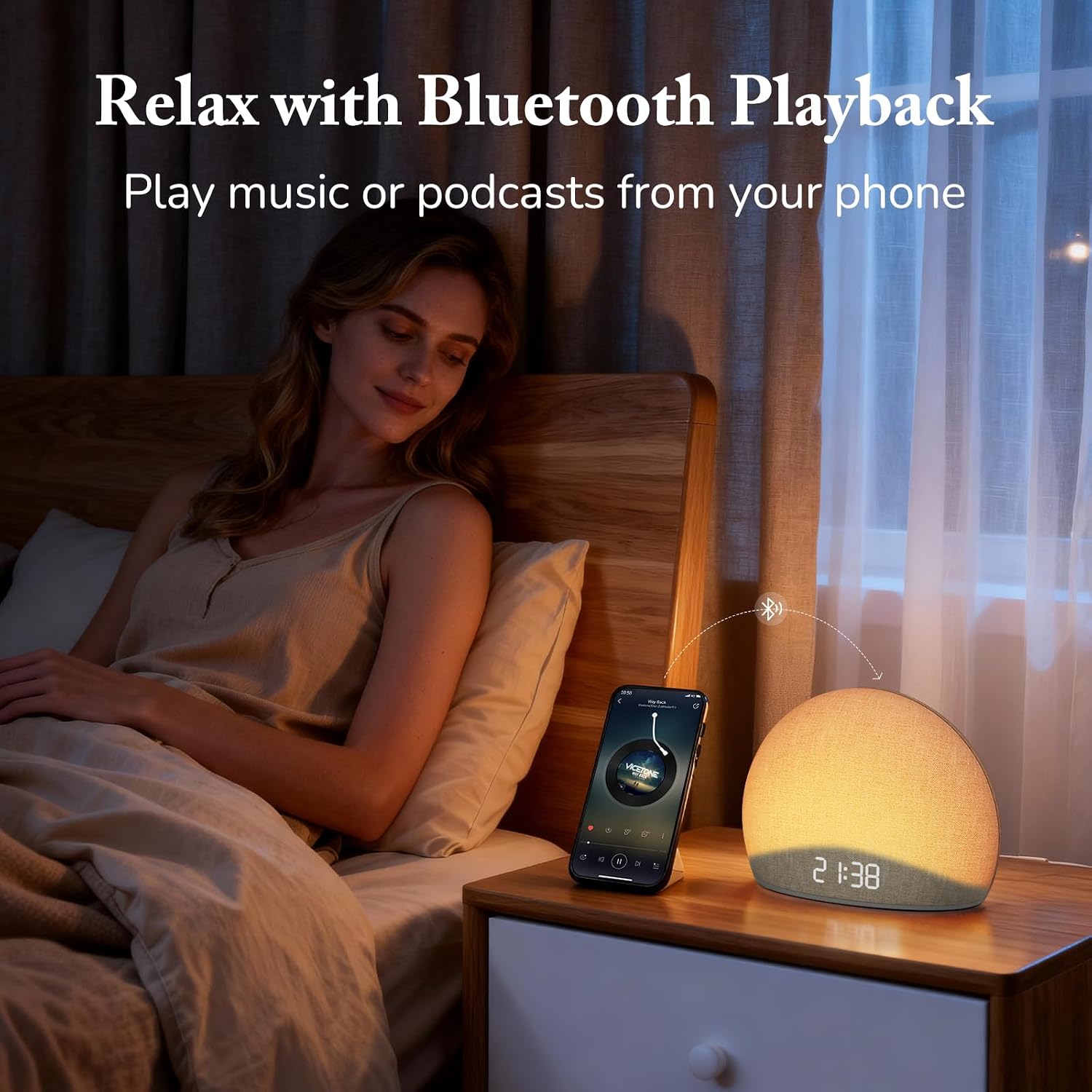
Image: The alarm clock connected via Bluetooth, playing music from a smartphone for relaxation.
Video: Overview of the HOUSBAY Sunrise Alarm Clock Radio for Bedroom, demonstrating its features including Bluetooth connectivity.
Video: Krátká předmluvaview demonstrating the Bluetooth connectivity feature of the HOUSBAY Sunrise Alarm Clock.
Režim rádia FM
- Stiskněte tlačítko FM rádio button (radio icon) to turn on the FM radio.
- Stiskněte a podržte FM rádio button to initiate an automatic scan for available stations. The clock will save detected stations.
- Použijte +/- buttons to cycle through saved FM stations.
- Upravte hlasitost pomocí vyhrazených ovládacích prvků hlasitosti.
- To turn off the FM radio, press the FM rádio znovu tlačítko.

Image: The alarm clock displaying the time 9:00, with visual cues suggesting active FM radio functionality.
Nastavení jasu displeje
To ensure a sleep-friendly environment, the clock's display brightness can be adjusted or turned off completely.
- Vyhledejte Jas displeje button (often a sun or dimmer icon).
- Press the button repeatedly to cycle through various brightness levels, including off.
- Vyberte požadovaný jas.

Image: The alarm clock with its display dimmed to a low setting, suitable for a dark bedroom environment.
Údržba
- Čištění: K čištění povrchu zařízení používejte měkký, suchý hadřík. Nepoužívejte tekuté čisticí prostředky ani abrazivní materiály.
- Skladování: Pokud zařízení skladujete delší dobu, odpojte jej od zdroje napájení a uložte jej na chladném a suchém místě.
- Péče o tkaniny: The fabric finish can be gently wiped with a slightly damp cloth if necessary, then immediately dried.
Odstraňování problémů
| Problém | Možná příčina | Řešení |
|---|---|---|
| Zařízení se nezapne. | Napájecí adaptér není připojen nebo je zásuvka vadná. | Ujistěte se, že je napájecí adaptér bezpečně zapojený do zařízení i do funkční elektrické zásuvky. Zkuste jinou zásuvku. |
| Párování Bluetooth selhalo. | Device not in pairing mode; mobile device too far; interference. | Ensure the alarm clock is in Bluetooth pairing mode (flashing BT icon). Move your mobile device closer. Restart both devices and try again. |
| Špatný příjem FM rádia. | Antenna not extended or positioned correctly; weak signal. | Fully extend the FM antenna and adjust its position for better signal. Perform an auto-scan for stations again. |
| Budík nezvoní/nesvítí. | Alarm not activated; volume too low; incorrect mode selected. | Verify the alarm is set and activated. Check the alarm volume. Ensure the correct wake-up mode (Sound Only, Sunrise Only, or both) is selected. |
| Displej je prázdný nebo nereaguje. | Display brightness set to off; temporary software glitch. | Press the Display Brightness button to cycle through brightness levels. If unresponsive, unplug the device for a few minutes and then plug it back in to reset. |
Specifikace
| Funkce | Detail |
|---|---|
| Značka | HOUSBAY |
| Číslo modelu | TS9RA |
| Typ zobrazení | Digitální |
| Zdroj napájení | Elektrický kabel |
| Rozměry produktu (Š x V) | 6.3 cm Š x 4.72 cm V |
| Hmotnost položky | 0.7 kg |
| Speciální funkce | Sunrise Alarm, Bluetooth Speaker, FM Radio, Dimmable Night Light, Adjustable Display |
| Materiál | Wood (Frame), Fabric Finish |
Záruka
This HOUSBAY product is covered by a manufacturer's warranty. For specific details regarding warranty coverage, duration, and terms, please refer to the warranty card included with your purchase or contact HOUSBAY customer support.
Zákaznická podpora
For any questions, technical assistance, or warranty claims, please contact HOUSBAY customer support through their official webwebu nebo kontaktních informací uvedených na obalu produktu.
Můžete také navštívit HOUSBAY Store on Amazon pro více informací o produktu a zdroje podpory.