Zavedení
This manual provides detailed instructions for the safe and effective use of your Generic Ultrapods Pro Wireless Noise Cancelling Earbuds. Please read this manual thoroughly before using the product and retain it for future reference.
The Ultrapods Pro are designed to deliver high-quality audio with advanced features such as Bluetooth 5.3 connectivity, Environmental Noise Cancellation (ENC), and IPX4 water resistance.
Obrázek: Přední a zadní strana views of the Ultrapods Pro charging case, showcasing its design and the DUOTRONIX branding often associated with Generic products.

Image: People enjoying music and calls with Ultrapods Pro earbuds in different scenarios, highlighting general usage.
Co je v krabici
- Bluetooth Earbuds (Ultrapods Pro)
- Nabíjecí kabel
- Uživatelská příručka
Vlastnosti produktu
- Bluetooth 5.3: Zajišťuje stabilní a efektivní bezdrátové připojení.
- Celková doba přehrávání 30 hodin: Extended battery life with the included charging case.
- Smart ENC (Environmental Noise Cancellation): Reduces background noise for clear calls.
- IPX4 Splash & Water Resistance: Protects against sweat and light splashes.
- Nízká latence 40 ms: Provides synchronized audio for gaming and video calls.
- Rychlé nabíjení: 10 minutes of charge provides up to 100 minutes of playback.
- High Fidelity 13mm Drivers: Delivers immersive sound quality.
- Dotykové ovládání: Intuitive control for media and calls.

Image: A graphic illustrating the noise reduction capability of the earbuds, emphasizing the 'Tune the World Out' feature with 38 dB reduction.
Nastavení
1. Počáteční nabíjení
Before first use, fully charge the Ultrapods Pro earbuds and their charging case.
- Vložte sluchátka do nabíjecího pouzdra.
- Připojte nabíjecí pouzdro ke zdroji napájení USB pomocí dodaného nabíjecího kabelu.
- The LED indicator on the case will show charging status. A full charge typically takes approximately 1.5 hours.

Image: The Ultrapods Pro charging case displaying its battery level, indicating the charging status.

Image: Close-up of the Ultrapods Pro charging case featuring a 3D embossed digital power display.
2. Párování Bluetooth
- Otevřete nabíjecí pouzdro. Sluchátka se automaticky přepnou do režimu párování, což bude signalizováno blikajícími LED diodami.
- Na svém zařízení (chytrém telefonu, tabletu atd.) povolte Bluetooth a vyhledejte dostupná zařízení.
- Select "Ultrapods Pro" from the list of found devices.
- Po připojení přestanou LED diody sluchátek blikat a uslyšíte potvrzovací tón.
3. Nošení sluchátek do uší
Gently insert the earbuds into your ears, ensuring a comfortable and secure fit. Adjust them until the sound is clear and the fit is snug to optimize audio quality and noise cancellation.

Image: An Ultrapods Pro earbud shown correctly positioned within the ear for optimal fit and sound.
Návod k obsluze
Dotykové ovládání
The Ultrapods Pro feature intuitive touch controls on each earbud.
| Akce | Funkce |
|---|---|
| Jedno klepnutí (vlevo/vpravo) | Přehrát/Pozastavit hudbu, Přijmout/Ukončit hovor |
| Dvojité klepnutí (pravé sluchátko) | Další stopa |
| Dvojité klepnutí (levé sluchátko) | Předchozí stopa |
| Trojité klepnutí (vlevo/vpravo) | Aktivujte hlasového asistenta |
| Dlouhé stisknutí (2 sekund) | Reject Call, Toggle Gaming Mode (Low Latency) / Normal Mode |
| Dlouhé stisknutí (3 sekund) | Toggle ENC (Environmental Noise Cancellation) On/Off |
Potlačení okolního hluku (ENC)
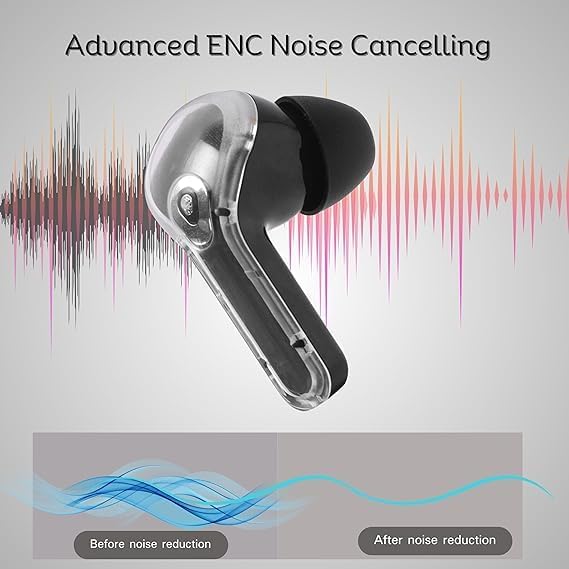
The Ultrapods Pro feature Smart ENC technology to reduce ambient noise during calls, ensuring clearer communication.

Image: A visual representation of how Advanced ENC Noise Cancelling technology reduces background noise for improved audio clarity.

Obrázek: Explodoval view of the earbud highlighting the dual microphones and 10+6mm double moving coil drivers for ENC and sound quality.
Herní režim (nízká latence)
Activate Gaming Mode for a low-latency audio experience, ideal for gaming and video playback where audio-visual synchronization is critical.
- To activate: Long press the touch control area for 2 seconds.
- To deactivate: Long press again for 2 seconds.
Údržba
Čištění
Pravidelné čištění pomáhá udržovat optimální výkon a hygienu.
- K otření sluchátek a nabíjecího pouzdra použijte měkký, suchý hadřík, který nepouští vlákna.
- Nepoužívejte abrazivní čisticí prostředky, alkohol ani chemická rozpouštědla.
- Gently remove any earwax or debris from the earbud tips and speaker mesh using a small, clean brush or cotton swab.
Voděodolnost (IPX4)
The Ultrapods Pro are IPX4 rated, meaning they are resistant to splashes and sweat. They are not designed for submersion in water.
- Avoid exposing the earbuds to running water or heavy rain.
- Nenoste je při plavání nebo sprchování.
- If they get wet, wipe them dry thoroughly before placing them back in the charging case or using them.
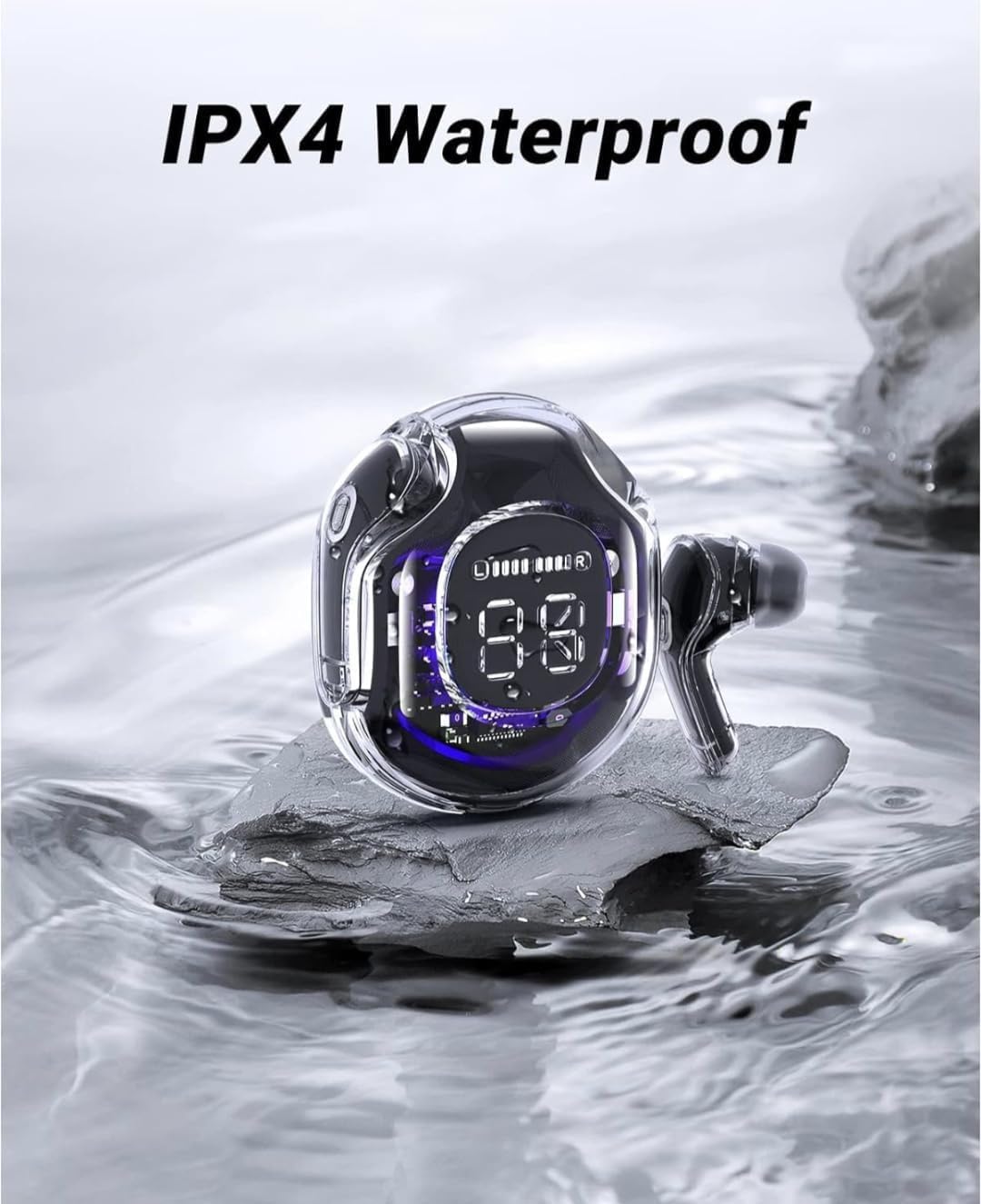
Image: The Ultrapods Pro charging case and earbuds shown with water splashes, illustrating their IPX4 water resistance rating.

Image: A person wearing Ultrapods Pro earbuds while being splashed with water, highlighting the product's IPX4 water resistance against sweat and splashes.
Skladování
Když sluchátka nepoužíváte, uložte je do jejich nabíjecího pouzdra, abyste je ochránili a udrželi nabitá.
- Keep the product away from extreme temperatures, humidity, and dust.
- Zabraňte pádu sluchátek na zem nebo jejich vystavení silným nárazům.
Odstraňování problémů
| Problém | Možné řešení |
|---|---|
| Sluchátka se nespárují |
|
| Žádný zvuk z jednoho sluchátka |
|
| Nabíjecí pouzdro se nenabíjí |
|
| Špatná kvalita hovoru |
|
Resetování sluchátek
Pokud se potýkají s přetrvávajícími problémy, může je vyřešit obnovení továrního nastavení.
- Vložte obě sluchátka do nabíjecího pouzdra.
- With the case open, press and hold the reset button (if available, otherwise refer to specific product instructions for a long press on both earbuds simultaneously) for approximately 10-15 seconds until the LED indicators flash rapidly.
- Remove "Ultrapods Pro" from your device's Bluetooth list and re-pair the earbuds.
Specifikace
| Funkce | Detail |
|---|---|
| Název modelu | Ultrapods Pro |
| Technologie připojení | Bezdrátové (Bluetooth) |
| Technologie bezdrátové komunikace | Bluetooth 5.3 |
| Kontrola hluku | Potlačení okolního hluku (ENC) |
| Životnost baterie | Až 30 hodin (s nabíjecím pouzdrem) |
| Doba nabíjení | Approx. 10 minutes for 100 minutes playback (Fast Charging) |
| Úroveň odolnosti proti vodě | IPX4 (odolnost proti stříkající vodě a potu) |
| Typ zvukového ovladače | Dynamický měnič (13 mm) |
| Kontrolní metoda | Dotek |
| Formát mikrofonu | Vestavěný HD mikrofon |
| Latence | 40ms (Low Latency Gaming Mode) |
| Materiál | Plast, silikon |
| Rozměry produktu | 12 x 8 x 8 cm |
| Hmotnost položky | 200 g |
Záruka a podpora
Informace o záruce a zákaznické podpoře naleznete v dokumentaci dodané při nákupu nebo se obraťte na svého prodejce. Uschovejte si doklad o koupi pro případné reklamace.


