
Zavedení
This manual provides detailed instructions for the setup, operation, and maintenance of your vretti K2 Bluetooth Thermal Label Maker. Please read this manual thoroughly before using the device to ensure proper functionality and to extend the product's lifespan.
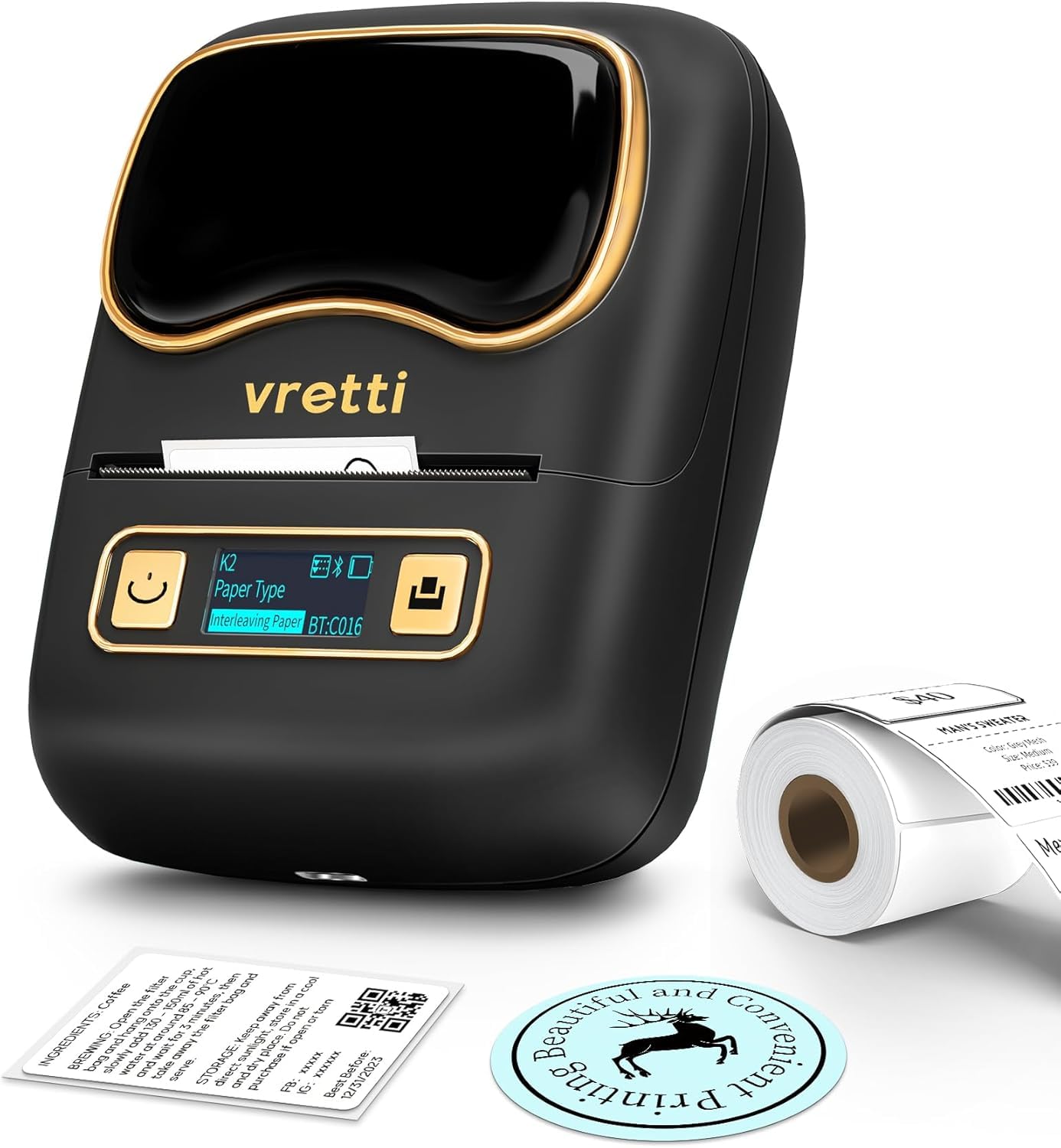
The vretti K2 Bluetooth Thermal Label Maker.
Konec produktuview Video
Toto video poskytuje stručný přehledview of the vretti K2 label maker's features and common uses, such as creating labels for gifts and containers.
Bezpečnostní informace
- Udržujte zařízení mimo dosah vody a vysoké vlhkosti.
- Nevystavujte zařízení extrémním teplotám nebo přímému slunečnímu záření.
- Use only the specified power adapter and USB-C cable.
- Zabraňte pádu zařízení nebo jeho vystavení silným nárazům.
- Nepokoušejte se zařízení sami rozebírat nebo opravovat. Požádejte o pomoc zákaznickou podporu.
- Uchovávejte mimo dosah dětí.
Obsah balení
Ověřte, zda jsou v balení přítomny všechny položky:
- vretti K2 Label Maker (x1)
- 50x30mm Paper Rolls (x1, pre-installed)
- Kabel typu C (x1)
- Uživatelská příručka (x1)

Contents included in the vretti K2 label maker package.
Nastavení
1. Vkládání štítků
- Press the open cover button on the left side of the device to open the cover.
- Push the baffle latch back to unlock the paper roll holder.
- Remove the privacy protection sticker from the label paper roll.
- Place the label paper roll into the compartment with the print side facing down.
- Push the baffle latch forward to lock the paper roll in place.
- Extend the label paper approximately 3mm from the paper outlet, then close the cover.
- Press and hold the power button for 3 seconds to turn on the device. The display will illuminate.
- Press the feed button to advance the paper and calibrate the label position.
This video demonstrates the correct procedure for installing label paper into the K2 label maker.
2. Stažení aplikace a připojení Bluetooth
- Download the "Xeasy Label" app from the App Store (iOS) or Google Play Store (Android).
- Enable Bluetooth and GPS (location services) on your mobile phone.
- Open the "Xeasy Label" app. Click the '+' button in the upper right corner to search for devices.
- Select "K2" from the list of connectable devices and click "Connect". The app will indicate "Connection successful".

The 'Xeasy Label' app supports Bluetooth connection for both Android and iOS devices.
This video guides you through connecting your K2 label maker to your mobile phone via Bluetooth for printing.
Návod k obsluze
1. Vytváření a úprava štítků
- In the "Xeasy Label" app, select a label template that matches the dimensions of your physical label paper. For example, if your label paper is 50mm x 30mm, choose the corresponding template.
- Double-click on the template area to begin editing.
- Use the various tools in the app (Text, Frame, Sticker, Image, QR Code, Bar Code, Row Number, Shape, Table) to design your label.
- You can add text, images, icons, and adjust their size and position as needed.

The 'Xeasy Label' app offers multiple free templates, fonts, and icons for label design.
2. Tisk štítků
- After designing your label, click the "Print Label" button in the app.
- Adjust the quantity of labels to print and the print density if necessary.
- Confirm your settings and initiate printing. The K2 label maker will print the labels.

Easy-to-follow steps for using the vretti K2 label maker.
3. Podporované typy a velikosti štítků
The vretti K2 label maker supports various thermal label paper sizes, with a print range of 20mm to 58mm (approximately 1-2 inches) in width. This includes square, round, cable, and file štítky.

The vretti K2 supports various label styles and sizes, fitting 1-2 inch width thermal labels.
4. Aplikace Přamples
The K2 label maker is versatile for various applications:
- Kancelářské použití: File labels, asset tags, memo labels.
- Obchodní využití: Price labels, product labels, barcode labels for retail, coffee shops, and small businesses.
- Domácí použití: Storage labels, food container labels, spice jar labels, medication labels.
- dárky: Personalized gift tags and decorative labels.

Examples of multiple occasions where the vretti K2 label maker can be used.
Údržba
1. Čištění tiskové hlavy
Pro zajištění optimální kvality tisku pravidelně čistěte tiskovou hlavu:
- Turn off the label maker and disconnect it from power.
- Otevřete kryt přihrádky na papír.
- Jemně otřete tiskovou hlavu vatovým tamponem, lehceampzakončené isopropylalkoholem.
- Allow the print head to dry completely before closing the cover and turning on the device.
2. Nabíjení baterie
The K2 label maker is equipped with a 1500mAh rechargeable battery. When the battery indicator on the display is low, connect the device to a power source using the provided USB-C cable. A full charge allows for approximately 3 hours of continuous printing or up to 5000 labels.
Odstraňování problémů
| Problém | Možná příčina | Řešení |
|---|---|---|
| Zařízení se nezapne. | Slabá baterie nebo problém s napájením. | Charge the device using the USB-C cable. Ensure the power button is pressed and held for 3 seconds. |
| Nelze se připojit přes Bluetooth. | Bluetooth or GPS is off; device not discoverable; incorrect pairing. | Ensure Bluetooth and GPS are enabled on your phone. Restart the label maker and the app. Try pairing again. |
| Poor print quality (faint, blurry, or blank). | Print head is dirty; incorrect label paper orientation; low print density setting. | Clean the print head. Ensure the label paper is loaded with the print side down. Increase print density in the app. |
| Paper jam or labels not feeding correctly. | Improperly loaded paper; foreign object in paper path. | Open the cover, remove any jammed paper, and re-load the paper correctly. Ensure the baffle latch is secured. |
| Aplikace padá nebo zamrzá. | Softwarová chyba; zastaralá verze aplikace. | Restartujte aplikaci. Zkontrolujte aktualizace aplikace v obchodě s aplikacemi ve vašem zařízení. |
Specifikace
| Funkce | Detail |
|---|---|
| Název modelu | K2 |
| Značka | vretti |
| Technologie připojení | Bluetooth |
| Technologie tisku | Tepelný |
| Tiskový výstup | Monochromatický |
| Maximální šířka tisku | 58 mm (2 palce) |
| Rozlišení tisku | 203 DPI |
| Rychlost tisku | Až 30 mm / s |
| Baterie | 1500mAh Rechargeable (1 C battery included) |
| Nabíjecí rozhraní | USB-C |
| Rozměry produktu | 4.5"H x 2.5"Š x 3.4"V |
| Hmotnost položky | 7.8 unce (0.49 libry) |
| Kompatibilní zařízení | Chytré telefony (iOS a Android) |
| Kontrolní metoda | App |
Záruka a podpora
Informace o záruce
The vretti K2 Bluetooth Thermal Label Maker comes with a limited warranty. Please refer to the warranty card included in your package or contact vretti customer support for specific terms and conditions.
Zákaznická podpora
For technical assistance, troubleshooting, or warranty claims, please contact vretti customer support through the following channels:
- Webmísto: Visit the official vretti webweb s nejčastějšími dotazy a zdroji podpory.
- E-mail: Refer to your product packaging or the quick start guide for customer service email addresses.
- Amazon Store: You can also reach out to the seller "vretti-us" directly through your Amazon order history for support.