
1. Úvod
Welcome to the world of boAt Nirvana Zenith Pro TWS Earbuds. These earbuds are designed to provide a superior audio experience with advanced features such as Hybrid Adaptive Active Noise Cancellation, Spatial Audio, and Hi-Res Audio with LDAC support. This manual will guide you through the setup, operation, and maintenance of your new earbuds.
2. Co je v krabici
- boAt Nirvana Zenith Pro TWS Earbuds
- Nabíjecí pouzdro
- Additional Earbuds (various sizes)
- Nabíjecí kabel USB typu C.
- Uživatelská příručka

Image: boAt Nirvana Zenith Pro TWS Earbuds and Charging Case in Platinum Gold.
3. Nastavení a první použití
3.1 Počáteční nabíjení
Before first use, fully charge your earbuds and charging case. Connect the USB Type-C cable to the charging port on the case and a power source. The LED indicator on the case will show charging status.
3.2 Párování s vaším zařízením
- Otevřete nabíjecí pouzdro. Sluchátka se automaticky přepnou do režimu párování.
- Na smartphonu nebo jiném zařízení s podporou Bluetooth přejděte do nastavení Bluetooth.
- Hledat 'boAt Nirvana Zenith Pro' in the list of available devices.
- Vyberte jej pro připojení. Po připojení uslyšíte zvukovou výzvu.

Image: Earbuds resting in their open charging case, indicating readiness for Bluetooth pairing.
4. Návod k obsluze
4.1 Dotykové ovládání
The boAt Nirvana Zenith Pro features intuitive touch controls on each earbud. Specific functions can be customized via the boAt Hearables App.
| Akce | Funkce |
|---|---|
| Jedno klepnutí (vlevo/vpravo) | Přehrát/Pozastavit hudbu, Přijmout/Ukončit hovor |
| Dvojité klepnutí (vpravo) | Další stopa |
| Dvojité klepnutí (vlevo) | Předchozí stopa |
| Trojité klepnutí (vlevo/vpravo) | Aktivujte hlasového asistenta |
| Dlouhé stisknutí (vlevo/vpravo) | Přepnout ANC/Ambientní režim |
4.2 Aktivní potlačení hluku (ANC) a ambientní režim
The earbuds feature 50dB Hybrid Adaptive ANC to minimize external noise, allowing for an immersive listening experience. Ambient Mode allows you to hear your surroundings while still enjoying your audio.

Image: Graphic demonstrating the effectiveness of 50dB Hybrid Adaptive Noise Cancellation.
4.3 Prostorový zvuk
Experience a theater-like sound from all directions with boAt Spatial Audio, co-tuned by filmmaker Imtiaz Ali. This feature provides a 360-degree immersive audio experience.
Video: Filmmaker Imtiaz Ali discussing the co-tuning of Spatial Audio for an immersive experience.

Image: Visual representation of Spatial Audio creating a 360-degree sound field around the listener.
4.4 Hi-Res Audio s LDAC
The Nirvana Zenith Pro supports Hi-Res Audio powered by the LDAC codec, ensuring high-quality sound transmission and a rich listening experience through its 12mm drivers.

Obrázek: Podrobný view of the 12mm audio drivers, highlighting Hi-Res Audio and LDAC compatibility.
4.5 Kompatibilita aplikace boAt Hearables
Unlock Pro Mode and customize your listening experience with the boAt Hearables App. Adjust EQ modes, customize touch functions, control ANC settings, and receive software updates.

Image: Screenshot of the boAt Hearables App, showing various settings and customization options.
Stáhněte si aplikaci zde: boAt Hearables App
4.6 Vícebodové připojení
Connect and switch seamlessly between two devices simultaneously. For example, watch a movie on your tablet and answer an incoming call on your phone without manually reconnecting.
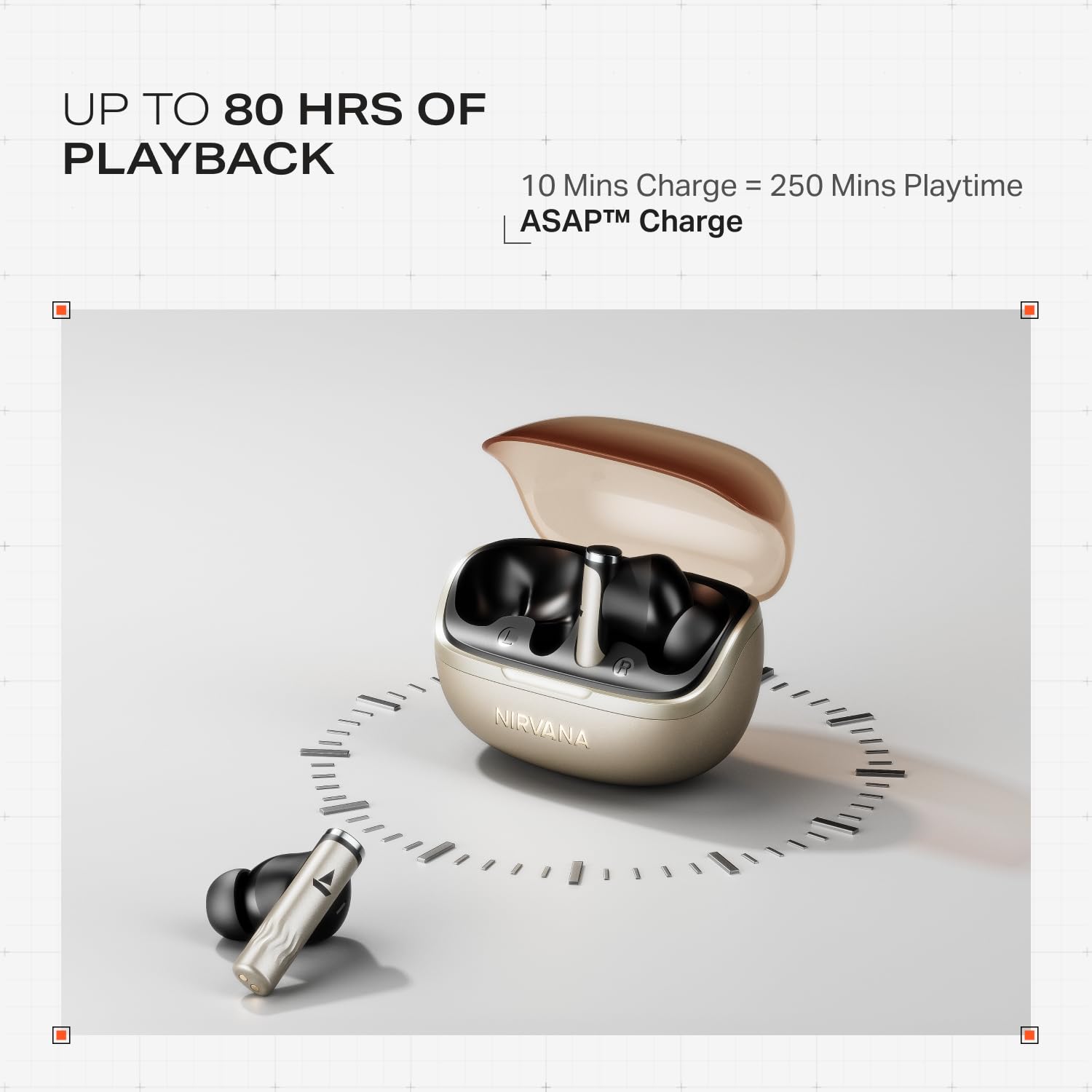
Image: Illustration of multipoint connectivity, with earbuds linked to both a smartphone and a tablet.
4.7 Detekce v uchu
The earbuds automatically pause playback when removed from your ears and resume when placed back in, providing a seamless listening experience.

Image: Diagram showing an earbud in an ear, with text indicating 'Plug-in to Play' and 'Plug-Out to Pause'.
4.8 Beast Mode (Low Latency)
Activate Beast Mode for an ultra-low latency of 60ms, ideal for gaming to ensure synchronized audio and visuals.

Image: A smartphone displaying a racing game, with earbuds positioned nearby, illustrating the Beast Mode for low-latency gaming.
4.9 Google Fast Pair Service
Enjoy quick and effortless pairing with Android devices using Google Fast Pair Service, allowing for instant connection upon opening the case.

Image: A smartphone displaying a Google Fast Pair notification, prompting connection to the Nirvana Zenith Pro earbuds.
5. Nabíjení a baterie
The earbuds offer up to 80 hours of total playtime with the charging case. The ASAP Charge feature provides 250 minutes of playtime after just 10 minutes of charging.
- Životnost baterie: Až 80 hodin (s nabíjecím pouzdrem)
- Poplatek ASAP: 10 minut nabíjení = 250 minut přehrávání
- Doba plného nabití: Approximately 110 minutes for earbuds and case.

Image: Visual representation of the earbuds and charging case, highlighting 80 hours of playback and ASAP Charge capabilities.
6. Údržba a péče
- Čištění: Regularly clean the earbuds and charging contacts with a soft, dry cloth. Avoid using harsh chemicals.
- Skladování: Když sluchátka nepoužíváte, uložte je do jejich nabíjecího pouzdra, abyste je ochránili a udrželi nabitá.
- Voděodolnost: The earbuds are IPX4 rated, meaning they are resistant to splashes and sweat. Do not submerge them in water.
Video: A short animation demonstrating the IPX4 water resistance of the earbuds, showing protection against splashes.
7. Řešení problémů
7.1 Sluchátka se nespárují
- Ujistěte se, že jsou obě sluchátka nabitá.
- Vložte sluchátka zpět do pouzdra, zavřete víko, počkejte několik sekund a poté jej znovu otevřete, abyste znovu přešli do režimu párování.
- Zapomeňte na zařízení z nastavení Bluetooth v telefonu a zkuste spárování znovu.
7.2 Low Volume/Poor Sound Quality
- Zkontrolujte úroveň hlasitosti na zařízení i ve sluchátkách.
- Ujistěte se, že sluchátka jsou čistá a bez nečistot.
- Pro lepší utěsnění vyzkoušejte různé velikosti ušních nástavců.
- Disable ANC temporarily to see if it improves sound in certain environments.
7.3 Sluchátka se nenabíjejí
- Ujistěte se, že je nabíjecí kabel bezpečně připojen k pouzdru i ke zdroji napájení.
- Vyčistěte nabíjecí kontakty na sluchátkách i na pouzdře.
- Zkuste jiný nabíjecí kabel nebo napájecí adaptér.
8. Specifikace
| Funkce | Detail |
|---|---|
| Název modelu | Nirvana Zenith Pro |
| Číslo modelu | PP0010 |
| Kontrola hluku | 50dB Hybrid Adaptive Active Noise Cancellation |
| Audio kodek | LDAC (Hi-Res Audio) |
| Ovladače | 12mm dynamické ovladače |
| Mikrofony | 6 Mics with AI-ENx Technology |
| Životnost baterie | Až 80 hodin (s pouzdrem) |
| Verze Bluetooth | 5.4 |
| Voděodolnost | IPX4 |
| Nízká latence | 60ms (Beast Mode) |
| Hmotnost | 45 gramů |
9. Záruka a podpora
Your boAt Nirvana Zenith Pro TWS Earbuds come with a 1-letá záruka od data nákupu. Uschovejte si prosím doklad o koupi pro případ reklamace.
For further assistance, technical support, or warranty claims, please visit the official boAt webwebu nebo kontaktujte jejich zákaznický servis. Kontaktní informace obvykle naleznete na obalu produktu nebo na oficiálním webmísto.