
1. Úvod
The MARVO KG955W Shogo 63 is a compact 60% mechanical gaming keyboard designed for versatility and performance. It features tri-mode connectivity (wired, 2.4GHz wireless, and Bluetooth), yellow linear pre-lubed switches, customizable RGB backlighting, and full-key anti-ghosting. This manual provides instructions for setting up, operating, and maintaining your keyboard.
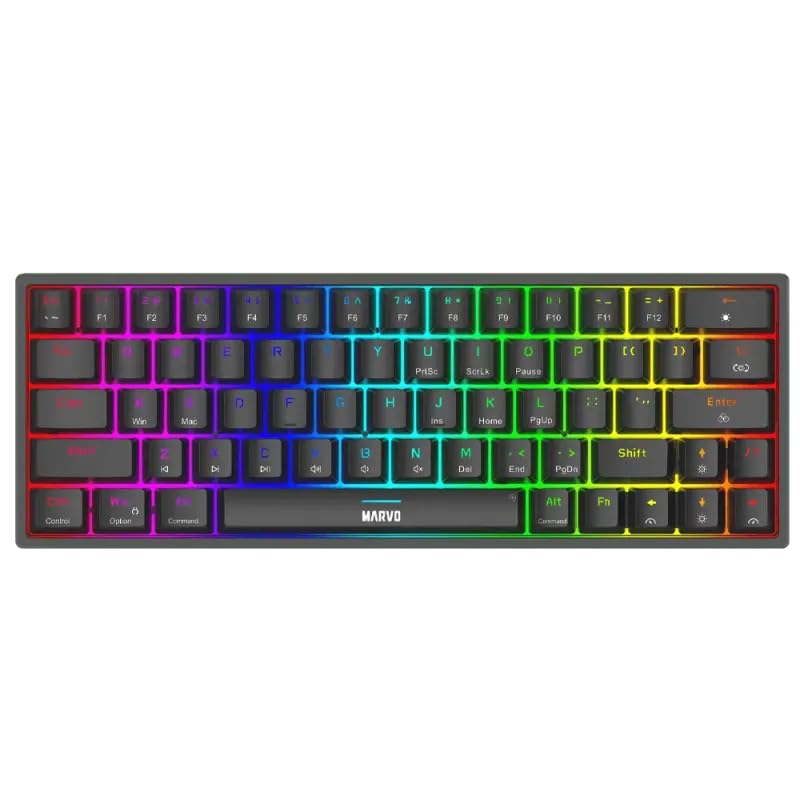
Obrázek 1.1: Shora dolů view of the MARVO KG955W keyboard showcasinjeho kompaktní 60% rozložení a zářivé RGB podsvícení.
2. Obsah balení
Zkontrolujte prosím balení, zda neobsahuje následující položky:
- MARVO KG955W Shogo 63 Wireless Mechanical Gaming Keyboard
- Detachable 1.6m braided Type-C USB Cable
- Bezdrátový přijímač 2.4 GHz (USB adaptér)
- Uživatelská příručka (tento dokument)
3. Nastavení a připojení
The KG955W keyboard offers three connectivity modes: Wired, 2.4GHz Wireless, and Bluetooth.
3.1. Kabelové připojení
- Connect the detachable Type-C USB cable to the keyboard's USB-C port.
- Připojte druhý konec kabelu USB k volnému portu USB v počítači.
- The keyboard will automatically be detected and ready for use. The keyboard will also charge in wired mode.
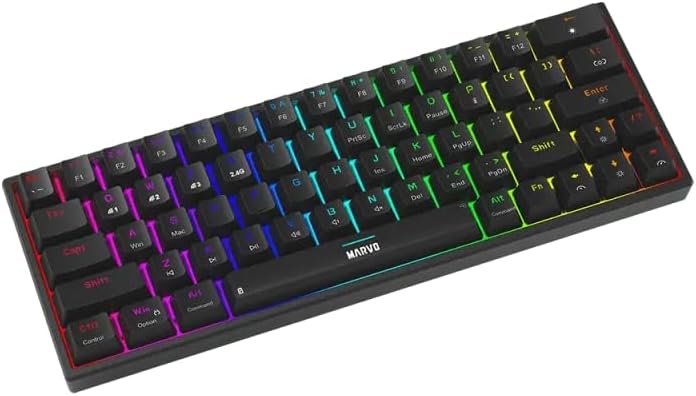
Obrázek 3.1: Boční strana view of the keyboard showing the USB-C port for wired connection and charging.
3.2. Bezdrátové připojení 2.4 GHz
- Locate the 2.4GHz USB receiver (dongle) in the package.
- Zapojte 2.4GHz USB přijímač do volného USB portu na vašem počítači.
- On the keyboard, switch the mode selector (usually on the back or side) to the 2.4G wireless mode.
- Klávesnice by se měla připojit automaticky. Pokud ne, stiskněte Fn + R pro zahájení párování.
3.3. Připojení Bluetooth
- On the keyboard, switch the mode selector to Bluetooth mode.
- Stiskněte a podržte Fn + Q, Fn + Wnebo Fn + E po dobu 3–5 sekund pro vstup do režimu párování pro zařízení Bluetooth 1, 2 nebo 3. Kontrolka bude rychle blikat.
- V počítači nebo zařízení povolte Bluetooth a vyhledejte nová zařízení.
- Select "MARVO KG955W" (or similar name) from the list of available devices to pair.
- Po spárování kontrolka na klávesnici přestane blikat a zůstane svítit nepřetržitě.
Klávesnice dokáže uložit až tři Bluetooth Pro...files, allowing quick switching between devices using Fn + Q/W/E.
4. Návod k obsluze
The KG955W is a 60% compact keyboard, meaning some functions are accessed via the Fn kombinace kláves.
4.1. Function Key Combinations (Fn Key)
Podržte tlačítko Fn key and press the corresponding key for secondary functions:
- Fn + 1-0, -, =: F1-F12 functions (check keycaps for specific mappings).
- Fn + P: Print Screen
- Fn + [{: Domů
- Fn + ] }: Konec
- Fn +; :: Stránka nahoru
- Fn + '": Stránka dolů
- Fn + klávesy se šipkami: Media controls (e.g., volume up/down, play/pause, next/previous track). Refer to keycap legends.
- Fn + Win: Klávesa pro zamknutí/odemknutí systému Windows.
4.2. Ovládání RGB podsvícení
The keyboard features customizable RGB backlighting. Use the following combinations to control the lighting effects:
- Fn + \ |: Change lighting mode.
- Fn + ↑: Zvýšení jasu.
- Fn + ↓: Decrease brightness.
- Fn + ←: Decrease lighting speed.
- Fn + →: Increase lighting speed.
- Fn + mezerník: Změna barvy podsvícení (pro statické režimy).
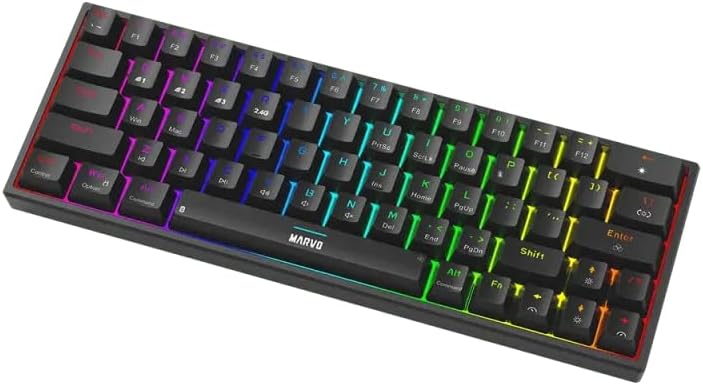
Image 4.1: The keyboard displaying its customizable RGB backlighting in a dynamic pattern.
4.3. Stav baterie
The keyboard has an integrated battery for wireless operation. An indicator light will typically show low battery status or charging status. Refer to the specific LED indicators on your keyboard for details.
5. Údržba
Správná údržba zajistí dlouhou životnost a výkon vaší klávesnice.
- Čištění: K otření povrchu klávesnice použijte měkký, suchý hadřík. Pro důkladnější čištění použijte stlačený vzduch k odstranění prachu a nečistot z prostoru mezi klávesami. Nepoužívejte agresivní chemikálie ani abrazivní materiály.
- Skladování: Klávesnici skladujte na chladném a suchém místě mimo dosah přímého slunečního záření a extrémních teplot.
- Péče o kabely: Handle the detachable USB-C cable carefully. Avoid bending or twisting it excessively.

Image 5.1: Illustration of a hot-swappable switch, demonstrating the ease of maintenance and customization for individual key switches.
6. Řešení problémů
If you encounter issues with your MARVO KG955W keyboard, refer to the following common solutions:
| Problém | Řešení |
|---|---|
| Klávesnice nereaguje (kabelová) |
|
| Klávesnice nereaguje (bezdrátové připojení 2.4 GHz) |
|
| Klávesnice nereaguje (Bluetooth) |
|
| RGB osvětlení nefunguje nebo je nesprávné |
|
| Klávesy se neregistrují nebo se píší dvakrát |
|
7. Specifikace
| Funkce | Detail |
|---|---|
| Název modelu | MARVO KG955W Shogo 63 |
| Typ klávesnice | Mechanical, 60% TKL (Tenkeyless) |
| Spínače | Yellow Linear, Pre-lubed, Hot-swappable |
| Konektivita | Wired (USB-C), 2.4GHz Wireless, Bluetooth (Tri-mode) |
| Anti-Ghosting | Full-key Anti-Ghosting |
| Podsvícení | Customizable RGB |
| Kabel | Detachable 1.6m braided Type-C USB |
| Materiál | Plast |
| Hmotnost | 460 gramů |
| Kompatibilní OS | Windows (also compatible with other systems via Bluetooth/2.4G) |
| Počet klíčů | 63 |
8. Informace o záruce
The MARVO KG955W Shogo 63 Wireless Mechanical Gaming Keyboard comes with a Záruka 6 měsíců from the date of purchase. This warranty covers manufacturing defects and malfunctions under normal use. It does not cover damage caused by misuse, accidents, unauthorized modifications, or normal wear and tear. Please retain your proof of purchase for warranty claims.
9. Podpora
For technical support, troubleshooting assistance beyond this manual, or warranty inquiries, please contact MARVO customer service through their official website or the retailer where the product was purchased. Please have your product model number (KG955W) and proof of purchase ready when contacting support.