
1. Úvod
The MARVO HG9076W Tactic X Pro is a versatile tri-mode gaming headset designed for an immersive audio experience across multiple platforms. It offers three connectivity options: 2.4GHz wireless, Bluetooth 5.3, and a wired connection via a 1.5-meter Type-C to 3.5mm audio cable. This manual provides detailed instructions for setup, operation, maintenance, and troubleshooting to ensure optimal performance of your headset.
2. Vlastnosti produktu
- Třírežimové připojení: Seamlessly switch between 2.4GHz wireless, Bluetooth 5.3, and wired (Type-C to 3.5mm) connections.
- Pohlcující zvuk: Equipped with 53mm drivers delivering 7.1 Surround Sound for precise audio positioning.
- Živé RGB osvětlení: Customizable RGB backlighting for a personalized aesthetic.
- Vylepšený komfort: Over-ear design with soft ear cushions and a self-adjustable headband for extended wear.
- Jasná komunikace: Detachable, flexible omnidirectional microphone with noise cancellation.
- Baterie s dlouhou výdrží: Integrated 1000 mAh battery provides up to 50 hours of usage.
- Široká kompatibilita: Compatible with PC, Mac, PlayStation consoles, and other devices.
3. Obsah balení
Zkontrolujte prosím balení, zda neobsahuje následující položky:
- MARVO HG9076W Tactic X Pro Gaming Headset
- Odnímatelný všesměrový mikrofon
- Bezdrátový USB adaptér 2.4 GHz
- Nabíjecí kabel typu C na USB
- Audio kabel typu C na 3.5 mm
- Uživatelská příručka (tento dokument)
4. Pokyny k nastavení
4.1 Připojení mikrofonu
Align the microphone's 3.5mm jack with the port on the left earcup and gently push it in until it clicks. Ensure it is securely connected. The microphone is flexible and can be adjusted to your preferred position.
4.2 Kabelové připojení
For a wired connection, use the provided Type-C to 3.5mm audio cable. Connect the Type-C end to the headset and the 3.5mm end to your device's audio jack. This mode does not require battery power.
4.3 2.4GHz Wireless Connection (PC/Mac/PS)
- Insert the 2.4GHz USB wireless dongle into an available USB port on your PC, Mac, or PlayStation console.
- Zapněte sluchátka s mikrofonem. Sluchátka se automaticky pokusí připojit k hardwarovému klíči.
- Once connected, the indicator light on the headset will show a stable color (refer to LED indicator section for details).
- On your device, ensure the headset is selected as the default audio input and output device.
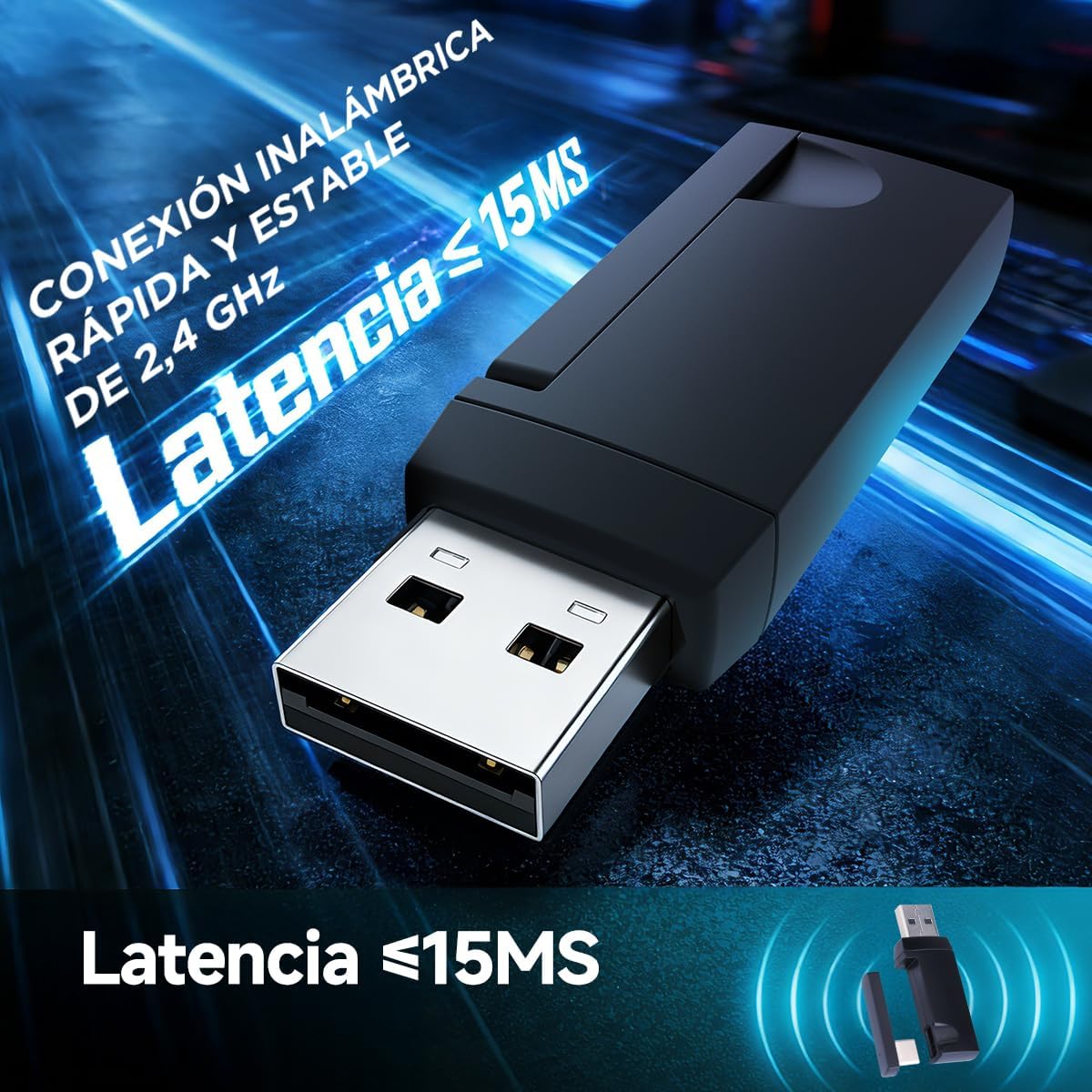
Image: The 2.4GHz USB wireless dongle, illustrating its compact design and low-latency capability (less than 15ms).
4.4 Bluetooth 5.3 Connection (Mobile/Tablet/Other Devices)
- Power on the headset and switch it to Bluetooth mode (refer to Mode Switching section).
- The headset will enter pairing mode, indicated by a flashing LED light.
- Na svém mobilním zařízení nebo tabletu přejděte do nastavení Bluetooth a vyhledejte dostupná zařízení.
- Select "MARVO HG9076W" from the list to pair.
- Once paired, the LED indicator will show a stable color.

Image: The MARVO HG9076W headset demonstrating its wireless connectivity options with a smartphone and laptop.

Obrázek: Přehlídka headsetůasing its compatibility with multiple platforms, including a PlayStation 5, Nintendo Switch, mobile phone, and tablet, highlighting its four connection methods.
5. Návod k obsluze
5.1 Zapnutí/vypnutí
Stiskněte a podržte tlačítko napájení na sluchátkách přibližně 3 sekundy pro zapnutí nebo vypnutí.
5.2 Přepínání režimů
The headset supports three modes: 2.4GHz wireless, Bluetooth, and wired. Use the dedicated mode switch button (or combination of buttons, refer to product diagram if available) to cycle through these modes. The LED indicator will change to reflect the active mode.
5.3 Ovládání hlasitosti
Pro nastavení hlasitosti zvuku použijte kolečko pro nastavení hlasitosti nebo tlačítka umístěná na sluchátku.
5.4 Ztlumení/zapnutí mikrofonu
Press the microphone mute button on the earcup to toggle the microphone on or off. A red LED on the microphone tip (if present) or a specific headset LED indicator will show its status.

Image: The headset featuring its detachable, noise-cancelling microphone, capable of suppressing 95% of ambient noise for clear communication.
5.5 Ovládání RGB osvětlení
The headset features vibrant RGB backlighting. A dedicated button or a combination of buttons can be used to cycle through lighting effects or turn the RGB lighting on/off. Refer to the specific controls on your headset.
5.6 Nabíjení headsetu
Connect the provided Type-C to USB charging cable to the headset's Type-C port and the other end to a USB power source (e.g., computer USB port, wall adapter). The LED indicator will show charging status (e.g., red for charging, off/green for fully charged). A full charge provides up to 50 hours of usage.

Image: The headset highlighting its 1000 mAh battery, providing over 50 hours of continuous use on a single charge.
6. Údržba
- Čištění: K čištění sluchátek s mikrofonem používejte měkký, suchý hadřík. Nepoužívejte abrazivní čisticí prostředky ani rozpouštědla.
- Skladování: Sluchátka skladujte na chladném a suchém místě mimo dosah přímého slunečního záření a extrémních teplot.
- Péče o kabely: Vyhněte se ostrým ohybům nebo nadměrnému tahání za kabely, abyste předešli jejich poškození.
- Životnost baterie: For optimal battery longevity, avoid fully discharging the battery frequently. Charge it regularly.
7. Řešení problémů
| Problém | Možná příčina | Řešení |
|---|---|---|
| Z sluchátek se nehlásí žádný zvuk | Headset not powered on; Incorrect mode selected; Volume too low; Not selected as default audio device. | Ensure headset is powered on and charged. Switch to the correct connection mode (2.4G, BT, Wired). Increase volume. Check device audio settings to ensure HG9076W is selected. |
| Mikrofon nefunguje | Microphone muted; Not securely attached; Not selected as default input device. | Unmute the microphone. Ensure it is firmly attached. Check device audio settings to ensure HG9076W microphone is selected as input. |
| Bezdrátové připojení 2.4 GHz je nestabilní/nepřipojuje se | Dongle not properly inserted; Interference; Headset too far from dongle. | Ensure dongle is fully inserted. Move closer to the dongle. Avoid strong Wi-Fi signals or other 2.4GHz devices. Re-pair if necessary (refer to pairing instructions). |
| Problémy s párováním pomocí rozhraní Bluetooth | Headset not in pairing mode; Device Bluetooth off; Already connected to another device. | Ensure headset is in Bluetooth pairing mode (flashing LED). Turn on Bluetooth on your device. Disconnect from other devices if already paired. |
| Krátká výdrž baterie | Headset not fully charged; RGB lighting always on. | Ensure headset is fully charged. Turn off RGB lighting if not needed to conserve battery. |
8. Specifikace

Image: A user experiencing the immersive 7.1 surround sound provided by the 53mm drivers of the headset.

Obrázek: Podrobný view of the headset's 53mm high-power speaker, highlighting its frequency response range of 20 Hz to 20 KHz.
- Model: HG9076W Tactic X Pro
- Konektivita: 2.4GHz Wireless, Bluetooth 5.3, Wired (Type-C to 3.5mm)
- Velikost ovladače: 53 mm
- Zvuk: 7.1 Prostorový zvuk
- Frekvenční odezva: 20 Hz - 20 kHz
- Mikrofon: Odnímatelná, všesměrová, s potlačením hluku
- Kapacita baterie: 1000 XNUMX mAh
- Životnost baterie: Až 50 hodin
- Nabíjecí port: Typ-C
- Kompatibilita: PC, Mac, PS, Mobile, Tablet
- Form Factor: Over-Ear
- Barva: Bílý
- Země původu: Čína
9. Comfort and Ergonomics
The MARVO HG9076W Tactic X Pro is designed for extended comfort during long gaming sessions. It features soft leatherette earcups with memory foam, a lightweight construction, and a self-adjusting headband to ensure a comfortable fit for various head sizes.

Image: A user wearing the headset, illustrating its ergonomic design with leatherette memory foam earcups, lightweight build, and adjustable frame for maximum comfort.
10. Záruka a podpora
Tento produkt je dodáván s a Záruka 6 měsíců from the date of purchase. The warranty covers manufacturing defects and malfunctions under normal use. It does not cover damage caused by misuse, accidents, unauthorized modifications, or normal wear and tear.
For technical support, warranty claims, or further assistance, please contact your retailer or visit the official MARVO webstránky pro kontaktní informace.