
Zavedení
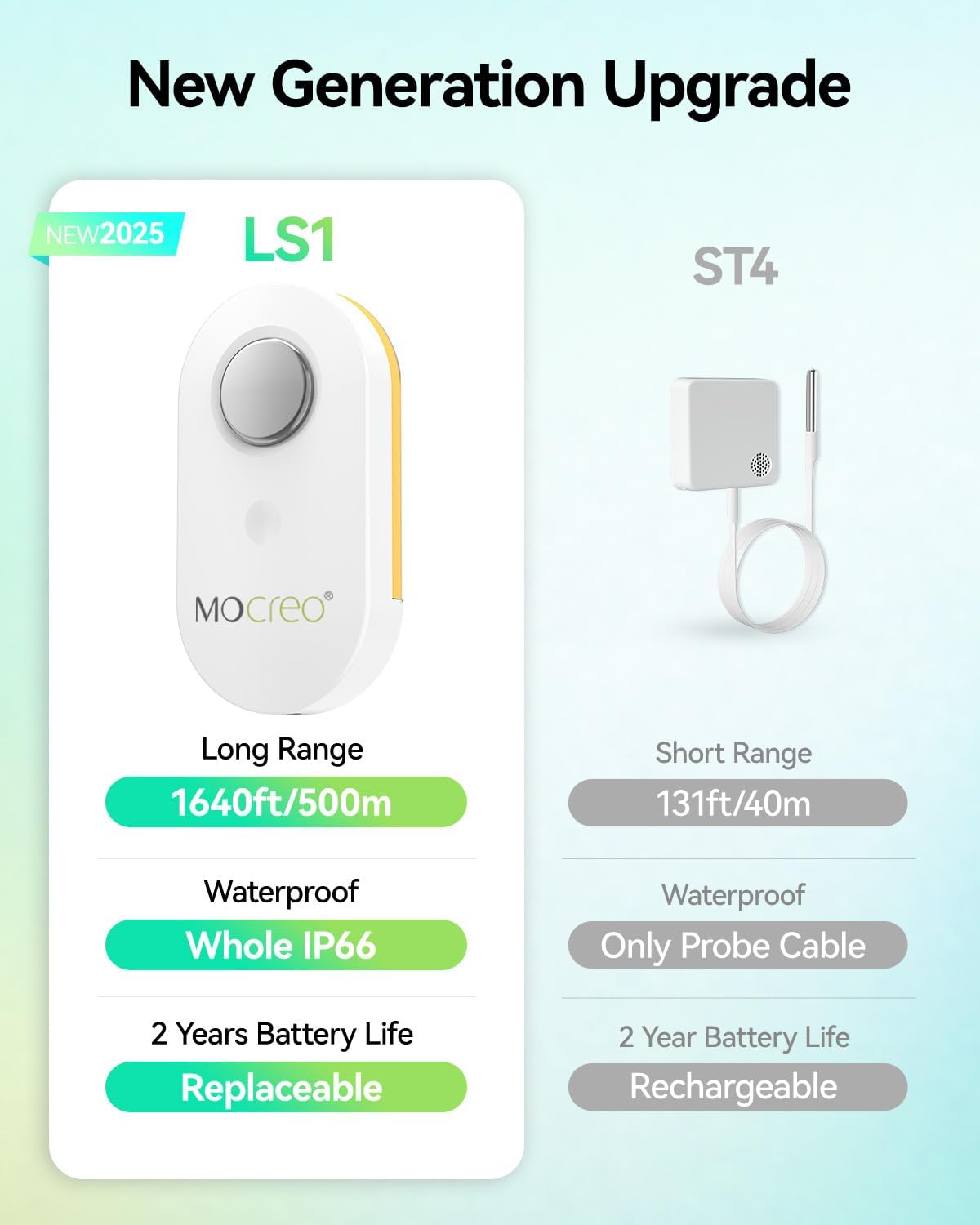
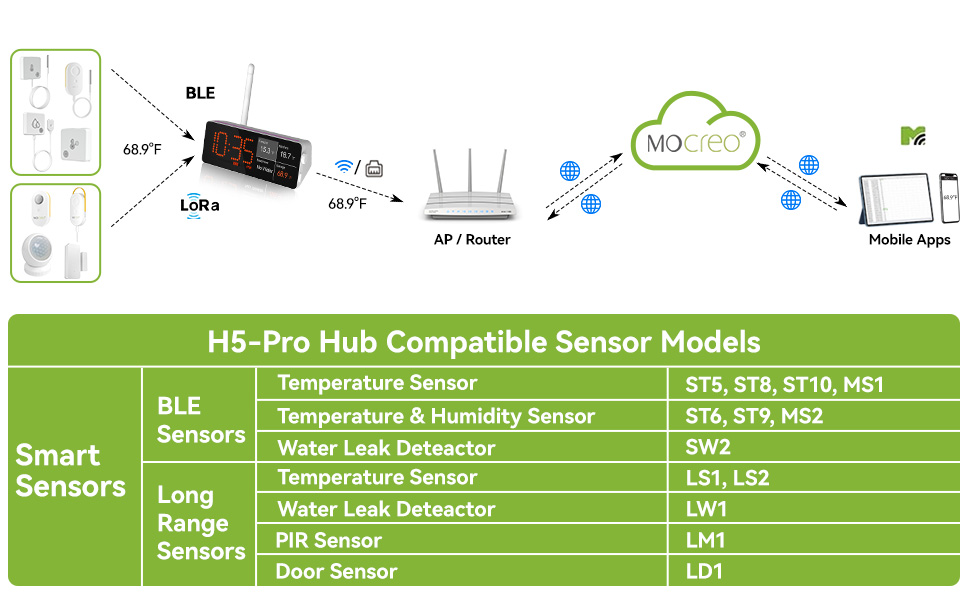
The MOCREO WiFi Remote Refrigerator Thermometer (Model AP-H5Pro-LS1S) provides reliable, long-range temperature monitoring for various environments. This kit includes an H5Pro Hub and an LS1 waterproof temperature sensor, designed for precision and durability. With its IP66 rating, the sensor is suitable for humid conditions, making it ideal for refrigerators, freezers, and other indoor/outdoor spaces. The system offers 24/7 remote monitoring via the MOCREO Smart App, providing real-time data, historical charts, and multiple alarm options to ensure you are always informed about temperature fluctuations.
Obsah balení
The MOCREO WiFi Remote Refrigerator Thermometer kit includes the following items:
- 1 x H5Pro Digital Monitor Hub
- 1 x LS1 Waterproof Temperature Sensor
- 1 x napájecí kabel USB-C
- 1 x napájecí adaptér
- 1 x External Antenna for Hub
- Velcro Adhesive Strips for mounting
- Návod k použití
- Záruční list produktu
Průvodce nastavením
Follow these steps to set up your MOCREO WiFi Remote Refrigerator Thermometer:
- Napájení Hubu: Connect the USB-C power cable to the H5Pro Hub and plug the power adapter into a wall outlet.
- Instalace antény: Screw the external antenna into the designated port on the back of the H5Pro Hub.
- Insert Sensor Batteries: Open the LS1 sensor and insert three AAA batteries (included). Ensure correct polarity.
- Stáhnout aplikaci: Scan the QR code in the instruction manual or search for "MOCREO Smart" in your device's app store (iOS/Android) and download the application.
- Connect Hub to Wi-Fi: Follow the in-app instructions to connect your H5Pro Hub to your 2.4 GHz Wi-Fi network. An Ethernet connection is also supported.
- Pair Sensor: Within the MOCREO Smart App, add your LS1 sensor by following the pairing guide. This typically involves pressing a button on the sensor to initiate pairing.
- Montáž senzoru: Use the provided Velcro adhesive strips to securely mount the LS1 sensor inside your refrigerator, freezer, or desired monitoring location. Ensure the probe is positioned to accurately measure the temperature. For optimal signal, avoid placing the sensor inside thick, fully-enclosed metal containers.

Návod k obsluze
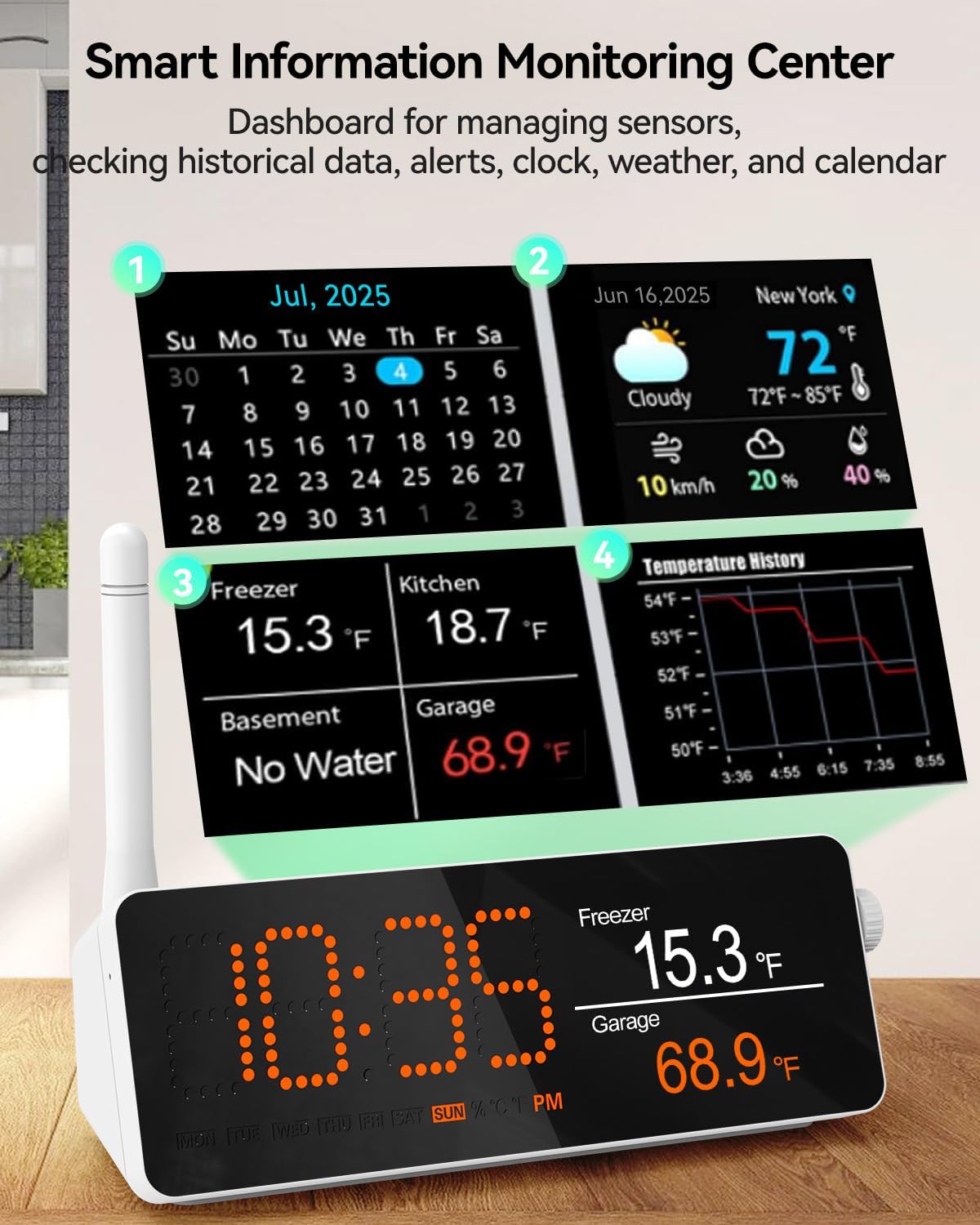
H5Pro Hub Display
The H5Pro Hub features a digital LCD screen that serves as a comprehensive dashboard. It displays real-time temperature readings from connected sensors, historical data charts, current time, weather information, and a calendar. Use the side controls to navigate through different display modes and settings.
MOCREO Smart App Monitoring
The MOCREO Smart App allows for 24/7 remote monitoring of your sensors. You can:
- View real-time temperature readings from all connected sensors.
- Access clear, intuitive charts of historical temperature data (up to 2 years).
- Export historical data in CSV format for detailed analysis.
- Receive app push notifications and email alerts for critical events.
Možnosti alarmu
Configure various alarm settings through the MOCREO Smart App:
- Teplotní alarmy: Set custom high and low temperature thresholds for each sensor.
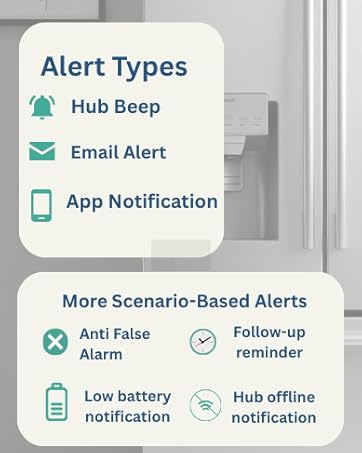
- Typy oznámení: Choose to receive app push notifications, email alerts, or an audible 95dB buzzer from the hub.
- Smart App Settings: Utilize features like "Power Outage," "WiFi Disconnect," "Low Battery Alert," and "False Alarm Prevention" for flexible monitoring.
- Early Alerts: Monitor temperature graphs in real-time to proactively identify potential risks such as a door left ajar, a power outage, or equipment failure.
Údržba
Životnost a výměna baterie
The LS1 wireless thermometer is powered by three replaceable AAA batteries, providing a long battery life of up to 2 years when used in temperatures above 32°F. To replace batteries, open the sensor casing, remove the old batteries, and insert new ones, ensuring correct polarity. Dispose of used batteries responsibly.
Čištění
To clean the device, wipe it with a clean, damp cloth. Do not submerge the hub in water. The LS1 sensor is IP66 splash-proof, but avoid prolonged submersion.
Odstraňování problémů
- Žádný signál/Slabý signál: Ensure the sensor is not placed inside thick, fully-enclosed metal containers, which can interfere with wireless communication. Reposition the sensor or hub for better signal strength.
- Nepřesná čtení: Verify the sensor probe is correctly positioned in the area you wish to monitor. Minor temperature fluctuations during appliance cycles (e.g., auto-defrost in refrigerators) are normal and do not indicate a fault.
- Problémy s připojením aplikace: Ensure your H5Pro Hub is connected to a stable 2.4 GHz Wi-Fi network. Check your router and internet connection.
- Hub Not Alerting: Check alarm settings in the MOCREO Smart App to ensure thresholds are correctly set and notification types are enabled. Verify hub volume is adequate.
- Upozornění na vybitou baterii: Replace the AAA batteries in the LS1 sensor as soon as a low battery alert is received to ensure continuous monitoring.
Specifikace
| Značka | MOCREO |
| Název modelu | AP-H5Pro-LS1S |
| Speciální funkce | Budík, Doprovodná aplikace, Vysoká přesnost, Velký displej, Podpora Wi-Fi |
| Zahrnuté komponenty | 1 LS1 waterproof thermometer and 1 H5Pro hub |
| Vnější materiál | Akrylonitril-butadien-styren |
| Typ zobrazení | Digitální |
| Technologie připojení | Wi-Fi |
| Zdroj napájení | Napájení na baterie (3 AAA baterie jsou součástí balení) |
| Upper Temperature Range | 131 stupňů Fahrenheita |
| Znovupoužitelnost | Opakovaně použitelné |
| Vnitřní/venkovní použití | Uvnitř, venku |
| Kompatibilita Smart Home | Smart Home Compatible |
Záruka a podpora
MOCREO is committed to providing reliable products and excellent customer service. Your purchase includes:
- 90denní záruka spokojenosti: 100% satisfaction guaranteed with money back and free returns.
- 1letá záruka: Enjoy a 1-year warranty on your product.
- Nepřetržitá online podpora: Access dedicated 1-on-1 online support for any queries or assistance.
Další informace nebo podporu získáte na adrese Obchod MOCREO.