
DOOGEE TABE3MAX-GREEN-HS-UK-AMZ13
DOOGEE Tab E3 Max 14 Inch Tablet User Manual
Model: TABE3MAX-GREEN-HS-UK-AMZ13
1. Úvod
This manual provides detailed instructions for the proper use and maintenance of your DOOGEE Tab E3 Max 14 Inch Tablet. Please read this manual thoroughly before using the device to ensure optimal performance and longevity.

The DOOGEE Tab E3 Max, showcasing its large 14-inch display and sleek design.
2. Nastavení
2.1 Obsah balení
Po vybalení zkontrolujte, zda jsou přítomny všechny položky:
- 1* Tablet DOOGEE Tab E3 Max
- 1* USB kabel typu C
- 1* nabíječka
- 1* Jehla pro vyjmutí karty
- 1 * Balicí krabice
- 1* Uživatelská příručka

All components included in the DOOGEE Tab E3 Max package.
2.2 Počáteční nabíjení
Before first use, fully charge the tablet using the provided Type-C USB cable and charger. The 13,500 mAh battery ensures extended usage.

The tablet features a large 13,500 mAh battery for prolonged use.
2.3 Zapnutí/vypnutí
- Zapnutí: Stiskněte a podržte tlačítko napájení, dokud se nezobrazí logo DOOGEE.
- Vypnutí: Stiskněte a podržte tlačítko napájení a poté z možností vyberte možnost „Vypnout“.
2.4 Instalace SIM/TF karty
The tablet supports dual SIM cards or one SIM card and one TF (microSD) card for expandable storage up to 2TB. Use the provided card removal needle to open the SIM tray.

The tablet offers flexible connectivity with dual SIM or SIM + TF card options.
2.5 Počáteční nastavení systému
Follow the on-screen prompts to complete the initial setup, including language selection, Wi-Fi connection, Google account login, and security settings. The tablet runs on Android 15.

The DOOGEE Tab E3 Max operates on the latest Android 15 system.
3. Návod k obsluze
3.1 Funkce displeje
The Tab E3 Max features a 14-inch 2.1K (2160*1440) IPS eye-protection screen. It is certified to reduce harmful blue light, minimizing eye fatigue. TDDI technology enhances touch responsiveness.
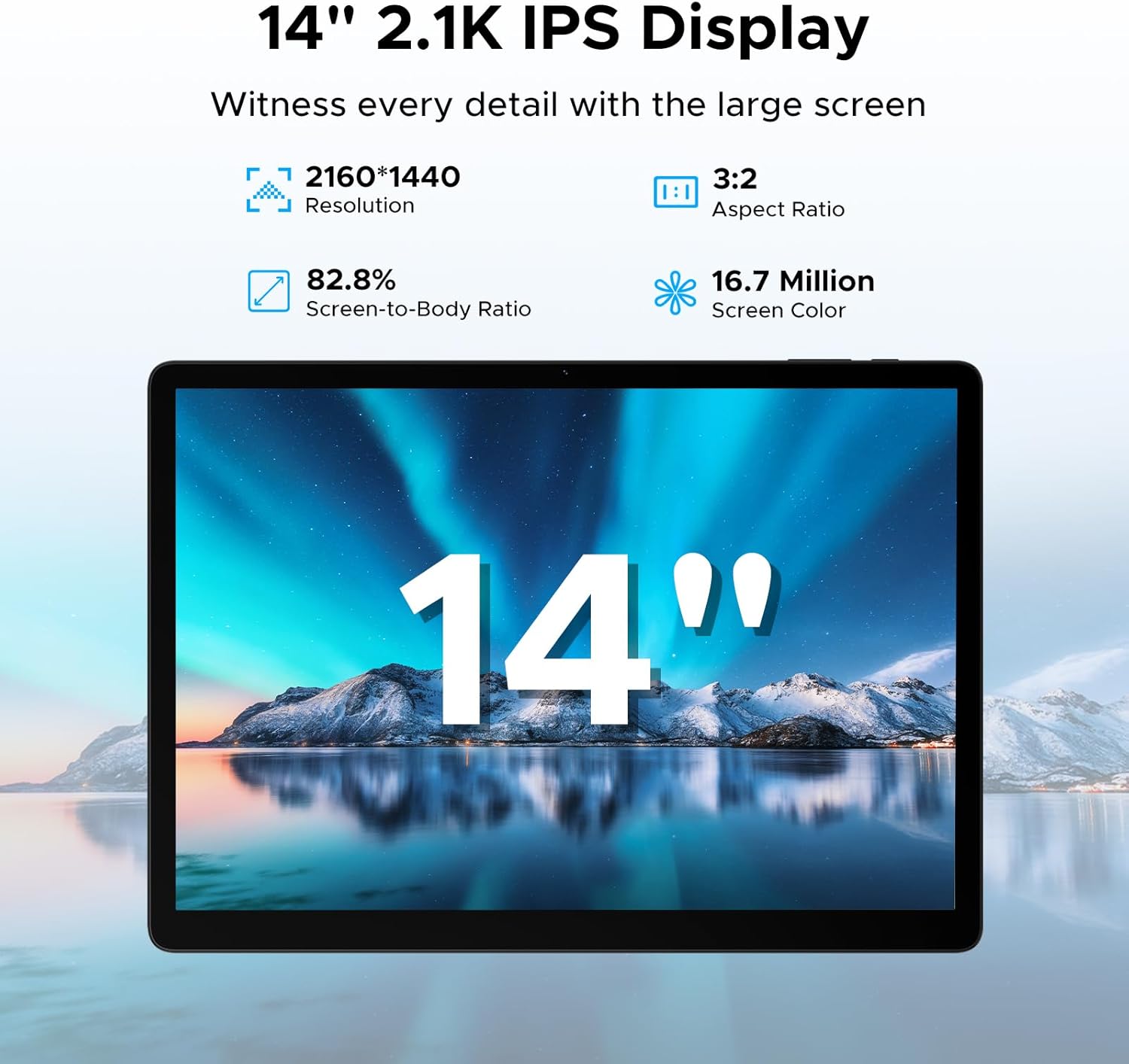
The tablet's 14-inch 2.1K IPS display offers a clear and vibrant visual experience.
3.2 Výkon a úložiště
Powered by the MediaTek Helio G100 octa-core processor, the tablet ensures smooth performance for gaming, streaming, and multitasking. It comes with 32GB RAM (8GB basic + 24GB expandable) and 256GB ROM, expandable up to 2TB via TF card (sold separately).

The Helio G100 processor provides powerful and efficient performance.

Ample RAM and ROM ensure smooth operation and storage for all your files.
3.3 Konektivita
The tablet supports dual-band Wi-Fi (2.4G/5GHz) for fast internet and 4G LTE for mobile data. Bluetooth connectivity is also available for peripherals.

Enjoy stable and fast wireless connectivity with dual-band Wi-Fi.
3.4 Použití kamery
Equipped with a 16MP rear camera, an 8MP front camera, and a 2MP macro camera. The front camera supports high-quality video conferencing and facial unlock.

Capture various moments with the versatile camera system.
3.5 zvuk
The tablet features four stereo speakers (Premium 1217 BOX Quad Speakers) for clear and immersive sound, enhancing your entertainment experience.

Experience crystal-clear audio with the tablet's quad speakers.
3.6 Funkce pro zvýšení produktivity
The tablet comes with built-in WPS Office for document, spreadsheet, and presentation tasks. Efficient split-screen multitasking allows you to use two apps simultaneously.

The tablet is suitable for various tasks, from work to entertainment.

WPS Office is pre-installed for your productivity needs.

Efficient split-screen multitasking enhances productivity.
3.7 Integrace umělé inteligence Gemini
The tablet includes built-in Gemini AI, offering features like content creation, information retrieval, image analysis, code development, language learning, and smart assistance. Utilize Gemini Deep Research for in-depth insights.

Gemini AI serves as an intelligent companion for various tasks.
3.8 Security and Navigation
The tablet supports facial recognition for effortless unlocking. It also offers accurate positioning with A-GPS/GPS/BeiDou/GLONASS/Galileo support.

Facial recognition provides quick and secure access.
4. Údržba
To ensure the longevity and optimal performance of your DOOGEE Tab E3 Max, follow these maintenance guidelines:
- Čištění: K čištění obrazovky a těla přístroje používejte měkký hadřík, který nepouští vlákna. Nepoužívejte abrazivní materiály ani agresivní chemikálie.
- Teplota: Operate the tablet within recommended temperature ranges (typically 0°C to 35°C). Avoid extreme heat or cold.
- Skladování: When not in use for extended periods, store the tablet in a cool, dry place. Charge the battery to about 50% before long-term storage.
- Aktualizace softwaru: Pravidelně kontrolujte a instalujte aktualizace systému, abyste zajistili vylepšení zabezpečení a výkonu.
- Fyzická ochrana: Zvažte použití ochranného pouzdra a chrániče obrazovky, abyste jej ochránili před pády a poškrábáním.
5. Řešení problémů
Tato část se zabývá běžnými problémy, se kterými se můžete s tabletem setkat.
5.1 Tablet se nezapíná
- Ujistěte se, že je baterie nabitá. Připojte nabíječku a před zapnutím počkejte několik minut.
- Stiskněte a podržte tlačítko napájení po dobu alespoň 10–15 sekund, abyste vynutili restart.
5.2 Pomalý výkon
- Zavřete nepotřebné aplikace na pozadí.
- Clear cache data from apps and system settings.
- Zajistěte dostatek úložného prostoru.
- Restartujte tablet.
5.3 Problémy s připojením k Wi-Fi
- Toggle Wi-Fi off and on.
- Restartujte Wi-Fi router.
- Zapomeňte na síť a znovu se připojte.
- Ujistěte se, že je tablet v dosahu signálu Wi-Fi.
5.4 Pády nebo zamrzání aplikací
- Vynutit uzavření aplikace a znovu ji otevřít.
- Vymažte mezipaměť a data aplikace v Nastavení > Aplikace.
- Aktualizujte aplikaci na nejnovější verzi z Obchodu Google Play.
- Pokud problém přetrvává, odinstalujte a znovu nainstalujte aplikaci.
5.5 Rychlé vybíjení baterie
- Snižte jas obrazovky.
- Disable unused features like Bluetooth, GPS, or Wi-Fi when not needed.
- Identify and close power-intensive applications running in the background.
- Omezení push notifikací.
6. Specifikace
| Funkce | Specifikace |
|---|---|
| Název modelu | Tab E3 Max |
| Velikost displeje | 14 palce |
| Rezoluce | 2160*1440 pixelů |
| Operační systém | Android 15 |
| Procesor | Osmijádrový procesor MediaTek Helio G100 (2 GHz) |
| BERAN | 32GB (8GB Basic + 24GB Expandable) |
| Interní úložiště | 256 GB |
| Rozšiřitelné úložiště | Až 2 TB (TF karta) |
| Kapacita baterie | 13,500 XNUMX mAh |
| Zadní kamera | 16 MP |
| Přední kamera | 8 MP |
| Konektivita | 4G LTE, 5G WLAN (802.11a/b/g/n/ac), Bluetooth |
| Rozměry | 31.87 x 22.18 x 0.89 cm |
| Hmotnost | 992 gramů |
| Speciální funkce | USB OTG, Fast Charging, Media Card Reader, Gemini AI, Facial Recognition, Quad Speakers |
7. Záruka a podpora
Your DOOGEE Tab E3 Max is covered by a standard manufacturer's warranty. Please refer to the warranty card included in your packaging for specific terms and conditions, including warranty period and coverage details.
For technical support, product inquiries, or warranty claims, please visit the official DOOGEE webnebo se obraťte na jejich zákaznický servis. Uschovejte si účtenku jako doklad o koupi pro účely záruky.
Online podpora: www.doogee.cc
Ask a question about this manual
Ask about setup, troubleshooting, compatibility, parts, safety, or missing instructions. Manuals+ will review the question and use this page’s manual context to help answer it.