
1. Úvod
This manual provides essential information for the proper setup, operation, and maintenance of your Amazon Basics Portable External Solid State Drive (SSD), Model LSPSSD1TB. Please read this manual thoroughly before using the product to ensure optimal performance and longevity.

Obrázek 1.1: Přední strana view of the Amazon Basics Portable External SSD.
2. Obsah balení
Ověřte, zda jsou v balení produktu obsaženy všechny níže uvedené položky:
- Amazon Basics Portable External SSD (Model LSPSSD1TB)
- Kabel USB-C na USB-C
- Kabel USB-C na USB-A
- Skladovací pouzdro

Image 2.1: The Amazon Basics Portable External SSD, two USB cables (Type C to C, Type C to A), and a protective storage case.
3. Klíčové vlastnosti
The Amazon Basics Portable External SSD offers the following features:
- Rychlé přenosové rychlosti: Achieves read and write speeds up to 2000MB/s. Actual speeds may vary based on connected devices, file sizes, and operating conditions.
- Odolný design: Features a compact form factor with a premium metal casing and a scratch-resistant polymer bottom for enhanced durability.
- Tepelná ochrana: Incorporates an advanced thermal solution to maintain the SSD's temperature below 50°C/122°F, preventing overheating during intensive use.
- Odolnost proti vodě a prachu IP65: Provides protection against water splashes and dust ingress, suitable for various environments.
- Široká kompatibilita: Pre-formatted with exFAT for broad compatibility across different operating systems and devices.
- Dodávané kabely: Comes with both USB Type-C to Type-C and USB Type-C to Type-A cables for versatile connectivity.
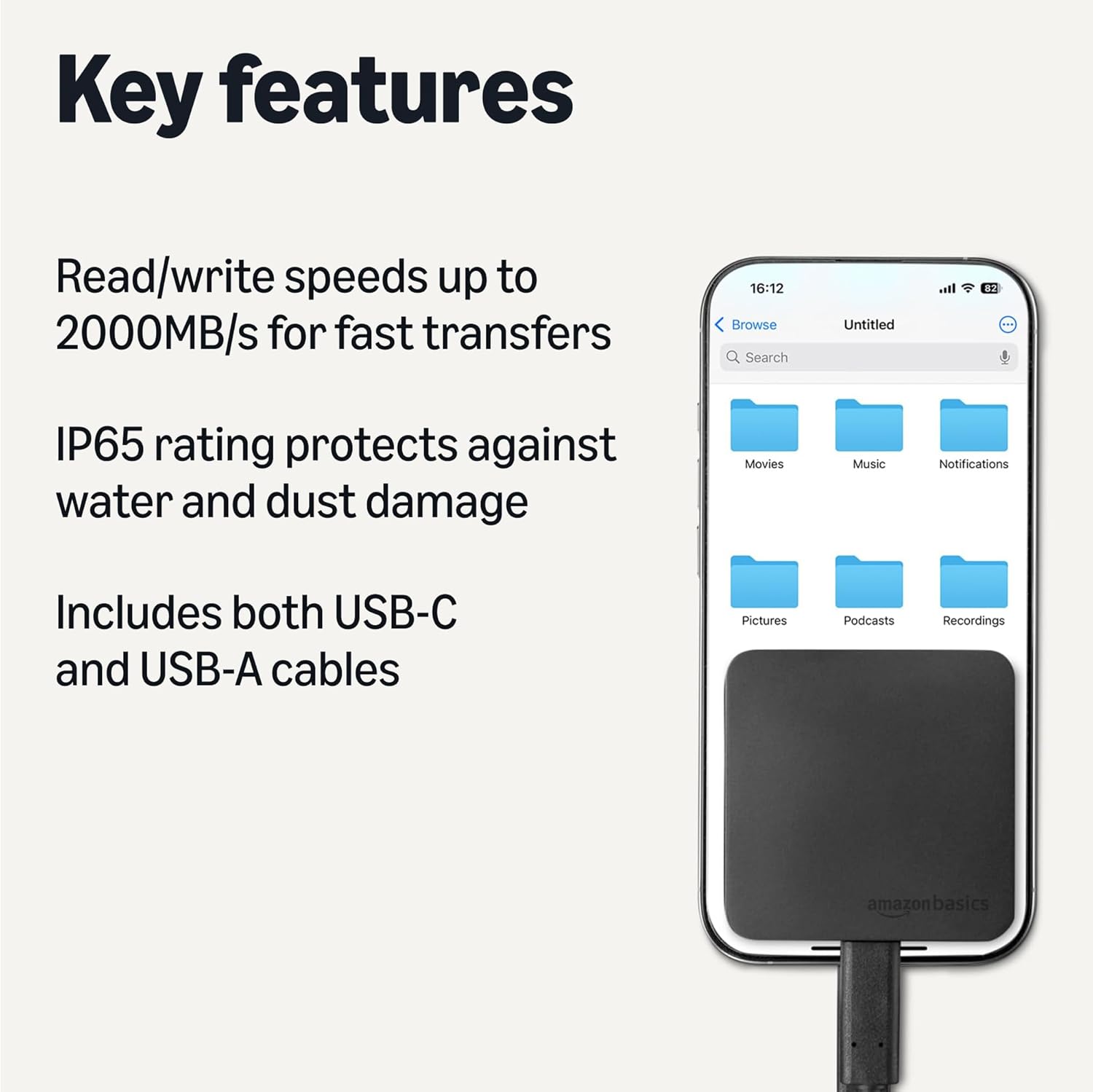
Image 3.1: Visual representation of the SSD's key features, including high transfer speeds, IP65 rating, and included USB-C and USB-A cables.
4. Nastavení
Follow these steps to set up your Amazon Basics Portable External SSD:
- Vyberte správný kabel: Choose either the USB-C to USB-C cable or the USB-C to USB-A cable based on the available port on your computer or device.
- Connect to SSD: Plug the USB-C end of the chosen cable into the USB-C port on the Amazon Basics Portable External SSD.
- Připojit k zařízení: Plug the other end of the cable (USB-C or USB-A) into an available port on your computer, laptop, or compatible device. For optimal speeds (up to 2000MB/s), ensure your device supports USB 3.2 Gen 2 and use the appropriate port.
- Rozpoznávání zařízení: The SSD should be automatically recognized by your operating system. It will appear as an external drive.

Image 4.1: The two types of USB cables included for connecting the SSD to various devices.
5. Návod k obsluze
Once connected, the SSD functions like any other external storage device:
- File Převod: Drag and drop files or folders to and from the SSD. You can also use your operating system's copy/paste functions.
- High-Resolution Video Playback: The high transfer speeds support direct playback of high-resolution video files from the SSD without significant buffering.
- Tepelný management: The SSD is designed to manage its temperature effectively. If the device feels warm during prolonged heavy use, this is normal and indicates the thermal solution is active.
- Bezpečné vyhození: Always safely eject the SSD from your operating system before disconnecting the cable to prevent data corruption.
6. Údržba
To ensure the longevity and optimal performance of your SSD:
- Čištění: K čištění vnější strany SSD disku používejte měkký, suchý hadřík. Nepoužívejte abrazivní čisticí prostředky ani rozpouštědla.
- Ochrana životního prostředí: While IP65 rated for water and dust resistance, avoid submerging the device in water or exposing it to extreme temperatures.
- Skladování: When not in use, store the SSD in its included protective case to prevent physical damage.
- Aktualizace firmwaru: Periodically check the Amazon Basics support website for any available firmware updates for your SSD model.
7. Řešení problémů
If you encounter issues with your Amazon Basics Portable External SSD, refer to the following common problems and solutions:
| Problém | Možná příčina | Řešení |
|---|---|---|
| SSD not recognized by device | Loose cable connection, incompatible port, driver issue. | Ensure cables are securely connected. Try a different USB port or cable. Restart your device. Check device manager for driver status. |
| Pomalé přenosové rychlosti | Using a slower USB port (e.g., USB 2.0 instead of USB 3.2 Gen 2), background processes, fragmented files. | Connect to a USB 3.2 Gen 2 compatible port. Close unnecessary applications. Ensure your device's drivers are up to date. |
| SSD feels warm | Normal operation during heavy data transfer or prolonged use. | This is expected due to the advanced thermal solution. Ensure adequate airflow around the device. If it becomes excessively hot or performance drops significantly, discontinue use and contact support. |
| Data corruption or errors | Improper ejection, power loss during transfer, faulty cable. | Always safely eject the SSD. Use the provided cables. Run disk error checking tools on your operating system. |
If the problem persists after attempting these solutions, please contact Amazon Basics customer support for further assistance.
8. Specifikace
| Funkce | Detail |
|---|---|
| Číslo modelu | LSPSSD1TB |
| Digitální kapacita úložiště | 1 TB |
| Technologie připojení | USB 3.2 Gen 2 |
| Read/Write Speeds | Až 2000 MB/s |
| Hodnocení ochrany proti vniknutí | IP65 (odolnost proti vodě a prachu) |
| Barva | Černý |
| Hmotnost položky | 1.83 unce |
| Rozměry produktu (DxŠxV) | 2.33 x 2.33 x 0.39 palce |
| Kompatibilní zařízení | Laptop, PC, and other devices with USB-C or USB-A ports |
| Výrobce | Amazonka |

Image 8.1: The compact dimensions of the Amazon Basics Portable External SSD.
9. Záruka a podpora
Informace o záruce a zákaznické podpoře naleznete v oficiálních základních dokumentech Amazonu. webwebu nebo se přímo obraťte na zákaznický servis Amazonu. Uschovejte si účtenku pro případ reklamace.