1. Úvod
The MCHOSE G75 Pro is a versatile 75% layout wireless mechanical keyboard designed for optimal performance and user experience. It features a gasket-mounted structure with 5 layers of sound and shock-absorbing dampening, vibrant RGB backlighting, and tri-mode connectivity (2.4GHz wireless, Bluetooth, and wired USB-C). The keyboard also supports hot-swappable switches, allowing for easy customization and maintenance.
2. Obsah balení
Prosím, ověřte, zda jsou v balení přítomny všechny položky:
- MCHOSE G75 Pro Wireless Mechanical Keyboard
- Kabel USB-C na USB-A
- 2.4 GHz bezdrátový přijímač
- Stahovač klíčů
- Uživatelská příručka (tento dokument)
3. Konec produktuview
The MCHOSE G75 Pro features a compact 75% layout, which includes function keys, arrow keys, and a navigation cluster, while minimizing desk space. Its robust construction incorporates a gasket-mounted design for a flexible and comfortable typing feel.

Image: The MCHOSE G75 Pro keyboard showcasing its compact 75% layout.
Internally, the keyboard utilizes a 5-layer dampening system, including Poron foam, IXPE foam, and a PET film, to enhance typing acoustics and reduce vibrations, providing a satisfying sound profile.

Image: Diagram illustrating the 5-layer gasket-mounted dampening structure of the keyboard.
The keyboard offers flexible connectivity options through a mode switch located on the side, allowing seamless transitions between wired, 2.4GHz wireless, and Bluetooth modes.
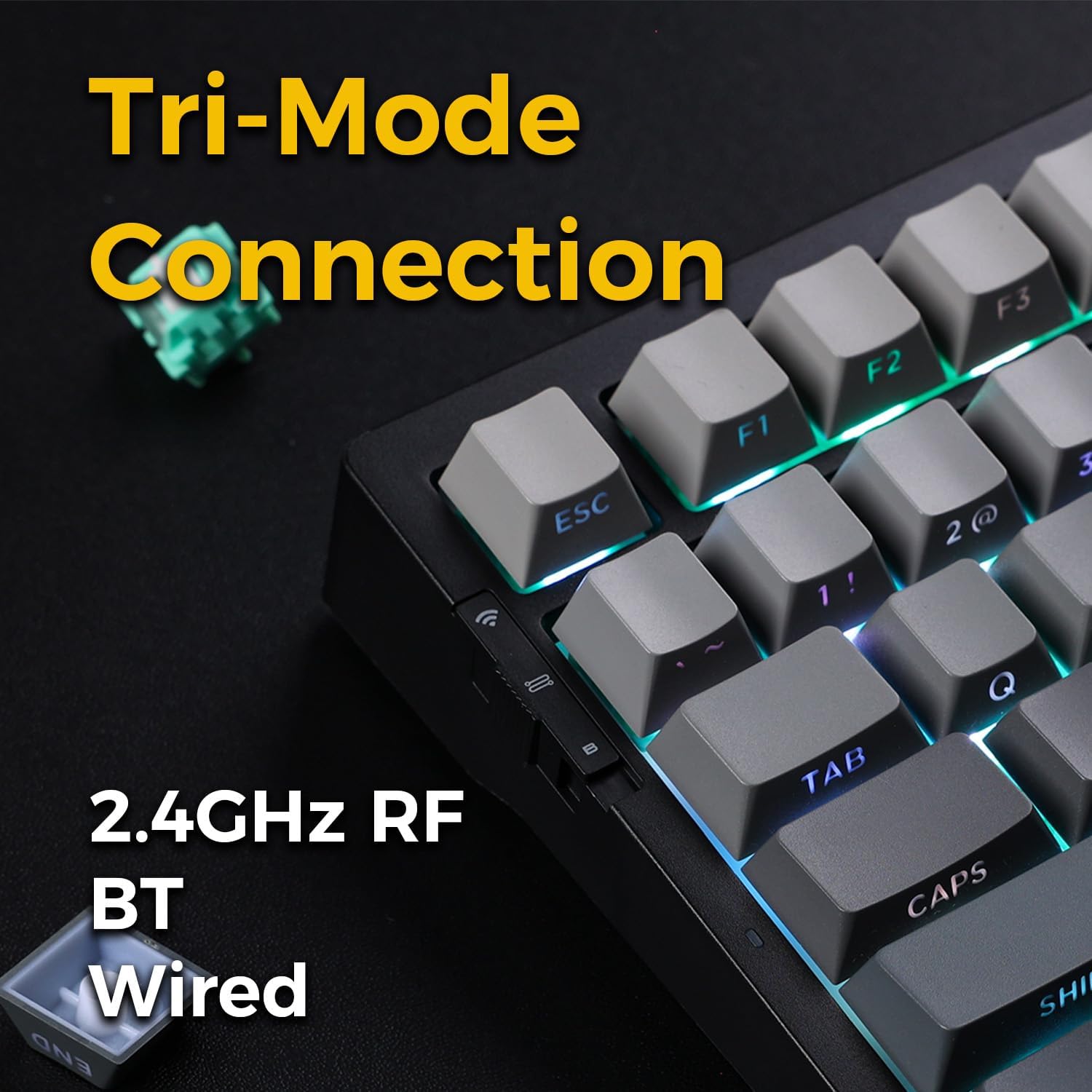
Image: Close-up of the tri-mode connection switch and USB-C port on the keyboard's side.
4. Nastavení
4.1 Počáteční nabíjení
Before first use, connect the keyboard to a USB power source using the provided USB-C cable. The keyboard is equipped with 2 Lithium Polymer batteries. A full charge ensures optimal wireless performance.
4.2 Režimy připojení
The MCHOSE G75 Pro supports three connection modes: Wired, 2.4GHz Wireless, and Bluetooth. Use the switch on the side of the keyboard to select your desired mode.
4.2.1 Kabelové připojení
- Set the mode switch on the keyboard to the 'Wired' position.
- Připojte konec kabelu s konektorem USB-C ke klávesnici a konec s konektorem USB-A k počítači.
- Klávesnice bude automaticky rozpoznána vaším operačním systémem.
4.2.2 Bezdrátové připojení 2.4 GHz
- Nastavte přepínač režimů na klávesnici do polohy „2.4 G“.
- Vložte bezdrátový přijímač 2.4 GHz do volného portu USB v počítači.
- The keyboard should connect automatically. If not, press and hold the Fn key + the 2.4G key (usually indicated by a wireless icon) for 3 seconds to initiate pairing.
4.2.3 Připojení Bluetooth
- Nastavte přepínač režimů na klávesnici do polohy „BT“.
- V počítači nebo zařízení povolte Bluetooth a vyhledejte nová zařízení.
- On the keyboard, press and hold Fn + 1, Fn + 2nebo Fn + 3 for 3 seconds to enter pairing mode for one of the three available Bluetooth channels. The indicator light will flash rapidly.
- Select 'MCHOSE G75 Pro' from the list of available devices on your computer.
- Po spárování kontrolka přestane blikat. Mezi spárovanými zařízeními Bluetooth můžete přepínat stisknutím Fn + 1, Fn + 2nebo Fn + 3 krátce.
5. Návod k obsluze
5.1 klíčové funkce
The MCHOSE G75 Pro utilizes an Fn (Function) key for accessing secondary key functions, including multimedia controls, lighting adjustments, and system shortcuts. Refer to the keycap legends for specific Fn combinations.
Běžné kombinace kláves Fn:
- Fn+F1-F12: Access multimedia controls or system functions (e.g., volume, play/pause, brightness).
- Fn + klávesy se šipkami: Adjust RGB lighting effects (e.g., brightness, speed, direction).
- Fn + Backspace: Delete.
- Fn + Win: Klávesa pro zamknutí/odemknutí systému Windows.
5.2 RGB podsvícení
The keyboard features customizable RGB backlighting with south-facing LEDs for enhanced visibility and compatibility with various keycap profiles. You can adjust lighting modes, colors, and brightness.
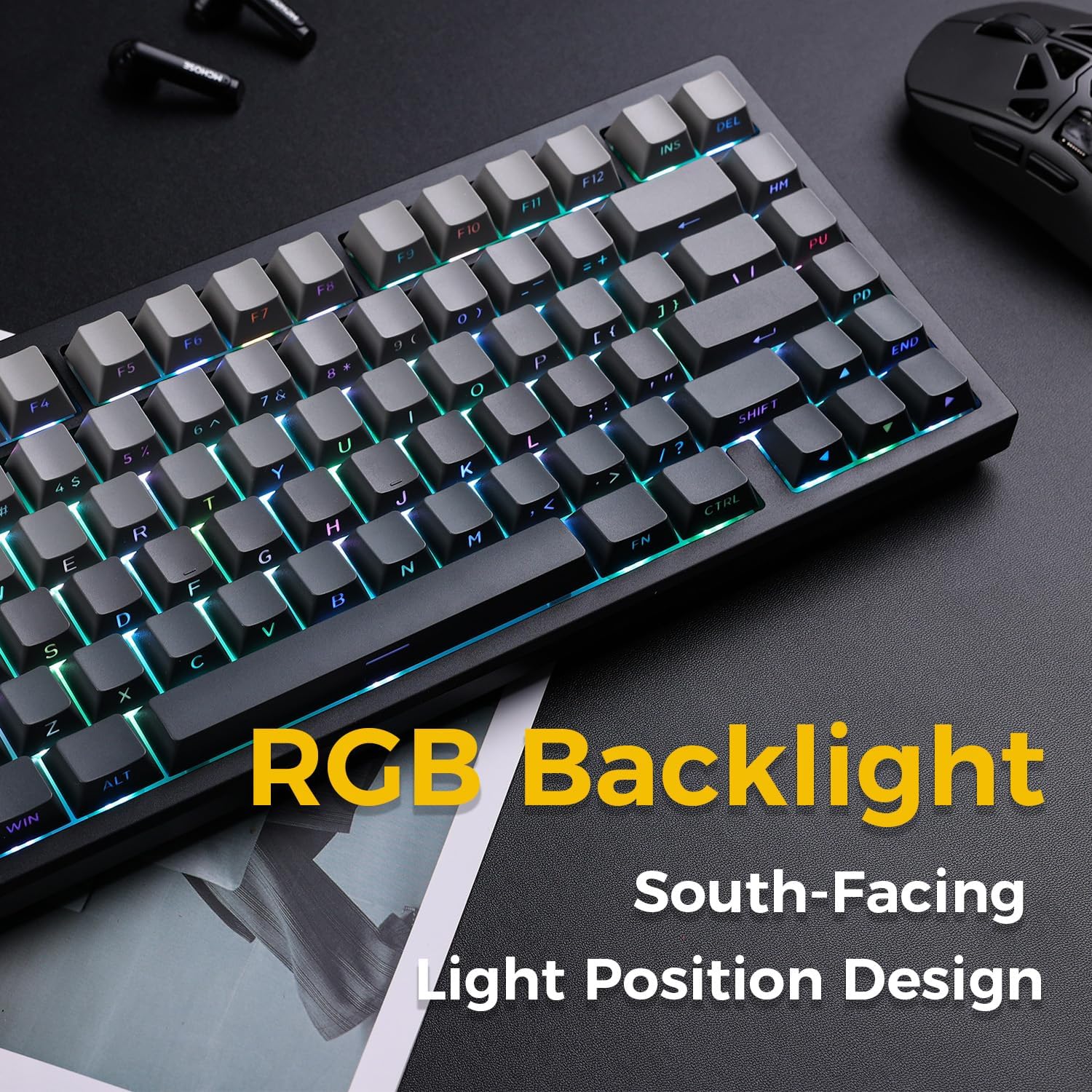
Image: The MCHOSE G75 Pro keyboard displaying its vibrant RGB backlighting.
Adjusting RGB Effects:
- Fn + \|: Cycle through different lighting effects.
- Fn +: Decrease lighting speed.
- Fn + >: Increase lighting speed.
- Fn + šipka nahoru: Zvýšení jasu.
- Fn + šipka dolů: Decrease brightness.
5.3 Přepínače vyměnitelné za provozu
The MCHOSE G75 Pro is equipped with hot-swappable sockets, allowing you to easily change mechanical switches without soldering. This feature enables customization of typing feel and sound.
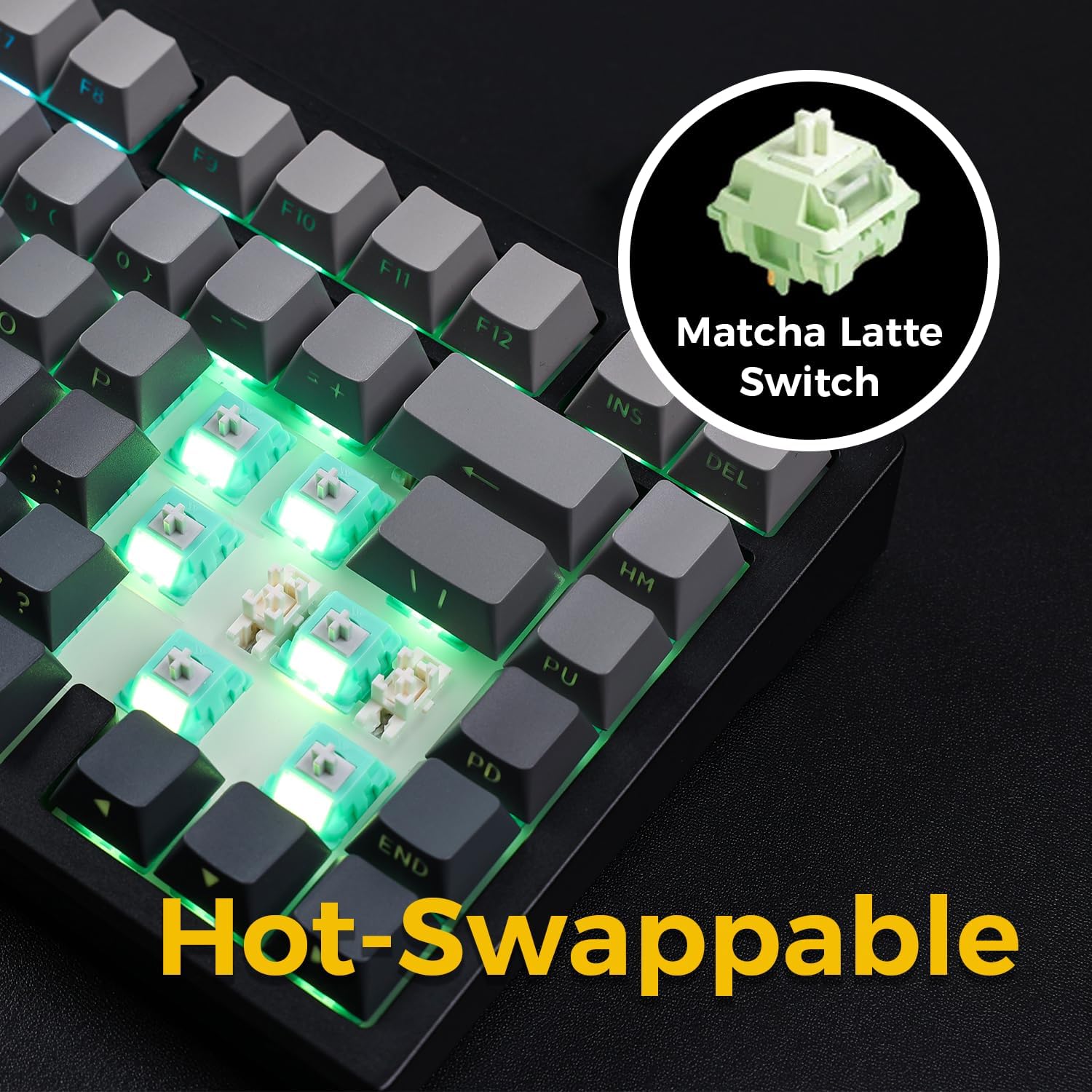
Image: The keyboard with several keycaps and switches removed, demonstrating the hot-swappable feature.
Specifikace přepínače:
The keyboard may come with Matcha Latte Switch V2 or Cabbage Tofu Switch V2, depending on the variant.
- Matcha Latte Switch V2:
Operating Force: 45±8gf
Pre Travel: 2.0±0.4mm
Total Travel: 3.6±0.2mm - Cabbage Tofu Switch V2:
Operating Force: 45±5gf
Předběžná dráha: 1.9 ± 0.3 mm
Travel distance: 4.0±0.5mm
6. Údržba
6.1 Čištění
Pro zachování vzhledu a funkčnosti klávesnice:
- Před čištěním odpojte klávesnici od počítače.
- Použijte měkký hadřík, který nepouští vlákna dampotřete klávesy vodou nebo jemným čisticím roztokemasing.
- For dust and debris between keycaps, use compressed air or the provided keycap puller to remove keycaps and clean thoroughly.
- Vyhněte se používání agresivních chemikálií nebo abrazivních materiálů.
6.2 Výměna kláves a spínačů
The included keycap puller can be used to carefully remove keycaps. For switch replacement, use a switch puller (not included unless specified) to gently remove the existing switch. Align the new 3-pin or 5-pin mechanical switch with the hot-swap socket and press firmly until it clicks into place. Ensure pins are not bent during installation.
7. Řešení problémů
7.1 Klávesnice nereaguje
- Ujistěte se, že je klávesnice dostatečně nabitá.
- Check the mode switch to confirm it is set to the correct connection type (Wired, 2.4G, or BT).
- Pro kabelové připojení zkuste jiný USB port nebo kabel.
- For 2.4GHz wireless, ensure the receiver is securely plugged in and try re-pairing (Fn + 2.4G key).
- For Bluetooth, ensure Bluetooth is enabled on your device and try re-pairing (Fn + 1/2/3).
- Restartujte počítač.
7.2 RGB Backlighting Not Working/Incorrect
- Ujistěte se, že je klávesnice zapnutá.
- Use Fn key combinations (e.g., Fn + Up/Down Arrow) to adjust brightness.
- Cycle through lighting effects using Fn + \|.
- If specific keys are not lighting up, check if the switch is properly seated or if the LED is damaged.
7.3 Software Compatibility (Windows/macOS)
While the keyboard functions plug-and-play, some advanced customization may require dedicated software. Please note that official software might have limited language support or compatibility issues, particularly with macOS. For optimal functionality, ensure you have the latest drivers or software from the MCHOSE official webmísto, pokud je k dispozici.
8. Specifikace
| Funkce | Detail |
|---|---|
| Číslo modelu | MC-G75 |
| Rozložení | 75 % |
| Konektivita | 2.4 GHz bezdrátové připojení, Bluetooth, kabelové připojení (USB-C) |
| Typ klávesnice | Mechanické |
| Styl montáže | Těsnění namontováno |
| Dampening Layers | 5 Layers (Poron Foam, IXPE Foam, PET Film) |
| Podsvícení | RGB, South-Facing LEDs |
| Klíčenky | Dvojitý vstřik PBT |
| Spínače | Hot-Swappable (3-pin/5-pin compatible) |
| Baterie | 2 lithium-polymerová baterie (součástí balení) |
| Kompatibilní zařízení | PC |
| Hmotnost položky | 3.05 libry (přibližně 1.38 kg) |
| Rozměry balení | 14.96 x 7.17 x 2.17 palců (přibližně 38 x 18.2 x 5.5 cm) |
9. Záruka a podpora
Informace o záruce a technickou podporu získáte od oficiálního poskytovatele MCHOSE. webnebo se obraťte na prodejce. Uschovejte si doklad o koupi pro případ reklamace.


