
1. Úvod
Thank you for choosing the Micool BT-X EASY Wireless Open-Ear Bluetooth 5.4 Headphones. These headphones are designed to provide a comfortable listening experience with advanced features like Bluetooth 5.4 connectivity, call noise reduction, and long battery life. This manual will guide you through the setup, operation, and maintenance of your new headphones.
2. Konec produktuview
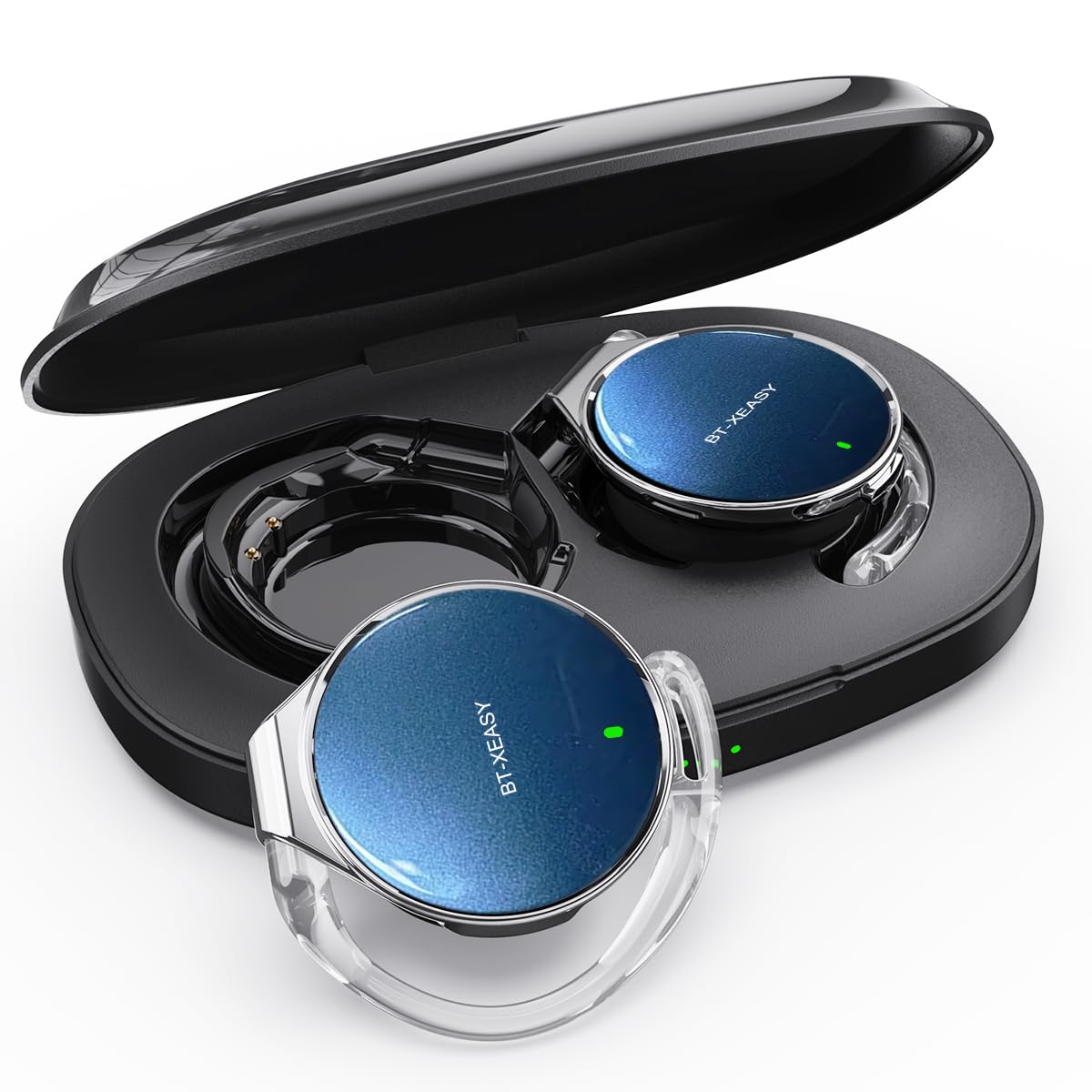
The Micool BT-X EASY headphones feature an open-ear design for comfort and awareness of your surroundings. Key features include:
- HD Stereo Audio & One-Button Control: Equipped with 28mm speakers for rich bass and an ANC+ENC adaptive noise reduction chip for clear calls. Easy control via multi-function buttons on each headset.
- Prodloužená životnost baterie: Up to 18 hours of music playback on a single charge. The charging case extends total listening time to up to 52 hours.
- High-Speed Bluetooth 5.4 Connectivity: Ensures fast pairing, stable connection, and reliable performance.
- Přenosné nabíjecí pouzdro: Includes a large-capacity charging case with a 4-stage power indicator and USB-C charging.
- Pohodlný design: Small, lightweight ear-hook design with sponge ear cups for comfortable wear without pressure. Headphone diameter is 36mm.
- Připojení dvou zařízení: Connects to two devices simultaneously (e.g., smartphone, laptop, tablet) for seamless switching between music and calls.
Obsah balení:
- Micool BT-X EASY Wireless Open-Ear Headphones
- Nabíjecí pouzdro
- Nabíjecí kabel USB-C
- Uživatelská příručka
Konec produktuview:
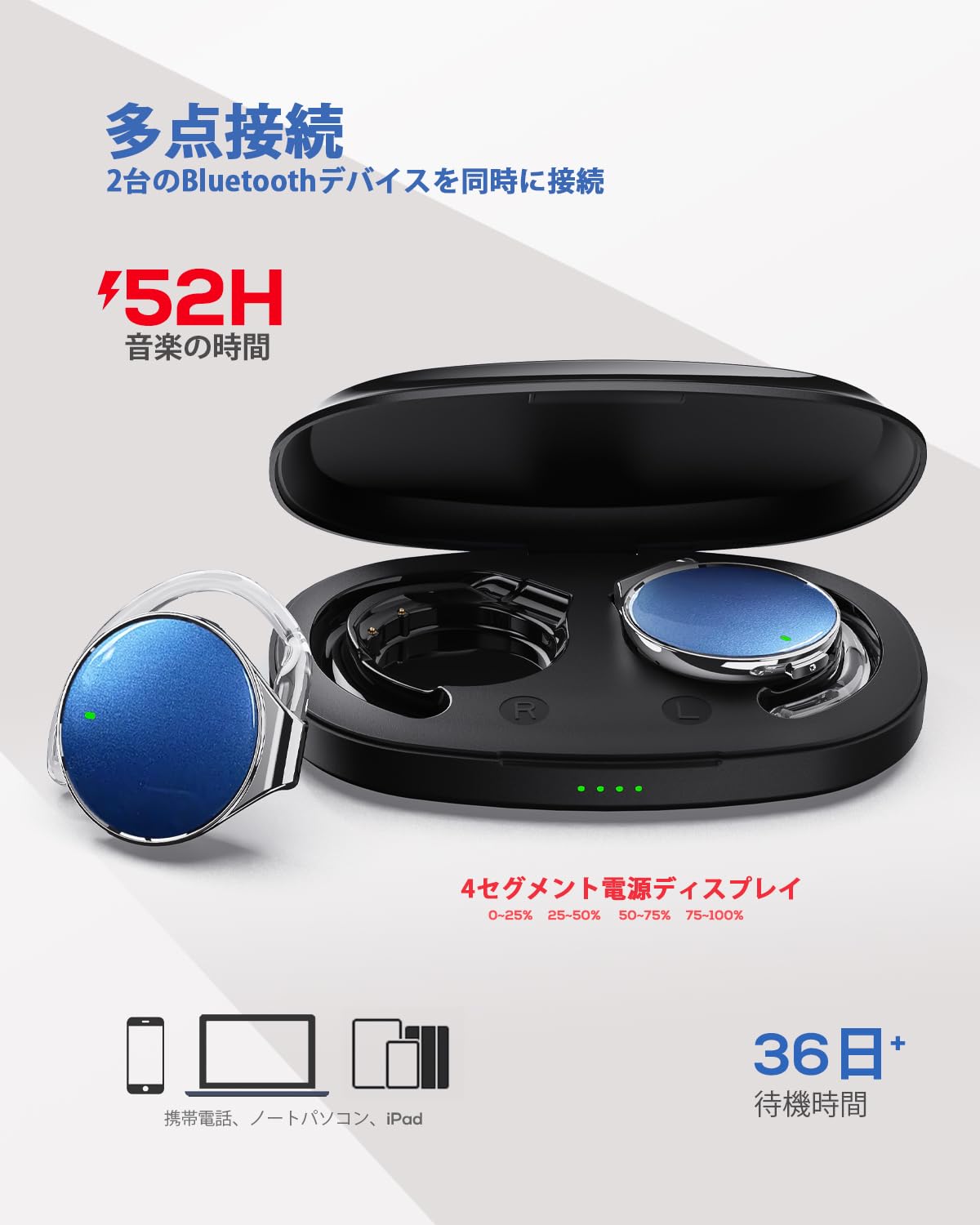
This image displays the Micool BT-X EASY headphones alongside their charging case, illustrating their compact and portable design and the concept of multi-point connection.
3. Nastavení
3.1 Nabíjení sluchátek a pouzdra
Před prvním použitím sluchátka a nabíjecí pouzdro plně nabijte.
- Vložte sluchátka do nabíjecího pouzdra.
- Připojte nabíjecí kabel USB-C k nabíjecímu portu na pouzdře a ke zdroji napájení.
- 4-stage LED indicators on the charging case will show the charging status. Each light represents 25% of the battery capacity.
- Once fully charged, all four indicator lights will be solid.

This image illustrates the charging case with its four-stage battery indicator, providing a visual representation of the remaining charge.
3.2 Nošení sluchátek
Follow these steps for a comfortable and secure fit:
- Krok 1: Open the ear hook to approximately a 30-degree angle.
- Krok 2: Rotate the ear hook around your ear until it rests comfortably below your earlobe.
- Krok 3: Gently press the headphone against your ear to secure it.
- Krok 4: Adjust the angle for the most comfortable wearing experience.

This visual guide demonstrates the four steps to correctly and comfortably wear the open-ear headphones.
3.3 Párování Bluetooth
The headphones will automatically enter pairing mode when removed from the charging case or when the case is opened. For initial pairing:
- Otevřete nabíjecí pouzdro. Sluchátka se automaticky přepnou do režimu párování.
- Na svém zařízení (chytrý telefon, tablet, notebook) povolte Bluetooth.
- Hledat "BT-X EASY" in the list of available Bluetooth devices.
- Select "BT-X EASY" to connect. A voice prompt will confirm successful pairing.
- For dual device connection, pair the first device, then temporarily disconnect the headphones from the first device's Bluetooth settings. Pair with the second device. Reconnect to the first device from its Bluetooth settings. The headphones will now be connected to both.
4. Návod k obsluze
4.1 Dotykové ovládání
The headphones feature intuitive touch controls on each earbud. Refer to the diagram below for specific functions:
This diagram illustrates the various touch controls on the headphones, including single-click, double-click, and long-press actions for managing music playback and phone calls.
- Přehrát/pozastavit: Klikněte na x1
- Další skladba: Click x2 (Right earbud)
- Předchozí skladba: Click x2 (Left earbud)
- Zvýšit hlasitost: Long press (Right earbud)
- Snížit hlasitost: Long press (Left earbud)
- Přijmout/ukončit hovor: Klikněte na x1
- Odmítnout hovor: Dlouhé stisknutí
- Mute (during call): Click x2 (A prompt tone will sound)
4.2 Funkce volání
The headphones support hands-free calling with 4 microphones and ENC noise reduction for clear conversations.
- Přijímání hovorů: Stiskněte jednou multifunkční tlačítko.
- Ukončení hovoru: Během hovoru stiskněte jednou multifunkční tlačítko.
- Odmítání hovorů: Stiskněte a podržte multifunkční tlačítko po dobu 2 sekund.
- Ztlumení mikrofonu: Double-click the multi-function button during a call.
5. Údržba
- Čištění: Regularly wipe the headphones and charging case with a soft, dry cloth. Do not use abrasive cleaners or immerse in water.
- Skladování: Store the headphones in their charging case when not in use to protect them from dust and damage. Keep in a cool, dry place away from extreme temperatures.
- Péče o baterie: Chcete-li prodloužit životnost baterie, vyvarujte se častého úplného vybíjení sluchátek. Pravidelně je nabíjejte, i když je delší dobu nepoužíváte.
6. Řešení problémů
| Problém | Možné řešení |
|---|---|
| Sluchátka se nezapínají. | Ujistěte se, že jsou sluchátka nabitá. Vložte je do nabíjecího pouzdra a připojte pouzdro k napájení. |
| Nelze spárovat se zařízením. |
|
| Žádný zvuk nebo nízká hlasitost. |
|
| Přerušované připojení. |
|
7. Specifikace
| Funkce | Detail |
|---|---|
| Značka | Micool |
| Model | BT-X EASY |
| Verze Bluetooth | 5.4 |
| Styl sluchátek | Open-Ear (Ear-hook style) |
| Konektivita | Bezdrátové (Bluetooth) |
| Velikost reproduktoru | 28mm dynamický reproduktor |
| Redukce šumu | ANC+ENC Adaptive Noise Reduction (for calls) |
| Mikrofony | 4 microphones (for hands-free calls) |
| Doba přehrávání hudby | Up to 18 hours (headphones), up to 52 hours (with charging case) |
| Nabíjecí port | USB-C |
| Headphone Diameter | 36 mm |
| Materiál | Plast |
| Barva | Black Silver Blue |
| UPC | 775494926203 |
8. Záruka a podpora
The Micool BT-X EASY headphones come with a Záruka 6 měsíců od data nákupu. Tato záruka se vztahuje na výrobní vady a vady zpracování. Nevztahuje se na škody způsobené nesprávným použitím, nehodami, neoprávněnými úpravami nebo běžným opotřebením.
For technical support, warranty claims, or any questions regarding your product, please contact Micool customer service through the retailer where you purchased the product or visit the official Micool store on Amazon.
Odkaz na obchod na Amazonu: Micool Amazon Store
9. Důležité bezpečnostní informace
- Nepoužívejte sluchátka delší dobu při vysoké hlasitosti, abyste předešli poškození sluchu.
- Nepoužívejte sluchátka v situacích, kdy by neschopnost slyšet okolní zvuky mohla být nebezpečná (např. při řízení, jízdě na kole, chůzi v dopravní zácpě).
- Chraňte výrobek před vodou a vlhkostí.
- Nepokoušejte se výrobek sami rozebírat nebo opravovat.
- Uchovávejte mimo dosah dětí.