
toocki TTWS-YL02
toocki Flip Bluetooth 5.3 Wireless Earbuds Instruction Manual
Model: TTWS-YL02
Zavedení
This manual provides detailed instructions for the setup, operation, maintenance, and troubleshooting of your toocki Flip Bluetooth 5.3 Wireless Earbuds, Model TTWS-YL02. Please read this manual thoroughly before using the product to ensure optimal performance and longevity.

Image: The toocki Flip Bluetooth 5.3 Wireless Earbuds, black, resting inside their open charging case. A small LED indicator is visible on the front of the case.
Obsah balení
Ujistěte se, že v balení jsou přítomny všechny položky:
- toocki Flip Bluetooth 5.3 Wireless Earbuds (Left and Right)
- Nabíjecí pouzdro
- USB nabíjecí kabel
- Různé velikosti náušníků (S, M, L)
- Uživatelská příručka
Konec produktuview
Familiarize yourself with the components of your earbuds.

Image: A detailed diagram highlighting various parts of the toocki Flip Wireless Earbuds and their charging case, including touch control area, microphone, charging contacts, and LED indicators.
- Earbud Touch Control Area: For managing playback, calls, and other functions.
- Mikrofon: Integrovaný pro hovory a hlasového asistenta.
- Kontakty pro nabíjení: Located at the bottom of each earbud for charging within the case.
- LED indikátor nabíjecího pouzdra: Zobrazuje stav nabíjení a úroveň nabití baterie.
- Nabíjecí port USB-C: Nachází se na nabíjecím pouzdře.
Nastavení
1. Nabíjení sluchátek a pouzdra
Před prvním použitím sluchátka a nabíjecí pouzdro plně nabijte.
- Vložte sluchátka do nabíjecího pouzdra.
- Připojte nabíjecí kabel USB k nabíjecímu portu na pouzdře a ke zdroji napájení.
- LED indikátor na pouzdře bude zobrazovat stav nabíjení. Po plném nabití se indikátor změní nebo zhasne.

Image: An illustration showing the earbuds in their charging case, with a visual representation of the 4.5 hours of single-use battery life and the charging case capacity.
2. Spárování se zařízením
Sluchátka se po vyjmutí z nabíjecího pouzdra automaticky přepnou do režimu párování.
- Otevřete nabíjecí pouzdro a vyjměte obě sluchátka. Sluchátka se automaticky zapnou a přejdou do režimu párování.
- Na svém zařízení (chytrém telefonu, tabletu atd.) povolte Bluetooth.
- Hledat "toocki Flip" (or similar name) in the list of available Bluetooth devices and select it to connect.
- Po připojení uslyšíte potvrzovací tón a kontrolky sluchátek zhasnou.
Automatické opětovné připojení: After the initial pairing, the earbuds will automatically reconnect to the last paired device when removed from the case, provided Bluetooth is enabled on the device.

Image: A graphic illustrating the earbuds' compatibility with various devices (cell phones, tablets) and the auto-reconnect function shown with a smartphone's Bluetooth settings.
Návod k obsluze
The toocki Flip earbuds feature intuitive touch controls. The touch control area is located on the outer surface of each earbud.
Funkce dotykového ovládání

Image: A visual guide detailing the various touch control gestures for the earbuds, including play/pause, volume, call management, song switching, voice assistant, game mode, and reset.
| Funkce | Gesto |
|---|---|
| Přehrát/Pozastavit hudbu | Double-tap Left or Right earbud |
| Zvýšení hlasitosti | Single-tap Right earbud |
| Snížit hlasitost | Single-tap Left earbud |
| Další píseň | Trojité poklepání na pravé sluchátko |
| Předchozí skladba | Třikrát klepněte na levé sluchátko |
| Přijmout/zavěsit hovor | Double-tap Left or Right earbud |
| Odmítnout hovor | Long press Left or Right earbud for 2 seconds |
| Aktivujte hlasového asistenta | Four taps on the Right earbud |
| Herní režim Zapnuto/Vypnuto | Long press Left earbud for 2 seconds to enter; long press again for 2 seconds to exit. |
| Resetování náhlavní soupravy | Tap the headset 7 times in a row |
Potlačení hluku
The earbuds feature Hybrid Active Noise Cancellation (ANC) with AI, capable of reducing background noise by up to 99% (40dB depth, +4000Hz bandwidth).
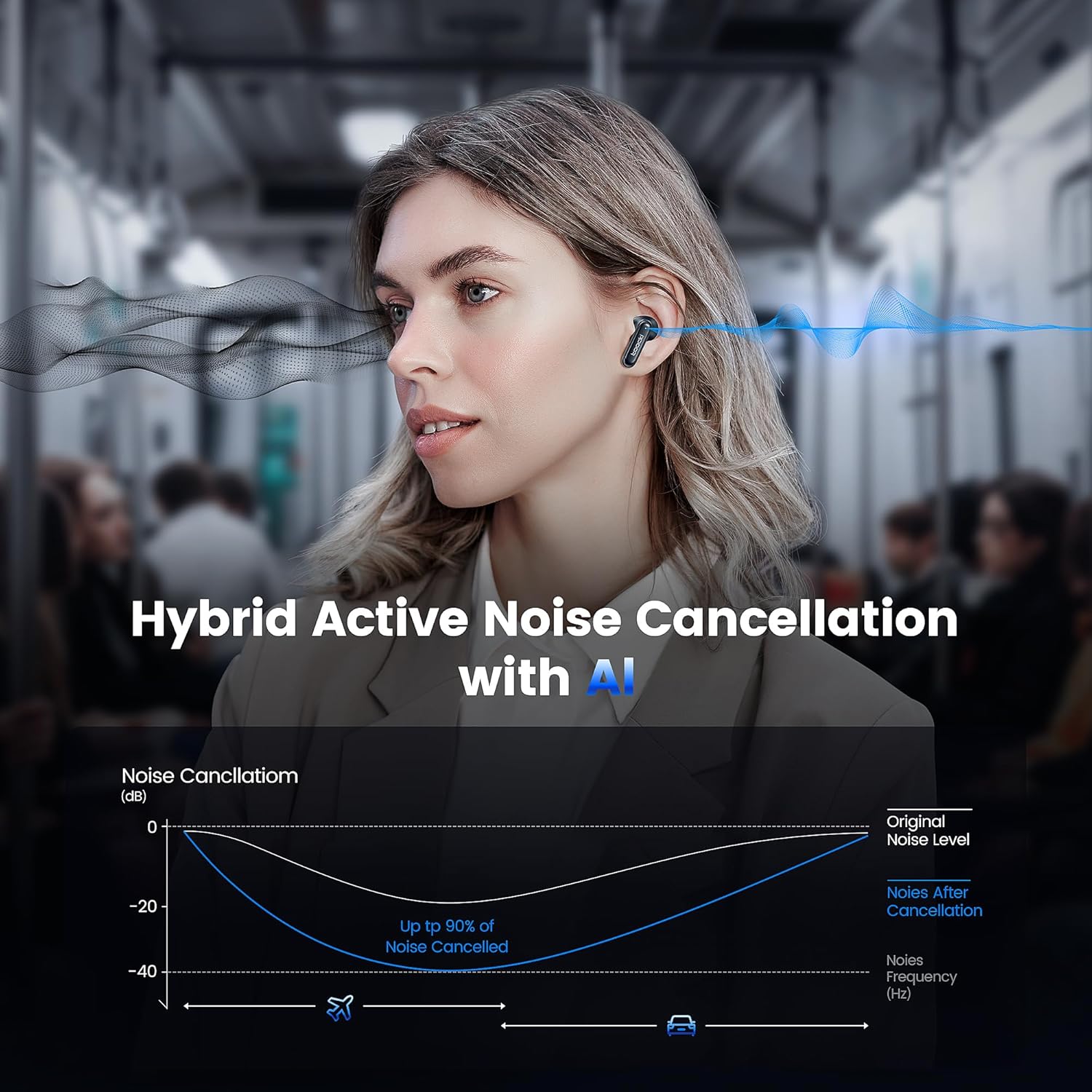
Image: A graph illustrating the effectiveness of Hybrid Active Noise Cancellation with AI, showing a significant reduction in noise levels across various frequencies, applicable in environments like airplanes and cars.
This technology is designed to enhance your listening experience by minimizing distractions from your surroundings, whether you are indoors, outdoors, or commuting.

Image: A person studying indoors with earbuds, illustrating how noise cancellation weakens sounds from turning books, air conditioners, and other machines.

Image: A person walking outdoors with earbuds, demonstrating the ability to block out crowd noise.

Image: A person commuting on public transport with earbuds, showing how noise cancellation blocks out airplane, high-speed train, and subway noise.
Správa hovorů
The earbuds are equipped with 4 microphones and advanced algorithms to enhance call clarity, ensuring your voice is heard clearly even in noisy environments.

Image: A person smiling while holding a smartphone and wearing the earbuds, with an overlay indicating "4 Mic + AI Call Noise Cancellation" to highlight enhanced call quality.
Zvukový zážitek
Experience 360° panoramic sound with stereo dual-channel audio and 10mm drivers, delivering rich bass and clear treble for an immersive listening experience.
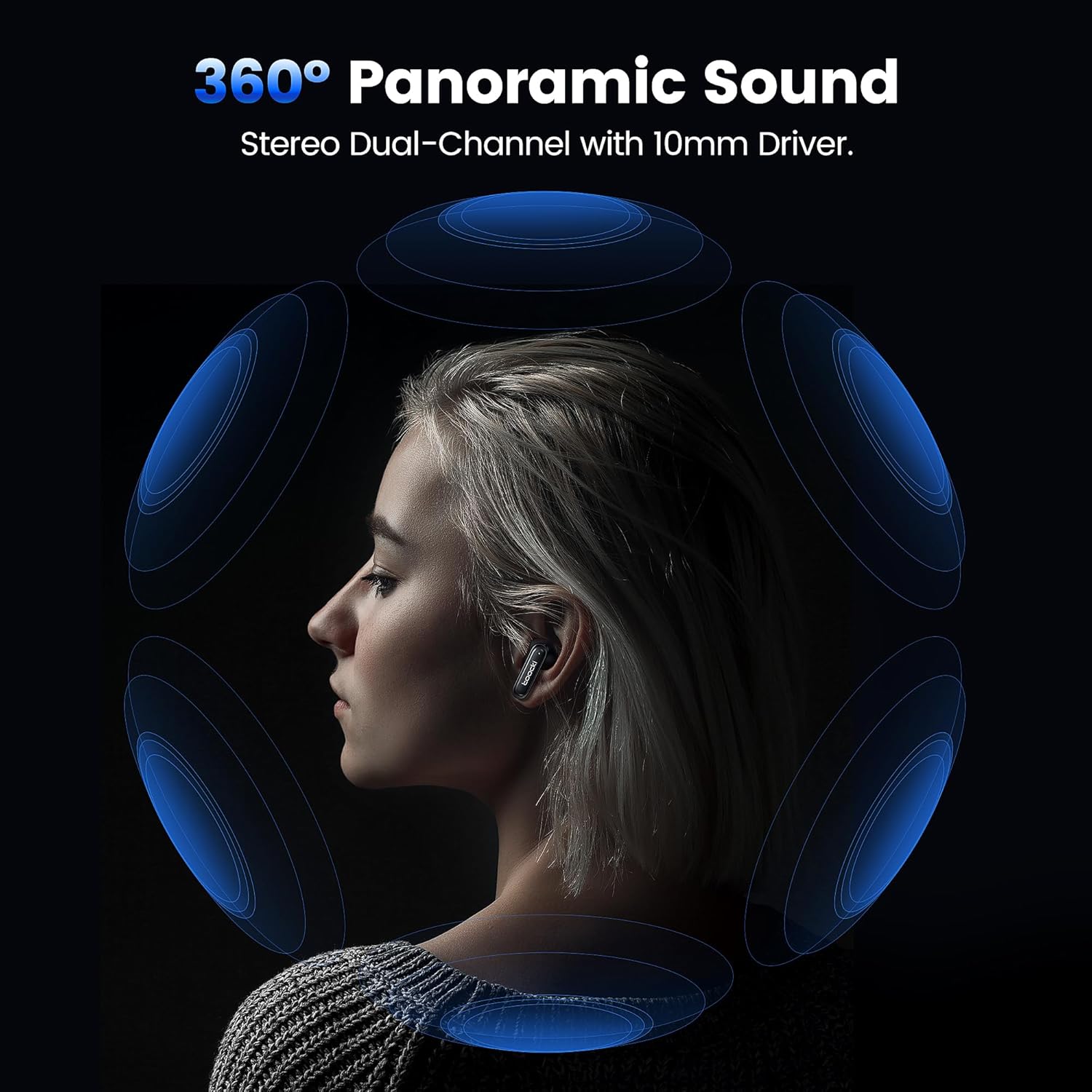
Image: A visual representation of 360° panoramic sound emanating from an earbud, with text indicating "Stereo Dual-Channel with 10mm Driver."

Image: A cutaway diagram of a 10mm moving coil unit, illustrating its internal components and emphasizing its role in delivering extraordinary sound performance with larger vibration area, pure bass, and treble.
Údržba
Správná údržba zajistí dlouhou životnost a optimální výkon vašich sluchátek.
- Čištění: Pravidelně čistěte sluchátka, zejména náušníky a nabíjecí kontakty, měkkým, suchým hadříkem, který nepouští vlákna. Nepoužívejte abrazivní čisticí prostředky ani rozpouštědla.
- Špunty do uší: The earbuds come with multiple sizes of eartips (S, M, L). Choose the size that provides the best seal and comfort for your ears. This also helps with noise cancellation effectiveness.
- Skladování: Pokud sluchátka nepoužíváte, uložte je do nabíjecího pouzdra, aby byla chráněna a zůstávala nabitá.
- Voděodolnost: The earbuds are waterproof. However, avoid prolonged exposure to water and ensure they are dry before placing them back in the charging case to prevent damage to the charging contacts.
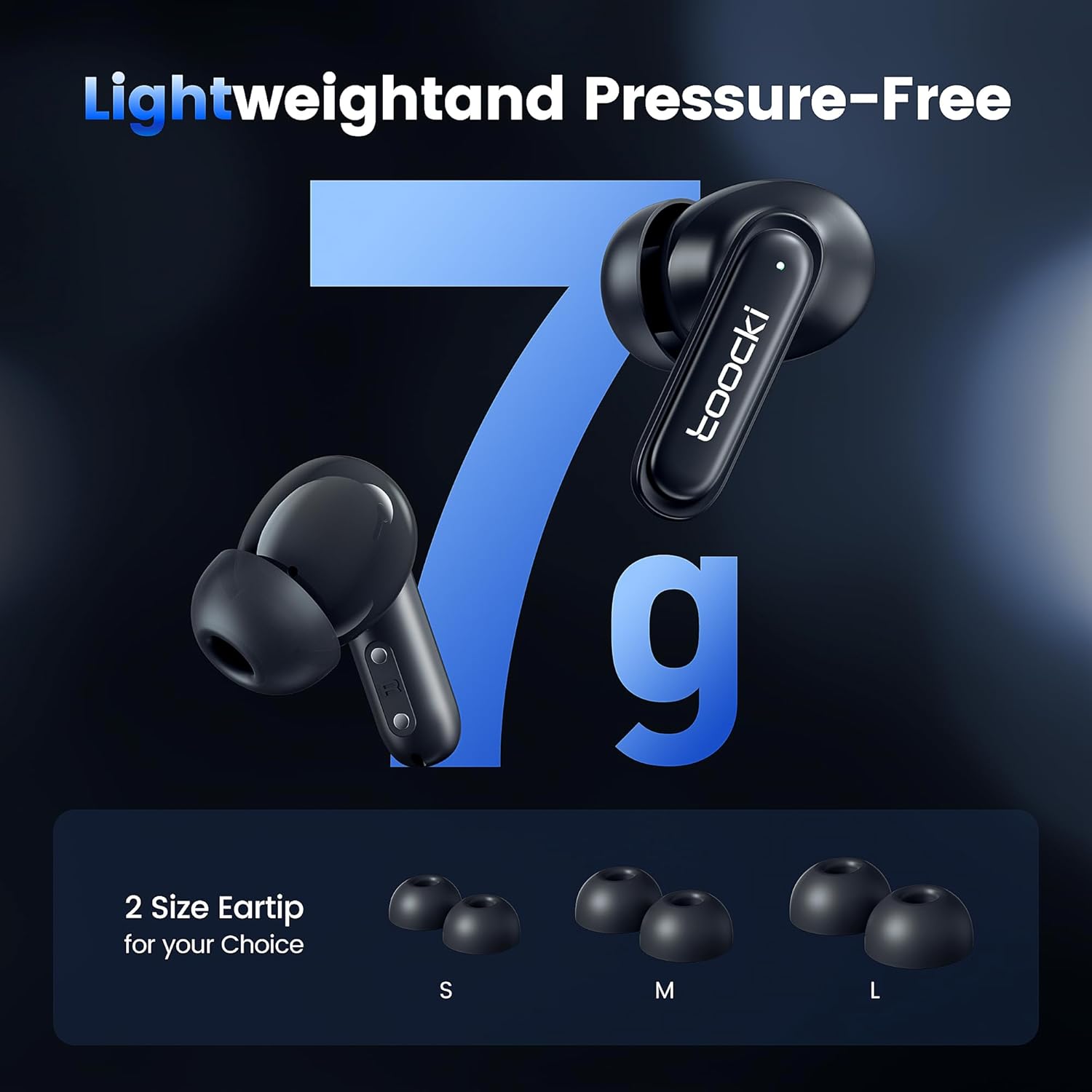
Image: The earbuds displayed alongside three pairs of eartips in small (S), medium (M), and large (L) sizes, emphasizing the lightweight design and choice of eartips for comfort.
Odstraňování problémů
Pokud narazíte na problémy, vyzkoušejte následující řešení:
- Sluchátka se nespárují:
- Ujistěte se, že jsou obě sluchátka nabitá.
- Vypněte Bluetooth na svém zařízení a znovu jej zapněte.
- Forget the "toocki Flip" device from your device's Bluetooth settings and try pairing again.
- Perform a headset reset (tap 7 times in a row).
- Funguje pouze jedno sluchátko:
- Ujistěte se, že jsou obě sluchátka nabitá.
- Vložte obě sluchátka zpět do nabíjecího pouzdra, zavřete víko, počkejte několik sekund a poté je znovu vyjměte.
- Zkuste resetovat sluchátka.
- Nízká hlasitost nebo špatná kvalita zvuku:
- Upravte hlasitost na zařízení i na sluchátkách.
- Ensure the eartips are properly seated in your ear to create a good seal. Try different eartip sizes.
- Vyčistěte reproduktory a náušníky sluchátek od nečistot.
- Problémy s nabíjením:
- Zkontrolujte nabíjecí kabel a napájecí adaptér. Zkuste jiný kabel nebo adaptér.
- Ujistěte se, že nabíjecí kontakty na sluchátkách i pouzdře jsou čisté a bez ucpání.
Specifikace
| Název modelu | TTWS-YL02 |
| Značka | tocki |
| Technologie připojení | Bezdrátové připojení (Bluetooth 5.3) |
| Umístění uší | In-Ear |
| Form Factor | In-Ear |
| Kontrola hluku | Active Noise Cancellation (up to 40dB depth, 99% background noise reduction) |
| Velikost ovladače | 10 mm |
| Playtime (Single Use) | Přibližně 4.5 hodiny |
| Kapacita nabíjecího pouzdra | 400mAh (estimated from image) |
| Kontrolní metoda | Dotek |
| Speciální funkce | Fast Charging, Waterproof, 4 Microphones + AI for Call Noise Cancellation |
| Barva | Černý |
| Hmotnost (za sluchátko) | Přibl. 7 g |
Záruka a podpora
For warranty information or technical support, please refer to the documentation included with your purchase or contact toocki customer service through their official webna webu nebo u prodejce, kde byl produkt zakoupen.