
ClokoWe T800
Uživatelská příručka k mini projektoru ClokoWe T800
Model: T800
1. Úvod
This manual provides detailed instructions for the safe and effective use of your ClokoWe Mini Projector T800. Please read this manual thoroughly before operating the device and retain it for future reference.
Bezpečnostní informace
- Nedívejte se přímo do objektivu projektoru, když je zapnutýamp je zapnuto.
- Zajistěte řádné větrání kolem projektoru, aby nedošlo k přehřátí.
- Chraňte projektor před vodou nebo jinými kapalinami.
- Používejte pouze napájecí adaptér dodaný se zařízením.
- Nepokoušejte se projektor rozebírat ani opravovat sami. Požádejte o pomoc zákaznickou podporu.
2. Obsah balení
Ověřte, zda jsou v balení přítomny všechny položky:
- ClokoWe Mini Projector T800
- HDMI kabel
- Dálkové ovládání
- Napájecí kabel
- Uživatelská příručka (tento dokument)
3. Konec produktuview
Seznamte se s komponenty a funkcemi projektoru.
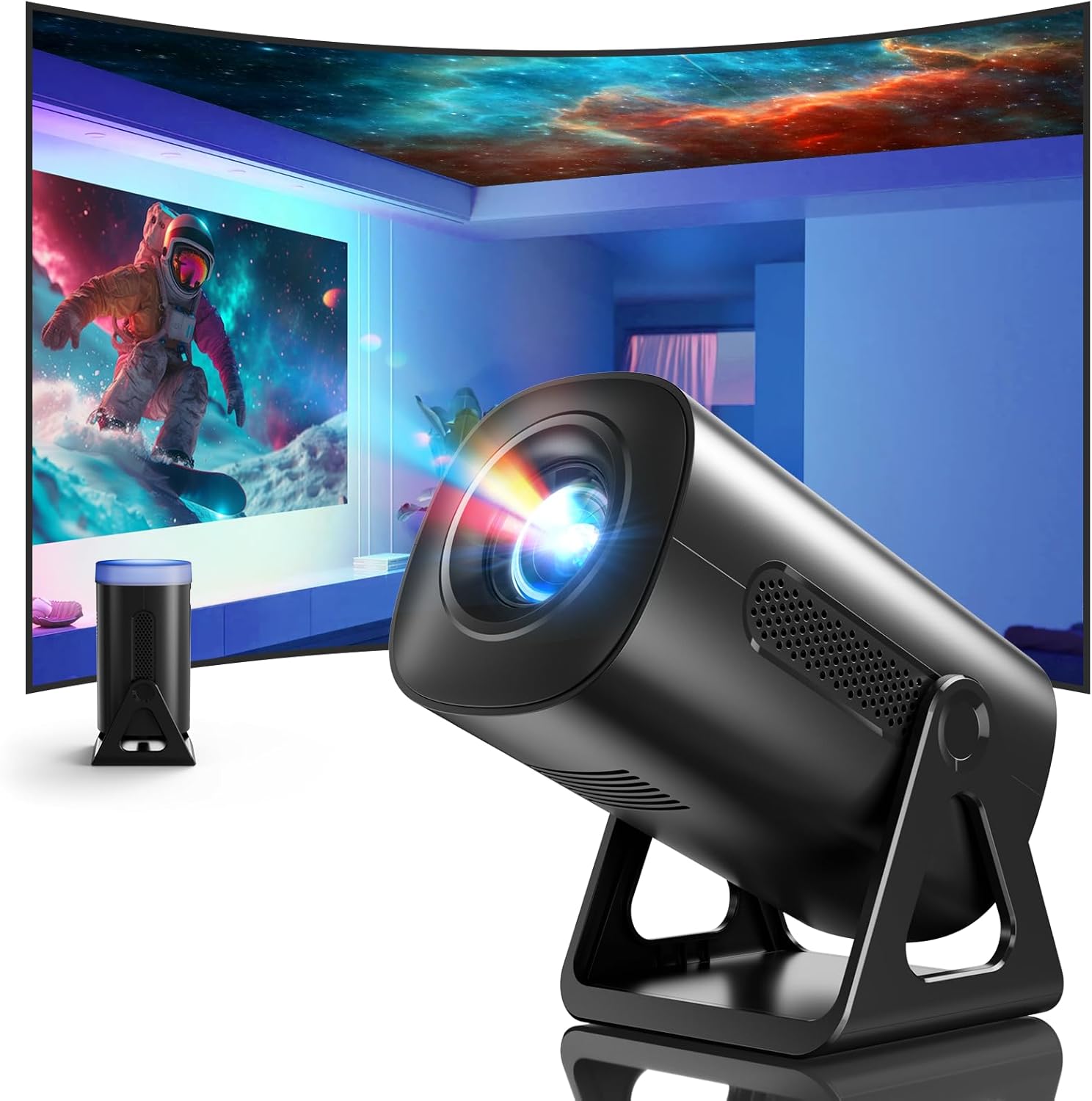
Obrázek 3.1: Přední strana view of the ClokoWe Mini Projector T800, showcasing its compact design and projection capability.
Klíčové vlastnosti:
- Native 1080p Resolution with 4K Support
- 270° Rotatable Stand for flexible projection angles
- Integrated Star Projector with 6 Galaxy Projection Modes and 7 Ambient Night Light Colors
- Dual Band WiFi 6 (2.4G/5G) for stable wireless connectivity
- Bluetooth 5.2 HiFi Speaker for enhanced audio
- Automatic Keystone Correction and 50%-100% Zoom function
- Multiple connectivity options: USB, HDMI, AV, Audio

Image 3.2: Dimensions and weight of the projector, highlighting the 270-degree rotatable stand.
4. Nastavení
4.1 Připojení napájení
- Připojte napájecí kabel ke vstupnímu portu projektoru.
- Zapojte druhý konec napájecího kabelu do standardní elektrické zásuvky.
- Rozsvítí se kontrolka napájení.
4.2 Umístění a seřízení
The 270° rotatable stand allows for flexible placement and projection.

Image 4.1: The projector's 270-degree rotation feature, enabling projection onto walls, floors, or ceilings.
- Umístění: Umístěte projektor na stabilní, rovný povrch.
- Nastavení úhlu: Rotate the projector body on its stand to achieve the desired projection angle (up to 270 degrees).
- Soustředit: Pro zaostření obrazu použijte zaostřovací kroužek na objektivu projektoru.
- Korekce lichoběžníkového zkreslení: The projector features automatic keystone correction. If the image appears trapezoidal, the device will automatically adjust it to a rectangular shape. Manual adjustments may also be available in the settings menu.

Image 4.2: Demonstration of automatic keystone correction and image zoom capabilities.
5. Návod k obsluze
5.1 Počáteční zapnutí
- Stiskněte tlačítko napájení na projektoru nebo na dálkovém ovladači.
- The projector will start up and display the main interface.
5.2 Konektivita
The projector supports various input sources and wireless connections.

Obrázek 5.1: Konecview of supported device connections via HDMI, USB, and Audio interfaces.
5.2.1 WiFi Connection (Dual Band WiFi 6)
- Přejděte do nabídky „Nastavení“ na projektoru.
- Vyberte „Síť“ nebo „Nastavení Wi-Fi“.
- Vyberte ze seznamu požadovanou síť 2.4G nebo 5G WiFi.
- Zadejte heslo a připojte se.

Image 5.2: Demonstrating Dual Band WiFi 6 connectivity and wired screen mirroring with a smartphone.
5.2.2 Připojení Bluetooth (Bluetooth 5.2)
- Přejděte do „Nastavení“ a vyberte „Bluetooth“.
- Zapněte Bluetooth a vyhledejte dostupná zařízení.
- Vyberte ze seznamu Bluetooth reproduktor nebo sluchátka, která chcete spárovat.

Image 5.3: The projector's Bluetooth 5.2 capability for connecting to external audio devices.
5.2.3 HDMI/USB/AV Connection
- Connect your device (e.g., laptop, TV stick, game console) to the corresponding HDMI, USB, or AV port on the projector.
- Select the correct input source from the projector's main menu using the remote control.
5.3 Projection Modes (Star Projector & Night Light)
The projector includes integrated ambient lighting features.

Image 5.4: The projector's ability to display 7 night light colors and 6 galaxy projection modes.
- Projekce galaxie: Access the 'Star Projector' or 'Galaxy Modes' option in the menu to select from 6 different galaxy patterns.
- Noční osvětlení okolního prostředí: With the lens cover on, select from 7 ambient light colors to use the projector as a night light.
5.4 Úprava obrazu
- Funkce zoom: Adjust the projection size from 50% to 100% via the projector's menu settings.
- Kvalita obrázku: The projector supports native 1080p resolution and 4K input. Ensure your source content is of high quality for the best viewzkušenosti.
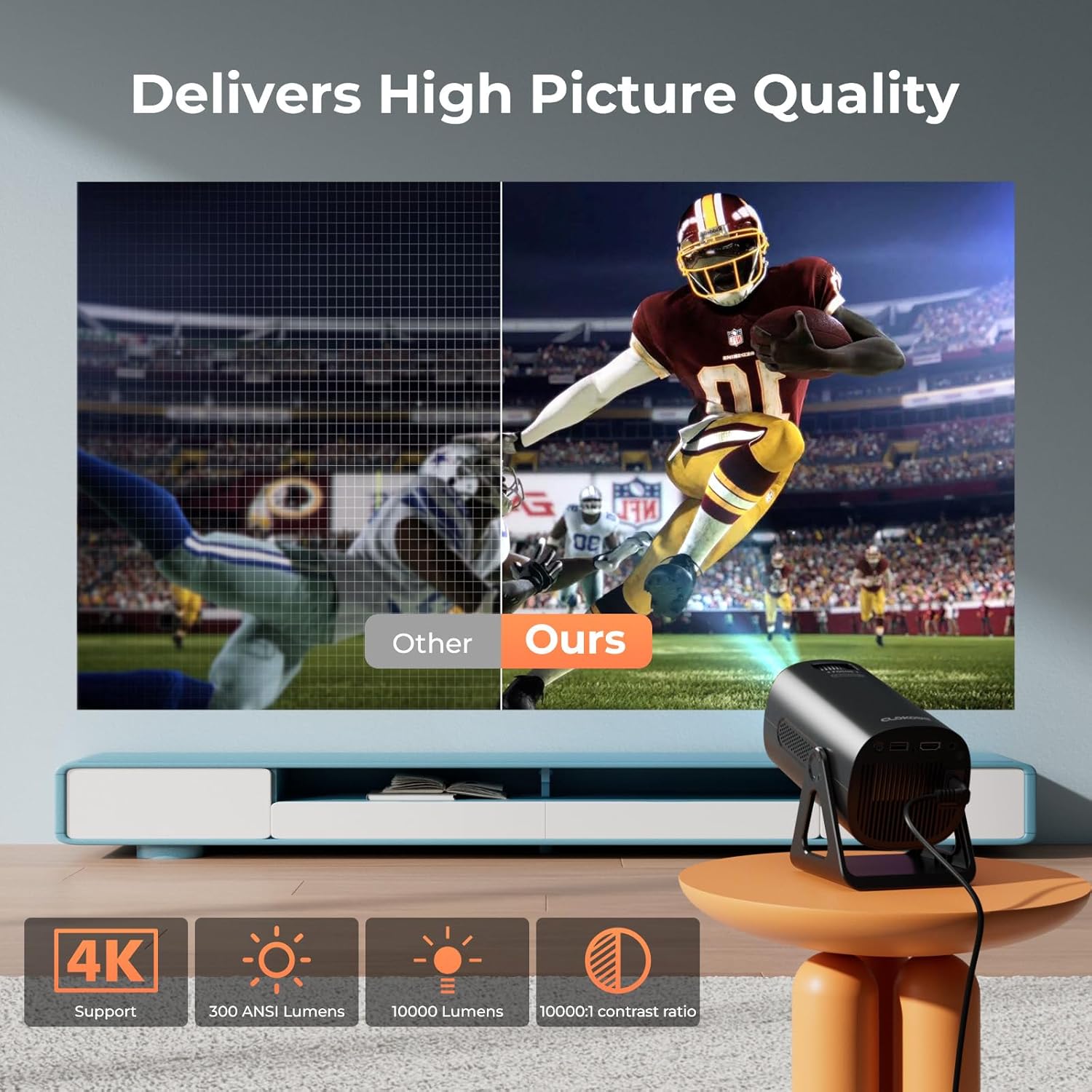
Image 5.5: Visual comparison of picture quality, emphasizing 4K support and brightness specifications.
6. Údržba
- Čištění objektivu: K jemnému otření čočky projektoru použijte měkký hadřík bez žmolků, speciálně určený pro optické čočky. Nepoužívejte abrazivní čisticí prostředky.
- Odstranění prachu: Regularly clean the projector's vents with a soft brush or compressed air to prevent dust buildup, which can affect performance and lifespan.
- Skladování: Pokud projektor delší dobu nepoužíváte, skladujte jej na chladném a suchém místě, nejlépe v originálním obalu nebo ochranném pouzdře.
- Vypnout: Always power off the projector correctly and allow it to cool down before unplugging or moving it.
7. Řešení problémů
Běžné problémy a řešení:
- Bez napájení:
• Ensure the power cord is securely connected to both the projector and the power outlet.
• Zkontrolujte, zda je elektrická zásuvka funkční. - Žádný obraz/signál:
• Verify that the correct input source (HDMI, USB, AV) is selected in the projector's menu.
• Check the connection cables between the projector and the source device.
• Ensure the source device is powered on and outputting a signal. - Rozmazaný obrázek:
• Upravte zaostřovací kroužek na objektivu projektoru.
• Ensure the projection surface is flat and the projector is stable.
• Check if the lens is clean. - Obrázek je lichoběžníkový:
• The automatic keystone correction should adjust this. If not, check for manual keystone adjustment options in the settings. - Žádný zvuk:
• Check the volume settings on both the projector and the source device.
• If using Bluetooth, ensure the external speaker/headphones are properly paired and connected.
• If using HDMI, ensure the audio output is correctly configured on the source device. - Problémy s připojením WiFi/Bluetooth:
• Ensure the projector is within range of the WiFi router or Bluetooth device.
• Restart the projector and the network device.
• Re-enter WiFi passwords carefully.
8. Specifikace
| Funkce | Specifikace |
|---|---|
| Číslo modelu | T800 |
| Rozlišení displeje | 1280 x 720 (Native 1080p, 4K Support) |
| Technologie připojení | 3.5mm Jack, Bluetooth 5.2, HDMI, USB, Wi-Fi 6 (2.4G/5G) |
| Speciální funkce | Portable, 270° Rotatable Stand, Star Projector, Ambient Night Light, Auto Keystone Correction, Zoom |
| Doporučená použití | Obchod, vzdělávání, hry, domácí kino |
| Hmotnost položky | 2.38 libry |
| Rozměry balení | 9.13 x 6.69 x 5.28 palce |
9. Záruka a podpora
ClokoWe products are designed for reliability and performance. For warranty information, technical support, or service inquiries, please refer to the warranty card included in your package or visit the official ClokoWe website. Please have your model number (T800) and purchase details ready when contacting support.
Ask a question about this manual
Ask about setup, troubleshooting, compatibility, parts, safety, or missing instructions. Manuals+ will review the question and use this page’s manual context to help answer it.