
PGYTECH P-PG-005
PGYTECH MagCam Phone Grip User Manual
Model: P-PG-005
1. Konec produktuview
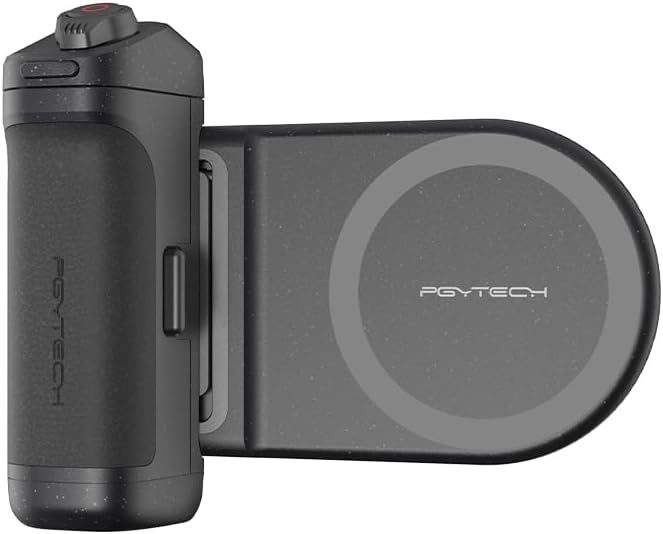
The PGYTECH MagCam Phone Grip is a versatile accessory designed to enhance your mobile photography and videography experience. It features a comfortable grip, magnetic attachment for smartphones, and integrated wireless charging capabilities. The modular design allows for flexible use, including as a portable power bank or a convenient kickstand.
2. Obsah balení a součásti
Ujistěte se prosím, že balení obsahuje všechny následující komponenty:
- MagCam Phone Grip (Main Unit)
- Modul bezdrátového nabíjení
- Nabíjecí kabel USB-C
- Uživatelská příručka (tento dokument)

3. Nastavení
3.1 Počáteční nabíjení
Before first use, fully charge the MagCam Phone Grip using the provided USB-C cable. Connect the cable to the USB-C port on the grip and a compatible power adapter. The battery indicator lights will show the charging status.
3.2 Připojení telefonu
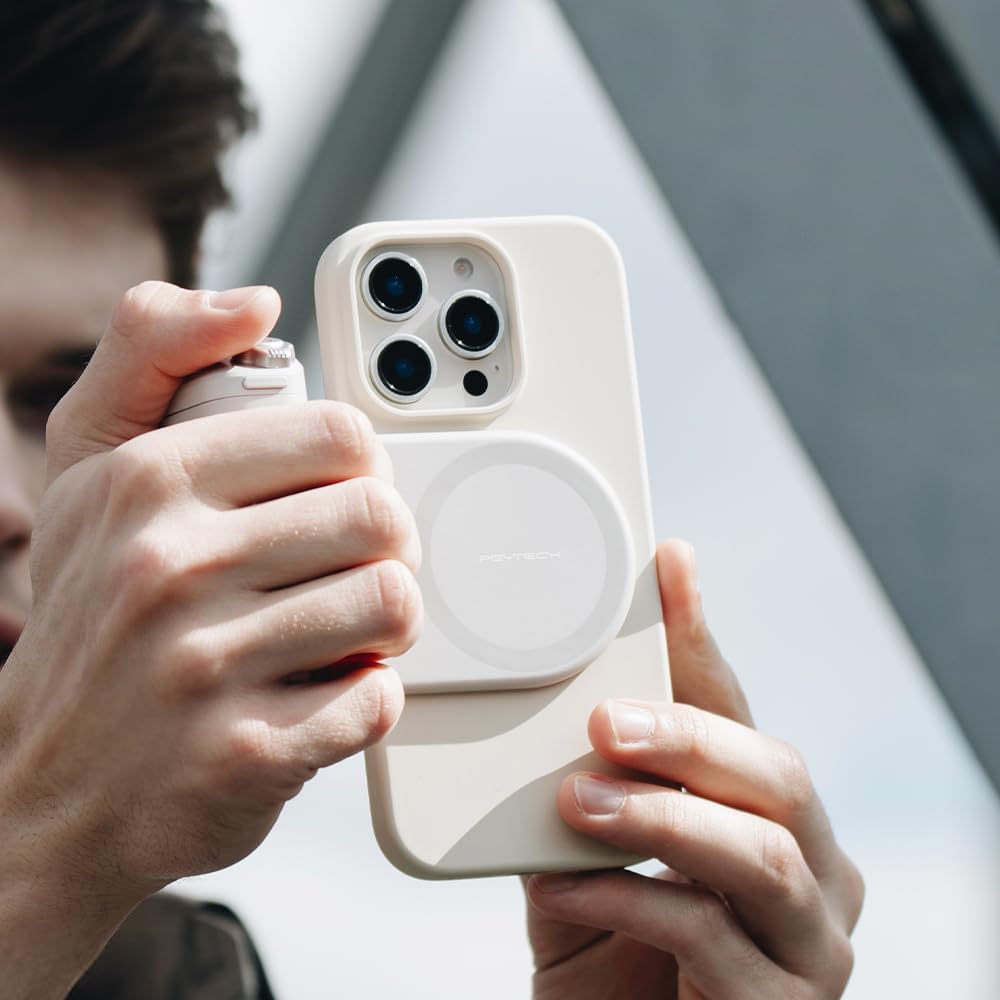
The MagCam Phone Grip uses a magnetic connection. Ensure your phone is compatible with magnetic accessories (e.g., MagSafe-enabled iPhones) or use a magnetic ring adapter (not included) for other devices. Align your phone with the magnetic charging module until it securely snaps into place.

3.3 Párování Bluetooth
To enable remote control functions, pair the grip with your smartphone via Bluetooth:
- Press and hold the power button on the grip until the Bluetooth indicator light flashes.
- On your smartphone, go to Bluetooth settings and select "PGYTECH MagCam" (or similar name) from the list of available devices.
- Po připojení se kontrolka Bluetooth rozsvítí nepřerušovaně.

4. Návod k obsluze
4.1 Základní funkce
The MagCam Phone Grip provides several functions to enhance your phone's camera:
- Tlačítko spouště: Press fully to take a photo or start/stop video recording. Half-press for focus (if supported by your phone's camera app).
- Nastavení zoomu: Rotate the dial around the shutter button to zoom in/out (functionality may vary by phone model and app).
- Přepínač režimu: Use the dedicated switch to toggle between photo and video modes.
- Front/Rear Camera Flip: Press the designated button to switch between front and rear cameras.

4.2 Bezdrátové nabíjení
When attached, the wireless charging module can provide power to your compatible smartphone. The charging status will be indicated on your phone's screen.

4.3 Modular Design and Portability
The magnetic charging module can be easily detached from the grip for separate use or to reduce the overall size for portability.

The grip can also function as a kickstand for hands-free viewIng.

Its compact design allows for easy storage and transport.

4.4 Kompatibilita
The functionality of the MagCam Phone Grip may vary depending on your smartphone's operating system and camera application. Refer to the table below for general compatibility:
| Funkce | Xiaomi | Huawei | Čest | OPPO | iOS |
|---|---|---|---|---|---|
| Photo and Video Switching | ✓ | ✓ | ✓ | ✓ | ✓ |
| Camera Focus Adjustment | ✓ | ✓ | ✓ | ✓ | ✓ |
| Half-press Focus | ✓ | ✓ | ✓ | ✓ | ✓ |
| Přepínání režimů | ✓ | ✓ | ✓ | ✓ | X |
| Rychlé spuštění | ✓ | ✓ | ✓ | ✓ | X |
| Překlopení fotoaparátu | ✓ | ✓ | ✓ | ✓ | ✓ |

5. Údržba a péče
- Čištění: Wipe the grip with a soft, dry cloth. Do not use harsh chemicals or abrasive materials.
- Skladování: Přístroj skladujte na chladném a suchém místě mimo dosah přímého slunečního záření a extrémních teplot.
- Péče o baterie: For optimal battery life, avoid fully discharging the grip frequently. Charge it regularly, even if not in use for extended periods.
6. Řešení problémů
- Zařízení se nezapíná: Ensure the grip is fully charged.
- Bluetooth se nepřipojuje: Make sure Bluetooth is enabled on your phone and the grip is in pairing mode. Try unpairing and re-pairing the device.
- Camera functions not working: Check the compatibility table (Table 4.1). Ensure your phone's camera app supports external shutter controls. Some functions may require specific app settings.
- Bezdrátové nabíjení nefunguje: Ensure your phone is properly aligned with the magnetic charging module and that your phone supports wireless charging. Check for any obstructions between the phone and the module.
For more detailed troubleshooting and frequently asked questions, please visit the official PGYTECH FAQ page: PGYTECH MagCam Phone Grip FAQ
7. Specifikace
| Funkce | Detail |
|---|---|
| Hmotnost produktu | 250 g |
| Rozměry balení | 12.8 x 12 x 3.8 cm |
| Baterie | 1 lithium-iontová baterie (součástí balení) |
| Speciální funkce | Magnetic attachment, Wireless charging |
| Konektivita | Bezdrátové (Bluetooth) |
| Barva | Černý |
| Obsah krabice | Hlavní jednotka |
| Typ rukojeti | Prstencová rukojeť |
8. Informace o záruce
PGYTECH products are manufactured to high quality standards. For specific warranty terms and conditions, please refer to the warranty card included with your product or visit the official PGYTECH webUschovejte si účtenku jako doklad o koupi pro případ reklamace.
9. Podpora
For further assistance, product registration, or to explore other PGYTECH products, please visit our official brand store or contact customer support:
- PGYTECH Official Store: Amazon.co.jp/PGYTECH
- Online podpora: Refer to the FAQ link in the Troubleshooting section for common issues.
Ask a question about this manual
Ask about setup, troubleshooting, compatibility, parts, safety, or missing instructions. Manuals+ will review the question and use this page’s manual context to help answer it.