
Zavedení
The Stealth Cam Deceptor Max 2.0 is an advanced dual-core cellular trail camera designed for reliable outdoor monitoring. It captures high-quality images and videos, uploading them simultaneously for efficient performance. Featuring advanced compression technology and integrated AI, this camera enhances clarity and detail in every shot, including improved night-time imaging. With robust photo and video capabilities, customizable settings, and remote management via the Command PRO App, the Deceptor Max 2.0 provides comprehensive surveillance for various outdoor applications.
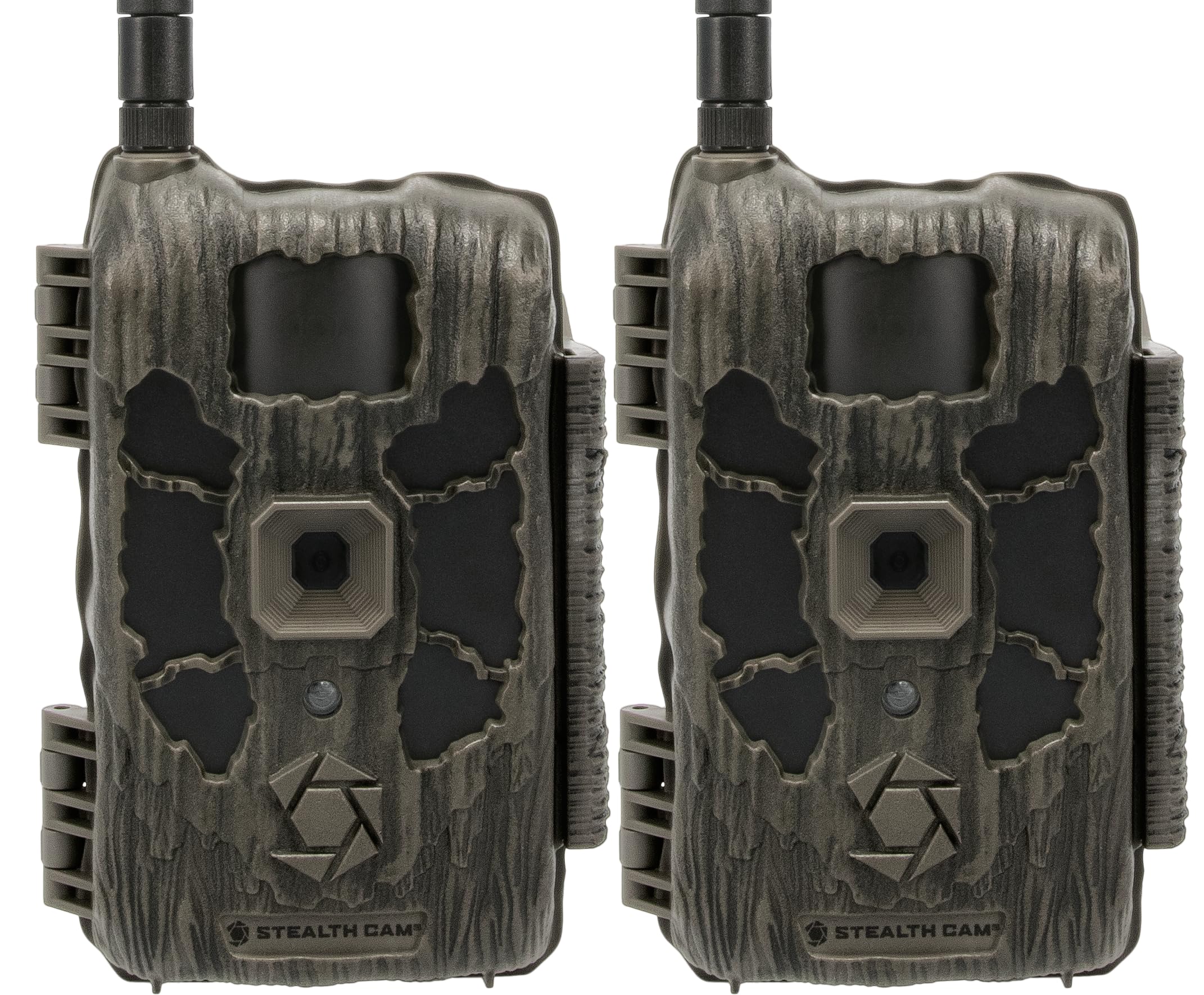
Obrázek 1: Přední strana view of the Stealth Cam Deceptor Max 2.0 cellular trail camera.
Nastavení
1. Vybalení a kontrola komponent
Carefully unpack the camera and ensure all components are present. The package typically includes the Deceptor Max 2.0 camera unit and an instruction manual.
2. Instalace baterie
Otevřete fotoaparát casing to access the battery compartment. The camera requires 16 AA batteries (not included). Insert the batteries according to the polarity indicators inside the tray. For extended operation, an external 12V DC auxiliary jack is available for power packs.

Obrázek 2: Vnitřní view of the camera, highlighting the battery tray and SD card slot.
3. Instalace SD karty
Locate the SD card slot inside the camera. Insert a compatible SD card (up to 32GB internal memory is also available) with the contacts facing the correct direction until it clicks into place. Ensure the card is formatted before first use.
4. Montáž kamery
The Deceptor Max 2.0 features an integrated multi-position mount and a ¼-20 threaded insert for flexible mounting options. Secure the camera to a tree or other stable surface using the provided strap or a compatible mounting accessory. Ensure the camera is positioned to capture the desired area without obstructions.

Figure 3: Camera mounted on a tree, ready for deployment.
5. Stažení a aktivace aplikace
Stáhněte si Command PRO App from your smartphone's app store. Follow the in-app instructions to create an account and activate your camera. The camera utilizes AIO Carrier Determination with pre-installed SIM cards to automatically connect to the strongest available network (AT&T or Verizon).
Video 1: Stealth Cam Deceptor 2.0 Product Overview. This video provides a comprehensive look at the camera's features and capabilities, including setup and operation.
Návod k obsluze
1. Zapnutí/vypnutí
Locate the power switch inside the camera casing. Toggle it to the 'ON' position to power on the camera. The camera will perform a self-check and attempt to connect to the cellular network. To power off, toggle the switch to 'OFF'.
2. Režimy fotografování a videa
The Deceptor Max 2.0 offers versatile capture options:
- Rozlišení fotografie: Selectable between 4MP, 8MP, 16MP, and 40MP for high-definition still images.
- Nahrávání videa: Captures 1440P QHD video with audio.
- Burst režim: 1-9 photos per trigger for capturing rapid action.
- Rychlost spouštění: Ultra-fast 0.3-second trigger speed to minimize missed events.

Figure 4: Key features of the Deceptor Max 2.0, including photo and video capabilities.
3. Přizpůsobitelná nastavení
Adjust various settings via the Command PRO App:
- Zpoždění po uplynutí časového limitu: Set delays between captures from 2-59 seconds or 1-59 minutes.
- Detection and Flash Range: The camera has a 100ft detection and flash range, supported by 36pcs of 940nm no-glow LEDs for clear night-time imaging.
4. Remote Control via Command PRO App
The Command PRO App allows for comprehensive remote management:
- Access Media: View photos and videos on demand.
- Živé vysílání: Initiate live video streams (where available).
- GPS sledování: Utilize built-in GPS for precise location tracking of your camera.
- Vylepšení umělé inteligence: Benefit from integrated AI for enhanced image clarity and detail, including NightIQ for improved night vision.

Figure 5: Advanced features like AI, GPS, and fast trigger speed.
Video 2: Smarter Alerts. This video demonstrates the camera's ability to provide automatic detection and notifications, enhancing monitoring efficiency.
Video 3: Command Features - PIR Zone. Learn how to utilize the PIR zone settings for optimized motion detection.
Údržba
1. Výměna baterie
When battery levels are low, replace all 16 AA batteries simultaneously to ensure consistent power. If using an external 12V DC power source, ensure it is functioning correctly.
2. Správa SD karty
Regularly check the SD card capacity via the Command PRO App. Format the SD card periodically to maintain optimal performance and prevent data corruption. Back up important media before formatting.
3. Čištění fotoaparátu
Gently clean the camera lens and PIR sensor window with a soft, lint-free cloth to ensure clear images and accurate detection. Keep the camera casing free from dirt, dust, and debris.
4. Aktualizace firmwaru
Check the Command PRO App regularly for available firmware updates. Keeping the camera's firmware up-to-date ensures optimal performance, new features, and bug fixes.
Video 4: Messaging Pillars - Never Quit. This video highlights the camera's extended runtime capabilities, crucial for long-term deployment.
Odstraňování problémů
1. Problémy s připojením
If the camera is not connecting to the cellular network, ensure it is in an area with adequate signal strength. The AIO Carrier Determination feature should automatically select the best network. If issues persist, try relocating the camera or checking your data plan status via the Command PRO App.
2. Špatná kvalita obrazu/videa
Ensure the lens is clean and free from obstructions. Verify that the selected photo resolution and video quality settings in the app are appropriate for your needs. Night-time image quality is enhanced by 940nm no-glow LEDs and AI NightIQ technology.
3. False Triggers
Excessive false triggers (e.g., from moving branches or grass) can occur if the camera's sensitivity is too high. Adjust the PIR sensitivity settings in the Command PRO App to a lower level. Ensure the camera is mounted securely to prevent movement from wind.
4. Krátká výdrž baterie
Ensure you are using fresh, high-quality AA batteries. Frequent video captures, live streaming, or poor cellular signal can increase battery consumption. Consider using an external 12V DC power pack for extended deployment.
5. Camera Not Activating
If the camera fails to activate, double-check battery installation and SD card presence. Confirm that the camera has been properly registered and activated through the Command PRO App. Contact customer support if the issue persists after these checks.
Video 5: Messaging Pillars - Less Noise, More Confidence. This video emphasizes the camera's ability to reduce unwanted triggers, leading to more relevant captures.
Specifikace
| Název modelu | Deceptor Max 2.0 |
| Rozlišení fotografie | 40MP (volitelné: 4MP, 8MP, 16MP, 40MP) |
| Rozlišení videa | 1440p QHD with Audio |
| Rychlost spouštění | 0.3 sekund |
| Detekce a dosah záblesku | 100 stop |
| LED diody | 36pcs 940nm No-Glow LEDs |
| Vnitřní paměť | 16 GB |
| Konektivita | Cellular (AIO Carrier Determination for AT&T & Verizon) |
| Kompatibilita aplikací | Command PRO App |
| Zdroj napájení | 16 baterií AA (nejsou součástí balení), pomocný konektor 12V DC |
| Speciální funkce | Dual-Core Processing, Integrated AI, Built-in GPS, Motion Sensor, Night Vision, Weather Proof |
| Možnosti montáže | Integrated Multi-Position Mount, ¼-20 Threaded Insert, Python Cable Provision |
| Rozměry | 10 x 5.51 x 3.15 palce |

Obrázek 6: Přesview of Stealth Cam Deceptor Max 2.0 key specifications.
Záruka
The Stealth Cam Deceptor Max 2.0 Cellular Trail Camera is covered by a Omezená 2-letá záruka. This warranty covers defects in materials and workmanship under normal use. Please retain your proof of purchase for warranty claims. For detailed terms and conditions, refer to the official Stealth Cam webwebu nebo kontaktujte zákaznickou podporu.

Figure 7: The Stealth Cam Deceptor Max 2.0 comes with a 2-year warranty.
Podpora
For further assistance, technical support, or warranty inquiries, please visit the official Stealth Cam webnebo se obraťte na jejich oddělení zákaznických služeb. Podrobné kontaktní informace obvykle naleznete na webových stránkách výrobce website or within the Command PRO App.

Figure 8: Information about Stealth Cam and their commitment to technology.