
Konec produktuview
The Gravity C28 Rugged Smartwatch is designed for durability and comprehensive health and fitness tracking. It features a 2.02-inch TFT high-resolution display, AI-generated watch faces, and over 100 sports modes. This device also includes Bluetooth calling, smart notifications, and robust water, shock, and dust resistance.

Obrázek: Přední strana view of the Gravity C28 Rugged Smartwatch, showcasinjeho robustní konstrukce a digitální displej.
Klíčové vlastnosti
- 2.02" HD displej: Clear visuals with 320x390 resolution and customizable watch faces.
- Komplexní sledování zdraví: Monitors heart rate, sleep patterns, step count, and calories.
- Více než 100 sportovních režimů: Tracks various activities including running, cycling, and hiking.
- Bluetooth Calling & Smart Alerts: Answer calls and receive notifications directly from the wrist.
- Odolné a odolné vůči povětrnostním vlivům: 1 ATM waterproof, shockproof, and dustproof design.
- Dlouhá výdrž baterie: Up to 25 days standby time with a 410mAh battery.
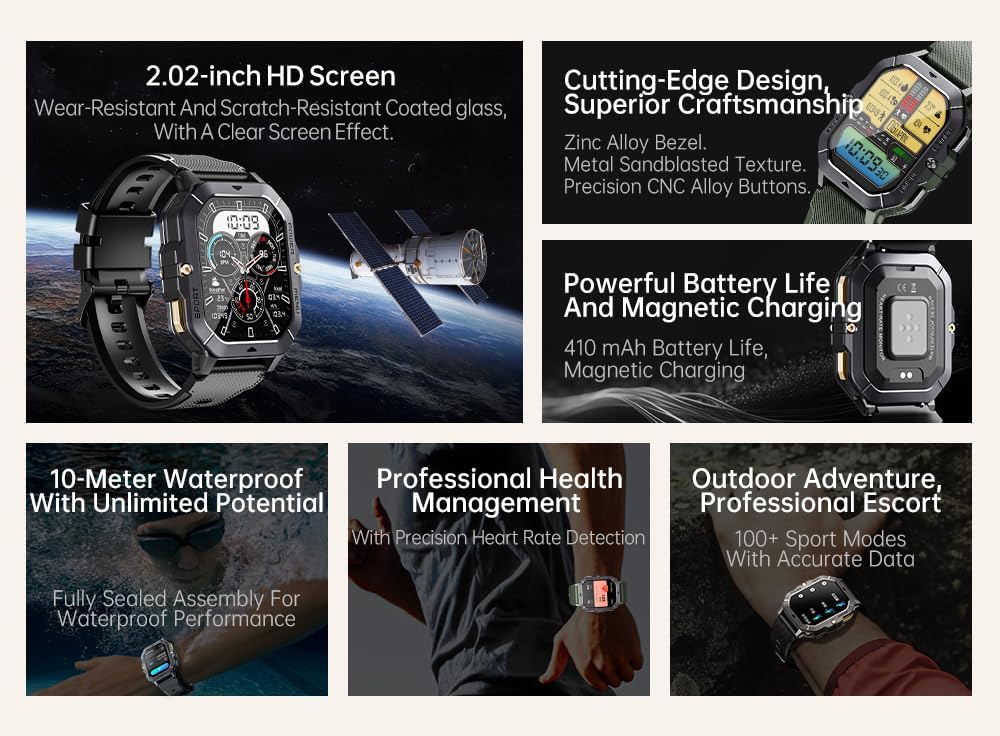
Image: Visual summary of the smartwatch's features, including HD screen, craftsmanship, battery life, waterproofing, health management, and sports modes.
Co je v krabici
Upon unboxing your Gravity C28 Smartwatch, please ensure all components are present:
- Chytré hodinky Gravity C28
- Nabíjecí kabel
- Uživatelská příručka (tento dokument)
Nastavení
1. Nabíjení zařízení
Before first use, fully charge your Gravity C28 Smartwatch. Connect the magnetic charging cable to the charging points on the back of the watch and plug the USB end into a compatible power adapter (not included) or a computer USB port.

Image: Close-up of the smartwatch's rear, showing the magnetic charging pins and the charging cable attached.
2. Zapnutí/vypnutí
- Zapnutí: Stiskněte a podržte tlačítko „NAPÁJENÍ“ (obvykle tlačítko vpravo nahoře), dokud se obrazovka nerozsvítí.
- Vypnout: Press and hold the 'POWER' button, then select 'Power Off' on the screen, or continue holding until the device shuts down.
3. Instalace a párování aplikace
The Gravity C28 Smartwatch uses the Da Fit application for full functionality and data synchronization. The app is compatible with both Android and iOS devices.
- Download the 'Da Fit' app from your device's app store (Google Play Store for Android, Apple App Store for iOS).
- Otevřete aplikaci Da Fit a postupujte podle pokynů na obrazovce k vytvoření účtu nebo přihlášení.
- Ujistěte se, že je na vašem smartphonu povoleno Bluetooth.
- In the Da Fit app, navigate to 'Add Device' or 'Bind Device'.
- Select 'C28' from the list of available devices.
- Potvrďte požadavek na párování na smartphonu i na chytrých hodinkách.
Ovládání chytrých hodinek
Navigace
- Dotyková obrazovka: Swipe left, right, up, or down to navigate through menus and access different functions. Tap to select.
- Tlačítko „NAPÁJENÍ“: Krátkým stisknutím se vrátíte na ciferník hodinek nebo probudíte obrazovku. Dlouhým stisknutím zobrazíte možnosti napájení.
- Tlačítko „MENU“: Short press to access the main menu.
- Tlačítko „SPORT“: Krátkým stisknutím rychle přejdete do sportovních režimů.

Obrázek: Přamples of different menu display modes available on the smartwatch, such as Grid View, Surface, Parallel, and Helm.
Bluetooth Calling and Smart Alerts
Once paired with your smartphone, the Gravity C28 allows you to manage calls and notifications directly from your wrist.
- Přijímání hovorů: When an incoming call is received, the watch will display the caller ID. Tap the green phone icon to answer.
- Uskutečňování hovorů: Access the dial pad or contact list through the watch's menu to initiate calls.
- Oznámení: Receive alerts for messages, social media, and other app notifications. Swipe down from the watch face to view nedávná oznámení.

Image: Two Gravity C28 smartwatches displaying an incoming call and a message alert, demonstrating the Bluetooth call and message alert features.
AI Watch Face and DA GPT
The smartwatch supports AI-generated watch faces for personalization and integrates with DA GPT for interactive features.
- Ciferník s umělou inteligencí: Customize your watch face by providing text prompts to the AI, which will generate unique designs.
- DA GPT: Interact with the DA GPT feature to explore new ideas or learn new things directly from your watch.

Image: Diagram illustrating the DA GPT interaction flow and the AI Watch Face generation process, showing how users can request custom watch face backgrounds.
Sportovní režimy
The Gravity C28 offers over 100 sports modes to accurately track your physical activities. Access these modes via the 'SPORT' button or the main menu.
- Select your desired sport (e.g., running, cycling, swimming).
- The watch will begin tracking relevant metrics such as duration, distance, calories burned, and heart rate.
- End your workout by following the on-screen prompts. Data will sync with the Da Fit app.
Monitorování zdraví
The smartwatch provides continuous monitoring of various health metrics.
- Srdeční frekvence: Monitorování tepové frekvence v reálném čase.
- Monitorování spánku: Analyzuje spánkové vzorce, včetně hlubokého spánku, lehkého spánku a doby bdění.
- Step Counter & Calories: Tracks daily steps and estimated calories burned.
- SpO2, Blood Pressure, Stress: Provides readings for blood oxygen saturation, blood pressure, and stress levels.

Image: Screenshots of the smartwatch display showing various health metrics: Heart Rate, SpO2, Blood Pressure, Stress, Sleep, and Cycle Tracking.
Údržba
Čištění
Pravidelné čištění pomáhá udržovat vzhled a funkčnost chytrých hodinek.
- Otřete obrazovku a tělo měkkým hadříkem, který nepouští vlákna.
- Pro odolnou špínu lehceamphadřík vodou. Vyhněte se agresivním chemikáliím nebo abrazivním materiálům.
- Před nabíjením se ujistěte, že jsou nabíjecí kontakty čisté a suché.
Voděodolnost
The Gravity C28 is 1 ATM waterproof, meaning it can withstand splashes, rain, and brief immersion in shallow water. It is suitable for daily cleaning, sweating, and getting wet by rain.

Image: The smartwatch being used underwater, illustrating its 1 ATM waterproof capability for activities like snorkeling, and icons for daily cleaning, sweat, and rain resistance.
Důležité: While waterproof, avoid prolonged exposure to hot water, steam, or high-pressure water jets. Do not operate buttons underwater.
Skladování
Store the smartwatch in a cool, dry place away from direct sunlight and extreme temperatures when not in use for extended periods.
Odstraňování problémů
- Hodinky se nezapínají: Ujistěte se, že jsou hodinky plně nabité. Připojte je k nabíječce alespoň na 30 minut.
- Nelze spárovat s telefonem:
- Ujistěte se, že máte v telefonu i hodinkách zapnutou funkci Bluetooth.
- Ujistěte se, že hodinky jsou v dosahu Bluetooth (přibližně 10 metrů).
- Restartujte hodinky i telefon.
- Vymažte mezipaměť Bluetooth v telefonu (Android) nebo zařízení zapomeňte a znovu jej spárujte (iOS).
- Nepřesné zdravotní údaje:
- Ujistěte se, že hodinky máte na zápěstí pevně připevněné, ne příliš volné ani příliš těsné.
- Vyčistěte senzor na zadní straně hodinek.
- Během měření se vyvarujte nadměrného pohybu.
- Nezobrazují se oznámení:
- Check notification permissions in the Da Fit app and your phone's settings.
- Ujistěte se, že aplikace Da Fit běží na pozadí.
- Ověřte, zda jsou hodinky připojeny přes Bluetooth.
- Krátká výdrž baterie:
- Snižte jas obrazovky.
- Pokud není potřeba, vypněte nepřetržité sledování tepové frekvence.
- Omezte počet aktivních oznámení.
- Ensure background app refresh for Da Fit is enabled on your phone.
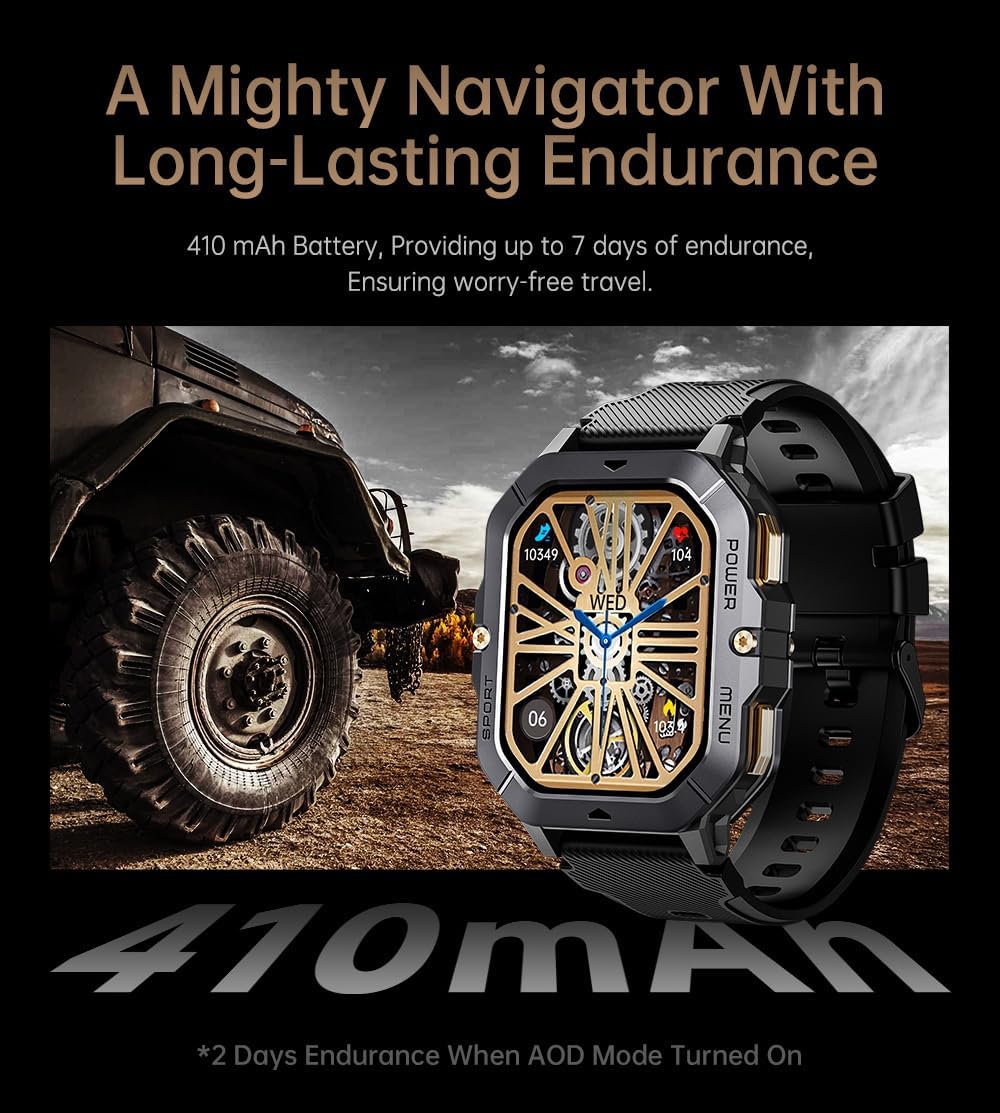
Image: The smartwatch displayed next to a large tire, emphasizing its ruggedness and long-lasting 410 mAh battery, providing up to 7 days of endurance (2 days with AOD mode).
Specifikace
| Funkce | Detail |
|---|---|
| Číslo modelu | W4-C28 |
| Velikost displeje | 2.02 Inches TFT |
| Kapacita baterie | 410 XNUMX mAh |
| Operační systém | Android OS (compatible with Android & iOS via Da Fit app) |
| Konektivita | Bluetooth |
| Voděodolnost | 1 ATM |
| Hmotnost položky | 1 libry |
| Rozměry | 9 x 4 x 1 palce (balení) |
| Typ baterie | Lithium Polymer |
Záruka a podpora
Informace o záruce
Warranty details for the Gravity C28 Smartwatch are typically provided with your purchase documentation. Please refer to the warranty card or contact your retailer for specific terms and conditions regarding coverage and duration.
Zákaznická podpora
For technical assistance, troubleshooting not covered in this manual, or inquiries regarding your device, please contact Gravity customer support through the contact information provided on the product packaging or the official Gravity webmísto.