
Gravity C26
Uživatelská příručka chytrých hodinek Gravity C26
Model: C26
Zavedení
Welcome to the Gravity C26 Smartwatch user manual. This guide provides detailed instructions on how to set up, operate, and maintain your new smartwatch. The Gravity C26 features a 1.96-inch AMOLED display, Bluetooth calling, over 100 sports modes, comprehensive health monitoring, and an AI voice assistant. Its robust design ensures durability for various environments.
Obsah balení
Zaškrtněte prosím políčko u následujících položek:
- Chytré hodinky Gravity C26
- Nabíjecí kabel
- Uživatelská příručka (tento dokument)
Konec produktuview
Familiarize yourself with the components and key features of your Gravity C26 Smartwatch.

Obraz: Přední view of the Gravity C26 Smartwatch, showcasing its square AMOLED display, two side buttons labeled "POWER" and "SPORT", and a durable black strap.
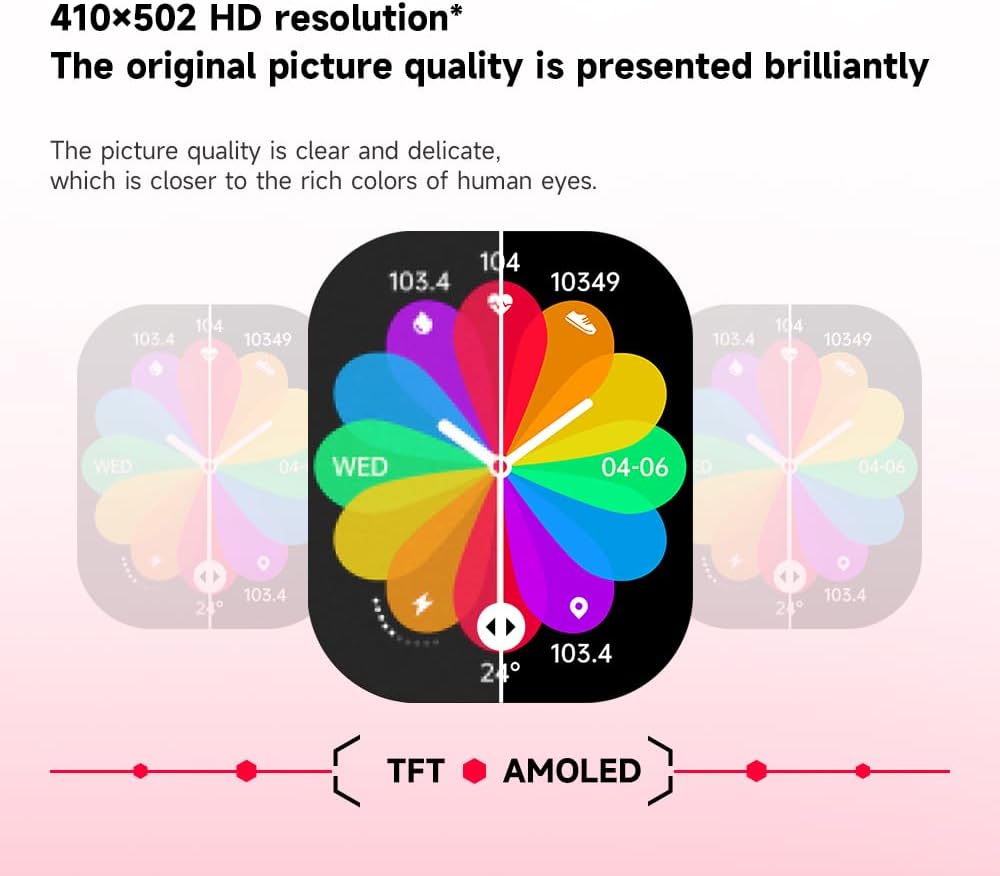
Obraz: Illustration demonstrating the superior visual quality of the 410x502 HD AMOLED display compared to a TFT screen, highlighting vibrant colors and clarity.

Obraz: Detailní záběr view of the 1.96-inch AMOLED screen, emphasizing its explosion-proof and drop-proof tempered glass, thermal shock resistance, anti-corrosion, and anti-scratch properties.
Nastavení
1. Nabíjení chytrých hodinek
Before first use, fully charge your Gravity C26 Smartwatch. Connect the magnetic charging cable to the charging points on the back of the watch and plug the USB end into a power adapter (not included) or a computer's USB port.
- Plné nabití obvykle trvá přibližně 2 hodiny.
- The watch features a 350mAh battery, providing up to 25 days of standby time.

Obraz: Visual representation of the Gravity C26 Smartwatch's 350mAh battery, highlighting intelligent battery life upgrade, over-temperature protection, overvoltage protection, and intelligent optimization of application scenarios.
2. Pairing with Your Smartphone (FitCloudPro App)
To unlock the full potential of your Gravity C26, download and install the FitCloudPro app on your iOS or Android smartphone.
- Stáhněte si aplikaci: Hledat "FitCloudPro" in the Apple App Store (for iOS) or Google Play Store (for Android), or scan the QR code provided in the watch's quick start guide.
- Vytvořit účet: Otevřete aplikaci FitCloudPro a postupujte podle pokynů na obrazovce k vytvoření účtu nebo přihlášení.
- Povolit Bluetooth: Ujistěte se, že je na vašem smartphonu povoleno Bluetooth.
- Přidat zařízení: In the FitCloudPro app, navigate to the "Device" or "Add Device" section. The app will search for nearby smartwatches. Select "Gravity C26" from the list.
- Potvrdit spárování: A pairing request will appear on both your phone and the smartwatch. Confirm the pairing on both devices.
- Udělení oprávnění: Povolte potřebná oprávnění (např. oznámení, polohu, kontakty), aby aplikace fungovala správně.
Once paired, the watch will synchronize data with your phone, and you can customize settings, view health data, and manage notifications through the app.
Návod k obsluze
1. Navigace v rozhraní
The Gravity C26 features a touch-sensitive AMOLED display and two physical buttons for navigation.
- Dotyková obrazovka: Swipe left/right, up/down to navigate through menus and widgets. Tap to select an option.
- "POWER" Button (Top Right): Stisknutím probudíte/uspíte obrazovku, vrátíte se na ciferník hodinek nebo dlouhým stisknutím zobrazíte možnosti napájení.
- "SPORT" Button (Bottom Right): Stisknutím tlačítka rychle otevřete nabídku sportovních režimů.

Obraz: Display of four different menu styles available on the Gravity C26 Smartwatch, including grid views and list views for accessing various functions like settings, dialer, contacts, call records, and voice assistant.
2. Uskutečňování a přijímání hovorů
With Bluetooth calling enabled, you can manage calls directly from your wrist.
- Uskutečnění hovoru: Pro zahájení hovoru přejděte na číselník nebo do seznamu kontaktů na hodinkách.
- Příjem hovoru: Při příchozím hovoru hodinky zobrazí ID volajícího. Klepnutím na zelenou ikonu hovor přijmete, klepnutím na červenou ikonu hovor odmítnete.

Obraz: Depiction of the Gravity C26 Smartwatch's Bluetooth calling feature showing an incoming call screen and message notifications. Also illustrates the AI voice assistant responding to commands like "How is the weather tomorrow?" and "Call my mom."
3. Using AI Voice Assistant
The built-in AI voice assistant allows for hands-free control. Simply raise your hand to activate the voice assistant and speak your commands.
- Aktivace: Raise your wrist or use a specific gesture/button press (refer to app settings for customization).
- příkazy: Ask about weather, play music, set alarms, make calls, and more.
4. Tracking Sports Modes
The Gravity C26 supports over 100 sports modes for accurate workout tracking.
- Accessing Modes: Press the "SPORT" button or navigate through the menu to find the sports modes.
- Zahájení cvičení: Select your desired activity (e.g., running, cycling, walking) and tap to start. The watch will track duration, heart rate, calories burned, and other relevant metrics.
- Ukončení tréninku: Swipe or press the appropriate button to pause or end the workout. Data will be synced to the FitCloudPro app.

Obraz: Illustration showing the Gravity C26 Smartwatch tracking various sports activities such as walking, running, climbing, and cycling, with real-time data display for duration, heart rate, and calories.
5. Health Monitoring (Heart Rate, Sleep)
Chytré hodinky neustále sledují vaše zdravotní ukazatele.
- Srdeční frekvence: The watch automatically monitors your heart rate throughout the day. You can also initiate a manual measurement from the heart rate widget.
- Sledování spánku: Noste hodinky do postele pro automatickou analýzu spánku, včetně spánkovýchtagfáze (hluboká, lehká, REM) a trvání.
- Připomenutí hydratace: Set up hydration reminders in the FitCloudPro app to ensure you stay hydrated.
6. Přizpůsobení ciferníků
Personalize your smartwatch with over 200 cool visual watch faces available through the FitCloudPro app.
- Changing Faces: Open the FitCloudPro app, navigate to the watch face section, and select your preferred design. You can also long-press the watch face on the device to quickly switch between pre-loaded faces.
- Custom Faces: Some watch faces allow for customization with your own photos.

Obraz: A collage of various watch faces available for the Gravity C26 Smartwatch, demonstrating the wide range of visual styles and customization options.
Údržba
1. Čištění
- Otřete obrazovku a tělo hodinek měkkým hadříkem, který nepouští vlákna.
- Pro popruh použijte reklamuamp hadříkem a v případě potřeby jemným mýdlem, poté důkladně opláchněte a před nošením zcela osušte.
- Vyhněte se používání agresivních chemikálií nebo abrazivních materiálů.
2. Voděodolnost
The Gravity C26 is 1 ATM waterproof, meaning it can withstand splashes, rain, and brief immersion in shallow water. It is suitable for daily use and light water activities.
- Do not use the watch for diving, hot showers, or saunas, as steam and hot water can compromise the seals.
- Po kontaktu s vodou, zejména se slanou vodou, opláchněte hodinky sladkou vodou a důkladně je osušte.
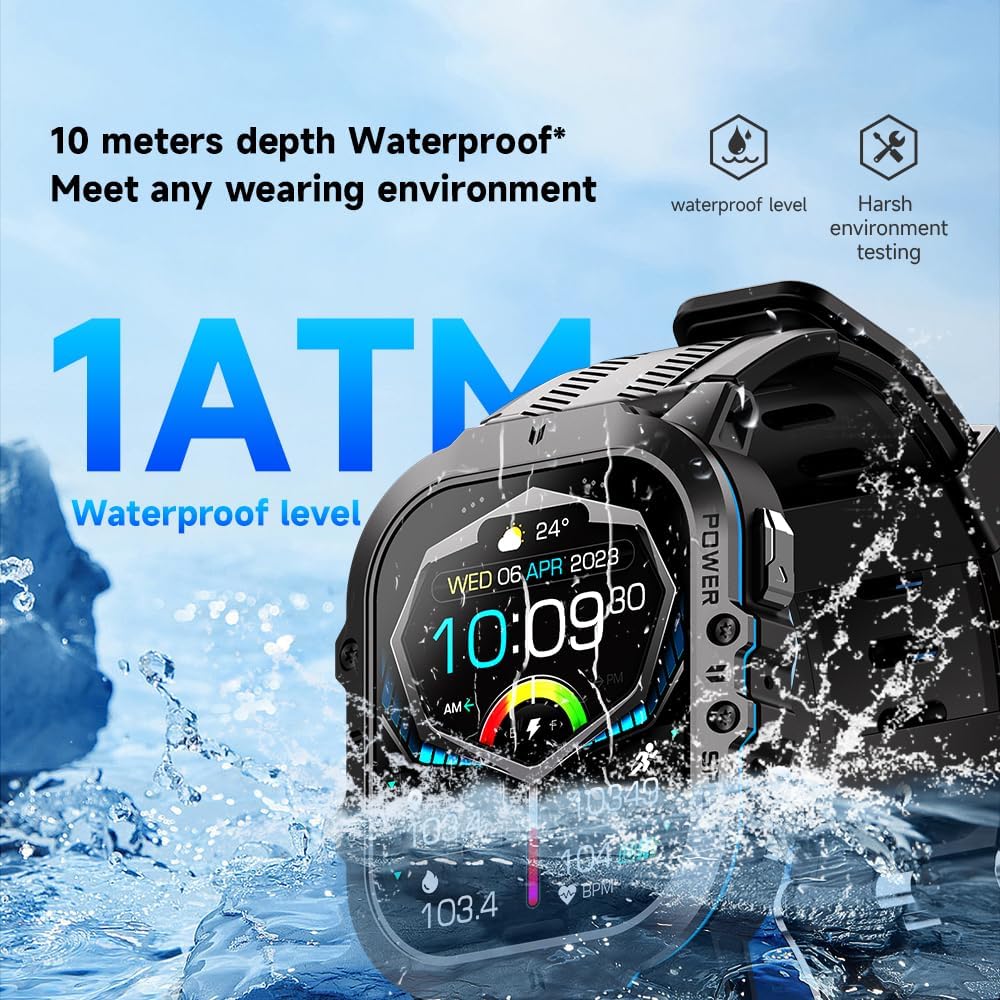
Obraz: The Gravity C26 Smartwatch partially submerged in water, illustrating its 1 ATM waterproof rating and ability to meet various wearing environments.
3. Péče o baterie
- Avoid extreme temperatures (below -24°C or above 60°C) as they can affect battery life and performance.
- Hodinky pravidelně nabíjejte, i když je nepoužíváte, aby se zachovala jejich životnost.
Odstraňování problémů
| Problém | Možné řešení |
|---|---|
| Hodinky se nezapínají | Ujistěte se, že jsou hodinky plně nabité. Připojte je k nabíjecímu kabelu a zdroji napájení na dobu alespoň 30 minut. |
| Nelze spárovat se smartphonem |
|
| Oznámení nebyla přijata |
|
| Nepřesné zdravotní údaje |
|
| Krátká výdrž baterie |
|
Specifikace
| Funkce | Detail |
|---|---|
| Model | C26 |
| Zobrazit | 1.96palcový AMOLED displej s rozlišením 410 x 502 pixelů |
| Kapacita baterie | 350 XNUMX mAh |
| Pohotovostní doba | Až 25 dní |
| Voděodolnost | 1 ATM (suitable for splashes, rain, brief immersion) |
| Konektivita | Bluetooth |
| Kompatibilita | iOS and Android (via FitCloudPro app) |
| Provozní teplota | -24 °C až 60 °C |
| Hmotnost položky | 1 libry |
| Rozměry | 9 x 4 x 1 palce (rozměry balení) |
Záruka a podpora
For warranty information and technical support, please refer to the official Gravity webnebo se obraťte na prodejce. Uschovejte si účtenku jako doklad o koupi.
For further assistance, you may also refer to the FitCloudPro app's help section or frequently asked questions.
Ask a question about this manual
Ask about setup, troubleshooting, compatibility, parts, safety, or missing instructions. Manuals+ will review the question and use this page’s manual context to help answer it.