
Zavedení
This manual provides comprehensive instructions for the Gravity C28 Rugged Smartwatch. Please read this manual carefully before using the device to ensure proper operation and maintenance. Keep this manual for future reference.
The Gravity C28 is designed for durability and advanced functionality, featuring a 2.02-inch TFT high-resolution display, AI-generated watch faces, and over 100 sports modes. It includes health monitoring features such as heart rate and sleep tracking, Bluetooth calling, and smart notifications. The smartwatch is built to withstand various environments with its 1 ATM waterproof, shockproof, and dustproof design.
Co je v krabici
- Chytré hodinky Gravity C28
- Nabíjecí kabel
- Uživatelská příručka (tento dokument)
The product package includes the Gravity C28 Smartwatch and its essential accessories for charging and initial setup.
Konec produktuview

Obrázek 1: Přední view of the Gravity C28 Smartwatch, showcasing its rugged design and digital display with time, date, and health metrics.
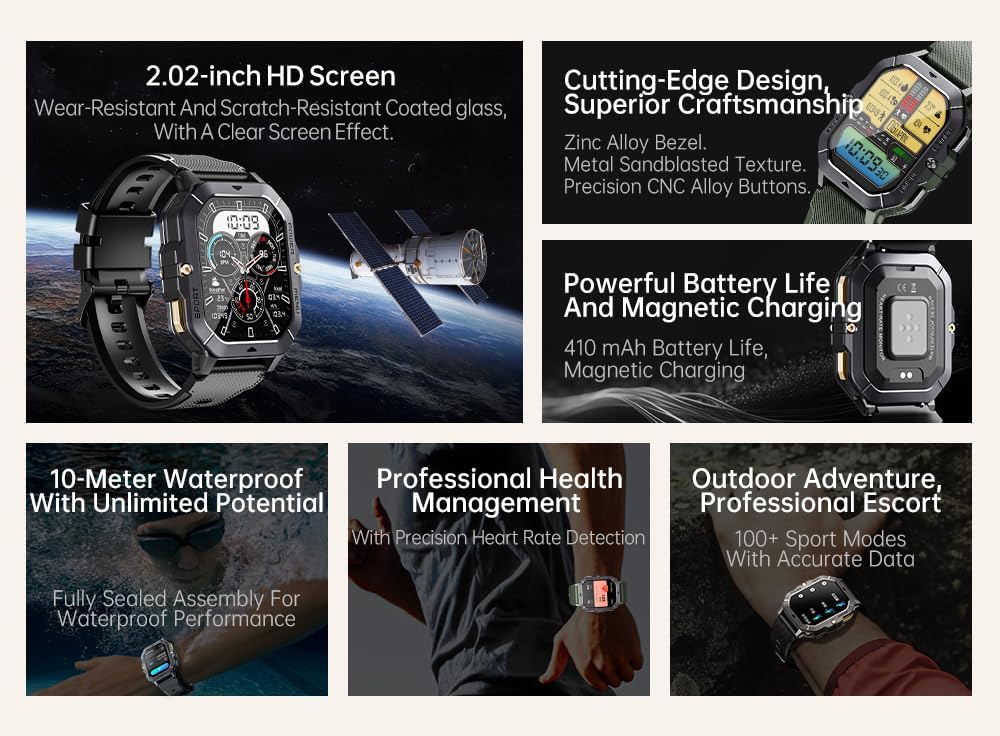
Obrázek 2: Nadview of key features including 2.02-inch HD screen, cutting-edge design, powerful battery, 10-meter waterproof rating, professional health management, and 100+ sport modes.
Nastavení
1. Nabíjení zařízení
Before first use, fully charge your Gravity C28 Smartwatch. Connect the magnetic charging cable to the charging points on the back of the watch and plug the USB end into a power adapter (not included) or a computer's USB port.

Obrázek 3: Close-up of the Gravity C28 Smartwatch's rear, showing the magnetic charging contacts and heart rate sensor. The watch easily attaches to the charging dock via strong magnetic force for secure and convenient charging.

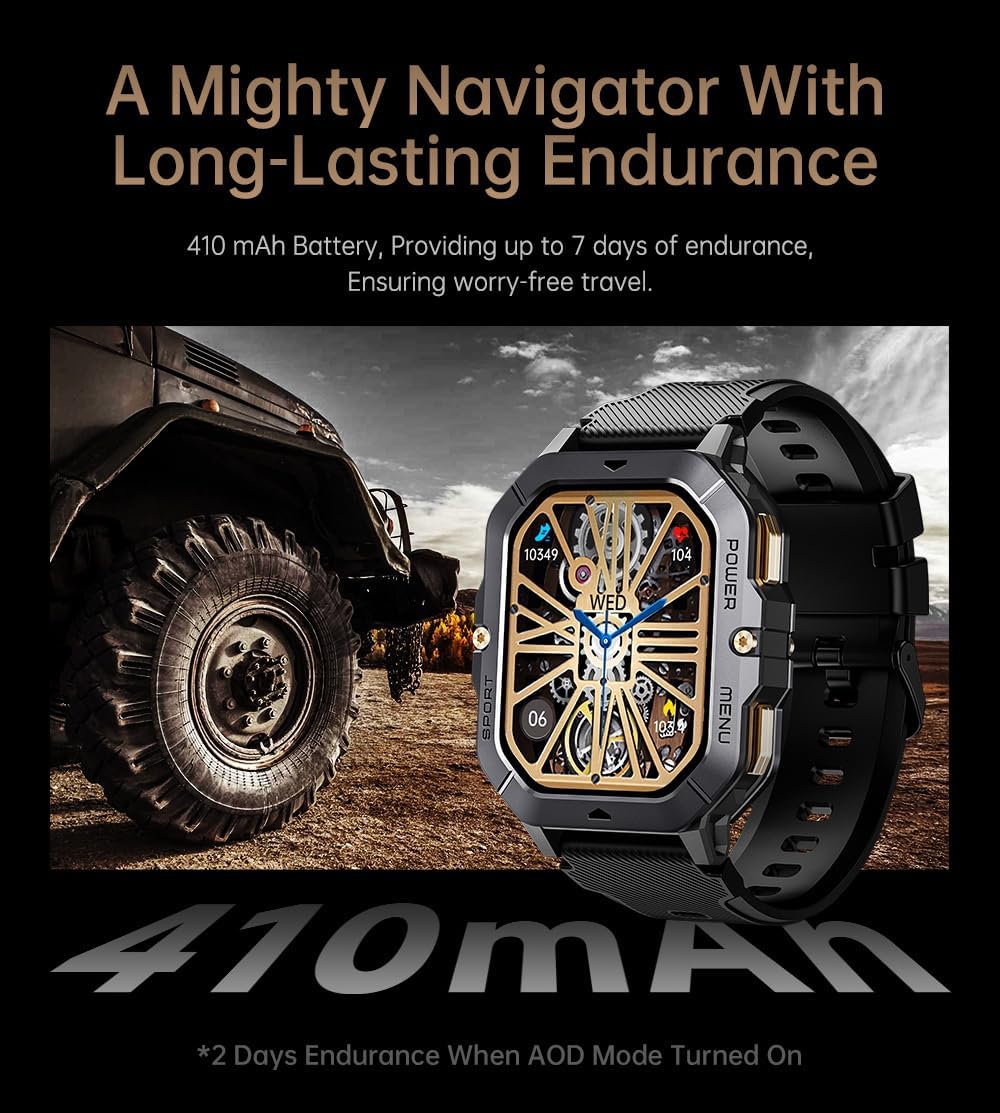
Obrázek 4: The Gravity C28 Smartwatch highlighting its 410mAh battery, providing long-lasting endurance for worry-free travel.
- Ujistěte se, že nabíjecí kontakty na hodinkách a kabelu jsou čisté a suché.
- Plné nabití obvykle trvá přibližně 2 hodiny.
- The watch has a 410mAh battery, providing up to 25 days of standby time.
2. Stažení aplikace Da Fit
The Gravity C28 Smartwatch requires the "Da Fit" application for full functionality and synchronization with your smartphone.
- Scan the QR code provided in the quick start guide or search for "Da Fit" in your smartphone's app store (Google Play Store for Android, Apple App Store for iOS).
- Stáhněte a nainstalujte aplikaci.
3. Párování s vaším smartphonem
- Ujistěte se, že je na vašem smartphonu povoleno Bluetooth.
- Otevřete aplikaci „Da Fit“.
- Follow the on-screen instructions to add your device. The app will search for available smartwatches. Select "Gravity C28" from the list.
- Potvrďte požadavek na párování na telefonu i na chytrých hodinkách.
Note: For optimal performance, ensure the Da Fit app has necessary permissions enabled (e.g., location, notifications, background refresh).
Návod k obsluze
Základní navigace
- Vypínač: Stisknutím a podržením zapnete/vypnete zařízení. Krátkým stisknutím se vrátíte na ciferník hodinek nebo probudíte obrazovku.
- Tlačítko nabídky: Short press to access the main menu.
- Sportovní tlačítko: Krátkým stisknutím rychle přejdete do sportovních režimů.
- Gesta na dotykové obrazovce:
- Přejetí nahoru: View oznámení.
- Swipe down: Access quick settings.
- Swipe left/right: Navigate through widgets (e.g., activity, heart rate, weather).
- Tap: Select an item or open an application.

Obrázek 5: Illustration of various menu display modes available on the Gravity C28 Smartwatch, including Grid View, Surface, Parallel, and Helm, allowing for flexible switching.
Monitorování zdraví
The Gravity C28 provides comprehensive health tracking features:
- Monitorování srdeční frekvence: Real-time heart rate tracking throughout the day. Access the heart rate widget or app on the watch for detailed data.
- Monitorování spánku: Automaticky sleduje vaše spánkové vzorce, včetně hlubokého spánku, lehkého spánku a doby probuzení. View sleep data in the Da Fit app.
- Kyslík v krvi (SpO2): Změřte si hladinu saturace krve kyslíkem.
- Krevní tlak: Provides an estimate of blood pressure. For medical accuracy, consult a healthcare professional.
- Sledování stresu: Tracks stress levels based on heart rate variability.
- Sledování aktivity: Zaznamenává kroky, vzdálenost a spálené kalorie.

Obrázek 6: Display of various health tracking metrics available on the Gravity C28, including heart rate, SpO2, blood pressure, stress levels, sleep patterns, and cycle tracking.
Sportovní režimy
With over 100 sports modes, the Gravity C28 can accurately track various physical activities. To start a workout:
- Press the Sport button or navigate to the Sports app from the main menu.
- Vyberte si požadovanou aktivitu (např. běh, cyklistika, plavání).
- Tap to start the activity. The watch will display real-time metrics such as duration, heart rate, and calories.
- To end the activity, swipe right or press the power button and select "End".
Obrázek 7: The Gravity C28 Smartwatch being used during snorkeling, illustrating its 1 ATM waterproof capability suitable for various water activities like daily cleaning, sweating, and rain exposure.
Volání a upozornění přes Bluetooth
The smartwatch supports Bluetooth calling and smart notifications:
- Bluetooth volání: Once paired, you can answer incoming calls directly from your wrist. The watch has a built-in microphone and speaker.
- Chytrá upozornění: Receive alerts for calls, messages, and social media apps (e.g., WhatsApp, Facebook) directly on your watch. Configure notification settings within the Da Fit app.

Obrázek 8: Two Gravity C28 smartwatches demonstrating the Bluetooth call and message alert functionality, showing an incoming call screen.
Přizpůsobení
- Ciferníky: Change watch faces directly on the device or through the Da Fit app. The app offers a wide selection and supports AI-generated watch faces for personalization.
- Styl menu: The watch supports various menu display modes (e.g., Grid View, List View) which can be changed in settings.

Obrázek 9: Explanation of the DA GPT and AI Watch Face features, showing how users can interact with DA GPT for new ideas and conveniently change watch faces, including generating images from text prompts.
Údržba a péče
- Čištění: Pravidelně čistěte chytré hodinky a řemínek měkkým hadříkemamp tkanina. Vyhněte se používání agresivních chemikálií nebo abrazivních materiálů.
- Voděodolnost: The Gravity C28 is 1 ATM waterproof. It is suitable for daily use, hand washing, rain, and shallow water activities like swimming. Do not use it for diving or high-pressure water activities. Avoid hot water or steam.
- Teplota: The watch is designed to withstand temperatures from -24°C to 60°C. Avoid exposing it to extreme temperatures outside this range.
- Nabíjení: Always ensure the charging contacts are dry before charging to prevent corrosion.
- Skladování: When not in use for extended periods, store the watch in a cool, dry place. Charge it periodically to maintain battery health.
Odstraňování problémů
| Problém | Možná příčina | Řešení |
|---|---|---|
| Hodinky se nezapínají | Slabá baterie; Zařízení zamrzlo | Charge the watch for at least 30 minutes. If still unresponsive, press and hold the power button for 10-15 seconds to force restart. |
| Nelze spárovat s telefonem | Bluetooth vypnutý; Aplikace neběží; Hodinky nejsou viditelné; Rušení | Ensure Bluetooth is on. Restart both watch and phone. Make sure the Da Fit app is open. Forget previous pairings on phone. Try pairing in a different location. |
| Nepřesné zdravotní údaje | Improper fit; Sensor obstruction; Movement during measurement | Ensure the watch is snug but comfortable on your wrist. Clean the sensor on the back of the watch. Remain still during measurements. |
| Oznámení nebyla přijata | App permissions; Notification settings; Bluetooth disconnected | Check Da Fit app permissions for notifications. Verify notification settings within the app. Ensure Bluetooth connection is stable. |
| Krátká výdrž baterie | Frequent use of features; High screen brightness; AOD mode enabled | Reduce screen brightness. Limit continuous heart rate monitoring. Disable Always-On Display (AOD) if not needed. Close unused apps on the watch. |
Specifikace
| Funkce | Detail |
|---|---|
| Číslo modelu | W4-C28 |
| Zobrazit | 2.02-inch TFT, 320x390 resolution |
| Kapacita baterie | 410 XNUMX mAh |
| Životnost baterie (pohotovostní režim) | Až 25 dní |
| Voděodolnost | 1 ATM (Waterproof, Shockproof, Dustproof) |
| Provozní teplota | -24 °C až 60 °C |
| Konektivita | Bluetooth |
| Kompatibilita | Android OS, iOS (via Da Fit app) |
| Monitorování zdraví | Heart Rate, Sleep, SpO2, Blood Pressure, Stress, Activity |
| Sportovní režimy | 100+ |
| Hmotnost položky | 1 libry |
| Rozměry balení | 9 x 4 x 1 palce |
Záruka a podpora
Gravity provides a standard manufacturer's warranty for the C28 Smartwatch against defects in materials and workmanship under normal use. Please refer to the warranty card included with your product or visit the official Gravity webpodrobné záruční podmínky naleznete na webu.
For technical support, troubleshooting assistance, or warranty claims, please contact Gravity customer service through their official webwebu nebo kontaktních informací uvedených na obalu produktu.
Online zdroje:
- Official Gravity Webmísto: www.gravity.com
- Da Fit App Support: Refer to the help section within the Da Fit application.