
1. Úvod
This manual provides detailed instructions for the assembly, operation, and maintenance of your Perlegear PGTVMC27 Mobile TV Stand. Please read this manual thoroughly before installation and use to ensure safe and correct operation. Keep this manual for future reference.
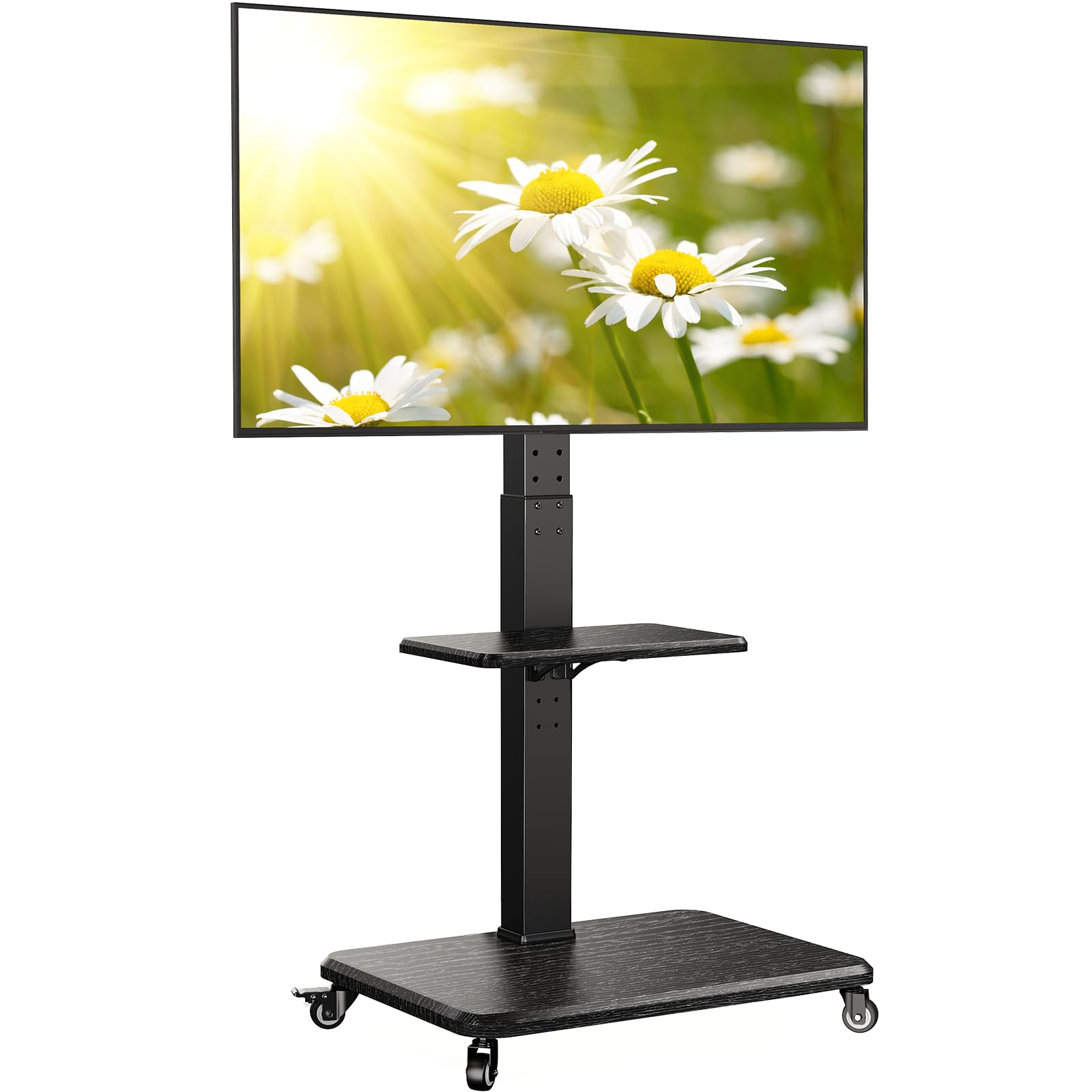
Figure 1: Perlegear PGTVMC27 Mobile TV Stand
2. Bezpečnostní informace
VAROVÁNÍ: Failure to read and follow these instructions may result in serious personal injury, property damage, or voiding your warranty. If you do not understand these instructions or have doubts about the safety of the installation, please contact customer service.
- Nosnost: Do not exceed the maximum weight capacity of 50 kg (110 lbs). This stand is designed for TVs between 32 and 75 inches.
- Kompatibilita VESA: Ujistěte se, že je montážní vzor VESA vašeho televizoru kompatibilní se stojanem (100x100 mm až 600x400 mm).
- Stabilita: Always ensure the TV is securely mounted to the stand and all fasteners are tightened. Lock the wheels when the stand is in a stationary position to prevent accidental movement.
- Děti a domácí mazlíčci: Keep children and pets away from the TV stand during assembly and operation. Do not allow them to climb on or play with the stand or TV.
- Umístění: Place the TV stand on a flat, stable surface. Avoid placing it near heat sources, direct sunlight, or in areas with high humidity.
- Přesun stojanu: When moving the stand, ensure the TV is stable and move slowly. Unlock all wheels before moving and lock them once the desired position is reached.
3. Obsah balení
Verify that all components are present and undamaged. If any parts are missing or damaged, do not attempt to assemble the product. Contact customer service for assistance.
While specific part numbers are not listed here, your package should include:
- Base components (MDF base, wheels)
- Vertical column components (steel column)
- TV mounting plate and brackets
- Nastavitelná police na média
- Assorted hardware (screws, washers, spacers, wrenches)
- Návod k použití
4. Pokyny k instalaci a montáži
Assembly is designed to be straightforward. Follow the step-by-step instructions provided in the included assembly guide. Ensure all hardware is correctly identified using the labeled bags.
4.1. Montáž základny
- Attach the wheels to the MDF base. Ensure two of the wheels are lockable and positioned correctly for easy access.
- Secure the vertical column to the base using the provided fasteners.
4.2. TV Plate and Bracket Installation
- Attach the TV mounting plate to the vertical column.
- Attach the TV brackets to the back of your television, ensuring the correct VESA pattern and screw length are used. Spacers may be required for curved TVs or TVs with irregular backs.

Figure 2: VESA Compatibility and Stand Dimensions
4.3. Montáž televizoru
- Carefully lift the TV with the attached brackets and hook them onto the TV mounting plate on the stand.
- Secure the TV to the mounting plate using the safety locks or screws as indicated in the assembly guide.

Figure 3: Rock-Solid Stability for TVs up to 50 kg
4.4. Attaching the Media Shelf
- Attach the media shelf to the vertical column at your desired height. The shelf offers 3-position tool-free adjustment.

Figure 4: Adjustable Device Shelf
5. Návod k obsluze
5.1. Nastavení výšky
The TV stand offers 18 levels of height adjustment. To adjust the height, loosen the securing bolts on the vertical column, slide the TV mounting plate to the desired height, and re-tighten the bolts securely. The media shelf can also be adjusted to 3 different height positions.

Figure 5: Eye-Level Comfort with 18 Height Options
5.2. Swivel and Tilt Functionality
The TV stand allows for a swivel range of 30° left or right (total 60°) and an upward tilt of 8°. This enables optimal viewz různých pozic v místnosti.

Obrázek 6: Optimální Viewing with Swivel (±30°) and Tilt (+8°)
5.3. Mobilita
The stand is equipped with 360° durable wheels for easy movement across various floor surfaces. To move the stand, unlock all wheels. Once the stand is in the desired position, lock the wheels to secure it in place and prevent accidental rolling.

Figure 7: Roll TV Anywhere with 360° Wheels
6. Údržba
- Čištění: Use a soft, dry cloth to clean the stand. Avoid abrasive cleaners or solvents that may damage the finish.
- Inspekce: Pravidelně kontrolujte všechny šrouby a spoje, zda jsou pevně utažené a bezpečné. V případě potřeby je dotáhněte.
- Péče o kola: Pro zajištění plynulého pohybu udržujte kola bez nečistot.
7. Řešení problémů
- TV is not stable: Ensure all mounting screws and safety locks are securely fastened. Verify that the TV weight and VESA pattern are within the stand's specifications.
- Obtížnost při přemisťování stojanu: Check if the wheels are unlocked. Clean any debris from the wheels.
- Cannot adjust height/tilt/swivel: Ensure any locking mechanisms or bolts are loosened before attempting adjustment. Re-tighten after adjustment.
- Chybějící části: Do not proceed with assembly. Contact Perlegear customer support immediately.
8. Specifikace
| Funkce | Specifikace |
|---|---|
| Číslo modelu | PGTVMC27B-EU |
| Kompatibilní velikosti TV | 32 - 75 palce |
| Hmotnostní kapacita | 50 kg (110 lb) |
| Kompatibilita VESA | 100x100mm až 600x400mm |
| Nastavení výšky | 18 úrovní |
| Otočný rozsah | ±30° (celkem 60°) |
| Rozsah náklonu | +8° upward |
| Rozměry police na média | 40 cm x 26 cm (15.7 x 10.2 palce) |
| Kapacita police pro média | 10 kg (22 lb) |
| Rozměry základny | 55 cm x 44 cm (21.6 x 17.3 palce) |
| Materiál | MDF, ocel |
| Barva | Černý |
9. Záruka a podpora
For warranty information, please refer to the documentation included with your purchase or contact your retailer. Information regarding spare parts availability and software updates is not available at this time. For technical support or inquiries, please contact Perlegear customer service.