
FLEXISPOT 63x55"Top (3-Legged) Black Frame + Rustic Brown Top
FLEXISPOT L Shaped Standing Desk User Manual
Model: 63x55"Top (3-Legged) Black Frame + Rustic Brown Top
Zavedení
This manual provides comprehensive instructions for the assembly, operation, and maintenance of your FLEXISPOT L Shaped Standing Desk. Please read this manual thoroughly before assembly and use to ensure safe and efficient operation. This desk is designed to provide a versatile and ergonomic workspace, allowing seamless transitions between sitting and standing positions.

Image: The FLEXISPOT L Shaped Standing Desk in a home office setting, showcasing its spacious design and ability to accommodate multiple devices like monitors and a printer.
Bezpečnostní informace
Adherence to the following safety guidelines is crucial for preventing injury and damage to the desk:
- Stůl vždy sestavujte na stabilním a rovném povrchu.
- Udržujte stůl mimo dosah zdrojů tepla.
- Do not place heavy objects on the desk when it is in the raised position beyond the specified weight capacity.
- Always use the desk with caution and follow all instructions provided in this manual.
- Ensure no obstructions are present in the desk's path during height adjustments to prevent collision.
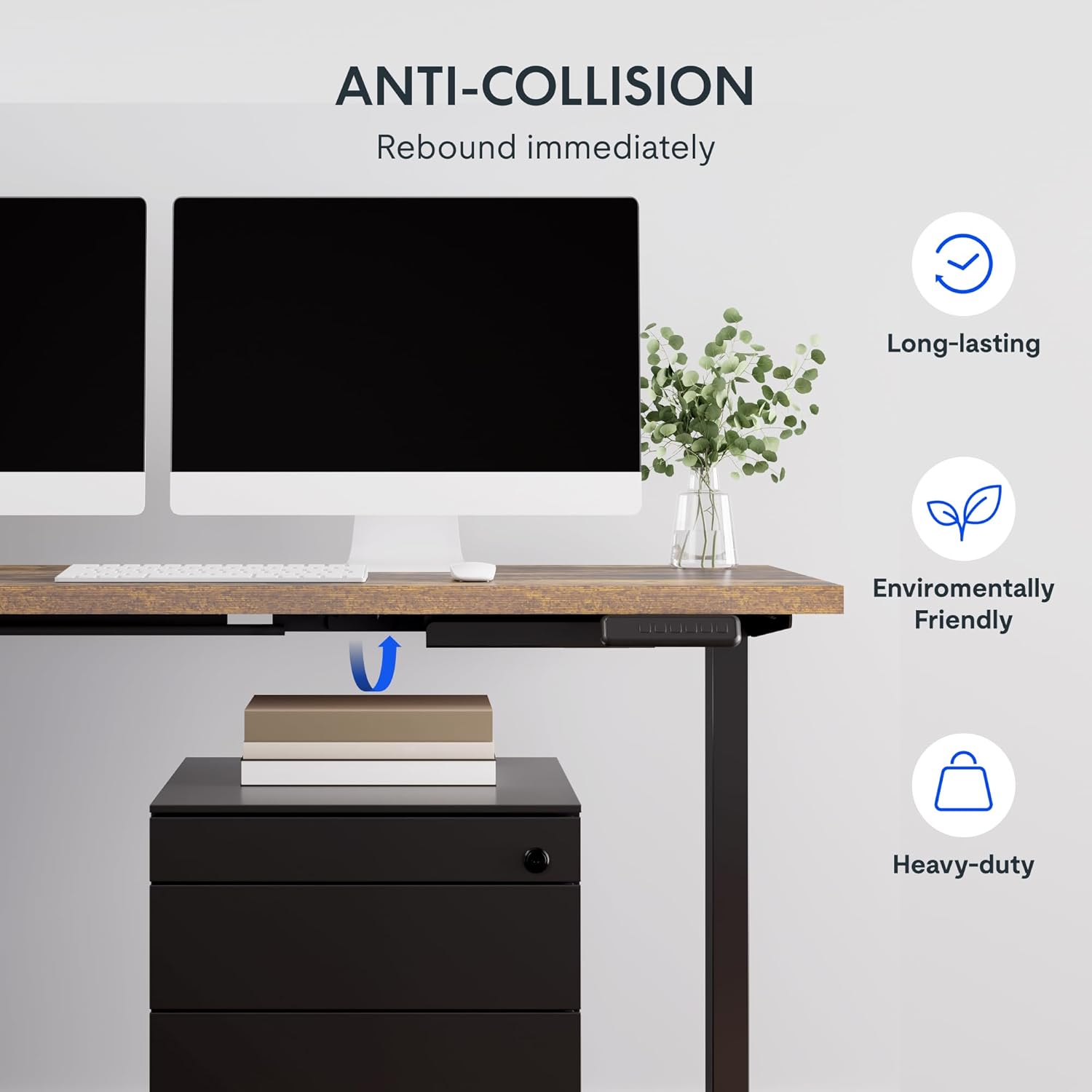
Image: Illustration of the desk's anti-collision feature, showing it rebounding when an object is detected underneath, ensuring safety during height adjustments.
Vlastnosti produktu
- Prostorná pracovní plocha: The expansive L-shaped work surface is seamlessly crafted with environmentally sourced splice board, measuring 63.0" x 55.1". It provides ample space for ongoing projects and office supplies.
- Všestranná orientace: This height-adjustable desk features a wider desktop section that can be positioned on either the left or right side, allowing you to customize the layout to best fit your space.
- Pevná konstrukce: The industrial-grade steel frame and solid desktop (1") combine to support a maximum weight capacity of up to 220 lbs, effortlessly handling your ideal work setup.
- Customizable LED Control Panel: The LED control pad allows you to customize the desk height with 4 different memory settings, enabling easy switching between your preferred standing and sitting positions.

Obrázek: Pohled zhora view demonstrating the flexible right/left orientation of the L-shaped standing desk, highlighting its adaptability to various room layouts.

Obrázek: Detailní záběr view emphasizing the 1-inch thick commercial-grade desktop, indicating durability and suitability for monitor mounts.
Nastavení a montáž
Your FLEXISPOT L Shaped Standing Desk ships in two separate packages, which may arrive on different days. Please ensure you have received both packages before beginning assembly.

Image: Visual representation indicating that the desk components are shipped in two separate boxes, which may arrive at different times.
Než začnete:
- Uvolněte prostor pro montáž.
- Unpack all components and verify against the parts list (refer to the included assembly guide for a detailed list).
- Vzhledem k hmotnosti a velikosti součástí se doporučuje montáž ve dvou osobách.
- Ensure all necessary tools are available. While some basic tools may be included, additional tools like a drill might be helpful for pre-drilled holes that may be missing (as noted in some customer reviews).
Montážní kroky:
- Assemble the desk frame according to the provided assembly instructions. Pay close attention to the orientation of the L-shaped sections, as they can be configured for left or right-sided use.
- Attach the desktop sections to the assembled frame. Ensure all screws are tightened securely.
- Connect the motor and control panel cables as indicated in the assembly guide.
- Opatrně s pomocí postavte stůl do vzpřímené polohy.
- Zapojte stůl do elektrické zásuvky.
Návod k obsluze
The FLEXISPOT L Shaped Standing Desk features an intuitive LED control panel for easy height adjustment and memory settings.

Obrázek: Podrobný view of the smart control panel, showing the LED display, up/down buttons, four memory preset buttons, and the anti-collision indicator.
Nastavení výšky stolu:
- Použijte Nahoru (▲) a Dolů (▼) arrow buttons on the control panel to manually adjust the desk height. The current height will be displayed on the LED screen.
- The desk has a height range from 28.3 inches (minimum) to 45.9 inches (maximum).

Image: The desk demonstrating its large adjustable height range, from a minimum of 28.3 inches to a maximum of 45.9 inches, suitable for various user preferences.
Nastavení předvoleb paměti:
Ovládací panel umožňuje uložit až čtyři preferovaná nastavení výšky:
- Nastavte stůl do požadované výšky pomocí tlačítek Nahoru/Dolů.
- Stiskněte tlačítko „M“ button (or similar memory set button, if present). The display may flash.
- Immediately press one of the numbered memory buttons (1, 2, 3 nebo 4) pro uložení aktuální výšky do dané předvolby.
- To recall a saved height, simply press the corresponding numbered memory button. The desk will automatically move to the saved position.
Funkce proti kolizi:
The desk is equipped with an anti-collision system. If the desk encounters an obstruction during height adjustment, it will automatically stop and rebound slightly to prevent damage. Ensure the area around and under the desk is clear before adjusting height.
Údržba
Regular maintenance ensures the longevity and optimal performance of your FLEXISPOT L Shaped Standing Desk.
- Čištění: Otřete pracovní plochu a rám měkkým hadříkemamp cloth. Avoid abrasive cleaners or harsh chemicals that could damage the finish. For the rustic brown top, a mild cleaner can be used for smudges.
- Správa kabelů: Periodically check and organize cables to prevent tangling or interference with the desk's movement. The desk includes some small cable management tools.
- Motor a rám: The motor is designed for quiet and smooth operation. No specific user maintenance is required for the motor or frame. If you notice unusual noises or movement, refer to the troubleshooting section or contact customer support.
- Nosnost: Nepřekračujte maximální nosnost 220 liber (81 kg). Hmotnost rovnoměrně rozložte po celé ploše stolu.
Odstraňování problémů
Pokud narazíte na problémy se stolem, podívejte se na následující běžné problémy a jejich řešení:
| Problém | Možná příčina | Řešení |
|---|---|---|
| Stůl se nehýbe ani nereaguje na ovládací prvky. | Power disconnected, motor cable loose, control panel issue. |
|
| Desk stops during adjustment or moves erratically. | Obstruction detected (anti-collision activated), uneven weight distribution, motor overload. |
|
| Memory presets are not saving or recalling correctly. | Incorrect saving procedure, temporary glitch. |
|
If the problem persists after attempting these solutions, please contact FLEXISPOT customer support for further assistance.
Specifikace
| Funkce | Detail |
|---|---|
| Značka | FLEXISPOT |
| Model | 63x55"Top (3-Legged) |
| Rozměry produktu (D x Š x V) | 55.1"H x 63"Š x 45.9"V |
| Barva | Black Frame + Rustic Brown Top |
| Styl | Moderní |
| Základní materiál | Legovaná ocel |
| Typ horního materiálu | Dřevo |
| Typ dokončení | Leštěný |
| Speciální funkce | Kabelové |
| Povrchová úprava nábytku | Vlašský ořech |
| UPC | 840460438421 |
| Název typu položky | stojící stůl |
| Minimální výška | 28.3 palce |
| Maximální výška | 45.9 palce |
| Doporučená maximální hmotnost | 220 libry |
| Požadovaná montáž | Ano |
| Typ záruky | Rozšířené |

Image: A detailed diagram illustrating the key dimensions of the L-shaped standing desk, including length, width, and height range.
Záruka a podpora
FLEXISPOT provides a comprehensive warranty for your peace of mind:
- Dvouleté krytí: Applies to the desk frame and motor.
- Dvouletá ochrana: Applies to the control panel and electronics.
For warranty claims, technical support, or any inquiries, please contact FLEXISPOT customer support. You can find contact information on the official FLEXISPOT webwebu nebo prostřednictvím vaší nákupní platformy.
Zásady vrácení: Tento produkt má obvykle 30denní lhůtu pro vrácení peněz nebo výměnu, v souladu se smluvními podmínkami prodejce.
Plány ochrany: Extended protection plans are available for purchase, including 2-Year and 3-Year options, as well as a monthly "Complete Protect" plan. These plans offer additional coverage beyond the standard manufacturer's warranty.
Ask a question about this manual
Ask about setup, troubleshooting, compatibility, parts, safety, or missing instructions. Manuals+ will review the question and use this page’s manual context to help answer it.