
Zavedení
This manual provides essential information for the setup, operation, and maintenance of your PowerA Enhanced Wireless Controller, featuring the unique Pikachu vs. Gengar design. This officially licensed controller is designed to enhance your gaming experience on Nintendo Switch, Nintendo Switch Lite, and Nintendo Switch (OLED Model) consoles.
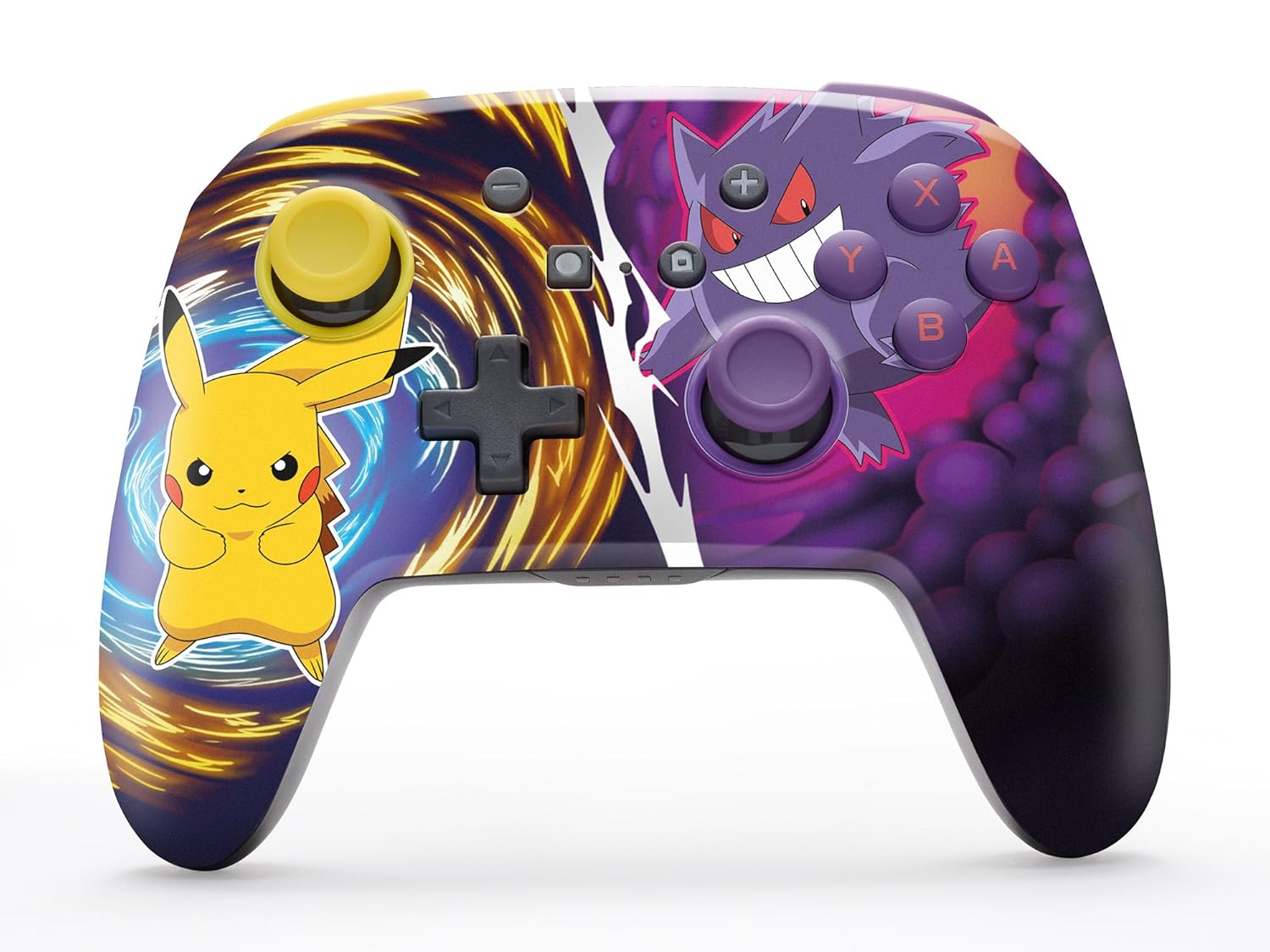
The PowerA Enhanced Wireless Controller with Pikachu vs. Gengar artwork.
Klíčové vlastnosti
- Bezdrátové připojení: Využívá technologii Bluetooth 5.0 pro stabilní připojení.
- Dobíjecí baterie: Integrovaná lithium-iontová baterie poskytuje až 30 hodin hraní na jedno nabití.
- Mapovatelná pokročilá herní tlačítka: Two programmable buttons on the back for custom control.
- Ergonomický design: Superior ergonomics for extended comfortable gaming sessions.
- Plynulé ovládání palcem: Embedded anti-friction rings ensure precise and fluid movement.
- Ovládání pohybu: Supports intuitive motion controls for compatible games.

Ergonomic design for comfortable gameplay.
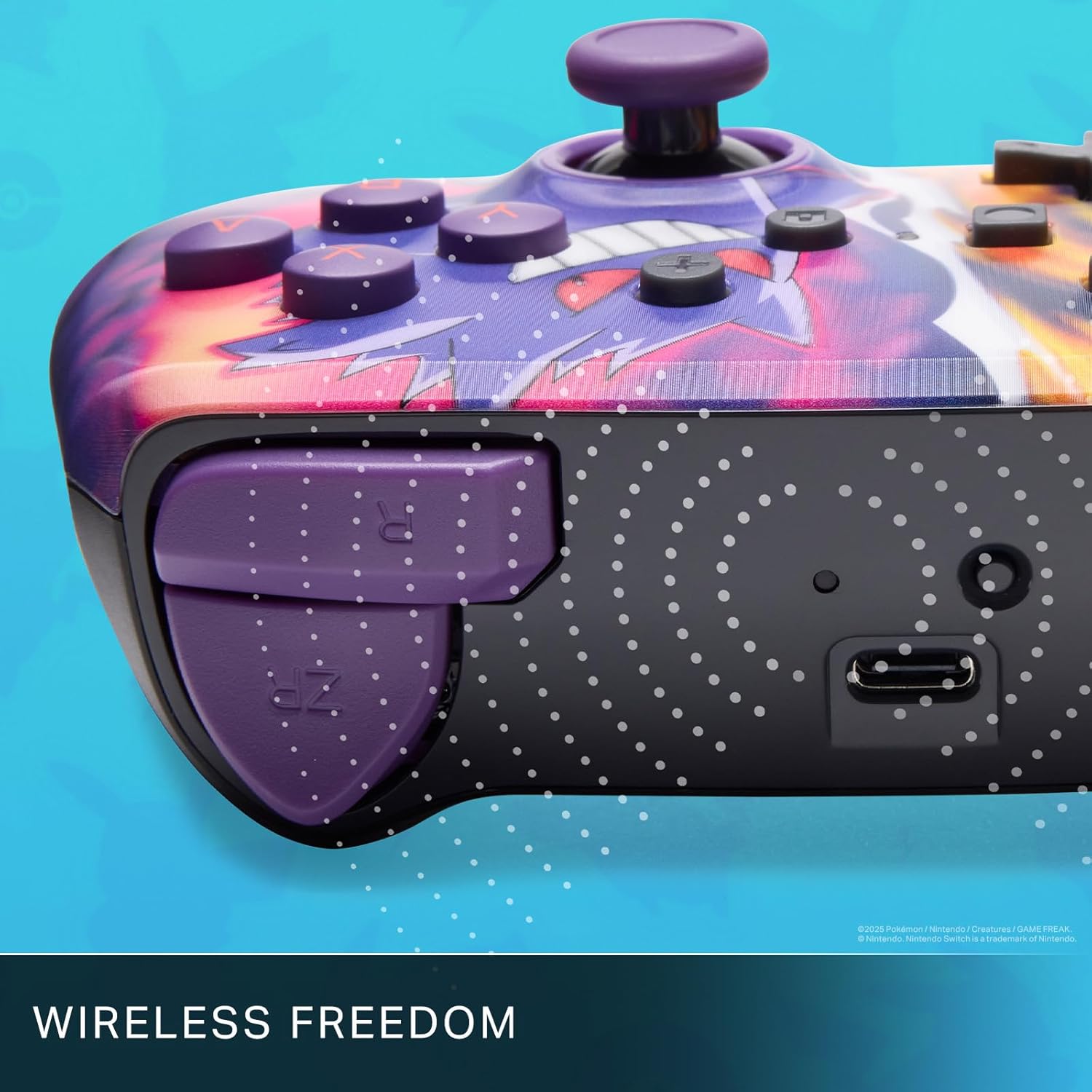
Enjoy wireless freedom with Bluetooth 5.0 technology.
Nastavení a párování
- Ujistěte se, že je vaše konzole Nintendo Switch zapnutá a aktualizovaná na nejnovější systémový software.
- V nabídce HOME vyberte Ovladače, pak Změnit Grip/Pořadí.
- Stiskněte a podržte Tlačítko SYNC on the top edge of your PowerA Enhanced Wireless Controller for at least one second. The Player LED(s) will flash.
- Once paired, the Player LED(s) corresponding to the controller number will remain lit.
- Stiskněte tlačítko Tlačítko to confirm and exit the menu. Your controller is now ready for use.
Nabíjení ovladače
The controller features an internal 900mAh lithium-ion rechargeable battery, providing up to 30 hours of gameplay on a single charge. To charge your controller:
- Connect the included 10ft (3m) USB-C charge cable to the USB-C port on the top of the controller.
- Connect the other end of the USB-C cable to a USB power source (e.g., Nintendo Switch dock, USB wall adapter, or computer USB port).
- The LED indicator on the controller will show charging status. It will typically turn off or change color when fully charged.

Connect the USB-C cable to charge your controller.
Pokročilá herní tlačítka
Your PowerA Enhanced Wireless Controller includes two mappable Advanced Gaming Buttons (AGBs) on the back, allowing you to assign specific button functions for quick access during gameplay.
Programming AGBs:
- Stiskněte tlačítko Tlačítko programu on the back of the controller. The Program LED will flash, indicating programming mode.
- Press the button you wish to map (A/B/X/Y/L/R/ZL/ZR/Left Stick Click/Right Stick Click/D-Pad). The Program LED will flash rapidly.
- Press the Advanced Gaming Button (AGB L or AGB R) you want to assign the function to. The Program LED will stop flashing, indicating the AGB is now programmed.
Resetting AGBs:
To reset all Advanced Gaming Buttons to their default (no function) state, press and hold the Tlačítko programu for five seconds. The Program LED will flash slowly, then turn off, confirming the reset.
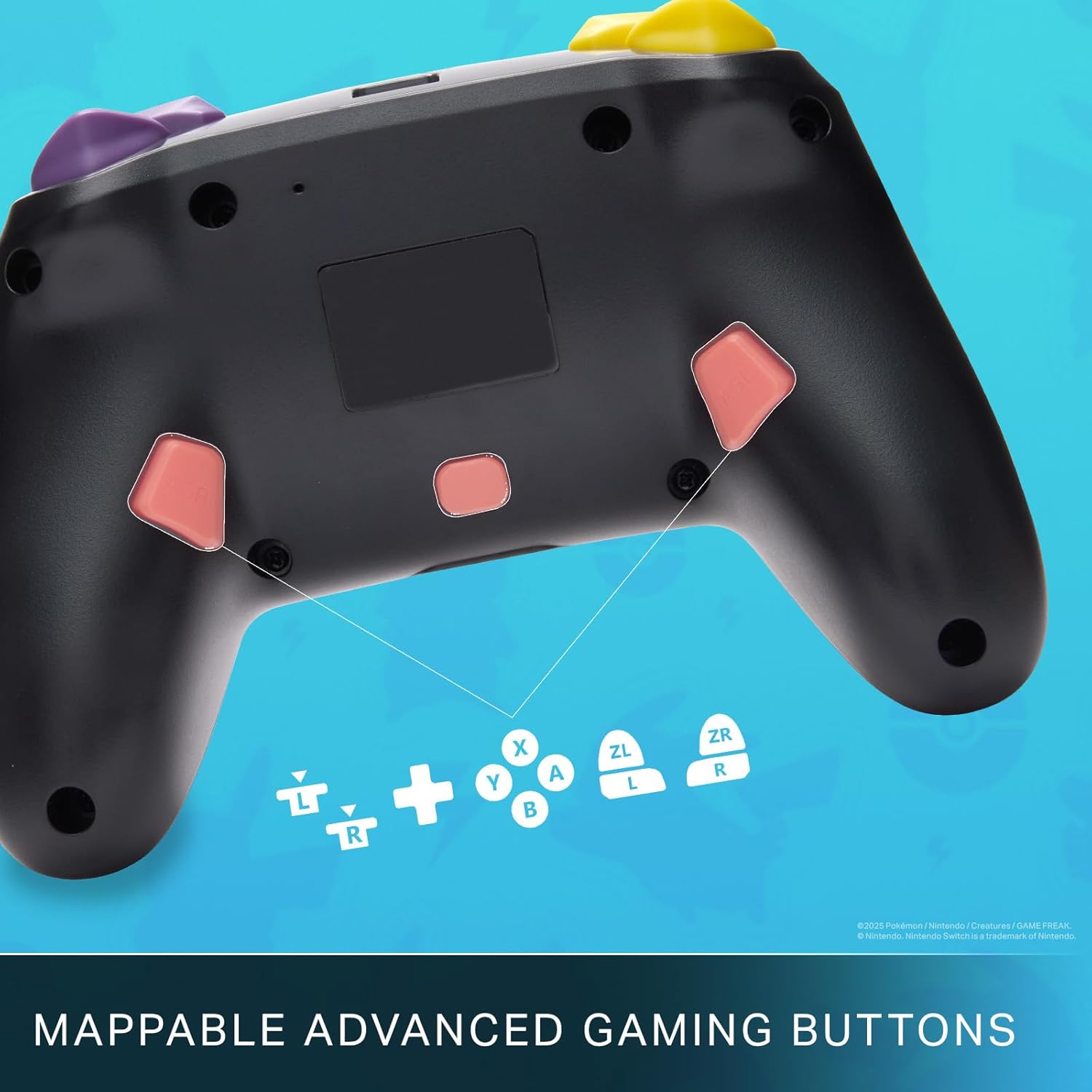
Mappable Advanced Gaming Buttons for personalized control.
Kompatibilita
This PowerA Enhanced Wireless Controller is compatible with the following Nintendo consoles:
- Nintendo Switch
- Nintendo Switch Lite
- Nintendo Switch (OLED Model)
- Nintendo Switch 2 (Note: C button not available)

The controller is compatible with Nintendo Switch 2, though the C button functionality is not available.
Specifikace
| Funkce | Detail |
|---|---|
| Kompatibilní zařízení | Nintendo Switch |
| Typ ovladače | Gamepad |
| Technologie připojení | Bluetooth, USB |
| Další funkce | Ergonomický, bezdrátový |
| Množství tlačítek | 12 |
| Hardwarová platforma | Herní konzole |
| Zdroj napájení | Napájení baterií (dobíjecí lithium-iontová) |
| Kompatibilní modely herních konzolí | Nintendo Switch, Nintendo Switch Lite |
| Hmotnost položky | 0.68 libry |
| Rozměry položky | 6.02 x 4.41 x 2.48 palce |
| Barva | Pikachu vs Gengar |
| Název modelu | Pikachu vs. Gengar |
| Číslo modelu | NSGP0420-01R |
Péče a údržba
- Keep the controller dry. Avoid exposure to moisture or extreme temperatures.
- Ovladač čistěte měkkým, suchým hadříkem. Nepoužívejte agresivní chemikálie ani abrazivní materiály.
- Pokud regulátor nepoužíváte, uložte ho na bezpečném místě, abyste předešli jeho poškození.
Odstraňování problémů
Ovladač se nepřipojuje:
- Ujistěte se, že je ovladač plně nabitý.
- Verify the controller is within the Bluetooth range of your Nintendo Switch console.
- Attempt to re-pair the controller following the "Setup and Pairing" instructions.
Nereagující tlačítka/joysticky:
- Zkontrolujte, zda se kolem tlačítek nebo joysticků nenacházejí nějaké fyzické překážky nebo nečistoty.
- Perform a hard reset by holding the SYNC button for 10 seconds, then attempt to re-pair.
- Ensure the controller's firmware is up to date (check PowerA's official webweb s aktualizacemi).
Záruka a podpora
This PowerA Enhanced Wireless Controller comes with a Dvouletá omezená záruka. For detailed warranty information, product support, and troubleshooting assistance, please visit the official PowerA support webmísto: