
Edifier es300
Uživatelská příručka stolního bezdrátového reproduktoru Edifier ES300
Model: ES300
Důležité bezpečnostní informace
Please read these instructions carefully before using the product and retain them for future reference. Observe all warnings and follow all instructions to ensure safe operation and prevent damage.
- Nevystavujte tento spotřebič kapající nebo stříkající vodě.
- Na přístroj nepokládejte předměty naplněné tekutinami, jako jsou vázy.
- Nezakrývejte žádné větrací otvory. Nainstalujte v souladu s pokyny výrobce.
- Neinstalujte v blízkosti zdrojů tepla, jako jsou radiátory, tepelné regulátory, kamna nebo jiná zařízení (včetně amplifikátory), které produkují teplo.
- Chraňte napájecí kabel před šlapáním nebo přiskřípnutím, zejména u zástrček, zásuvek a v místě, kde vychází z přístroje.
- Používejte pouze nástavce/příslušenství určené výrobcem.
- Odpojte toto zařízení během bouřky s blesky nebo když se delší dobu nepoužívá.
- Veškeré opravy svěřte kvalifikovanému servisnímu personálu. Servis je nutný, pokud bylo zařízení jakýmkoli způsobem poškozeno, například je poškozen napájecí kabel nebo zástrčka, pokud do zařízení vnikla tekutina nebo do něj spadly předměty, zařízení bylo vystaveno dešti nebo vlhkosti, nefunguje normálně. , nebo byla vypuštěna.
Co je v krabici
Po otevření balení ověřte, zda jsou všechny součásti přítomny a v dobrém stavu.

Image: The Edifier ES300 speaker, power cable, USB cable, 3.5mm-to-3.5mm audio cable, quick start guide, and important safety instructions are included in the box.
- ES300 Speaker x 1
- Napájecí kabel x 1
- USB kabel x 1
- 3.5mm-to-3.5mm Audio Cable x 1
- Stručný průvodce x 1
- Důležité bezpečnostní pokyny x 1
Konec produktuview
The Edifier ES300 is a versatile tabletop wireless speaker designed for high-resolution audio playback and multiple connectivity options. Its elegant design and advanced features make it suitable for various environments.
Design a rozměry
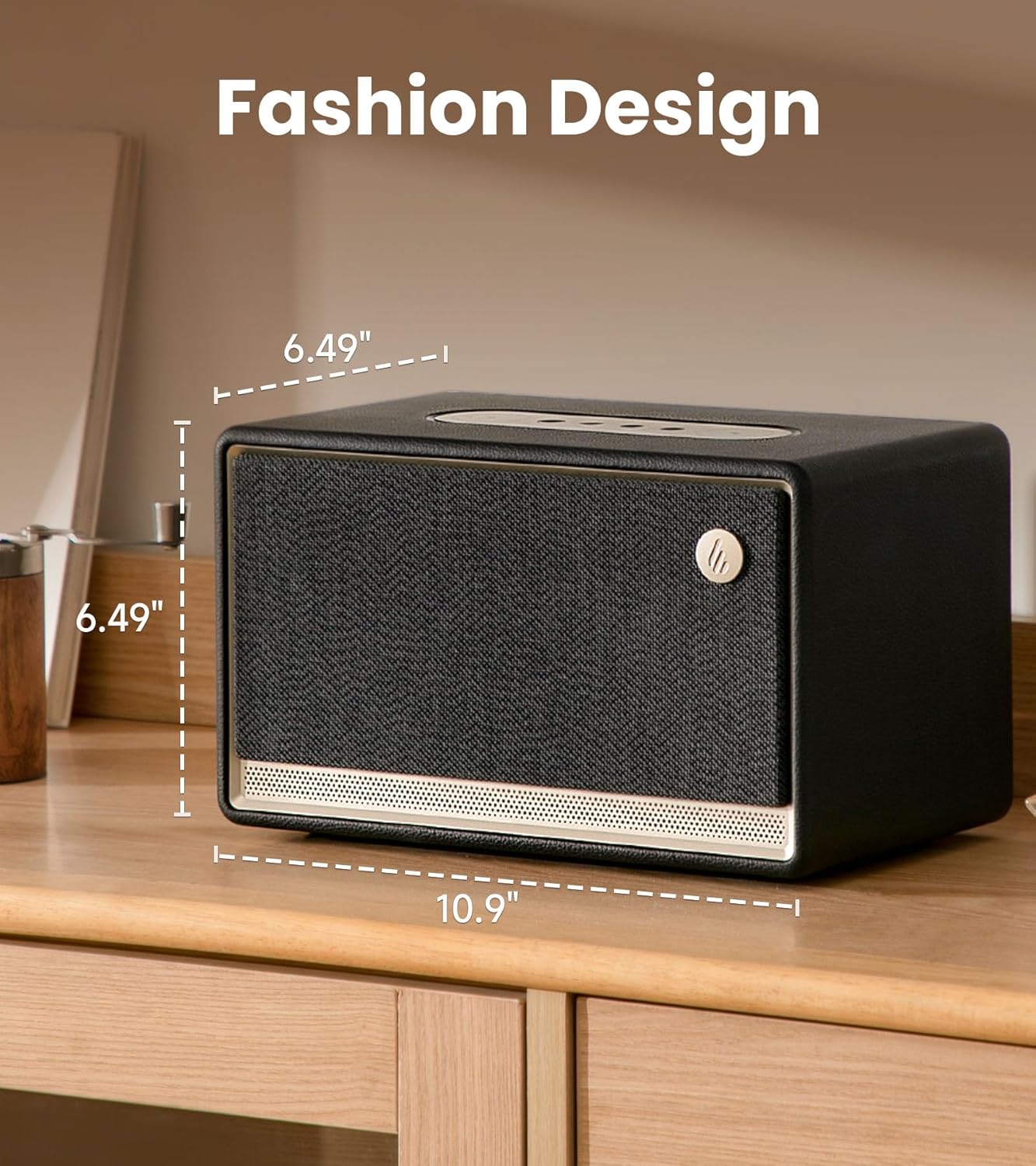
Image: The Edifier ES300 speaker showcasing its compact dimensions, ideal for tabletop placement.
The ES300 features a stylish design with a handcrafted wooden case, leather-like coating, braided grille, and metallic controls. Its dimensions are approximately 13.5"D x 10.2"W x 8.9"H (34.3cm D x 25.9cm W x 22.6cm H), making it a compact yet powerful audio solution.
Acoustic Architecture

Obrázek: Interní view of the ES300's speaker components, including the mid-bass driver, tweeters, and bass reflex channels.
Equipped with a 4-inch mid-low driver and dual 1.25-inch silk dome tweeters, the ES300 delivers a total output power of 30W+15W*2 (RMS). It incorporates MazeTube bass reflex channels for enhanced low frequencies and TurbMuff air noise suppression technology for clean, distortion-free sound.
Zvuk s vysokým rozlišením

Image: Visual representation of the ES300's high-resolution audio processing capabilities.
The ES300 is certified for Hi-Res Audio and Hi-Res Audio Wireless, supporting 24-bit/96kHz high-resolution audio with end-to-end digital audio processing. This ensures a rich and detailed sound experience whether streaming wirelessly or using wired inputs.
Možnosti připojení
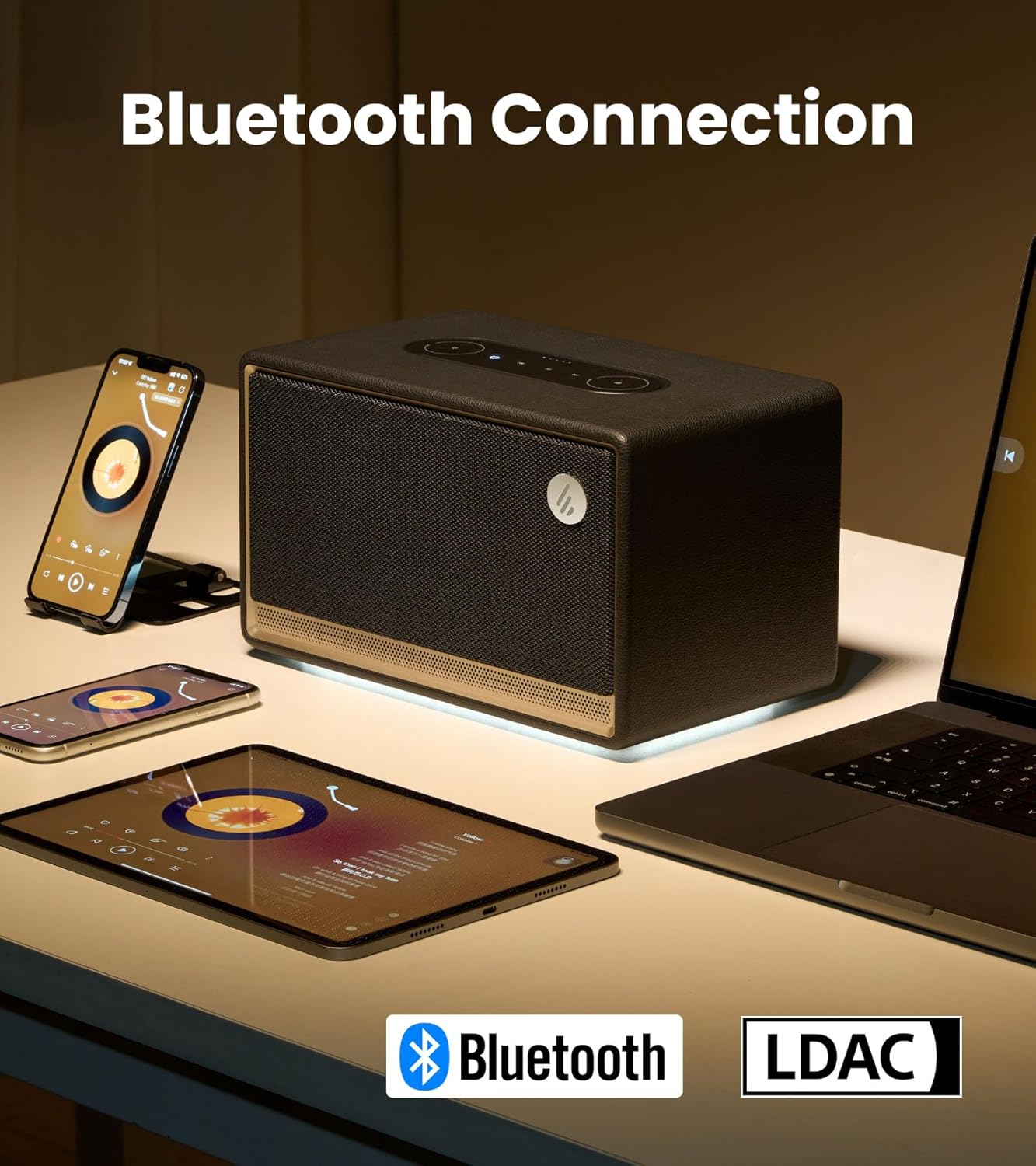
Image: The ES300 demonstrating its Bluetooth connectivity with various devices.
The speaker offers multiple connectivity options including Bluetooth 5.3 (with multi-point connection), WiFi (5G and 2.4G), USB, and AUX inputs. This versatility allows connection to a wide range of audio sources.

Image: Close-up of the rear panel showing the USB-A and AUX input ports.
Multi-Room Audio Synchronization

Image: The ES300's capability for multi-room audio setup using Apple AirPlay 2.
The ES300 supports Apple AirPlay 2, allowing you to group multiple speakers into a multi-room music system. This provides uninterrupted music as you move between rooms and enables immersive surround sound listening when configured via the app.
Životnost baterie
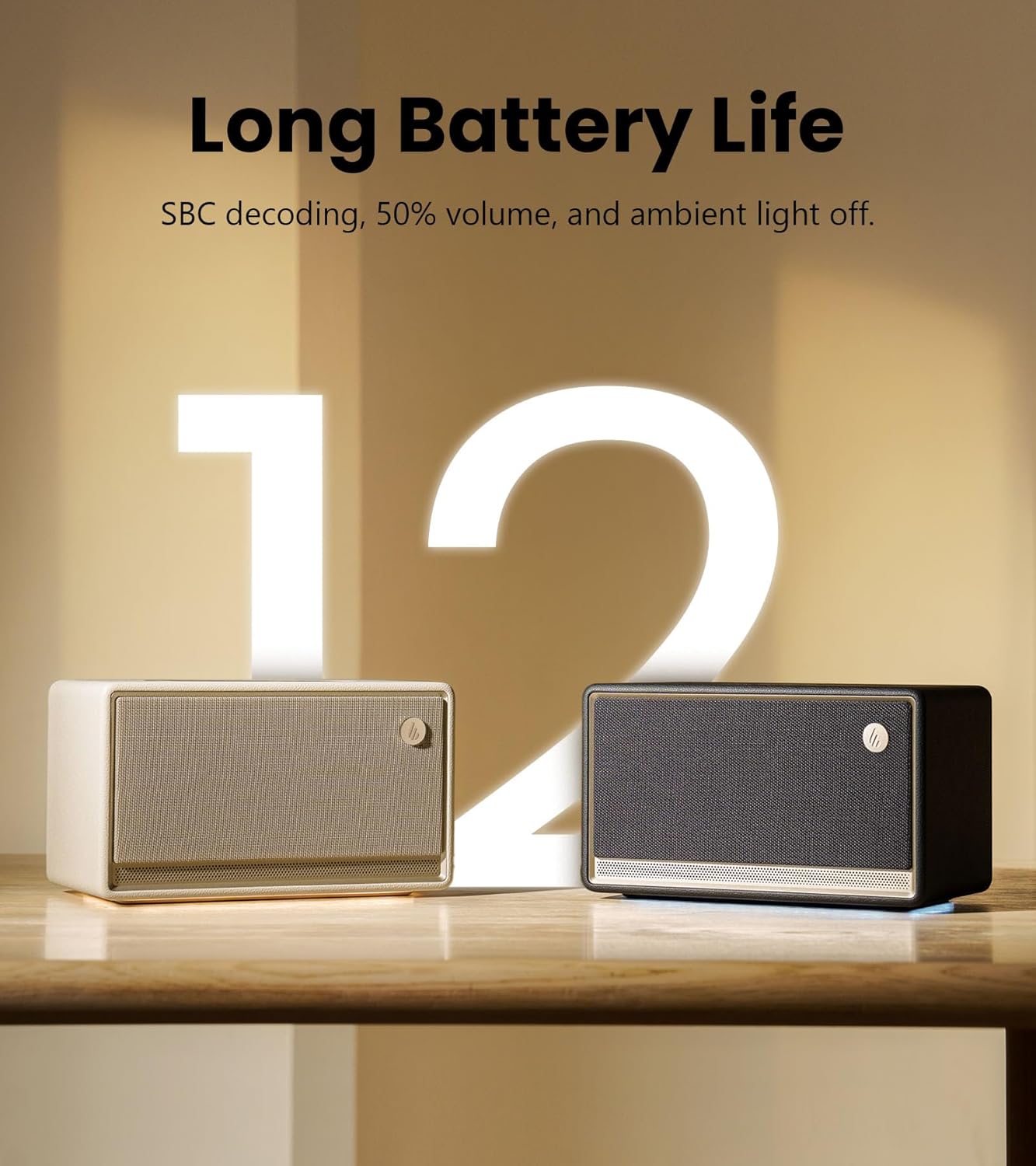
Image: The ES300 highlighting its long battery life.
The built-in 5200mAh battery provides up to 12 hours of continuous playtime, making the ES300 suitable for both indoor and outdoor use. Battery life is tested with SBC decoding, 50% volume, and ambient light off. Actual performance may vary.
Systém okolního osvětlení
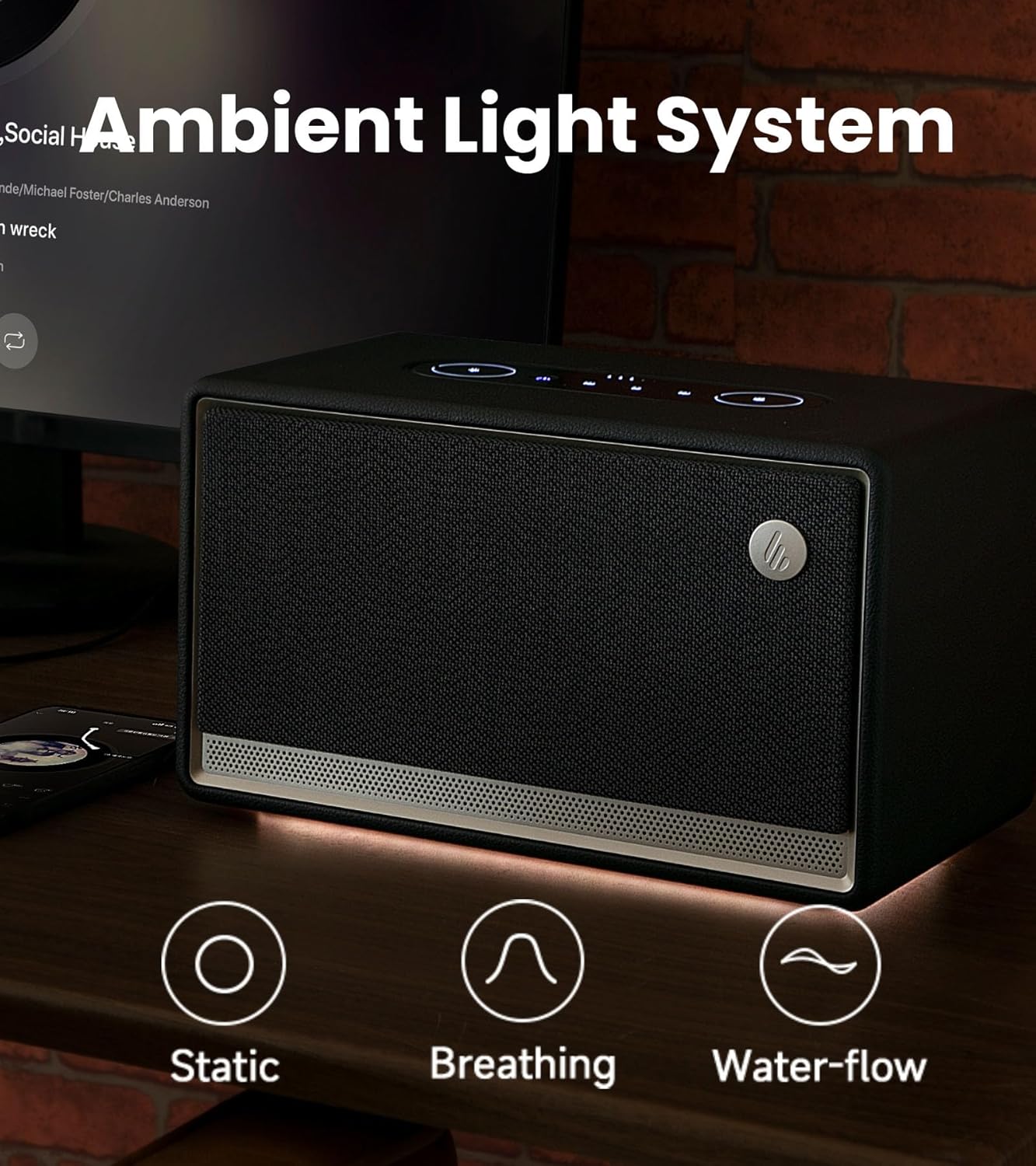
Image: The ES300's ambient light system with various effects.
The integrated ambient light system offers 3 preset effects (Static, Breathing, Water-flow) and two color options, allowing you to set a cozy and tranquil atmosphere.
Ovládací panel

Obrázek: Podrobný view of the ES300's easy-to-use touch control panel.
The sleek metallic control panel on top of the speaker provides intuitive touch controls for power, playback, volume adjustment, source selection, and ambient light settings.
Oficiální video produktu
Video: An official product video from Edifier showcasing the features and design of the ES300 Tabletop Wireless Speaker.
Průvodce nastavením
1. Připojení napájení
Connect the provided power cable to the power input port on the rear of the speaker and then plug it into a wall outlet. The speaker will automatically power on or enter standby mode.
2. Párování Bluetooth
- Press the Bluetooth/Source button on the control panel to switch to Bluetooth mode. The Bluetooth indicator light will blink.
- On your device (smartphone, tablet, computer), enable Bluetooth and search for "EDIFIER ES300".
- Select "EDIFIER ES300" to pair. Once connected, the Bluetooth indicator will remain solid.
- For multi-point connection, you can pair a second device by repeating steps 1-3. The speaker will seamlessly switch between the two paired devices.
3. Wi-Fi (AirPlay 2) Setup
For Wi-Fi connectivity and AirPlay 2 functionality, download the EDIFIER Home App. The app will guide you through the network configuration process.
- Download the "EDIFIER Home" app from your device's app store.
- Open the app and follow the on-screen instructions to connect your ES300 speaker to your Wi-Fi network (supports 5G and 2.4G).
- Once connected to Wi-Fi, you can use AirPlay 2 from compatible Apple devices to stream audio or set up multi-room audio groups.
4. USB and AUX Connections
- Vstup USB: Connect your audio source (e.g., computer) to the USB IN port on the rear of the speaker using the provided USB cable. Select USB input via the source button.
- Vstup AUX: Connect your audio source (e.g., turntable, MP3 player) to the AUX IN port on the rear of the speaker using the 3.5mm-to-3.5mm audio cable. Select AUX input via the source button.
Návod k obsluze
Zapnutí/vypnutí a pohotovostní režim
Press the power button on the control panel to turn the speaker on or off. A short press will toggle between active and standby modes.
Ovládání hlasitosti
Rotate the outer ring of the volume control on the control panel clockwise to increase volume and counter-clockwise to decrease volume.
Výběr zdroje
Press the source button (often combined with Bluetooth icon) on the control panel to cycle through available input sources: Bluetooth, Wi-Fi, USB, and AUX.
Ovládání přehrávání
- Přehrát/pozastavit: Stiskněte tlačítko Přehrát/Pozastavit.
- Další skladba: Stiskněte tlačítko Next Track.
- Předchozí skladba: Stiskněte tlačítko Předchozí skladba.
Ovládání okolního světla
Press the light icon button on the control panel to cycle through the ambient light effects (Static, Breathing, Water-flow) and color options. You can also adjust brightness via the EDIFIER Home App.
Using the EDIFIER Home App

Image: The EDIFIER Home App interface, offering extended control and customization.
The EDIFIER Home App provides enhanced control and customization options for your ES300 speaker, including:
- Konfigurace Wi-Fi sítě
- Přepínání zdroje
- Ovládání přehrávání
- Stereo channel setup
- Sound effect switch and customization
- Light effect switch and brightness adjustment
- Access to the user manual
- Scheduled power-off
- Aktualizace firmwaru
Údržba
- Čištění: K čištění povrchu reproduktoru použijte měkký, suchý hadřík. Nepoužívejte abrazivní čisticí prostředky, vosky ani rozpouštědla.
- Skladování: Pokud reproduktor delší dobu nepoužíváte, skladujte jej na chladném a suchém místě mimo dosah přímého slunečního záření a extrémních teplot.
- Péče o baterie: Chcete-li prodloužit životnost baterie, vyvarujte se častého úplného vybíjení. Reproduktor pravidelně nabíjejte, i když jej nepoužíváte neustále.
Odstraňování problémů
| Problém | Možná příčina | Řešení |
|---|---|---|
| Žádný zvuk | Power off; Incorrect source; Volume too low; Loose cable connection. | Ensure speaker is powered on; Select correct input source; Increase volume; Check all cable connections. |
| Chyba párování Bluetooth | Reproduktor není v režimu párování; Zařízení je příliš daleko; Rušení. | Ensure speaker is in Bluetooth pairing mode (blinking indicator); Move device closer to speaker; Avoid strong electromagnetic interference. |
| Problémy s připojením Wi-Fi | Incorrect Wi-Fi password; Router issues; Speaker too far from router. | Verify Wi-Fi password; Restart router; Move speaker closer to router; Use EDIFIER Home App for setup. |
| Zkreslený zvuk | Příliš vysoká hlasitost; Kvalita zdrojového zvuku; Umístění reproduktorů. | Reduce volume on speaker and/or source device; Try a different audio source; Adjust speaker placement to avoid reflections. |
| Krátká výdrž baterie | High volume usage; Ambient light on; Battery degradation. | Reduce volume; Turn off ambient light when not needed; Ensure full charge before use. |
If the problem persists, please refer to the EDIFIER Home App for further assistance or contact customer support.
Specifikace

Image: Detailed technical specifications of the Edifier ES300 speaker.
| Funkce | Detail |
|---|---|
| Celkový výstupní výkon (RMS) | Treble 15W x 2, Mid-bass 30W |
| Jednotky řidiče | Treble: 1.25-inch, Mid-bass: 4-inch |
| Frekvenční odezva | 56Hz - 40KHz |
| Odstup signálu od šumu | ≥ 85 dB (A) |
| Audio vstupy | Bluetooth, Wi-Fi (Apple AirPlay), USB-A, AUX |
| Verze Bluetooth | V5.4 |
| Kodeky | SBC, AAC, LDAC, and ALAC (AirPlay mode only) |
| Vstupní citlivost | AUX: 600 ± 50mV, USB: 600 ± 50mFFS, Bluetooth: 600 ± 50mFFS |
| Rozměry (Š x V x H) | 277mm × 185mm × 165mm (10.9"D x 10.2"W x 8.9"H) |
| Čistá hmotnost | 3.7 kg (8.16 lb) |
| Kapacita baterie | 5200 mAh (4 lithium-iontové baterie součástí balení) |
| Prázdno | Až 12 hodin |
Záruka a podpora
Edifier products come with a limited warranty. Please refer to the warranty card included in your package or visit the official Edifier webPodrobné záruční podmínky platné pro váš region naleznete na webových stránkách.
For technical support, troubleshooting assistance, or service inquiries, please contact Edifier customer support through their official webwebu nebo kontaktních informací uvedených v dokumentaci k produktu.
Official Edifier Webmísto: www.edifier.com
Ask a question about this manual
Ask about setup, troubleshooting, compatibility, parts, safety, or missing instructions. Manuals+ will review the question and use this page’s manual context to help answer it.