
1. Úvod a konecview
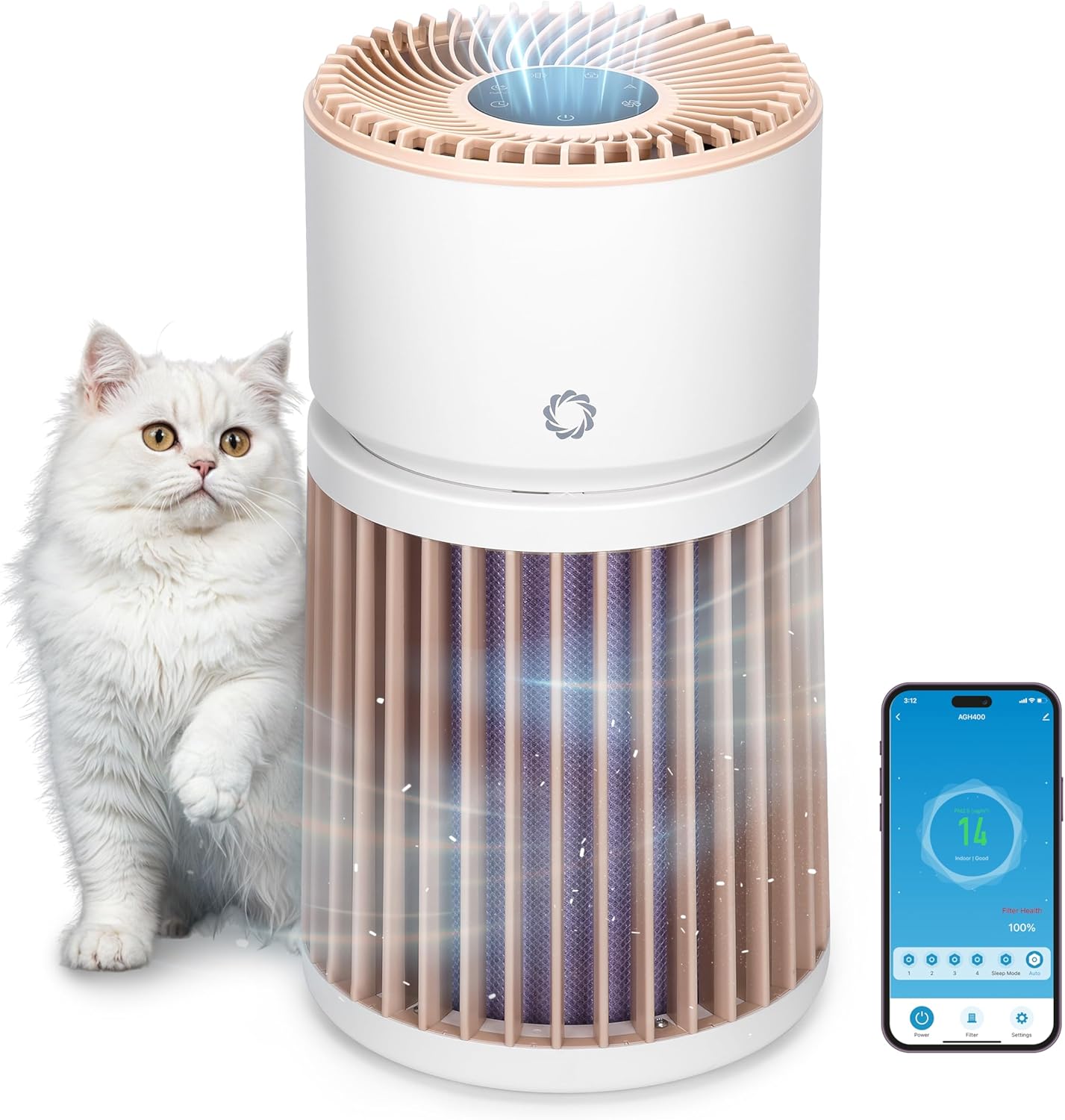
The Airthereal AGH400-PET Pet Air Purifier is designed to improve indoor air quality, especially in homes with pets. It features advanced filtration technology to effectively remove pet odors, dander, hair, dust, and other airborne particles, ensuring a fresher and healthier environment.
- Advanced Odor Elimination: Equipped with a powerful HEPA Purple Filter to combat pet odors and lingering smells.
- Omyvatelný předfiltr: A removable surface pre-filter captures pet hair and large particles, extending the lifespan of the main filter.
- Design vhodný pro domácí mazlíčky: Engineered to safely manage pet hair, cat urine odors, and dust, creating a healthier space for both pets and owners.
- Integrated PM 2.5 Sensor: Monitors and responds to changes in air quality in real-time, optimizing purification for any room size.
- 360° přívod vzduchu: Provides comprehensive air purification by effectively capturing airborne particles from all directions.
- Whisper-Quiet Sleep Mode: Operates silently to ensure a peaceful and fresh environment without disturbance.
2. Pokyny k nastavení
- Unpack the Purifier: Opatrně vyjměte čističku vzduchu a veškerý balicí materiál z krabice.
- Odstraňte obal filtru: Twist the top section of the purifier counter-clockwise to unlock and lift it off. Remove the plastic packaging from the H13 Purple HEPA Filter.
- Instalace filtru: Place the unwrapped filter back into the base unit. Ensure it is seated correctly.
- Znovu sestavte jednotku: Align the top section with the base and twist clockwise to lock it securely in place.
- Umístění: Place the air purifier on a flat, stable surface, ensuring at least 15 inches (38 cm) of clearance on all sides for optimal airflow. Avoid placing it near walls or furniture that could obstruct air intake.
- Připojení napájení: Plug the power adapter into the DC input port on the back of the unit, then plug the adapter into a standard electrical outlet.

3. Návod k obsluze
Konec ovládacího paneluview
The control panel is located on the top of the air purifier and features touch-sensitive buttons and a digital display.

- Tlačítko napájení (U): Stiskněte pro zapnutí nebo vypnutí jednotky.
- Tlačítko rychlosti ventilátoru (A): Cycle through 4 fan speed settings (F1-F4).
- Tlačítko automatického režimu (A): Activates automatic fan speed adjustment based on real-time air quality.
- Tlačítko režimu spánku (C): Reduces fan speed to the lowest setting and dims/turns off display lights for quiet operation.
- Tlačítko časovače (L): Set the operating time (e.g., 1-12 hours).
- Tlačítko dětské pojistky (L): Press and hold for 3 seconds to activate/deactivate, preventing accidental changes to settings.
- Indikátor resetování filtru: Lights up when the filter needs cleaning or replacement.
Indikátor kvality vzduchu
The LED light ring on the control panel changes color to indicate the current air quality:
- Zelený: Good air quality (PM2.5 < 50 µg/m³)
- Žlutá: Moderate air quality (PM2.5 51-100 µg/m³)
- Červený: Unhealthy air quality (PM2.5 > 101 µg/m³)

Ovládání mobilní aplikace
The AGH400-PET can be controlled remotely via a mobile application. Download the appropriate app (e.g., AIR.ai APP) from your smartphone's app store. Follow the in-app instructions to connect your device. The app allows you to:
- Turn the purifier On/Off.
- Adjust fan speeds and modes.
- Nastavte časovače a plány.
- Monitor air quality and filter health.
- Aktivujte dětský zámek.

4. Údržba
Čištění a výměna filtru
Regular maintenance of the filters ensures optimal performance and extends the life of your air purifier.
- Omyvatelný předfiltr: The outer pre-filter is designed to capture larger particles like pet hair. It can be removed and gently washed with water. Ensure it is completely dry before reattaching.
- H13 Purple HEPA Filter: This multi-layer filter is not washable and should be replaced every 6-8 months, or when the filter reset indicator lights up, depending on usage and air quality.
Výměna filtru:
- Vypněte a odpojte čističku vzduchu.
- Twist the top section counter-clockwise and lift it off.
- Carefully remove the old H13 Purple HEPA Filter.
- Insert the new filter into the base unit, ensuring proper orientation.
- Reattach the top section by aligning and twisting clockwise until locked.
- Plug in the unit and press and hold the Filter Reset button for 3 seconds to reset the filter life indicator.

5. Řešení problémů
| Problém | Možná příčina | Řešení |
|---|---|---|
| Jednotka se nezapne | Není zapojeno do zásuvky; výpadek napájenítage; jednotka není správně sestavena. | Check power connection; ensure top and base are locked; check household circuit breaker. |
| Snížený proud vzduchu nebo neobvyklý hluk | Clogged filter; foreign object in fan. | Clean/replace filters; check for obstructions (unplug first). |
| Indikátor kvality ovzduší je vždy červený/žlutý | High pollution levels; sensor obstruction. | Allow time for purification; clean the PM2.5 sensor (refer to manual for location). |
| Nelze se připojit k mobilní aplikaci | Nesprávné heslo k Wi-Fi; zařízení příliš daleko od routeru; problémy s aplikací. | Verify Wi-Fi credentials; move unit closer to router; restart app/device. |
6. Specifikace
- Číslo modelu: AGH400-PET
- Rozměry produktu: 11.8 x 11.8 x 21.3 palce
- Hmotnost položky: 13.34 libry
- Zdroj napájení: DC
- Wattage: 42 wattů
- Způsob ovládání: App, Touch control
- Typ filtru: Odor Decomposition Filter, HEPA and Activated Carbon
- Pokrytí podlahové plochy: Až 3500 XNUMX čtverečních stop
- Hladina hluku: 28 decibelů (v režimu spánku)
- Velikost zadržování částic: 0.1 mikronu
- Speciální vlastnosti: HEPA Purple Filter, Integrated PM 2.5 Air Quality Sensor
- Osvědčení: Certifikováno CARB
- Barva: Bílý

7. Záruka a podpora
For warranty information, technical support, or any questions regarding your Airthereal Pet Air Purifier AGH400-PET, please refer to the official Airthereal webnebo se obraťte přímo na jejich zákaznický servis. Uschovejte si doklad o koupi pro případ reklamace.
Více informací a podporu naleznete na Airthereal Official Webmísto.