
Zavedení
This manual provides comprehensive instructions for setting up, operating, maintaining, and troubleshooting your FIREBAT AM02 Mini PC. Designed for home, business, and gaming, this compact desktop computer features an AMD Ryzen 6600H processor, Radeon 660M GPU, DDR5 RAM, and high-speed storage, offering robust performance for various applications.

Image: The FIREBAT AM02 Mini PC, showcasing its compact design and various ports from different angles.
Nastavení
1. Vybalení a obsah balení
Opatrně vybalte všechny součásti z krabice. Zkontrolujte, zda jsou přítomny všechny níže uvedené položky:
- 1 x AMD 6600H Mini PC
- 1 x 19V/5A 95W US Adapter (Power Supply)
- 1 x držák VESA
- 1 x HDMI kabel
- 1 x Uživatelská příručka (tento dokument)

Image: All items included in the FIREBAT AM02 Mini PC package, laid out for inspection.
2. Připojení periferií
Před zapnutím připojte základní periferní zařízení:
- Monitor: Connect your display using the provided HDMI cable to the HDMI 2.1 port, or use a DisplayPort (DP 2.0) or USB-C port for video output. The device supports triple 4K display output simultaneously.
- Klávesnice a myš: Connect your USB keyboard and mouse to any of the available USB-A ports (USB-A 3.2 or USB-A 2.0).
- Síť: For a wired connection, connect an Ethernet cable to one of the two RJ45 LAN ports. For wireless, ensure your Wi-Fi network is available.
- Zvuk: Connect headphones or speakers to the 3.5mm audio combo jack.

Obrázek: Detailní záběr view of the front and rear ports of the FIREBAT AM02 Mini PC, including USB-C, USB-A, HDMI, DisplayPort, LAN, and audio jacks.
3. Zapnutí
Connect the power adapter to the DC IN port on the mini PC, then plug the adapter into a power outlet. Press the power button located on the front of the device to turn it on. The system will boot up, and you should see the operating system load on your connected display.
Návod k obsluze
1. Počáteční nastavení systému
Upon first boot, you may be prompted to complete the operating system setup, including language selection, network configuration, and user account creation. Follow the on-screen instructions to finalize the setup process.
2. Konektivita
- Wi-Fi 6 (802.11ax): The mini PC supports Wi-Fi 6 for faster and more efficient wireless connections. Connect to your preferred Wi-Fi network through the operating system's network settings.
- Bluetooth 5.2: Pair Bluetooth-enabled devices such as headphones, speakers, or game controllers via the Bluetooth settings in your operating system.
- Dual LAN: Utilize the two 1Gbps RJ45 LAN ports for stable wired network connections, ideal for high-bandwidth applications or network redundancy.

Image: Visual representation of the mini PC's advanced connectivity features, including WiFi 6, Bluetooth 5.2, MU-MIMO, and dual RJ45 LAN ports.
3. Multi-Display Configuration
The FIREBAT AM02 supports connecting up to three 4K displays simultaneously, enhancing productivity and multimedia experiences. Use a combination of the DP 2.0 (4K@160Hz), HDMI 2.1 TMDS (4K@60Hz), and USB-C (4K@60Hz) ports for your display setup. Configure display settings within your operating system to extend or duplicate your desktop.
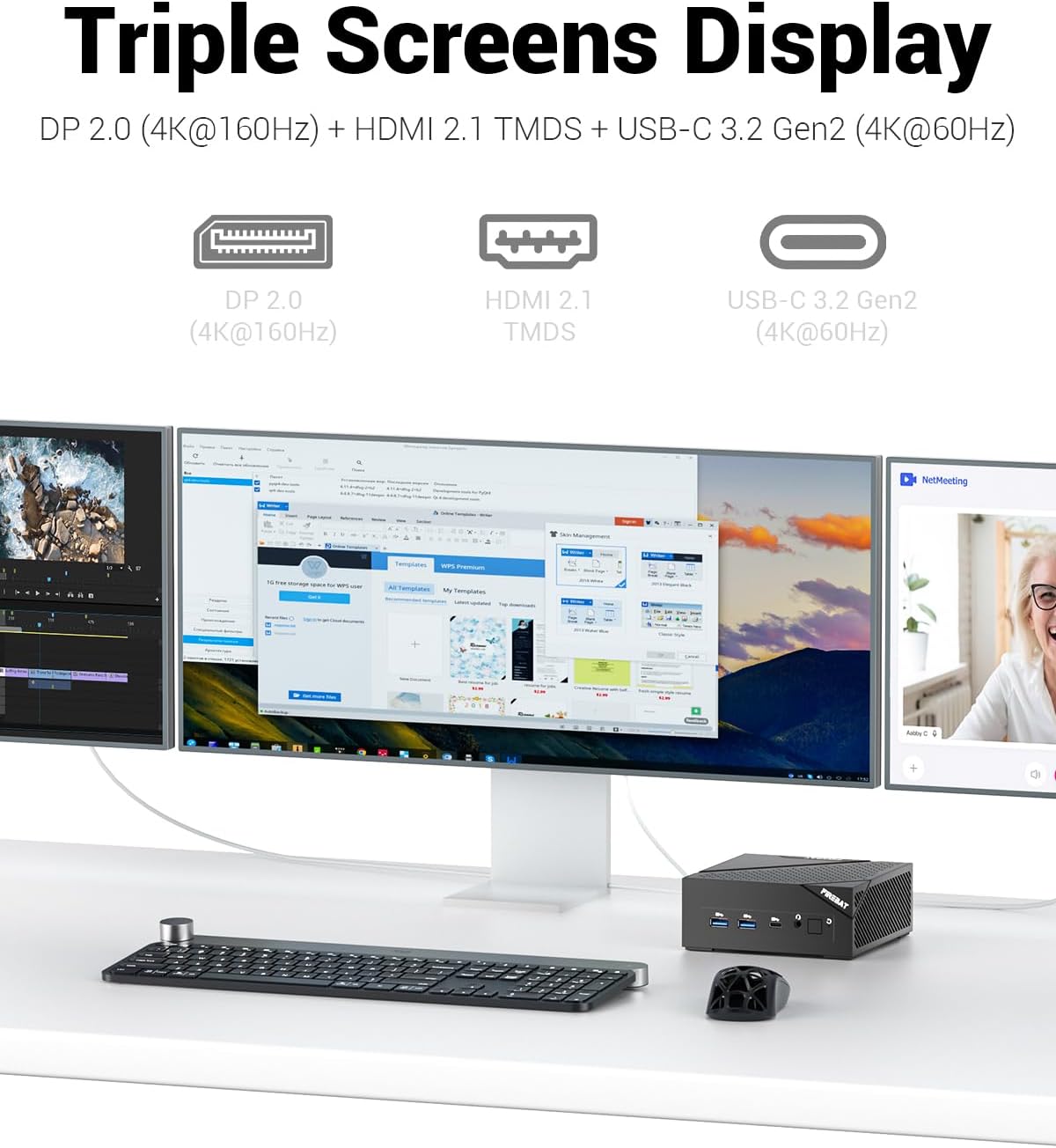
Image: The FIREBAT AM02 Mini PC demonstrating its capability to connect to and display content across three separate monitors.
4. Výkon nadview
The mini PC is equipped with an AMD Ryzen 6600H processor (6 cores/12 threads, up to 4.5GHz) and an AMD Radeon 660M GPU (1900MHz). This configuration is suitable for demanding tasks such as complex design software, UHD video editing, graphic processing, and gaming. The system is designed for efficient multi-threaded task processing.

Image: An internal diagram highlighting the key components: AMD Ryzen 6600H CPU, AMD Radeon 660M GPU, dual DDR5 RAM slots, and M.2 NVMe 2280 SSD.
Údržba
1. Čištění
To ensure optimal performance and longevity, regularly clean the exterior of the mini PC with a soft, dry cloth. Avoid using liquid cleaners or abrasive materials. Periodically, gently clean the ventilation grilles to prevent dust buildup, which can impede airflow and heat dissipation.

Image: A visual representation of the mini PC's cooling system, emphasizing its ultra-fast heat dissipation and low noise design.
2. Aktualizace softwaru
Keep your operating system and drivers updated to the latest versions. This ensures system stability, security, and optimal performance. Refer to your operating system's documentation for instructions on checking and installing updates.
3. Aktualizace hardwaru
The FIREBAT AM02 Mini PC offers expandable capacity for both RAM and storage:
- BERAN: The device comes with one 16GB 4800MHz DDR5 RAM stick. It supports dual-channel memory and can be expanded up to 64GB RAM (32GB x 2).
- SSD: It includes one 512GB M.2 2280 SSD. The system features dual M.2 M-KEY PCI-E 4.0 x 4 SSD hard drive interfaces, allowing for significant storage expansion.
For hardware upgrades, it is recommended to consult a qualified technician or refer to detailed technical guides to avoid damaging components.

Obrázek: Explodoval view of the FIREBAT AM02 Mini PC, illustrating the accessible slots for upgrading DDR5 RAM and M.2 NVMe SSDs.
Odstraňování problémů
This section addresses common issues you might encounter with your FIREBAT AM02 Mini PC.
Žádná síla
- Zkontrolujte připojení napájení: Ujistěte se, že je napájecí adaptér bezpečně připojen k mini PC i k funkční zásuvce.
- Ověřte zásuvku: Otestujte zásuvku pomocí jiného zařízení, abyste se ujistili, že je funkční.
- Vypínač: Ujistěte se, že je tlačítko napájení zcela stisknuté.
Žádný výstup displeje
- Připojení monitoru: Verify that the HDMI, DisplayPort, or USB-C cable is securely connected to both the mini PC and the monitor.
- Vstup monitoru: Ujistěte se, že je váš monitor nastaven na správný vstupní zdroj (např. HDMI 1, DisplayPort).
- Test Different Cable/Port: If possible, try a different video cable or a different video output port on the mini PC.
- Výkon monitoru: Confirm the monitor is powered on.
Problémy s připojením k síti
- Kabelové připojení: Check if the Ethernet cable is properly connected to both the mini PC and your router/modem. Verify the network status lights on the LAN port.
- Bezdrátové připojení: Ensure Wi-Fi is enabled in your operating system settings. Restart your router/modem. Verify your Wi-Fi password is correct.
- Problémy s ovladači: Ujistěte se, že síťové ovladače jsou aktuální.
System Slowdown or Freezing
- Zavřít aplikace: Zavřete nepotřebné aplikace běžící na pozadí.
- Check Task Manager: Use Task Manager (Windows) or Activity Monitor (Linux) to identify resource-intensive processes.
- Místo na disku: Ensure there is sufficient free space on your primary drive.
- Aktualizace: Ensure your operating system and drivers are updated.
- Přehřívání: Ensure the mini PC has adequate ventilation and is not obstructed.
Specifikace
The following table outlines the key technical specifications of the FIREBAT AM02 Mini PC:
| Funkce | Specifikace |
|---|---|
| Číslo modelu | AM02 |
| Procesor | AMD Ryzen 6600H (6 Cores/12 Threads, up to 4.5 GHz) |
| Grafický koprocesor | AMD Radeon 660M (1900MHz) |
| BERAN | 16GB DDR5 4800MHz (rozšiřitelná až na 64GB) |
| Skladování | 512GB M.2 2280 SSD (Dual M.2 M-KEY PCI-E 4.0 x 4 interfaces) |
| Operační systém | Default (Pre-installed) |
| Bezdrátové připojení | Wi-Fi 6 (802.11ax), Bluetooth 5.2 |
| LAN | 2 x 1 Gb/s RJ45 |
| USB porty | 1 x USB-C 3.2 (PD/DP/DATA), 3 x USB-A 3.2, 1 x USB-A 2.0 |
| Video výstup | 1 x DP 2.0 (4K@160Hz), 1 x HDMI 2.1 TMDS (4K@60Hz), 1 x USB-C (4K@60Hz) |
| Audio port | 1 x 3.5mm Audio Combo (HP&MIC) |
| Rozměry (DxŠxV) | 5 x 5 x 2 palce |
| Hmotnost položky | 13.9 unce |
Záruka a podpora
Informace o záruce
The FIREBAT AM02 Mini PC comes with a standard manufacturer's warranty. Please refer to the warranty card included in your package or contact FIREBAT customer support for specific details regarding warranty coverage and duration.
Zákaznická podpora
For technical assistance, troubleshooting, or any inquiries regarding your FIREBAT AM02 Mini PC, please contact our support team:
- E-mail: support@firebatpc.com
- Webmísto: www.firebatpc.com
When contacting support, please have your product model number (AM02) and purchase details ready to facilitate faster service.