
Zavedení
This manual provides comprehensive instructions for the TKOWTB MK321U Programmable Macro Mini Keyboard. Please read this manual carefully before using the product to ensure proper operation and to maximize its functionality. This device is designed to enhance your computing experience through customizable key functions for various applications, including gaming, multimedia control, and office tasks.
Vlastnosti produktu
- Programovatelné klávesy: Customize button functions for keyboard, mouse, multimedia, character strings, game functions, and macro definitions.
- Mechanické spínače: Features strong tactile feedback and crisp sound for a comfortable typing experience.
- Ergonomický design: Button curves are designed for comfortable use.
- Protiskluzové podložky: Equipped with anti-slip pads on the bottom to prevent movement during use.
- Široká aplikace: Suitable for various uses including office work, gaming, and multimedia control.
- Kompatibilita systému: Key definition setting software is system-based and can be used across various operating systems after initial setup.
Obsah balení
Po vybalení zkontrolujte obsah balení. Pokud některé položky chybí nebo jsou poškozené, kontaktujte zákaznickou podporu.
- 1 x TKOWTB MK321U Mini Keyboard
- 1 x USB kabel (typu C)

Image: The TKOWTB MK321U Mini Keyboard shown with its included USB cable. The keyboard features three large, white mechanical keys and a Type-C port for connection.
Pokyny pro nastavení
- Připojení klávesnice: Insert the Type-C end of the provided USB cable into the port on the mini keyboard.
- Připojení k počítači: Zapojte standardní konec kabelu USB-A do volného portu USB v počítači.
- Instalace ovladače: The keyboard is typically plug-and-play. Your operating system should automatically detect and install the necessary drivers.
- Software Installation (for Programming): To customize key functions, you will need to download and install the dedicated key definition setting software from the manufacturer's official website. (Note: For Linux or macOS users, initial setup and programming must be done on a compatible system, then the device can be used on your preferred OS.)

Obrázek: Detailní záběr view of the TKOWTB MK321U Mini Keyboard's ports, showing the Type-C input and an adjacent switch. This illustrates where to connect the USB cable for power and data transfer.
Návod k obsluze
Základní operace
Once connected, the mini keyboard will function according to its default settings or previously programmed configurations. Pressing a key will execute its assigned function.
Programming Key Functions
The primary feature of the MK321U is its programmability. Follow these steps to customize key functions:
- Stáhnout software: Obtain the key definition setting software from the official TKOWTB webmísto.
- Instalace softwaru: Postupujte podle pokynů na obrazovce a nainstalujte software do počítače.
- Spustit software: Open the installed programming software.
- Připojení klávesnice: Ensure your MK321U keyboard is connected to the computer. The software should detect the device.
- Vybrat klíč: Within the software interface, select the key you wish to program.
- Assign Function: Choose from the available function types:
- Funkce klávesnice: Assign standard keyboard keys (e.g., A, Ctrl, Shift, Enter).
- Funkce myši: Assign mouse clicks (left, right, middle), scroll up/down, etc.
- Multimediální funkce: Assign media controls (e.g., Play/Pause, Volume Up/Down, Mute).
- Character String Function: Assign a sequence of characters to be typed with a single press.
- Game Function: Assign specific game commands.
- Macro Definition Function: Record and assign a complex sequence of key presses and delays.
- Uložit konfiguraci: After assigning functions, save the configuration to the keyboard's onboard memory. This allows the settings to persist even when connected to different computers without the software.

Image: The TKOWTB MK321U Mini Keyboard with graphical overlays indicating its key features: good-quality material, multifunctional use, and ease of use. A prominent note highlights that all keys are programmable.

Image: A hand interacting with the TKOWTB MK321U Mini Keyboard, emphasizing its standard as a mini keyboard. Icons illustrate its sensitive switches, smooth linear typing experience, and lower sound profile.
Údržba
Proper maintenance ensures the longevity and optimal performance of your mini keyboard.
- Čištění: K otření povrchu klávesnice použijte měkký, suchý hadřík. V případě odolné nečistoty lehceamphadřík vodou nebo jemným čisticím roztokem. Zabraňte nadměrné vlhkosti.
- Vyhněte se tekutinám: Do not spill liquids directly onto the keyboard. If liquid contact occurs, immediately disconnect the keyboard and allow it to dry completely before reconnecting.
- Skladování: Klávesnici skladujte na chladném a suchém místě mimo dosah přímého slunečního záření a extrémních teplot.
- Zacházejte opatrně: Zabraňte pádu klávesnice na zem nebo jejímu vystavení silným nárazům.
Odstraňování problémů
If you encounter issues with your TKOWTB MK321U, refer to the following common problems and solutions:
- Klávesnice nereaguje:
- Ujistěte se, že je kabel USB bezpečně připojen k klávesnici i k počítači.
- Zkuste připojit klávesnici k jinému USB portu na počítači.
- Otestujte klávesnici na jiném počítači, abyste vyloučili problémy specifické pro systém.
- Restartujte počítač.
- Keys Not Performing Assigned Functions:
- Verify that the key definition setting software was used to save the configuration to the keyboard.
- Ujistěte se, že je software aktuální.
- If using on Linux or macOS, confirm that the programming was done on a compatible Windows system first.
- Try resetting the keyboard to factory defaults via the software and reprogram the keys.
- Software nerozpoznává klávesnici:
- Make sure the keyboard is properly connected via USB.
- Close and reopen the programming software.
- Reinstall the programming software.
- Check your computer's device manager to see if the keyboard is recognized.
Specifikace
| Značka | TKOWTB |
| Název modelu | MK321U (500757523) |
| Barva | Bílý |
| Materiál | Plast |
| Rozměry produktu | 3.15 x 2.36 x 1.57 palce (8 x 6 x 4 cm) |
| Hmotnost položky | 2.47 unce (70 gramů) |
| Konektivita | USB Type-C |
| Programovatelnost | All keys programmable via dedicated software |

Image: A close-up of the TKOWTB MK321U Mini Keyboard next to a laptop, highlighting its Type-C charging port and rechargeable design, indicating modern connectivity and power options.

Image: A collage showing the TKOWTB MK321U Mini Keyboard being used in different environments: an office setting, a laboratory, and a gaming setup, demonstrating its wide scope of application.
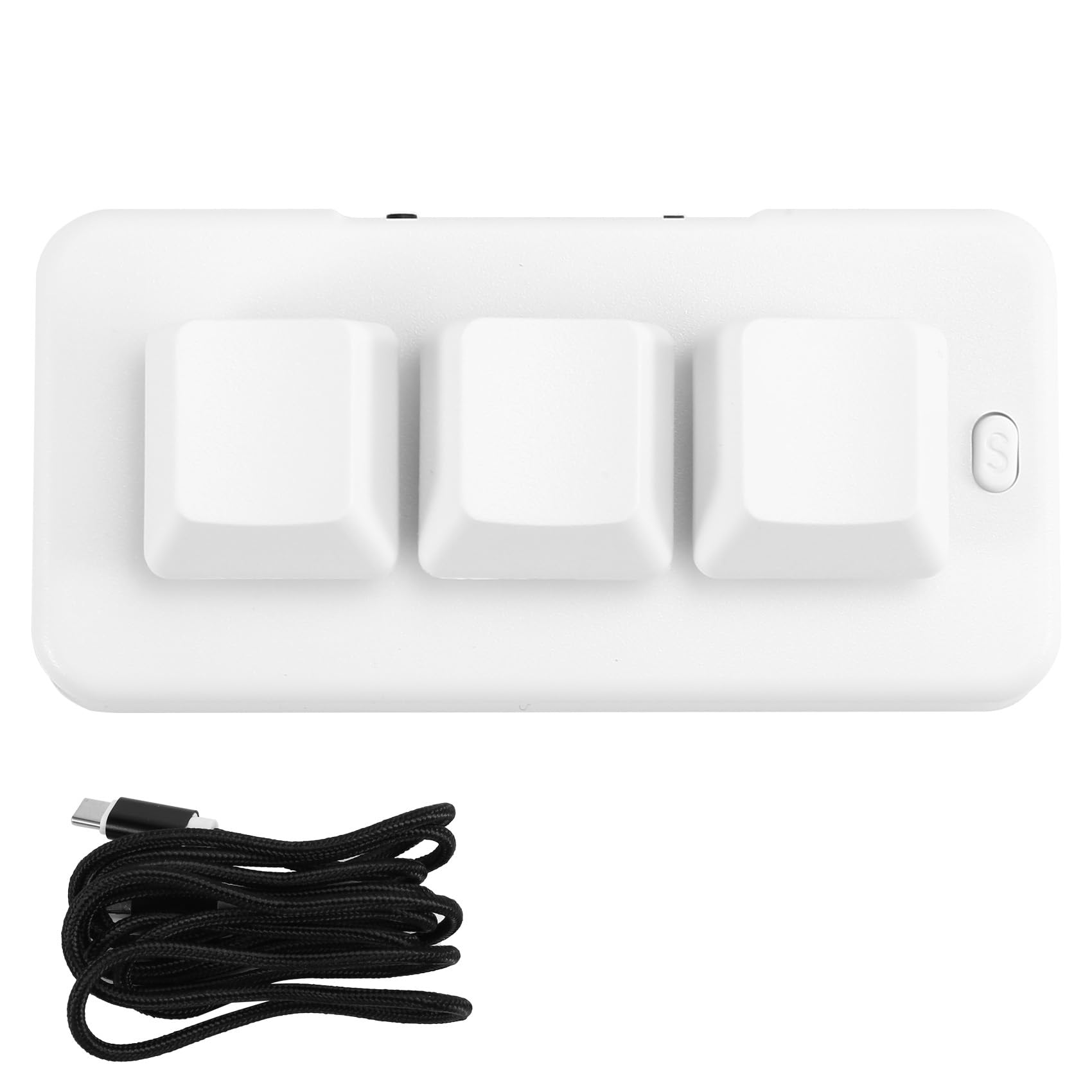
Image: A person placing the TKOWTB MK321U Mini Keyboard into a small carrying pouch, illustrating its compact and portable design, making it easy to transport.
Záruka a podpora
For warranty information, please refer to the documentation included with your purchase or visit the official TKOWTB website. Support resources, including FAQs and contact information, can also be found on the manufacturer's webmísto.
Výrobce: TKOWTB
Webmísto: TKOWTB Official Page (via Amazon)