
Garmin Approach S50
Uživatelská příručka chytrých golfových GPS hodinek Garmin Approach S50
Model: Approach S50
Zavedení
This manual provides essential instructions for setting up, operating, and maintaining your Garmin Approach S50 Golf GPS Smartwatch. The Approach S50 is designed to enhance your golf game with advanced GPS features, preloaded courses, and comprehensive health tracking capabilities.
Co je v krabici
- 1x Garmin Approach S50 GPS golf watch
- 1x Charging/data cable
- 1x nositelná powerbanka 4U
- Dokumentace
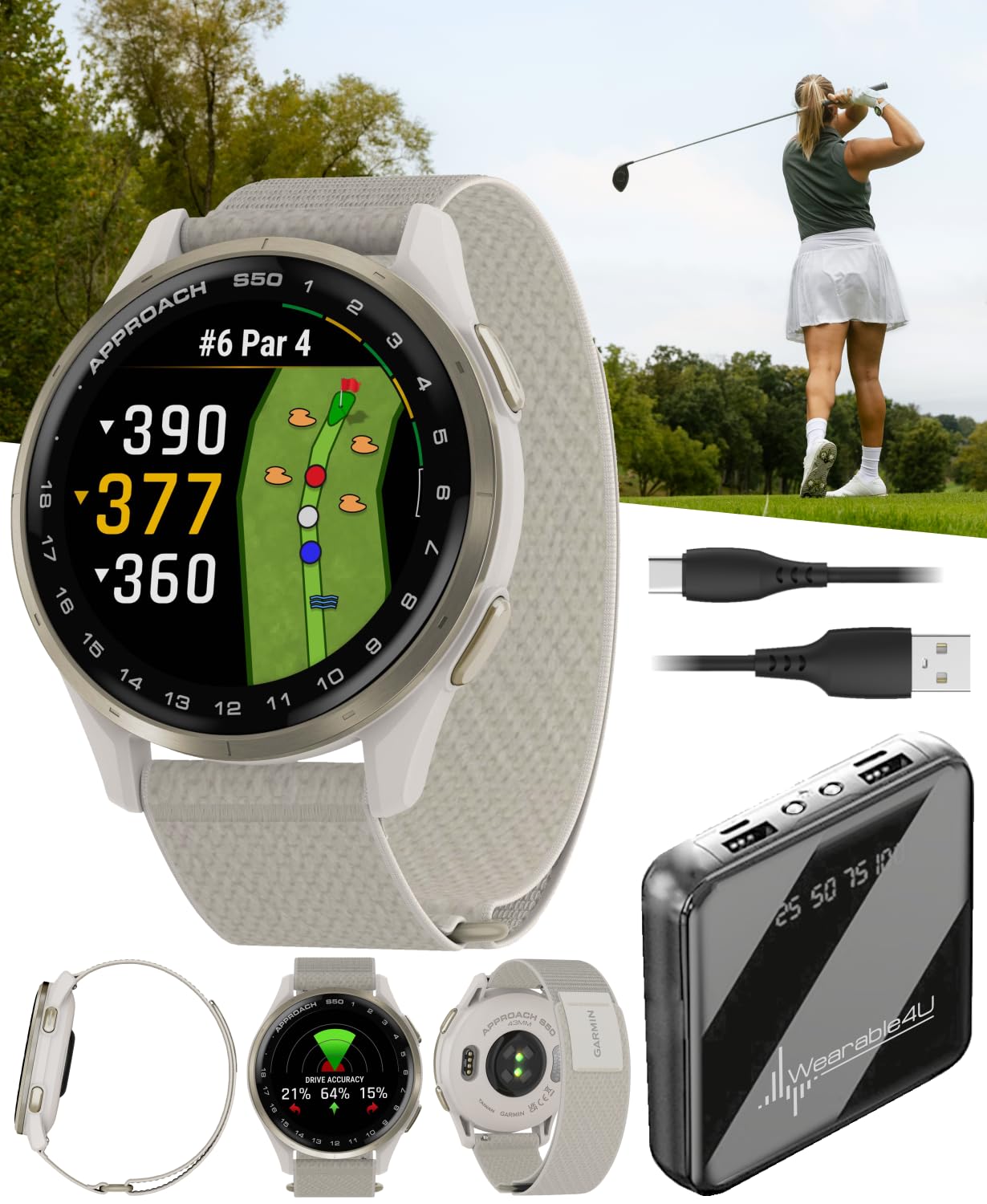
Image: Garmin Approach S50 Golf GPS Smartwatch with its charging cable and the Wearable4U Power Bank.
Nastavení
1. Nabíjení zařízení
Before initial use, fully charge your Approach S50. Connect the charging/data cable to the watch and a USB power source. The watch display will indicate charging status.

Obrázek: Zadní view of the Garmin Approach S50, highlighting the charging contacts and heart rate sensor.
2. Zapnutí a počáteční konfigurace
Press and hold the power button to turn on the watch. Follow the on-screen prompts to select your language, units of measure, and other preferences. For full functionality, pair the watch with the Garmin Golf smartphone app via Bluetooth.
3. Using the Wearable4U Power Bank
The included Wearable4U Power Bank can be used to charge your Approach S50 or other USB-powered devices on the go. Ensure the power bank is charged before use. Connect your device's charging cable to one of the power bank's USB output ports.

Image: The Wearable4U Power Bank, a portable charger for electronic devices.
Návod k obsluze
Základní navigace
The Approach S50 features a 1.2-inch AMOLED touchscreen display and physical buttons for navigation. Swipe the screen to scroll through widgets and menus. Press buttons for specific functions as indicated on-screen or in the full Garmin manual.
Golf Features
The watch comes preloaded with over 43,000 golf courses worldwide. When you start a round, the watch automatically detects your location and displays the course.
- Kurs View: Provides distances to the front, middle, and back of the green.
- Nebezpečí View: Navigate bunkers, water hazards, and layups with detailed views.
- Playslike Distance: Adjusts yardage for elevation changes, giving you a more accurate distance for each shot.
- Scorekeeping: Easily keep score directly on the watch. Scores can be uploaded to the Garmin Golf app for stat tracking and handicap calculation.

Image: The Approach S50 watch face showing distances to the front, middle, and back of the green on a golf course map.

Image: A close-up of the Approach S50 watch face, showing a detailed bunker hazard view with distances.
Sledování aktivity
The Approach S50 includes preloaded activity profiles for various sports and exercises, such as walk, run, strength, yoga, and pool swim. Select an activity to track your performance metrics.
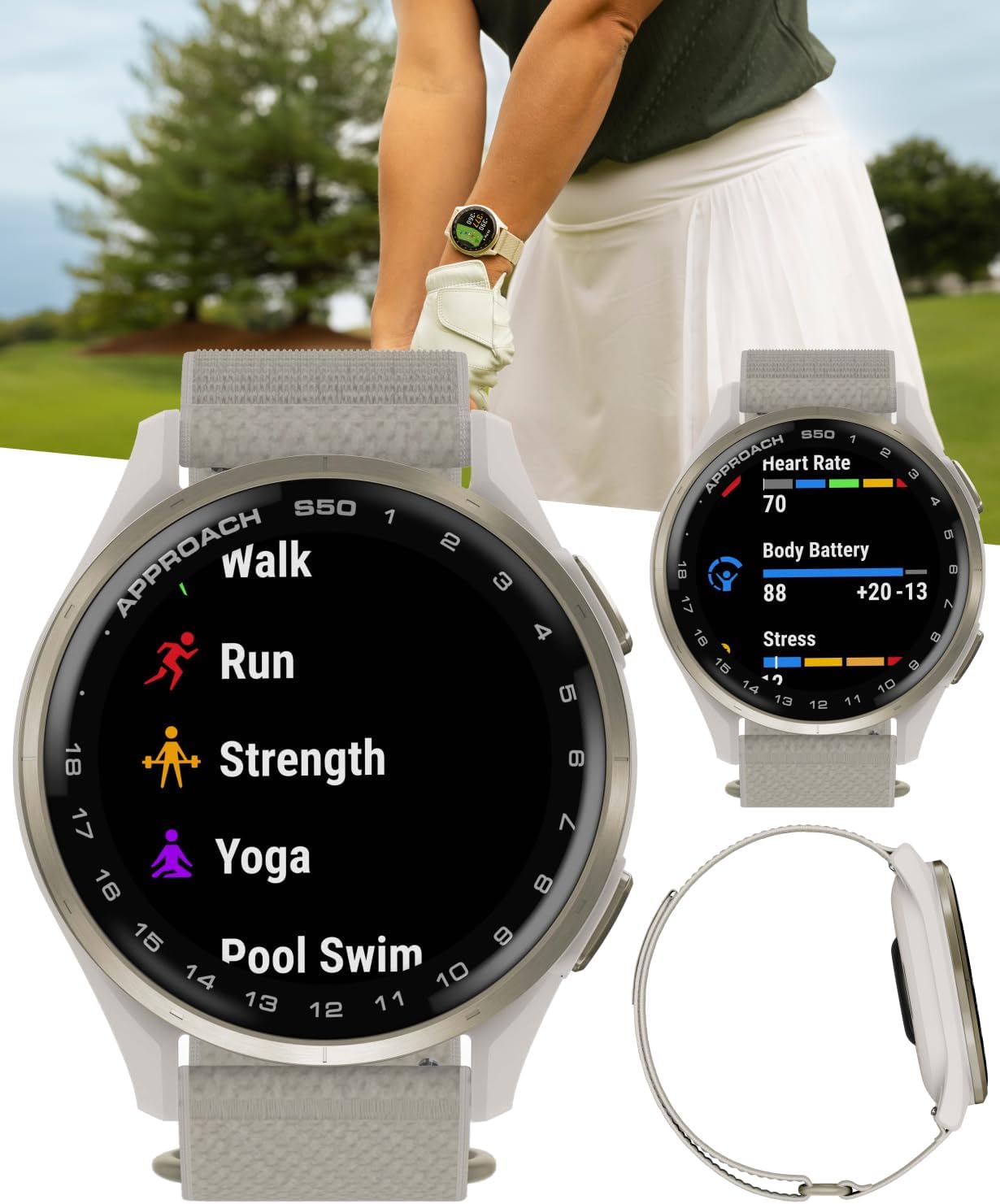
Image: The Approach S50 displaying a list of activity profiles including Walk, Run, Strength, Yoga, and Pool Swim.
Funkce pro zdraví a wellness
Monitor your health with wrist-based heart rate, stress tracking, Body Battery energy monitoring, and advanced sleep monitoring. These features provide insights into your overall well-being and recovery.

Image: The Approach S50 displaying various health metrics such as heart rate, Body Battery, and stress levels.
Další funkce
- Garmin Pay: Make contactless payments with a supported payment card.
- Hudba: Download songs and playlists from Spotify or Deezer (subscription may be required) for offline listening.
- Club Trackers: Pair with optional Approach CT1 or CT10 club trackers (sold separately) for shot-tracking capabilities.
Oficiální videa produktů
Garmin Approach S50 Advanced GPS Golf Smartwatch Overview
Garmin Approach S50 Features Demonstration
Údržba
Čištění zařízení
Regularly clean your watch to maintain optimal performance and appearance. Use a soft, lint-free cloth to wipe the screen and casing. Pro odolné nečistoty použijte mírněamp Lze použít hadřík. Vyhněte se agresivním chemikáliím nebo abrazivním materiálům.
Péče o baterie
To prolong battery life, avoid exposing the watch to extreme temperatures. Charge the device regularly, but avoid leaving it fully discharged for extended periods. The battery life is up to 10 days in smartwatch mode and up to 15 hours in GPS mode.
Odstraňování problémů
Zařízení se nezapíná
- Ujistěte se, že je zařízení plně nabité. Připojte jej k nabíjecímu kabelu a zdroji napájení na dobu alespoň 30 minut.
- Proveďte měkký reset podržením tlačítka napájení po dobu 15 sekund.
Problémy se signálem GPS
- Ujistěte se, že se nacházíte v otevřeném prostoru s volným view z nebe.
- Sync your watch with the Garmin Golf app to update GPS satellite data.
Inaccurate Distances
- Verify that the correct course is selected.
- Ensure the watch has a strong GPS signal.
Power Bank Not Working
- Ensure the power bank itself is charged.
- Check the charging cable for damage and ensure it is properly connected.
Specifikace
| Funkce | Detail |
|---|---|
| Název modelu | Přiblížení S50 |
| Velikost obrazovky | 1.2 palců |
| Typ zobrazení | AMOLED |
| Technologie připojení | Bluetooth |
| Výdrž baterie (režim chytrých hodinek) | Až 10 dní |
| Výdrž baterie (režim GPS) | Až 15 hodin |
| Kapacita paměti | 4 GB |
| Podporovaný satelitní navigační systém | GPS |
| Přednačtené kurzy | 43,000+ |
| Hmotnost položky | 4.8 unce |
| Rozměry položky (D x Š x V) | 1.7 cm D x 0.43 cm Š x 1.7 cm V |
| Operační systém | Operační systém Garmin |
Záruka a podpora
Informace o záruce
This product is covered by a limited warranty provided by Garmin. For detailed warranty terms and conditions, please refer to the official Garmin webmísto:
Garmin Consumer Limited Warranty
Zákaznická podpora
For technical assistance, product inquiries, or service, please visit the Garmin support website or contact their customer service department. Refer to the documentation included in your product box for specific contact details.
Ask a question about this manual
Ask about setup, troubleshooting, compatibility, parts, safety, or missing instructions. Manuals+ will review the question and use this page’s manual context to help answer it.