
Zavedení
Welcome to the HP OmniDesk Desktop PC M02-0340 user manual. This document provides essential information to help you set up, operate, and maintain your new desktop computer. Please read this manual thoroughly to ensure optimal performance and longevity of your device.

Nadview of the HP OmniDesk Desktop PC M02-0340, showcasing its AMD Ryzen 7 8700G processor, AMD Radeon 780M Graphics, 16 GB RAM, 512 GB SSD, Wi-Fi 6, Bluetooth 5.4, and Windows 11 operating system.
Průvodce nastavením
Follow these steps to set up your HP OmniDesk Desktop PC.
1. Vybalení a obsah balení
Opatrně vyjměte všechny součásti z obalu. Zkontrolujte, zda jsou přítomny všechny níže uvedené položky.

Image showing the HP OmniDesk Desktop PC, HP black wireless keyboard, HP black wireless mouse, 280 W 80 Plus Platinum certified power supply, and setup instructions included in the box.
- HP OmniDesk Desktop PC M02-0340
- HP Black Wireless Keyboard
- HP Black Wireless Mouse
- 280 W 80 Plus Platinum Certified Power Supply
- Pokyny pro nastavení
2. Připojení periferií
Connect your monitor, keyboard, mouse, and other devices to the appropriate ports on the desktop PC.

Detailed diagram illustrating the front and rear ports of the HP OmniDesk Desktop PC. Front ports include a headphone/microphone combo jack, USB Type-A 5Gbps, USB Type-A 10Gbps, USB Type-C 5Gbps, and USB Type-C 10Gbps. Rear ports include 4 USB 2.0 Type-A, 1 RJ-45 (Ethernet), 1 HDMI Out, and 1 DisplayPort 1.4.
- Monitor: Connect your monitor to the HDMI Out or DisplayPort 1.4 on the rear of the PC.
- Klávesnice a myš: The included wireless keyboard and mouse connect via a USB receiver. Insert the receiver into any available USB Type-A port.
- Moc: Connect the power supply to the PC and then to a wall outlet.
- Síť: For a wired connection, connect an Ethernet cable to the RJ-45 port. For wireless, ensure your Wi-Fi network is available during initial setup.
3. Počáteční zapnutí
Press the power button located on the front of the desktop. Follow the on-screen instructions to complete the Windows 11 Home setup process.
Návod k obsluze
Your HP OmniDesk Desktop PC is designed for efficient daily productivity and immersive experiences.
Výkon systému
The PC is equipped with an AMD Ryzen 7 8700G processor and 16 GB DDR5 RAM, providing responsive multitasking and fast loading times. The 512 GB PCIe Gen4 NVMe M.2 SSD ensures quick data access and system boot-up.

A user engaged in work on the HP OmniDesk Desktop PC, illustrating the system's capability for productivity tasks and highlighting the quick access to Microsoft Copilot for AI assistance.
Grafika a displej
Experience impressive visual fidelity with the integrated AMD Radeon 780M Graphics. The system supports up to four displays, allowing for enhanced productivity and immersive computing environments.
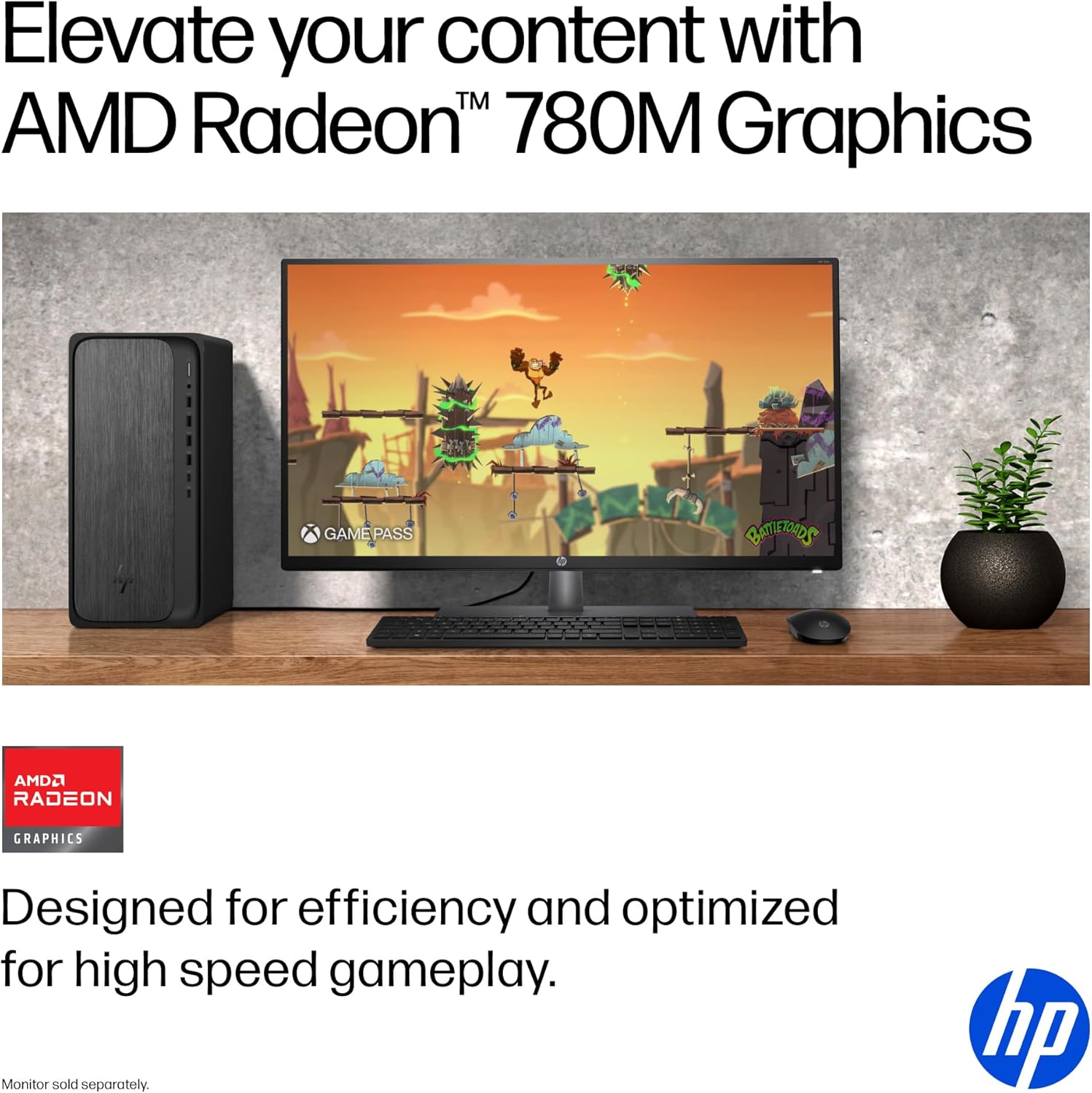
The HP OmniDesk Desktop PC displaying a high-definition game, demonstrating the capabilities of its AMD Radeon 780M Graphics for entertainment and gaming.

A user working efficiently with multiple monitors connected to the HP OmniDesk Desktop PC, showcasing its quad display support for enhanced multitasking.
Konektivita
The PC features Wi-Fi 6 and Bluetooth 5.4 for fast and reliable wireless connections. A variety of USB ports (Type-A and Type-C) are available for connecting external devices.
Funkce softwaru
- Windows 11 Home: Provides a modern and intuitive operating system experience.
- Microsoft Copilot: Integrated AI assistance to boost productivity and creativity.
- PC Game Pass: Includes 3 months of PC Game Pass for access to a library of games.
- MyHP: A dedicated application to customize, optimize, and secure your device.
Údržba
Proper maintenance ensures the longevity and optimal performance of your HP OmniDesk Desktop PC.
Obecná péče
- Čištění: Use a soft, dry cloth to clean the exterior of the PC. For stubborn marks, lightly dampOpláchněte hadřík vodou. Vyhněte se agresivním chemikáliím.
- Větrání: Ensure the PC's ventilation openings are clear of obstructions to prevent overheating.
- Aktualizace softwaru: Regularly update your Windows operating system and drivers to maintain security and performance.
Ohledy na životní prostředí
The HP OmniDesk Desktop PC is designed with sustainability in mind, incorporating recycled materials and holding EPEAT Gold with Climate+ and ENERGY STAR certifications.

The HP OmniDesk Desktop PC, highlighting its construction with 20% recycled metal and 50% post-consumer recycled plastic, along with EPEAT Gold with Climate+ and ENERGY STAR certifications.
Odstraňování problémů
This section addresses common issues you might encounter with your HP OmniDesk Desktop PC.
Žádná síla
- Ujistěte se, že je napájecí kabel bezpečně připojen k počítači i k funkční elektrické zásuvce.
- Ověřte funkčnost elektrické zásuvky zapojením jiného zařízení.
- Zkontrolujte napájecí jednotku, zda nesvítí nějaké kontrolky.
Žádné zobrazení na monitoru
- Confirm the monitor is powered on and its video cable is securely connected to the PC's HDMI or DisplayPort.
- Zkuste připojit monitor k jinému video výstupnímu portu na počítači, pokud je k dispozici.
- Vyzkoušejte monitor s jiným zařízením nebo, pokud je to možné, použijte jiný kabel.
Periferní zařízení nereaguje
- For wireless devices (keyboard/mouse), ensure the USB receiver is properly inserted and the device batteries are charged.
- Zkuste připojit periferní zařízení k jinému USB portu.
- Restartujte počítač.
Zpomalení systému
- Zavřete nepotřebné aplikace běžící na pozadí.
- Zkontrolujte a nainstalujte všechny čekající aktualizace systému Windows.
- Ensure your storage drive is not full.
Specifikace
Detailed technical specifications for the HP OmniDesk Desktop PC M02-0340.

Image illustrating the physical dimensions of the HP OmniDesk Desktop PC: 13.27 inches (length), 6.10 inches (width), and 12.40 inches (height).
| Funkce | Detail |
|---|---|
| Číslo modelu | M02-0340 (SKU: B5RV7AA#ABA) |
| Procesor | AMD Ryzen 7 8700G (5.1 GHz) |
| BERAN | 16 GB DDR5 (5200 MHz) |
| Skladování | 512GB PCIe Gen4 NVMe M.2 SSD |
| Grafika | Grafická karta AMD Radeon 780M (integrovaná) |
| Operační systém | Windows 11 Home |
| Bezdrátové připojení | Wi-Fi 6 (802.11ax), Bluetooth 5.4 |
| Porty (přední) | Kombinace sluchátek/mikrofonu, USB typu A 5 Gb/s, USB typu A 10 Gb/s, USB typu C 5 Gb/s, USB typu C 10 Gb/s |
| Porty (zadní) | 4x USB 2.0 typu A, 1x RJ-45, 1x HDMI výstup, 1x DisplayPort 1.4 |
| Rozměry (DxŠxV) | 13.27 x 6.1 x 12.4 palce |
| Hmotnost položky | 11.78 libry |
| Barva | Gray wood, jack black chassis |
| Napájení | 280 W, certifikace 80 Plus Platinum |
Záruka a podpora
Your HP OmniDesk Desktop PC M02-0340 comes with comprehensive support.
Informace o záruce
This HP computer includes a 1letá omezená záruka na hardware. Tato záruka se vztahuje na vady materiálu a zpracování při běžném používání.
Technická podpora
You are provided with Omezená technická podpora po dobu 1 roku for software and initial setup assistance. For further support, please visit the official HP support webwebu nebo se obraťte na zákaznický servis HP.
For the most current support information, drivers, and troubleshooting guides, please visit the Podpora HP Webmísto.