
1. Úvod
Thank you for choosing the SIXTOP 1 DIN Car Radio. This manual provides essential information for the safe and efficient operation of your new car audio system. Please read it thoroughly before installation and use, and keep it for future reference.
2. Bezpečnostní informace
- Zajistěte správnou instalaci kvalifikovaným odborníkem, aby nedošlo k poškození jednotky nebo vozidla.
- Neobsluhujte jednotku způsobem, který by vás odváděl od řízení.
- Nevystavujte jednotku extrémním teplotám, přímému slunečnímu záření nebo vlhkosti.
- Používejte pouze uvedený objemtage (10V-14.4V) for power supply.
- Disconnect the car battery's negative terminal before installation to prevent electrical shorts.
3. Obsah balení
Ověřte, zda jsou v krabici přítomny všechny položky:
- SIXTOP 1 DIN Car Radio Unit
- Napájecí kabel
- Speaker Cable
- Dálkové ovládání
- Uživatelská příručka (tento dokument)
- Paměťová karta (64 GB)

Image: Contents of the package, including the radio unit and accessories.
4. Konec produktuview
The SIXTOP 1 DIN Car Radio is designed to fit standard single DIN openings. It features a VALCD display and various input options for a versatile audio experience.
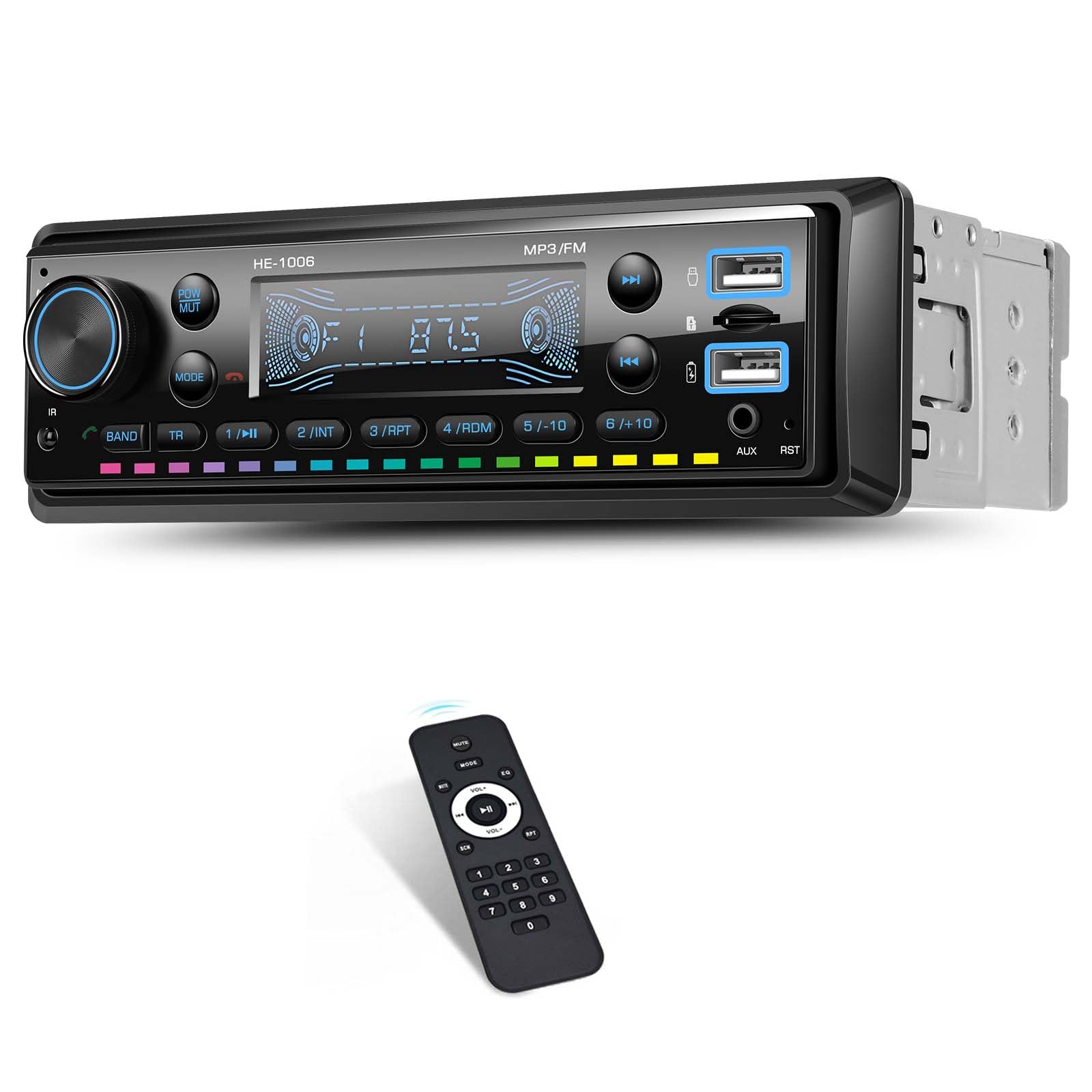
Image: Front panel of the car radio.
Ovládací prvky a porty na předním panelu
- Tlačítko napájení/ztlumení: Press to turn on/off, short press to mute/unmute.
- Knoflík hlasitosti: Rotate to adjust volume. Press to cycle through modes (FM, BT, USB, AUX, TF).
- Tlačítko pásma: Selects radio bands (FM1, FM2, FM3).
- TR Button: Track selection / Seek.
- USB porty: Two USB ports for media playback and charging.
- Vstup AUX: 3.5mm jack pro externí audio zařízení.
- Slot na kartu TF: For TF card media playback.
- Tlačítko Reset (RST): Small button to reset the unit (requires a pointed object).
5. Nastavení a instalace
Proper installation is crucial for optimal performance and safety. It is recommended to have the unit installed by a professional.
Připojení kabeláže
Refer to the wiring diagram provided in the package. Ensure all connections are secure and correctly matched to your vehicle's wiring harness. The unit includes intelligent wiring protection that cuts power if cables are reversed, preventing damage.

Image: Wiring protection feature. Incorrect wiring (top) results in power failure protection, while correct wiring (bottom) ensures normal operation.
Klíčová spojení:
- Napájecí kabel: Připojte k napájení vozidla (konstantní 12 V, příslušenství 12 V a uzemnění).
- Reproduktorový kabel: Connect to your vehicle's speakers. Ensure correct polarity.
- Anténa: Připojte FM anténu vašeho auta.
- Vstup AUX: Pro externí audio zdroje.
6. Návod k obsluze
Zapnutí/vypnutí
Stiskněte tlačítko POW/MUT button to turn the unit on or off. A short press will mute or unmute the audio.
Provoz FM rádia
Stiskněte tlačítko MODE button until 'FM' is displayed. Use the KAPELA button to switch between FM1, FM2, and FM3 bands. Use the seek buttons (TR) to automatically search for stations. You can manually tune by holding the seek buttons.

Image: FM Radio function showing frequency display.
Funkce Bluetooth
The unit supports Bluetooth version 5.0 for wireless music streaming and hands-free calls.
- Párování: Ensure Bluetooth is enabled on your mobile device. Select 'BT' mode on the car radio. Hledat available devices on your phone and select 'CAR BT' or similar. Enter '0000' if a PIN is required.
- Přehrávání hudby: Once paired, you can stream audio from your device to the car radio. Use the radio's controls or your phone to play/pause and skip tracks.
- Hands-free volání: When a call comes in, the radio will display the caller ID. Press the answer button on the radio or remote to accept. Use the built-in microphone for communication.
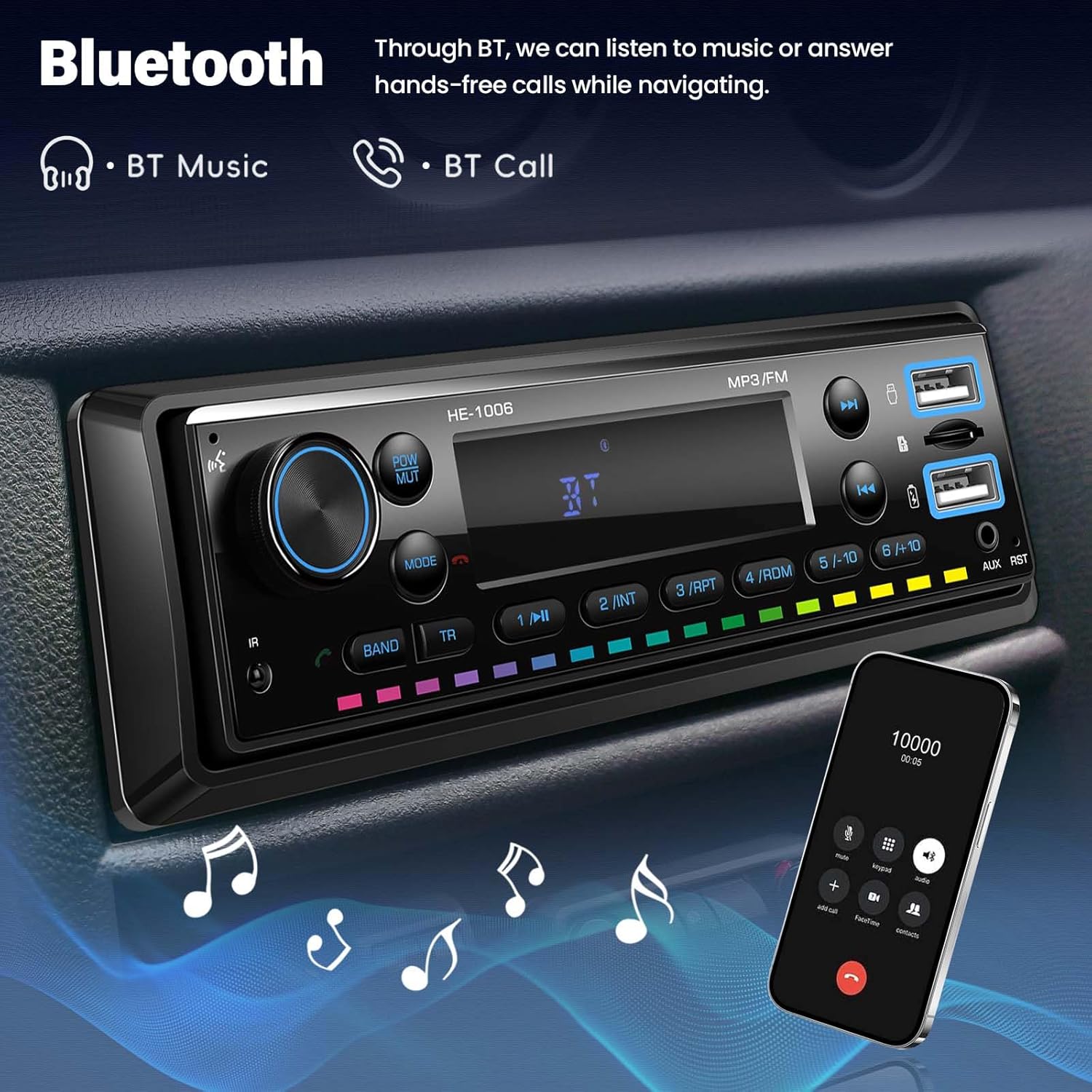
Image: Bluetooth functionality for music and calls.
Přehrávání USB/TF karty
Insert a USB drive or TF card into the respective slot. The unit will automatically switch to USB or TF mode and begin playing compatible audio files (MP3/WMA/WAV/FLAC).

Image: Multiple playback options including USB, TF card, and AUX input.
Vstup AUX
Connect an external audio device (e.g., smartphone, MP3 player) to the 3.5mm AUX input jack using an audio cable. Press the MODE button until 'AUX' is displayed. Audio will play from your connected device.
USB nabíjení
The USB port supports charging with true 3A current, 9V voltage, and 25W fast charging. It automatically detects 5V and 9V devices.
Image: USB charging feature in use.
7-Color Key Light
The button backlights can cycle through 7 colors: Red, Green, Blue, Yellow, Cyan, Purple, and White. This setting can usually be adjusted through the menu options (refer to the detailed menu guide in the full manual if available).

Image: 7-Color Key Light feature.
Dálkové ovládání
The included remote control allows convenient operation of the radio from a distance, including power, volume, mode selection, and track control.
7. Údržba
To ensure the longevity and optimal performance of your car radio, follow these simple maintenance guidelines:
- Čištění: K čištění povrchu jednotky použijte měkký, suchý hadřík. V případě odolných nečistot použijteampen the cloth slightly with water. Avoid harsh chemicals or abrasive cleaners.
- Vyhněte se tekutinám: Nevylévejte tekutiny na jednotku.
- Teplota: Operate the unit within the specified temperature range (-10 to 60 °C).
- Spojení: Pravidelně kontrolujte všechna kabelová připojení, abyste se ujistili, že jsou bezpečná.
8. Řešení problémů
| Problém | Možná příčina | Řešení |
|---|---|---|
| Žádná síla | Nesprávné zapojení; Spálená pojistka; Uvolněné spojení | Check power cable connections; Check vehicle's fuse box; Ensure all wires are secure. |
| Žádný zvuk | Příliš nízká hlasitost; Aktivováno ztlumení; Nesprávné zapojení reproduktorů | Increase volume; Press MUTE button; Check speaker connections and polarity. |
| Bluetooth se nepřipojuje | Bluetooth not enabled on phone; Incorrect pairing; Interference | Ensure phone's Bluetooth is on; Re-pair the device; Move closer to the unit. |
| USB/TF karta nepřehrává | Nepodporováno file formát; Karta/mechanika nebyla správně vložena; Poškozeno files | Zajistit files are MP3/WMA/WAV/FLAC; Reinsert card/drive; Try a different card/drive. |
| Slabý příjem rádia | Weak signal; Antenna not connected; Interference | Check antenna connection; Move to an area with better signal; Avoid sources of interference. |
9. Specifikace
| Funkce | Specifikace |
|---|---|
| Číslo modelu | 769256238482 |
| Výrobce | SIXTOP |
| Zobrazit materiál | VALCD |
| Výstupní výkon | 4 x 45 W (Amplifier: 7388) / 180 Watts (Total) |
| Provozní svtage | 10 V - 14.4 V |
| Rádiová frekvence | 87.5 - 108 MHz (FM Band) |
| Provozní teplota | -10 až 60 °C |
| Podpora formátu zvuku | MP3/WMA/WAV/FLAC |
| Verze Bluetooth | 5.0 |
| Mikrofon | Supported (Built-in) |
| Formát videa | Není podporováno |
| Formát obrázku | Není podporováno |
| Podpora TF karet | Ano |
| Vstup AUX | Yes (3.5mm Jack) |
| USB nabíjecí výstup | Yes (3A, 9V, 25W Fast Charging) |
| Barevná světla | 7-Color Key Light |
| Kontrolní metoda | Manual Control, Remote Control |
| Režim zvukového výstupu | Stereo (2.0 or 2.1 channels) |
10. Záruka a podpora
SIXTOP is committed to providing quality products and customer satisfaction.
- Záruka: 2 Years repair or replacement.
- Vrácení: 30-Day replacement policy.
- Služby zákazníkům: 18-hour online response for inquiries.
- Technická podpora: Je poskytována doživotní technická podpora.
For any questions or support needs, please contact SIXTOP customer service through the platform where you purchased the product or via the contact information provided with your purchase.