
1. Úvod
This manual provides essential information for the proper use and maintenance of your BNCF Bpad 10 Android 14 Tablet. Please read it thoroughly before operating your device to ensure optimal performance and longevity. The Bpad 10 is designed for a seamless user experience, powered by a Snapdragon 685 processor and running Android 14.
2. Obsah balení
Ověřte, zda jsou v balení produktu přítomny všechny níže uvedené položky:
- BNCF Bpad 10 Tablet
- Uživatelská příručka
- Charging Adapter (5V/2A)
- Type-C Cable (5V/2A)
- SIM Card Ejector Pin

Figure 2.1: Package Contents and Tablet Components Overview
3. Konec produktuview
The BNCF Bpad 10 features a sleek design with strategically placed components for ease of use.

Figure 3.1: BNCF Bpad 10 Tablet Front and Rear View
3.1 Fyzické komponenty
- Slot microSD: Pro rozšiřitelné úložiště.
- Port typu C: Pro nabíjení a přenos dat.
- Tlačítka hlasitosti: Upravte hlasitost zvuku.
- Vypínač: Zapnutí/vypnutí zařízení nebo zamknutí/odemknutí obrazovky.
- Řečníci: Dual stereo speakers for audio output.
- Mikrofon: Pro hlasový vstup.
- Zadní kamera: Hlavní fotoaparát pro fotografie a videa.
- Přední kamera: Pro videohovory a selfie.
4. Nastavení
4.1 Počáteční nabíjení
Before first use, fully charge your BNCF Bpad 10 tablet using the provided Type-C cable and charging adapter. Connect the Type-C cable to the tablet's charging port and the adapter to a power outlet. The charging indicator will show the charging status.
4.2 Zapnutí/vypnutí
- Zapnutí: Press and hold the Power Button until the BNCF logo appears on the screen.
- Vypnutí: Press and hold the Power Button until the power options menu appears, then select 'Power Off'.
- Restartovat: Press and hold the Power Button until the power options menu appears, then select 'Restart'.
4.3 Počáteční konfigurace
Upon first power-on, the tablet will guide you through the initial setup process. This includes selecting your language, connecting to a Wi-Fi network, setting up your Google account, and configuring security options like facial recognition.
5. Návod k obsluze
5.1 Funkce Androidu 14
Your Bpad 10 runs on Android 14, offering enhanced multitasking, security, and user-friendly features:
- Rozpoznávání obličeje: Securely unlock your device using your face.
- Rozdělená obrazovka: Use two applications simultaneously by dividing the screen.
- Smart Projection: Přeneste obrazovku tabletu na kompatibilní externí displeje.
- Snímek obrazovky třemi prsty: Capture screenshots quickly by swiping down with three fingers.
- Rodičovská kontrola: Manage and monitor device usage for children.
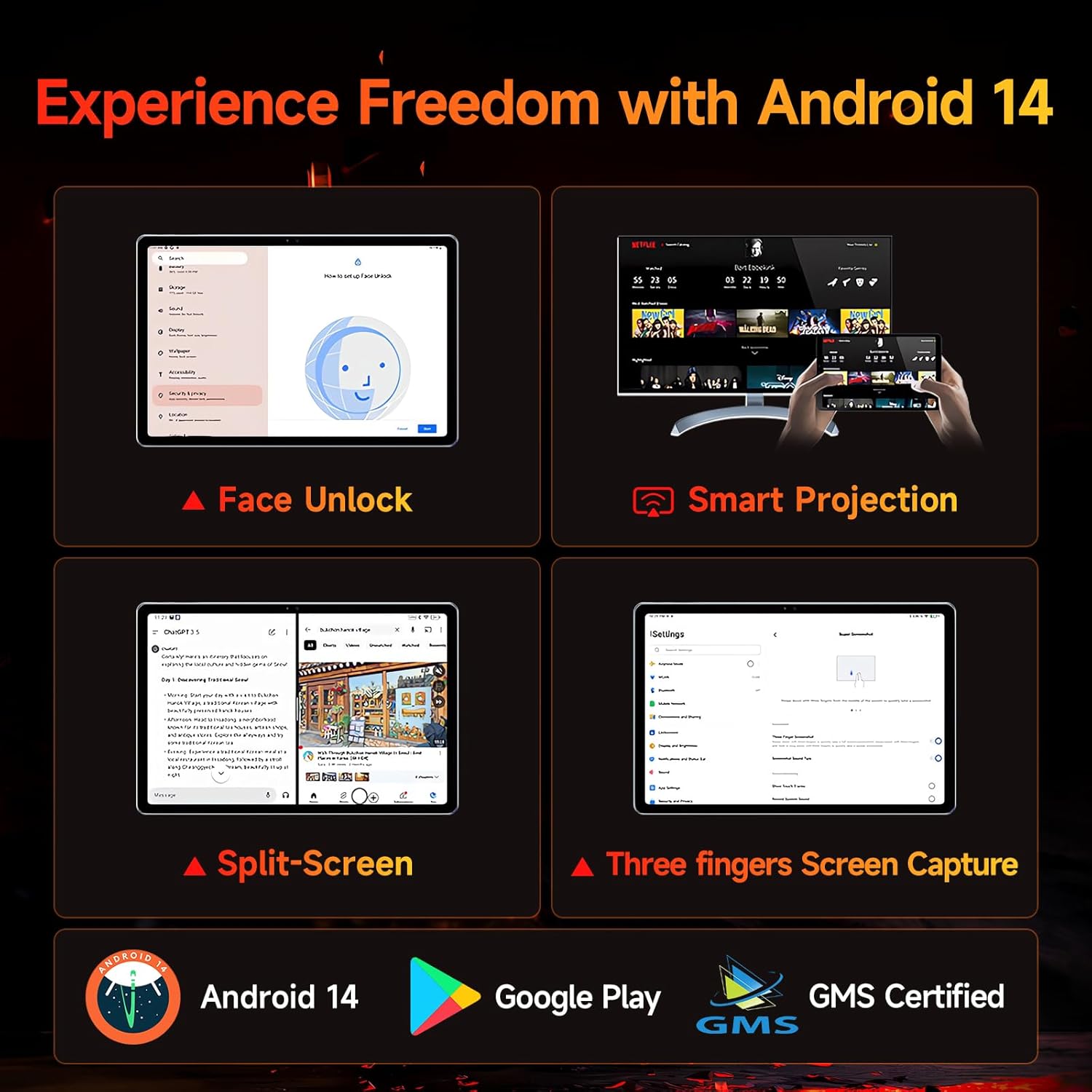
Figure 5.1: Android 14 User Interface and Features
5.2 Výkon
The Bpad 10 is equipped with a 6nm Snapdragon 685 processor (2.8GHz) and Adreno 610 GPU, ensuring efficient performance for various tasks. A 6-Axis Gyro Sensor enhances gaming and video recording stability.

Obrázek 5.2: Podrobnosti o procesoru Snapdragon 685
5.3 Displej a zvuk
Experience clear visuals and immersive sound with the Bpad 10:
- Zobrazit: 10.1-inch FHD IPS screen with 1920x1200 resolution and a 60Hz refresh rate. It features 400 Nits brightness and Incell technology for improved touch accuracy.
- Široká vine L1: Supports HD streaming on platforms like Netflix and Prime Video.
- Zvuk: Dual stereo speakers provide a cinematic audio experience.

Figure 5.3: Display and Widevine L1 Capabilities
5.4 Kamery
The tablet is equipped with 5MP front and 5MP rear cameras, suitable for capturing photos, 4K videos, and conducting HD video calls.
5.5 Konektivita
Zůstaňte ve spojení s následujícími funkcemi:
- Wi-Fi: Supports 2.4G/5G dual-band Wi-Fi for stable internet access.
- Bluetooth 5.0: Pro připojení bezdrátového příslušenství.
- GPS: Pro navigační a lokalizační služby.
- Hallův senzor: Enables smart on/off functionality with compatible covers.
5.6 Skladování a baterie
The Bpad 10 offers ample storage and long-lasting power:
- BERAN: 12 GB (4 GB fyzické + 8 GB virtuální) pro plynulý multitasking.
- ROM: 128GB UFS storage, expandable up to 1TB via MicroSD card.
- Baterie: 6500mAh battery supporting 18W PD fast charging for extended use.

Figure 5.4: Storage and Battery Specifications
6. Údržba
To ensure the longevity and optimal performance of your BNCF Bpad 10 tablet, follow these maintenance guidelines:
- Čištění: K čištění obrazovky a těla přístroje používejte měkký hadřík, který nepouští vlákna. Nepoužívejte abrazivní materiály ani agresivní chemikálie.
- Teplota: Operate the tablet within recommended temperature ranges. Avoid extreme heat or cold.
- Vystavení vodě: Keep the tablet away from water and high humidity. It is not waterproof.
- Skladování: Store the tablet in a dry, cool place when not in use.
- Aktualizace softwaru: Pravidelně kontrolujte a instalujte aktualizace systému, abyste zajistili vylepšení zabezpečení a výkonu.
7. Řešení problémů
If you encounter issues with your BNCF Bpad 10, refer to the following common troubleshooting steps:
| Problém | Možné řešení |
|---|---|
| Tablet se nezapne | Ujistěte se, že je baterie nabitá. Připojte nabíječku a před opětovným zapnutím počkejte několik minut. Pokud zařízení nereaguje, proveďte vynucený restart podržením tlačítka napájení po dobu 10–15 sekund. |
| Pomalý výkon | Close unnecessary background applications. Clear cache for frequently used apps. Restart the tablet. Ensure sufficient storage space is available. |
| Problémy s připojením Wi-Fi | Restartujte Wi-Fi router. Zapomeňte na síť v tabletu a znovu se připojte. Ujistěte se, že je tablet v dosahu signálu Wi-Fi. |
| Obrazovka nereaguje | Restart the tablet. Ensure the screen is clean and free from moisture or debris. |
| Baterie se rychle vybíjí | Reduce screen brightness. Close background apps. Disable unused features like Bluetooth or GPS. Check for apps consuming excessive power in battery settings. |
8. Specifikace
Key technical specifications for the BNCF Bpad 10 tablet:
| Funkce | Specifikace |
|---|---|
| Velikost obrazovky | 10.1 palce |
| Rozlišení obrazovky | 1920 x 1200 pixelů (FHD) |
| Operační systém | Android 14 |
| Procesor | Qualcomm Snapdragon 685 (2.8GHz) |
| BERAN | 12 GB (4 GB + 8 GB virtuální) |
| Velikost paměti Flash | 128 GB UFS (Expandable to 1TB) |
| Kamery | Přední 5 MP, zadní 5 MP |
| Kapacita baterie | 6500 XNUMX mAh |
| Nabíjení | Rychlé nabíjení 18W PD |
| Bezdrátový typ | 802.11b/g (2.4G/5G WiFi), Bluetooth 5.0 |
| Hmotnost položky | 1.07 libry (cca 485 g) |
| Rozměry produktu | 7.9 x 4.9 x 0.3 palců (přibližně 20.1 x 12.4 x 0.76 cm) |
| Barva | Šedá |
9. Záruka a podpora
BNCF is committed to providing quality products and customer satisfaction.
9.1 Záruční politika
BNCF offers a one-year warranty for its products. For tablets purchased from the BNCF Official Flagship Store, customers benefit from a 12-month free repair warranty and lifetime technical support.
9.2 Zákaznická podpora
If you encounter any issues or have inquiries regarding your BNCF Bpad 10 tablet, please contact BNCF customer service. You can expect a response within 24 hours. They can assist with troubleshooting, returns, or exchange services.
- Kontakt: Please refer to the contact information provided on the BNCF official webweb nebo vaše nákupní platforma.
- Nejčastější dotazy:
- Are you specialized in tablets? Yes, BNCF is dedicated to designing and manufacturing innovative tablets, prioritizing quality, performance, and user experience.
- Jaké jsou zásady RMA pro tento tablet? We offer a one-year warranty. You can expect a response from us within 24 hours for any issues or inquiries.
- Pokud jsou s mými produkty problémy, co mám dělat? Please leave us a message, and we will use our expertise to solve the problem for you, or provide a return or exchange service.