
1. Úvod
Welcome to the user manual for your new BNCF Bpad Mini Tablet. This 8.4-inch tablet, powered by the Snapdragon 685 processor and running Android 14, is designed for versatile use, from entertainment to productivity. This manual provides essential information on setting up, operating, maintaining, and troubleshooting your device to ensure optimal performance and a seamless user experience.

Obrázek: Přední strana view of the BNCF Bpad Mini Tablet showcasing its main features like Snapdragon 685, 8.4-inch FHD display, Android 14, 6050mAh battery, and 16GB+128GB memory.
2. Co je v krabici
Upon unboxing your BNCF Bpad Mini Tablet, please ensure all the following items are present:
- BNCF Bpad Mini Tablet
- Uživatelská příručka
- Charge (5V/2A)
- Kolíček pro vysunutí SIM karty
- Type-C (5V/2A) Cable
- Dárková krabička
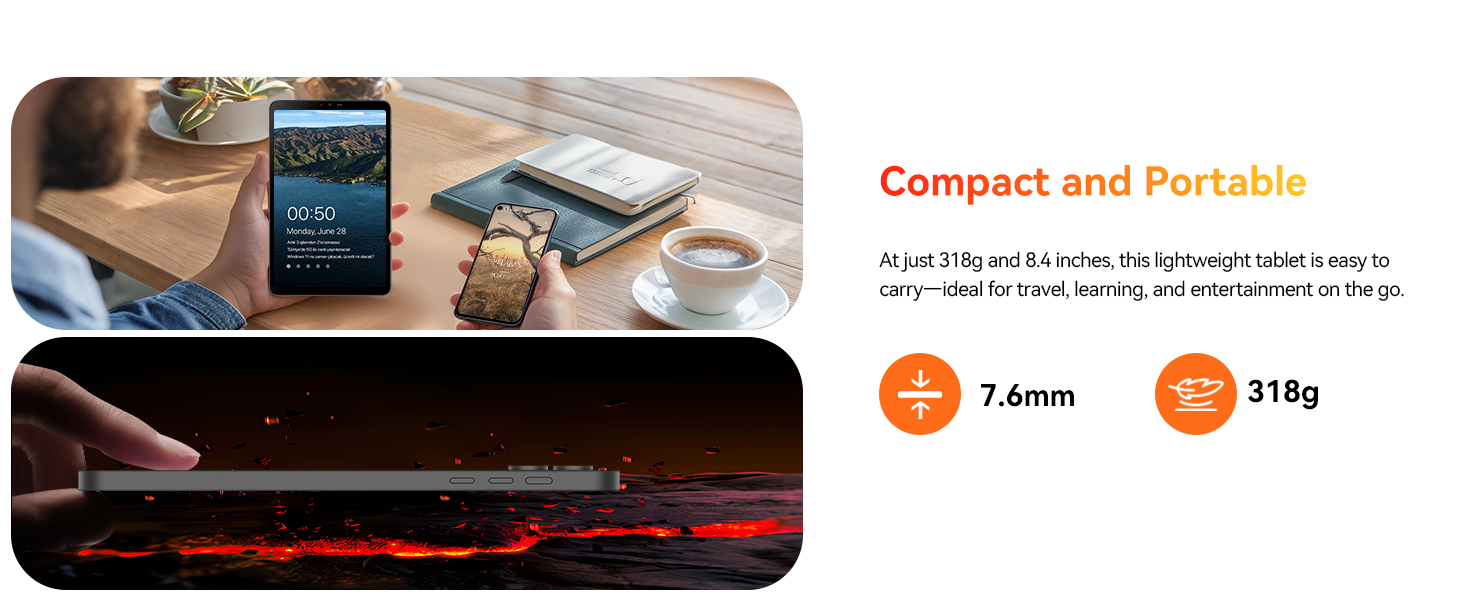
Image: A visual representation of the tablet and its included accessories, such as the charger, USB-C cable, SIM ejector tool, and user manual.
3. Vlastnosti produktu
The BNCF Bpad Mini Tablet is equipped with advanced features for a superior user experience:
3.1. Snapdragon 685 & Android 14
Powered by the 6nm Snapdragon 685 (2.8GHz), the Bpad Mini tablet ensures smooth performance, low power consumption, and extended battery life. Android 14 enhances multitasking, security, and features like facial recognition, split-screen, smart projection, three-finger screenshot, and parental controls.

Obrázek: Podrobný view of the Snapdragon 685 processor, highlighting its 2.8GHz clock speed, 6nm process, Adreno 610 GPU, and 6-Axis Gyro Sensor.
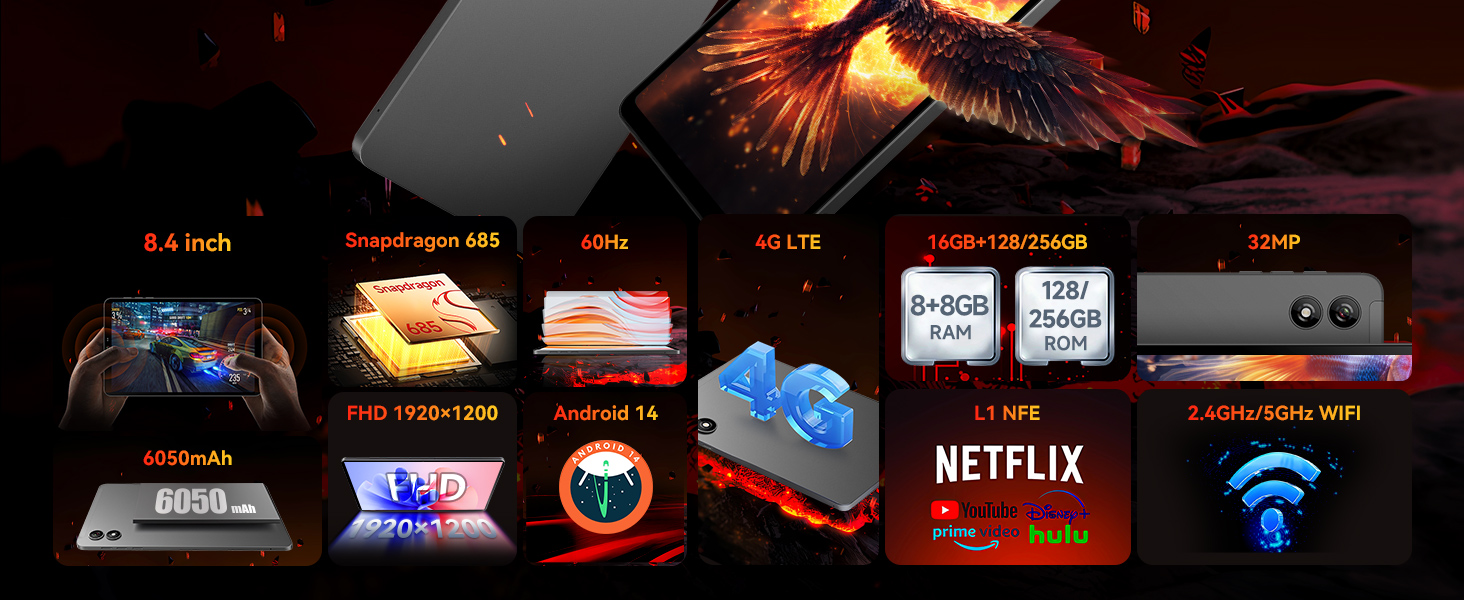
Image: Visual representation of Android 14's key functionalities such as Face Unlock, Smart Projection, Split-Screen, and Three-finger Screen Capture, emphasizing GMS certification and Google Play support.
3.2. 8.4" FHD IPS & Widevine L1
Weighing only 310g, this 8.4" tablet features Incell technology for improved touch accuracy and response. The 1920x1200 resolution with Widevine L1 supports HD streaming on Netflix and Prime Video. Dual speakers deliver immersive audio for work and entertainment.

Image: The tablet's display specifications, including 1920x1200 FHD resolution, 60Hz refresh rate, 350 Nits brightness, IPS Incell screen, and Widevine L1 certification for HD streaming.

Image: Illustrates the difference between Widevine L1 (1080P) and L3 (720P) certification, highlighting the tablet's L1 support for high-definition video streaming on popular platforms.
3.3. 5MP+32MP Dual Cameras
Equipped with 5MP and 32MP cameras, this tablet captures high-quality photos, 4K videos, and HD video calls. Ideal for selfies, content creation, and streaming. Sensors like a gyroscope and light sensor enhance the experience while optimizing power consumption.
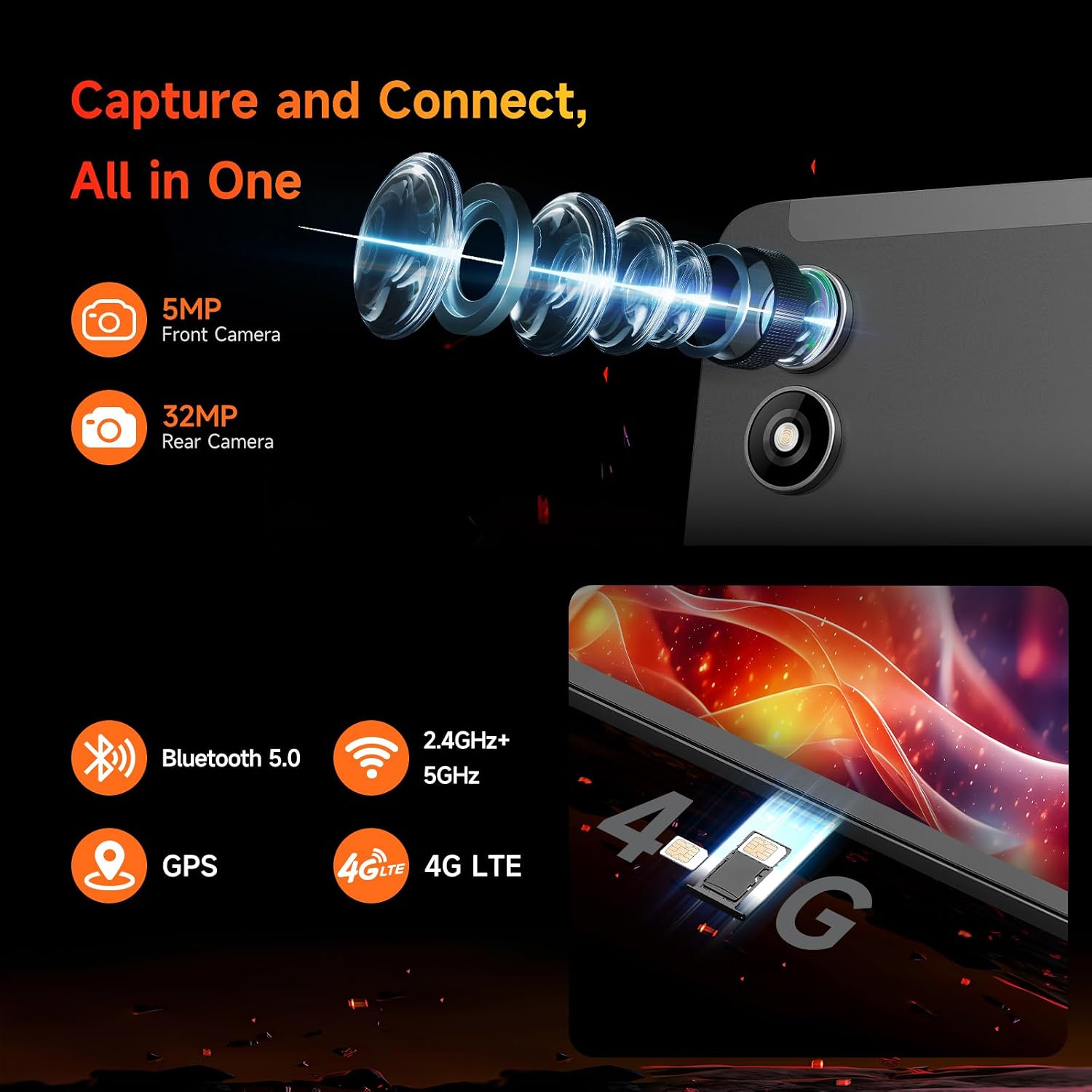
Obrázek: Detail view of the tablet's 5MP front camera and 32MP rear camera, emphasizing their capability for capturing high-resolution images and videos.
3.4. 16GB RAM+128GB ROM & 6050mAh Battery
With 16GB (8+8GB) RAM and 128GB UFS storage (expandable to 1TB), this tablet ensures smooth performance. The 6050mAh battery supports 18W PD fast charging for extended use without worries.

Image: Visual representation of the tablet's ample storage (16GB RAM + 128GB ROM, expandable to 1TB) and its 6050mAh large-capacity battery with 18W PD fast charging support.
3.5. 4G LTE & GPS & BT 5.0
Bpad mini tablet supports dual-band WiFi, 4G LTE for connectivity without WiFi, Bluetooth 5.0 for seamless audio device pairing, and GPS for reliable navigation, making it perfect for entertainment, travel, and daily use.

Obrázek: Komplexní přehledview of the tablet's connectivity options, including 4G LTE, dual-band 2.4GHz/5GHz WiFi, Bluetooth 5.0, and GPS, along with its core specifications.
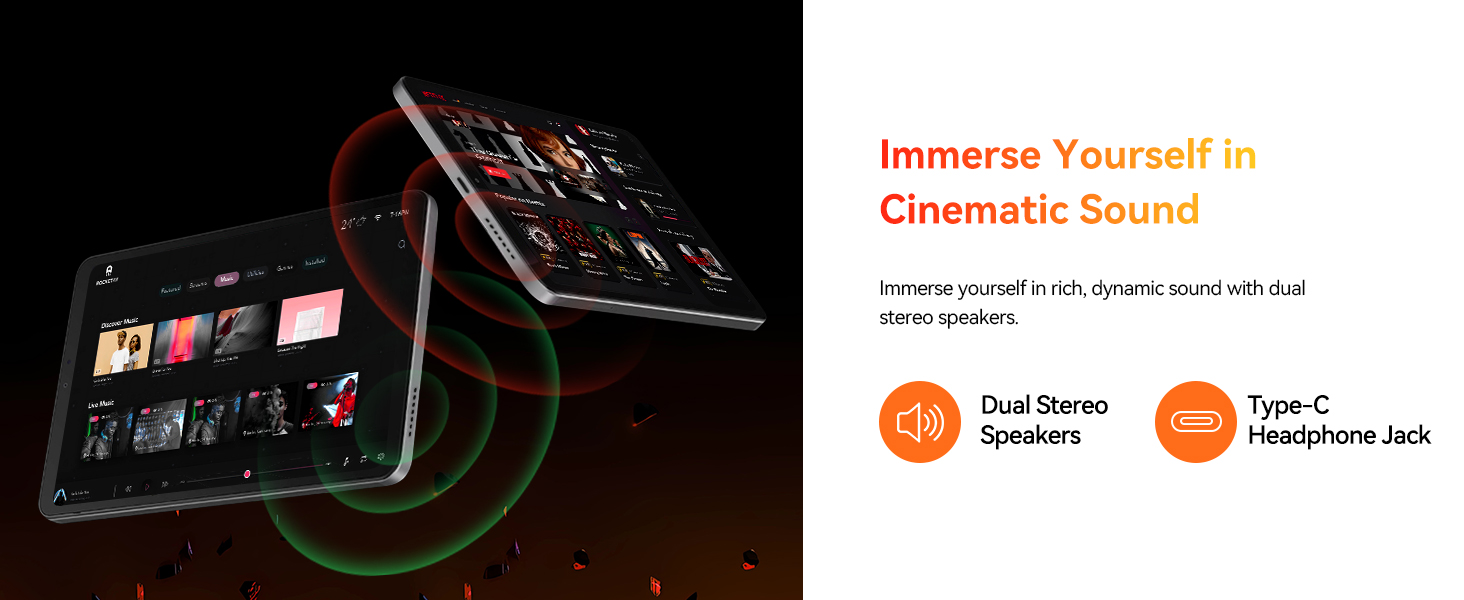
Image: Depicts the tablet's SIM card slots and lists supported 4G LTE bands (GSM, WCDMA, LTE-TDD, LTE-FDD), Bluetooth 5.0, 2.4GHz+5GHz WiFi, and GPS capabilities.
4. Průvodce nastavením
4.1. Počáteční nabíjení
Before first use, fully charge your tablet. Connect the provided Type-C cable to the tablet's charging port and the other end to the included power adapter. Plug the adapter into a wall outlet. The charging indicator will show the charging status. A full charge typically takes approximately 2 hours with the 18W fast charger.
4.2. Zapnutí/vypnutí
- Zapnutí: Press and hold the Power button on the side of the tablet until the BNCF logo appears on the screen.
- Vypnutí: Stiskněte a podržte tlačítko Napájení, dokud se nezobrazí nabídka možností napájení. Vyberte možnost „Vypnout“ a potvrďte.
- Restartovat: V nabídce možností napájení vyberte možnost „Restartovat“.
4.3. Počáteční konfigurace
Po prvním zapnutí vás tablet provede procesem počátečního nastavení. Ten zahrnuje:
- Výběr jazyka.
- Připojování k síti Wi-Fi.
- Přihlášení pomocí účtu Google (nebo vytvoření nového).
- Setting up screen lock (PIN, pattern, password, or face recognition).
- Reviewa přijetí obchodních podmínek.
5. Ovládání tabletu
5.1. Základní navigace
- Domovská obrazovka: Přejetím prstem doleva nebo doprava můžete procházet mezi domovskými obrazovkami.
- Zásuvka aplikace: Přejetím prstem od spodní části obrazovky nahoru zobrazíte všechny nainstalované aplikace.
- Oznámení a rychlé nastavení: Přejeďte prstem dolů z horní části obrazovky na view oznámení a přístup k rychlým nastavením (Wi-Fi, Bluetooth atd.).
- Nedávné aplikace: Tap the square navigation button (or swipe up and hold from the bottom if using gesture navigation) to see recently opened applications.
5.2. Správa aplikací
- Instalace aplikací: Stáhněte a nainstalujte aplikace z Obchodu Google Play.
- Odinstalace aplikací: Press and hold an app icon on the home screen or in the app drawer, then drag it to 'Uninstall' or select 'App info' and choose 'Uninstall'.
- Rozdělená obrazovka: For multitasking, use the split-screen feature by accessing recent apps and tapping the app icon at the top of the window, then selecting 'Split screen'.
5.3. Konektivita
- Wi-Fi: Go to Settings > Network & internet > Wi-Fi to connect to available networks. The tablet supports dual-band 2.4G/5G Wi-Fi.
- Bluetooth: Přejděte do Nastavení > Připojená zařízení > Bluetooth pro spárování se zařízeními Bluetooth, jako jsou sluchátka nebo reproduktory.
- 4G LTE: Insert a compatible SIM card into the tablet's SIM slot. Ensure your mobile data plan is active.
- GPS: The tablet has built-in GPS for navigation and location services. Ensure location services are enabled in Settings.
5.4. Použití fotoaparátu
Open the Camera app to capture photos and videos. Switch between the 5MP front camera and the 32MP rear camera. Utilize various modes and settings for optimal results.
6. Údržba
To ensure the longevity and optimal performance of your BNCF Bpad Mini Tablet, follow these maintenance guidelines:
- Péče o baterie: Avoid extreme temperatures. Do not let the battery completely drain frequently. Use the original charger for optimal charging.
- Čištění: K čištění obrazovky a těla přístroje používejte měkký hadřík, který nepouští vlákna. Nepoužívejte abrazivní materiály ani agresivní chemikálie.
- Aktualizace softwaru: Pravidelně kontrolujte a instalujte aktualizace systému, abyste zajistili, že váš tablet má nejnovější funkce, bezpečnostní záplaty a vylepšení výkonu. Přejděte do Nastavení > Systém > Aktualizace systému.
- Správa úložiště: Pravidelně odstraňujte nepotřebné files and uninstall unused apps to free up storage space and maintain smooth performance.
7. Řešení problémů
Zde jsou řešení běžných problémů, se kterými se můžete setkat:
| Problém | Řešení |
|---|---|
| Tablet se nezapne | Ensure the battery is charged. Connect to the charger for at least 30 minutes. If it still doesn't turn on, try holding the Power button for 10-15 seconds. |
| Problémy s připojením Wi-Fi | Restartujte Wi-Fi router. Zapomeňte na síť v tabletu a znovu se připojte. Ujistěte se, že jste v dosahu signálu Wi-Fi. |
| Pomalý výkon | Close unused apps. Clear cache for frequently used apps (Settings > Apps > [App Name] > Storage > Clear cache). Restart the tablet. Consider a factory reset if issues persist (back up data first). |
| Aplikace padá nebo zamrzávají | Update the app to its latest version. Clear the app's cache and data (Settings > Apps > [App Name] > Storage). Reinstall the app. |
| Tablet se nenabíjí | Check if the charging cable and adapter are securely connected and undamaged. Try a different compatible charger and cable. Clean the charging port gently. |
8. Specifikace
Detailed technical specifications for the BNCF Bpad Mini Tablet:
| Funkce | Specifikace |
|---|---|
| Značka | BNCF |
| Název modelu | AD8Z |
| Operační systém | Android 14 |
| Velikost obrazovky | 8.4 palce |
| Rozlišení obrazovky | 1920 x 1200 pixelů (FHD) |
| Procesor | Snapdragon 685 (2.8 GHz) |
| Značka procesoru | Qualcomm |
| Kapacita paměti | 16 GB RAM |
| Velikost paměti Flash | 128 GB (rozšiřitelné až na 1 TB) |
| Zadní WebRozlišení vačky | 32 MP |
| Přední WebRozlišení vačky | 5 MP |
| Bezdrátový typ | 802.11ax (Dual-band Wi-Fi), Bluetooth 5.0, 4G LTE |
| Hmotnost položky | 11.2 unce (přibližně 318 g) |
| Rozměry produktu | 7.9 x 4.9 x 0.3 palce |
| Barva | Šedá |
| Kapacita baterie | 6050 XNUMX mAh |
| Nabíjení | Rychlé nabíjení 18W PD |
9. Záruka a podpora
BNCF is committed to providing high-quality products and excellent customer service. We uphold rigorous standards from design to production, ensuring each product undergoes thorough quality checks.
9.1. Záruční podmínky
For tablets purchased from the BNCF Official Flagship Store, customers benefit from a 12měsíční záruka na bezplatnou opravuTato záruka se vztahuje na výrobní vady a zajišťuje, že vaše zařízení bude při běžném používání fungovat dle určení.
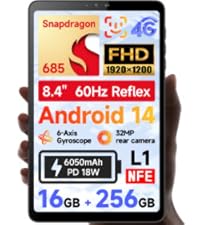
Image: BNCF One-Year Warranty & Support graphic, indicating commitment to quality and customer satisfaction.
9.2. Technická podpora
BNCF offers doživotní technickou podporu for its products. If you encounter any issues or have questions regarding your tablet, please contact our customer service team. You can expect a response within 24 hours, ensuring that any inquiries are addressed in a timely manner.
Kontaktní údaje: Please refer to the official BNCF website or your purchase documentation for the most up-to-date contact details for support.
9.3. Return and Exchange Service
If your product has issues, please leave us a message. We will use our expertise to solve the problem for you, or provide a return or exchange service as per our policy.