
Zavedení
The BL R69 Plus Android 14.0 TV Box is a high-performance multimedia device designed to enhance your home entertainment experience. Equipped with the latest Android 14.0 OS and an Allwinner H728 octa-core processor, it offers smooth performance for streaming, gaming, and various applications. This manual provides essential information for setting up, operating, and maintaining your device.
Co je v krabici
Pečlivě zkontrolujte obsah balení. Pokud některé položky chybí nebo jsou poškozené, kontaktujte zákaznickou podporu.
- Android 14.0 TV Box (R69 Plus)
- US/CA Power Adapter
- HD kabel
- Bluetooth hlasové dálkové ovládání
- Uživatelská příručka
- Mini bezdrátová klávesnice
Konec produktuview a funkce
The R69 Plus Android TV Box offers a range of advanced features for a superior viewing and interactive experience.
Klíčové vlastnosti:
- Android 14.0 & H728 Processor: Latest Android 14.0 OS with Allwinner H728 octa-core high-speed processor for enhanced multitasking and responsiveness.
- Ample Capacity & USB 3.0: 4GB RAM and 64GB ROM for daily applications and data storage. Features a USB 3.0 interface for 5Gbps high-speed data transfer, supporting 128GB SD card expansion and 1TB hard drive expansion.
- 4K 8K TV Box: Supports 4K display with HDR10 3D technology, and a decoder up to 4K@60fps or 8K@24fps. Includes H.265 decoding technology for improved compression efficiency.
- 1000M Ethernet & Wi-Fi 6: Supports 2.4G/5.8G Wi-Fi 6 and Gigabit Ethernet (1000Mbps) for stable, high-speed internet. Bluetooth 5.0 for wireless connectivity with headphones, speakers, and other smart devices.
- Snadné použití: Equipped with a Bluetooth voice remote control and supports seamless casting from mobile phones and tablets. Includes a backlit mini wireless keyboard.
Rozhraní zařízení:

- DC/5V Power Input
- Optický audio výstup
- Tlačítko Reset
- HD (HDMI) Output
- Ethernet (1000M) Port
- Port USB 3.0
- Port USB 2.0
- Slot pro SD kartu
Průvodce nastavením
Follow these steps for initial setup of your BL R69 Plus Android TV Box.
- Připojte se k televizi: Connect one end of the provided HD cable (HDMI) to the HDMI port on your TV Box and the other end to an available HDMI input on your television.
- Připojte napájení: Plug the US/CA power adapter into the DC/5V port on the TV Box, then plug the adapter into a power outlet.
- Připojte se k síti: For optimal performance, connect an Ethernet cable from your router to the Ethernet port on the TV Box. Alternatively, you can connect via Wi-Fi during the initial setup process.
- Zapnout: Turn on your television and select the correct HDMI input source. The TV Box should power on automatically.
- Nastavení dálkového ovládání: Insert two AAA batteries (not included) into the Bluetooth Voice Remote Control. Follow the on-screen instructions to pair the remote with your TV Box.
- Počáteční konfigurace: Follow the on-screen prompts to complete the initial setup, including language selection, Wi-Fi connection (if not using Ethernet), Google account login, and app installations.

Návod k obsluze
Navigace v rozhraní
The BL R69 Plus runs on Android 14.0 TV OS, providing a user-friendly interface.
- Pro navigaci v nabídkách a výběr položek použijte směrový ovladač na dálkovém ovladači.
- The "Home" button returns you to the main screen.
- The "Back" button returns to the previous screen.
- The "Voice" button activates the voice assistant for searching content or controlling the device.
Using the Mini Wireless Keyboard
The included mini wireless keyboard provides an alternative for text input and navigation.
- Connect the USB receiver of the keyboard to one of the USB ports on the TV Box.
- Use the QWERTY keyboard for typing and the touchpad for mouse-like navigation.
- To change the 7-color backlight, hold the "Fn" key and scroll left/right at the touchpad bottom.

Zrcadlení obrazovky
The device supports AirScreen and Miracast for casting content from your mobile phone or tablet to the TV.

Konektivita
Wi-Fi a Ethernet
The R69 Plus supports dual-band Wi-Fi 6 (2.4G/5.8G) and Gigabit Ethernet (1000Mbps) for fast and stable internet access.
- To connect via Wi-Fi, navigate to
Settings > Network & Internet, select your Wi-Fi network, and enter the password. - For Ethernet, simply plug an Ethernet cable into the device and your router.
Bluetooth 5.0
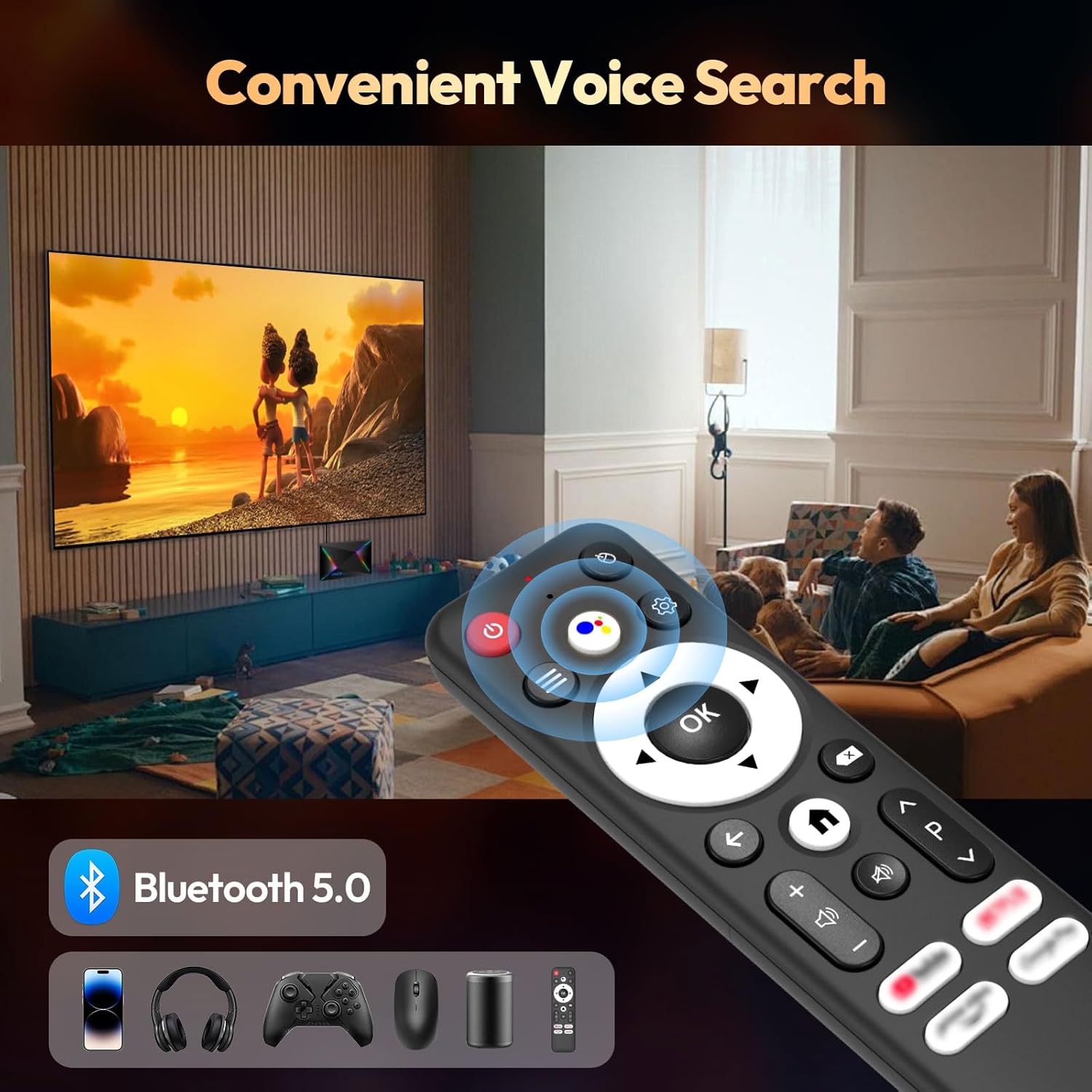
Connect Bluetooth-enabled devices such as headphones, speakers, game controllers, and mice.
- Přejít na
Settings > Remotes & Accessories > Add accessoryto pair new Bluetooth devices.
Nastavení displeje a zvuku
Resolution and HDR
The device supports up to 8K resolution and HDR10+ for vivid visuals.
- Přejděte na
Settings > Display & Sound > Resolutionto adjust the display resolution. - For HDR content, ensure your TV supports HDR10 or HDR10+ and enable it in
Settings > Display & Sound > Dynamic range & Color format.

Nastavení zvuku
The R69 Plus supports advanced audio formats for an immersive sound experience.
- Adjust audio output settings in
Settings > Display & Sound > Advanced sound settings. - Ensure your audio receiver or soundbar supports Dolby Atmos or DTSX for the best experience.
Správa úložiště
Your device comes with 4GB RAM and 64GB ROM. You can expand storage using an SD card or external hard drive.
- Chcete-li zkontrolovat využití úložiště, přejděte na
Settings > System > Storage. - Insert an SD card into the designated slot for additional storage.
- Connect a USB hard drive to the USB 3.0 port for high-speed data transfer and storage expansion.
Odstraňování problémů
Žádná síla
- Ujistěte se, že je napájecí adaptér bezpečně připojen k televiznímu přijímači a k funkční zásuvce.
- Zkontrolujte, zda je zásuvka funkční, zapojením jiného zařízení.
Žádný obrázek
- Ověřte, zda je kabel HDMI správně připojen k televiznímu přijímači i k televizoru.
- Ujistěte se, že je váš televizor nastaven na správný vstupní zdroj HDMI.
- Zkuste jiný kabel HDMI nebo port HDMI na televizoru.
Dálkové ovládání nereaguje
- Zkontrolujte a vyměňte baterie v dálkovém ovladači.
- Ujistěte se, že mezi dálkovým ovladačem a televizním přijímačem nejsou žádné překážky.
- Re-pair the Bluetooth remote control via
Settings > Remotes & Accessories.
Problémy s připojením k síti
- For Wi-Fi, check your router and ensure it's broadcasting a signal. Re-enter the Wi-Fi password if necessary.
- For Ethernet, ensure the cable is securely connected and your router's Ethernet port is active.
- Restartujte router a televizní přijímač.
Apps Freezing or Crashing
- Zavřete a znovu spusťte problematickou aplikaci.
- Vymazání mezipaměti aplikace:
Settings > Apps > [Select App] > Clear cache. - Ensure the TV Box firmware and apps are updated to the latest versions.
Specifikace
| Funkce | Detail |
|---|---|
| Model | R69PLUS |
| Operační systém | Android 14.0 |
| Procesor | Allwinner H728 Octa-core CPU |
| BERAN | 4 GB |
| Interní úložiště | 64 GB |
| Maximální rozlišení | 8K |
| Podpora HDR | HDR10, HDR10+, Dolby Vision |
| Wi-Fi | Wi-Fi 6 (2.4G/5.8G) |
| Ethernet | 1000M Gigabit Ethernet |
| Bluetooth | Bluetooth 5.0 |
| USB porty | 1x USB 3.0, 1x USB 2.0 |
| Dekódování videa | H.265 |
| Rozměry | 22.8 x 19.4 x 9.9 cm |
| Hmotnost | 640 g |
Údržba
- Udržujte čistotu: Regularly wipe the device with a soft, dry cloth. Avoid using liquid cleaners.
- Větrání: Ensure the TV Box is placed in a well-ventilated area to prevent overheating. Do not cover ventilation openings.
- Aktualizace softwaru: Periodically check for system updates in
Settings > System > About > System updateaby byl zajištěn optimální výkon a bezpečnost. - Vyhněte se extrémním podmínkám: Do not expose the device to extreme temperatures, humidity, or direct sunlight.
Záruka a podpora
Your BL R69 Plus Android 14.0 TV Box comes with a standard manufacturer's warranty. Please refer to the warranty card included in your package for specific terms and conditions.
For technical support, product inquiries, or warranty claims, please contact the seller or manufacturer directly.
Manufacturer: Shenzhen Xing he shi xun Co., Ltd
Pro další pomoc navštivte stránku Obchod BL na Amazonu.
Oficiální videa produktů
Toto video poskytuje stručný přehledview of the Android Box 2025, highlighting its 4GB RAM, 64GB ROM, and the included mini keyboard.
Krátká videoprezentaceasing the Android TV Box 13.0, featuring 4GB RAM, 64GB ROM, 8K support, and the mini keyboard.
This video demonstrates the Xiaomi Android TV Box S 3.0 4K UHD, highlighting its features and capabilities.