
1. Úvod
Děkuji za nákupasing the AGPTEK A02XT MP3 Player. This device is designed to provide a high-quality audio experience with its HIFI lossless sound and Bluetooth 5.3 connectivity. It features a compact design, button operation, and various functions including FM radio, voice recording, and a pedometer. This manual will guide you through the setup, operation, and maintenance of your new MP3 player.

Figure 1.1: AGPTEK A02XT MP3 Player with accessories.
2. Konec produktuview
2.1 Obsah balení
- AGPTEK A02XT MP3 Player (1)
- Nabíjecí kabel USB-C (1)
- Uživatelský manuál (1)
- Earphones (1 pair) - May vary by region/package

Figure 2.1: Contents of the AGPTEK A02XT package.
2.2 Rozložení a ovládací prvky zařízení
Familiarize yourself with the buttons and ports on your A02XT MP3 player.

Obrázek 2.2: Přední strana view of the A02XT MP3 Player.
- Obrazovka: Displays menus, music information, and settings.
- Tlačítko M: Menu/Back button. Long press to lock/unlock the screen.
- Tlačítko Přehrát/Pozastavit: Spustí nebo pozastaví přehrávání.
- Tlačítka Předchozí/Další: Navigates through tracks or menu options.
- Tlačítko VOL: Ovládání hlasitosti.
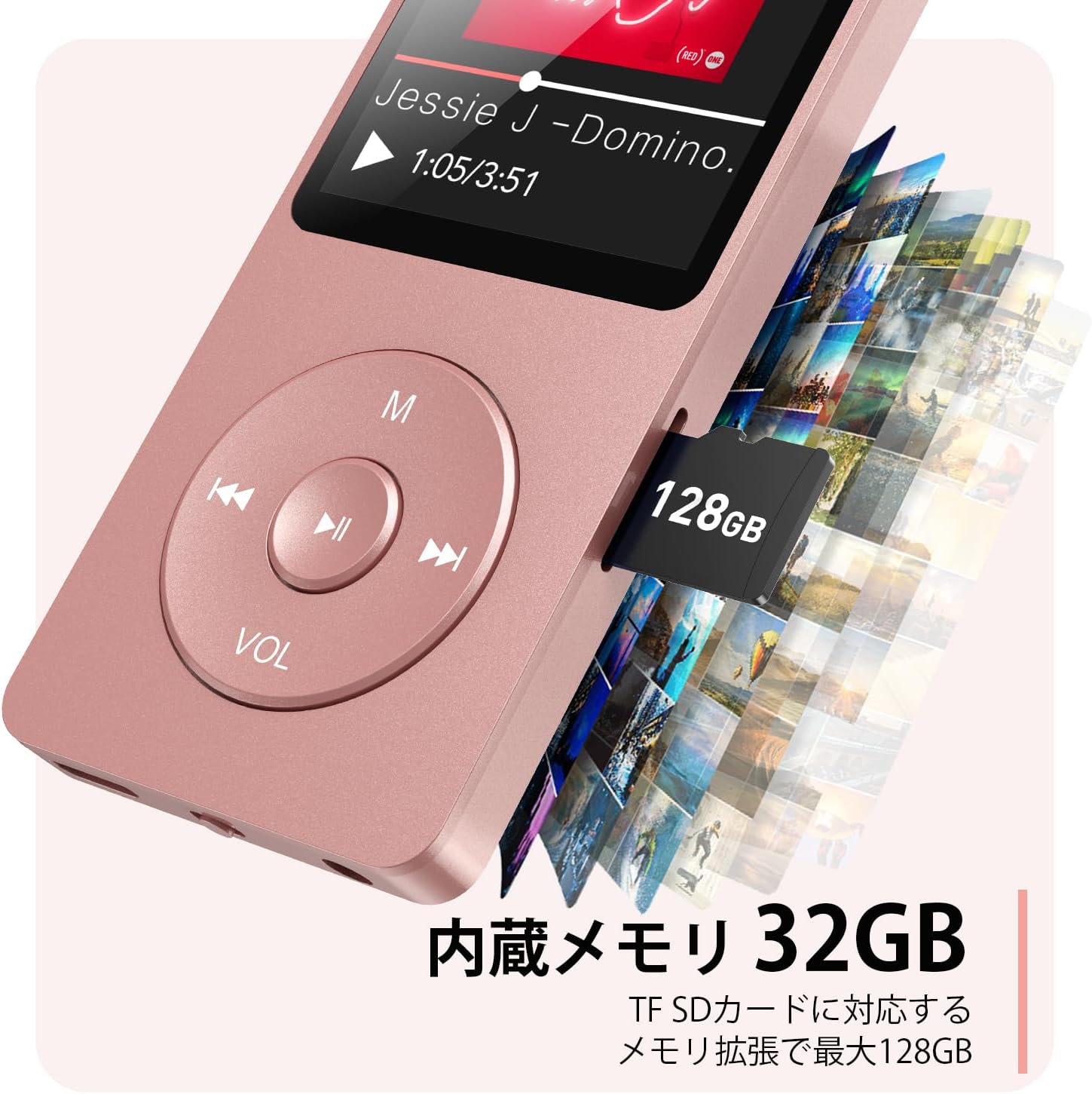
Obrázek 2.3: Strana view with microSD card slot.
- Port USB-C: Pro nabíjení a přenos dat.
- 3.5mm konektor pro sluchátka: Pro kabelový audio výstup.
- Slot pro microSD kartu: Pro rozšiřitelné úložiště až do 64 GB.
3. Nastavení
3.1 Nabíjení zařízení
Before first use, fully charge the MP3 player. Connect the provided USB-C cable to the player's USB-C port and the other end to a USB power adapter (not included) or a computer's USB port. The screen will indicate charging status. A full charge takes approximately 2 hours and provides up to 40 hours of music playback.

Figure 3.1: MP3 Player charging indication.
3.2 Vložení karty MicroSD
The player has 32GB of internal storage. To expand storage, insert a microSD card (up to 64GB, not included) into the microSD card slot until it clicks into place. Ensure the card is inserted correctly to avoid damage.
3.3 Přenos hudby Files
- Připojte MP3 přehrávač k počítači pomocí kabelu USB-C.
- The player will appear as a removable disk on your computer.
- Přetáhněte hudbu files (MP3, WMA, OGG, WAV, APE, FLAC, AAC, ACELP) into the 'Music' folder on the player or microSD card.
- Před odpojením kabelu bezpečně vyjměte zařízení z počítače.
4. Návod k obsluze
4.1 Zapnutí/vypnutí
- Zapnutí: Long press the Power button (usually on the side or top edge) until the screen lights up.
- Vypnout: Long press the Power button until the 'Power Off' option appears, then select it.
4.2 Základní navigace
Use the navigation buttons (Previous, Next, Play/Pause, M) to move through menus and select options. The Play/Pause button often acts as a 'Confirm' button in menus.

Figure 4.1: Main menu interface with various functions.
4.3 Přehrávání hudby
- V hlavní nabídce vyberte možnost „Hudba“.
- Browse by Artist, Album, Songs, Playlists, etc.
- Vyberte skladbu pro zahájení přehrávání.
- Use the Previous/Next buttons to skip tracks, and Play/Pause to control playback.
- Adjust volume using the VOL button.
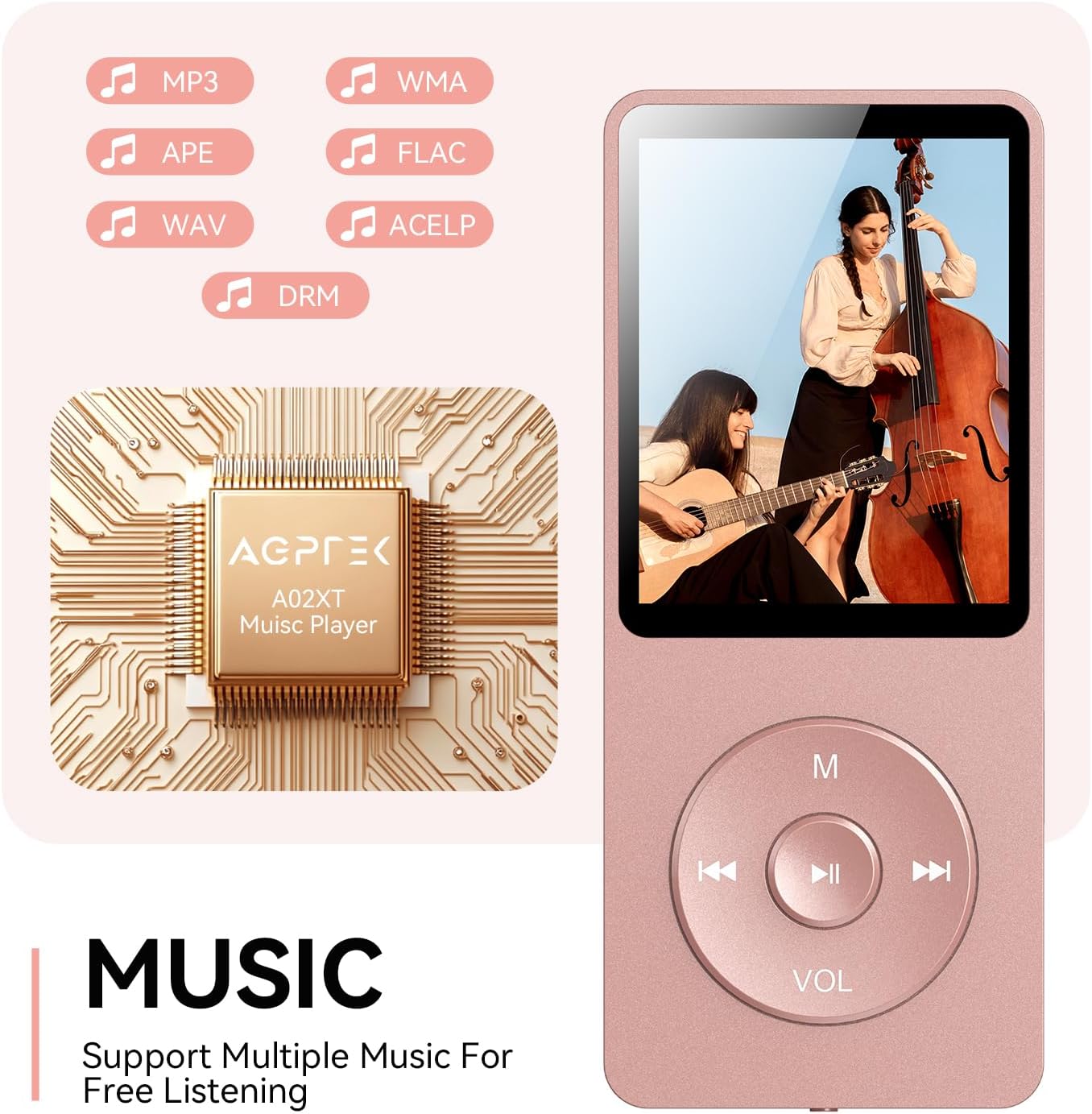
Figure 4.2: Music playback screen and supported formats.
4.4 Připojení Bluetooth
The A02XT supports Bluetooth 5.3 for wireless audio output to headphones or speakers.
- V hlavní nabídce vyberte možnost „Bluetooth“.
- Turn on Bluetooth on the player.
- Ujistěte se, že vaše Bluetooth sluchátka/reproduktor jsou v režimu párování.
- The player will search for nearby devices. Select your device from the list to pair.
4.5 FM rádio
- Připojte drátová sluchátka do 3.5mm jacku; fungují jako anténa.
- V hlavní nabídce vyberte „FM rádio“.
- Pomocí navigačních tlačítek můžete vyhledávat stanice nebo je ladit ručně.
4.6 Hlasový záznam
- V hlavní nabídce vyberte možnost „Nahrát“.
- Chcete-li zahájit nahrávání, vyberte možnost „Spustit hlasové nahrávání“.
- Stisknutím tlačítka Přehrát/Pozastavit zastavíte a uložíte nahrávku.
4.7 Zámek obrazovky
To prevent accidental button presses, long press the 'M' button to lock the screen. Repeat the action to unlock.
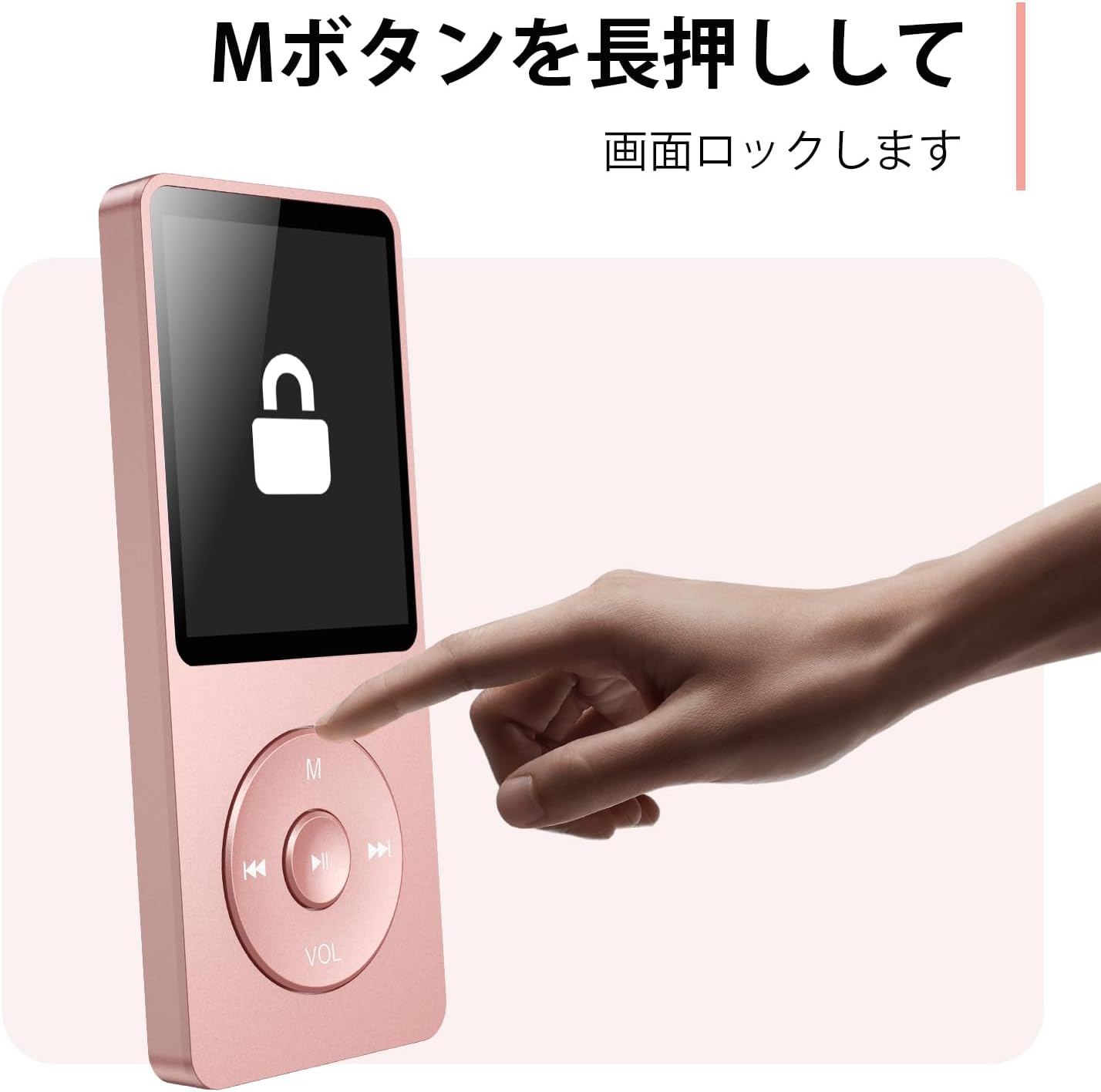
Figure 4.3: Screen lock function using the M button.
5. Údržba
5.1 Čištění
- Otřete zařízení měkkým suchým hadříkem.
- Nepoužívejte tekuté čisticí prostředky ani rozpouštědla.
5.2 Skladování
- Přehrávač skladujte na chladném a suchém místě mimo dosah přímého slunečního záření a extrémních teplot.
- Zabraňte pádu zařízení nebo jeho vystavení silným nárazům.
5.3 Péče o baterii
- Pravidelně baterii nabíjejte, i když ji nepoužíváte, abyste ji udrželi v dobrém stavu.
- Vyhněte se častému úplnému vybíjení baterie.
6. Řešení problémů
6.1 Zařízení se nezapíná
- Ujistěte se, že je baterie nabitá. Připojte ke zdroji napájení a zkuste to znovu.
- Perform a hard reset by pressing and holding the power button for 10-15 seconds.
6.2 Nelze přenést Files
- Check the USB-C cable connection. Try a different cable or USB port.
- Ensure the device is properly recognized by your computer.
- Ověřte, že file formát je přehrávačem podporován.
6.3 Problémy s párováním Bluetooth
- Ensure both the player and the Bluetooth device are in pairing mode and within range.
- Vypněte a zapněte Bluetooth na obou zařízeních.
- Smažte předchozí párování a zkuste párování znovu.
6.4 Žádný zvuk
- Zkontrolujte úroveň hlasitosti.
- Ensure headphones are properly connected or Bluetooth device is paired.
- Test with different headphones or Bluetooth device.
7. Specifikace
| Značka | AGPTEK |
| Název modelu | A02XT |
| Kapacita paměti | 32 GB (expandable up to 64 GB via microSD card) |
| Barva | Růžový |
| Velikost obrazovky | 8.9 centimetrů (přibližně 3.5 palce) |
| Typ média | karta microSD |
| Technologie displeje | LCD |
| Podporované zvukové formáty | MP3, WMA, OGG, WAV, APE, FLAC, AAC, ACELP |
| Životnost baterie | Až 40 hodin |
| Hmotnost položky | 130 gramů |
8. Záruka a podpora
8.1 Informace o záruce
This AGPTEK A02XT MP3 Player comes with a 1-letá záruka od data nákupu. Tato záruka se vztahuje na výrobní vady a poruchy při běžném používání. Nevztahuje se na škody způsobené nesprávným použitím, nehodami, neoprávněnými úpravami nebo běžným opotřebením.
8.2 Zákaznická podpora
If you encounter any issues or have questions regarding your AGPTEK A02XT MP3 Player, please refer to the troubleshooting section of this manual first. If the problem persists, contact AGPTEK customer support through the official website or your retailer's support channels. Please have your purchase receipt and product model number (A02XT) ready when contacting support.