
1. Úvod
This manual provides detailed instructions for the setup, operation, and maintenance of your LTC GM023 Tri-Mode Wireless Gaming Mouse. Designed for precision and comfort, the GM023 offers versatile connectivity options and customizable features to enhance your gaming and work experience.

Obrázek: Overview of the LTC GM023 Wireless Gaming Mouse highlighting its key features.
2. Vlastnosti produktu
- Trojitý režim připojení: Supports Bluetooth 5.0, 2.4Ghz wireless, and wired USB-C connections for versatile use.
- Reliable PAW3104 Sensor: Delivers precision with a 1000Hz polling rate, 15G acceleration, and 45 IPS tracking speed. Adjustable DPI up to 8000.
- Lightweight Honeycomb Design: Weighs only 79g with a breathable ergonomic honeycomb shell for enhanced airflow and comfort during extended use.
- 6 Programmable Buttons & Onboard Memory: Customize functions and save up to 3 profiles directly to the mouse.
- Pro Software Support: Assign macros, remap key functions, redefine DPI, and fine-tune polling rate.

Obrázek: Podrobný view of the PAW3104 Pro Sensor and its performance metrics.

Image: The lightweight honeycomb design of the GM023 mouse, emphasizing comfort and reduced sweat.
3. Obsah balení
Ujistěte se, že v balení jsou přítomny všechny položky:
- LTC GM023 Gaming Mouse
- Flexible Paracord Type-C Cable
- Uživatelská příručka
4. Nastavení
4.1. Režimy připojení
The LTC GM023 supports three connection modes: 2.4Ghz Wireless, Bluetooth 5.0, and Wired USB-C.
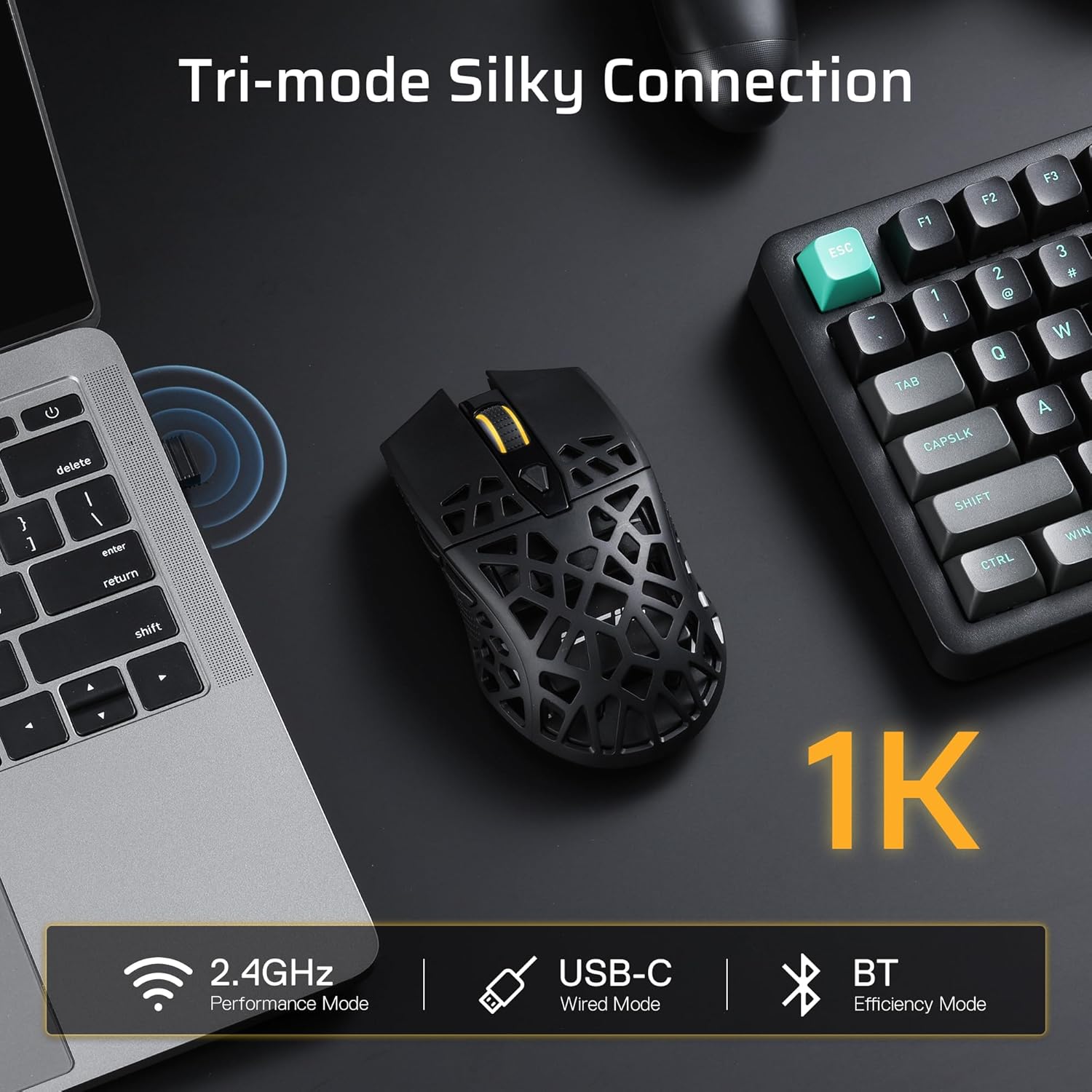
Image: Visual representation of the mouse's tri-mode connectivity options: 2.4GHz, USB-C Wired, and Bluetooth.
Bezdrátový režim 2.4 GHz:
- Locate the 2.4Ghz USB receiver stored in the compartment on the underside of the mouse.
- Zapojte USB přijímač do volného USB portu na vašem počítači.
- Switch the mode selector on the bottom of the mouse to '2.4G'.
- Myš se automaticky připojí k počítači.
Režim Bluetooth 5.0:
- Switch the mode selector on the bottom of the mouse to 'BT'.
- V počítači přejděte do nastavení Bluetooth a povolte Bluetooth.
- Hledat new devices and select 'LTC GM023' from the list to pair.
Kabelový režim USB-C:
- Connect the provided USB-C cable to the front port of the mouse.
- Připojte druhý konec kabelu k volnému portu USB na počítači.
- Myš bude fungovat v kabelovém režimu a zároveň se bude nabíjet.

Image: The underside of the mouse, indicating the mode switch (BT/OFF/2.4G) and the storage slot for the 2.4G dongle.
4.2. Nabíjení myši
The LTC GM023 features a rechargeable 500mAh battery. Connect the USB-C cable to the mouse and a USB power source (computer, wall adapter) to charge. The mouse can be used while charging in wired mode.
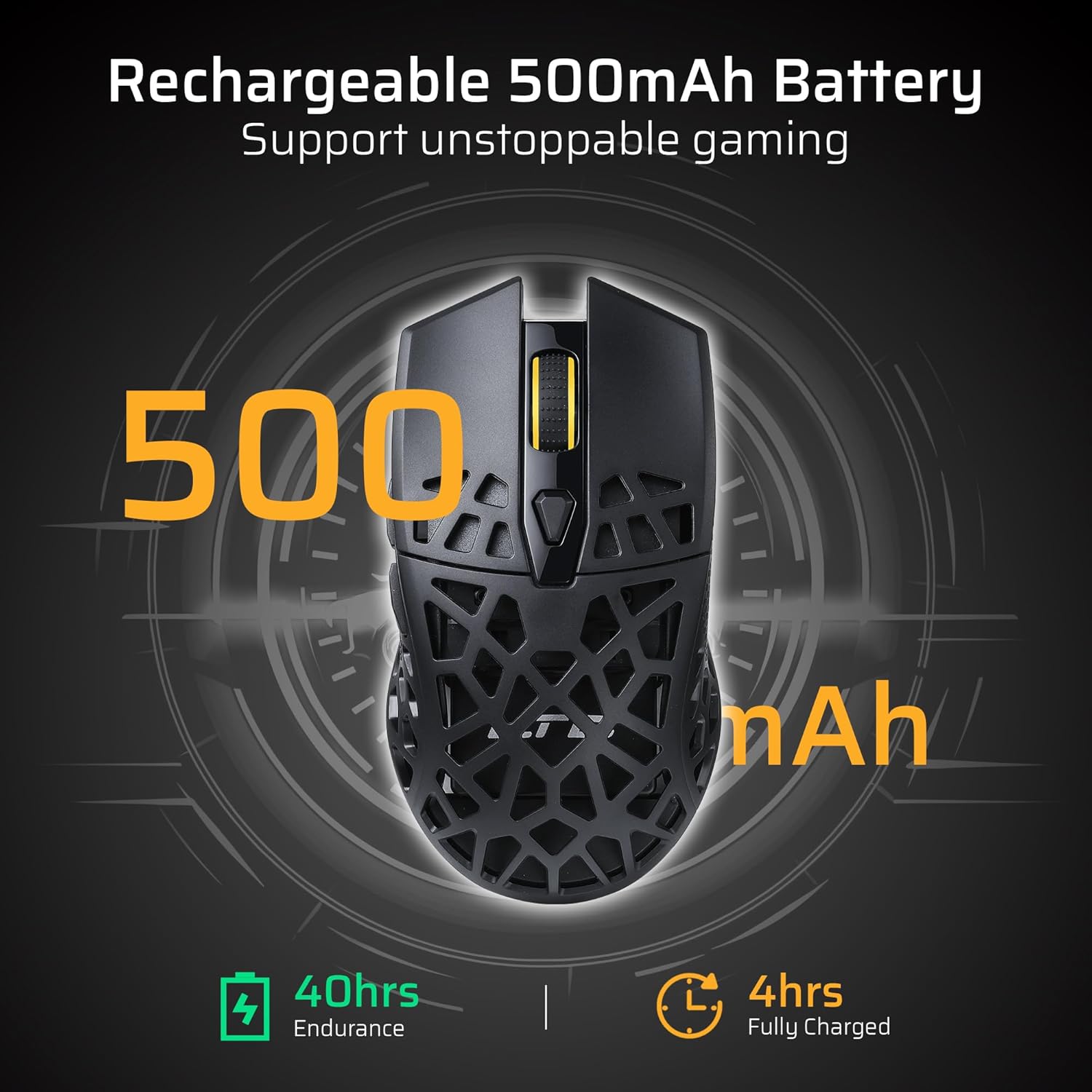
Image: The mouse's rechargeable 500mAh battery, indicating 40 hours of endurance and 4 hours for a full charge.
5. Návod k obsluze
5.1. Nastavení DPI
The mouse offers 6 adjustable DPI settings up to 8000 DPI. Use the dedicated DPI button (usually located near the scroll wheel) to cycle through the sensitivity levels. Each level may be indicated by a different LED color or pattern.
5.2. Programovatelná tlačítka
The LTC GM023 has 6 programmable buttons. To customize these buttons, download and install the LTC Pro Software from the official LTC webwebu. Software vám umožňuje:
- Assign complex macro functions.
- Přemapovat funkce kláves.
- Redefine 6-Step DPI settings.
- Fine-tune polling rate.
- Save up to 3 ready-to-play profiles directly to the mouse.
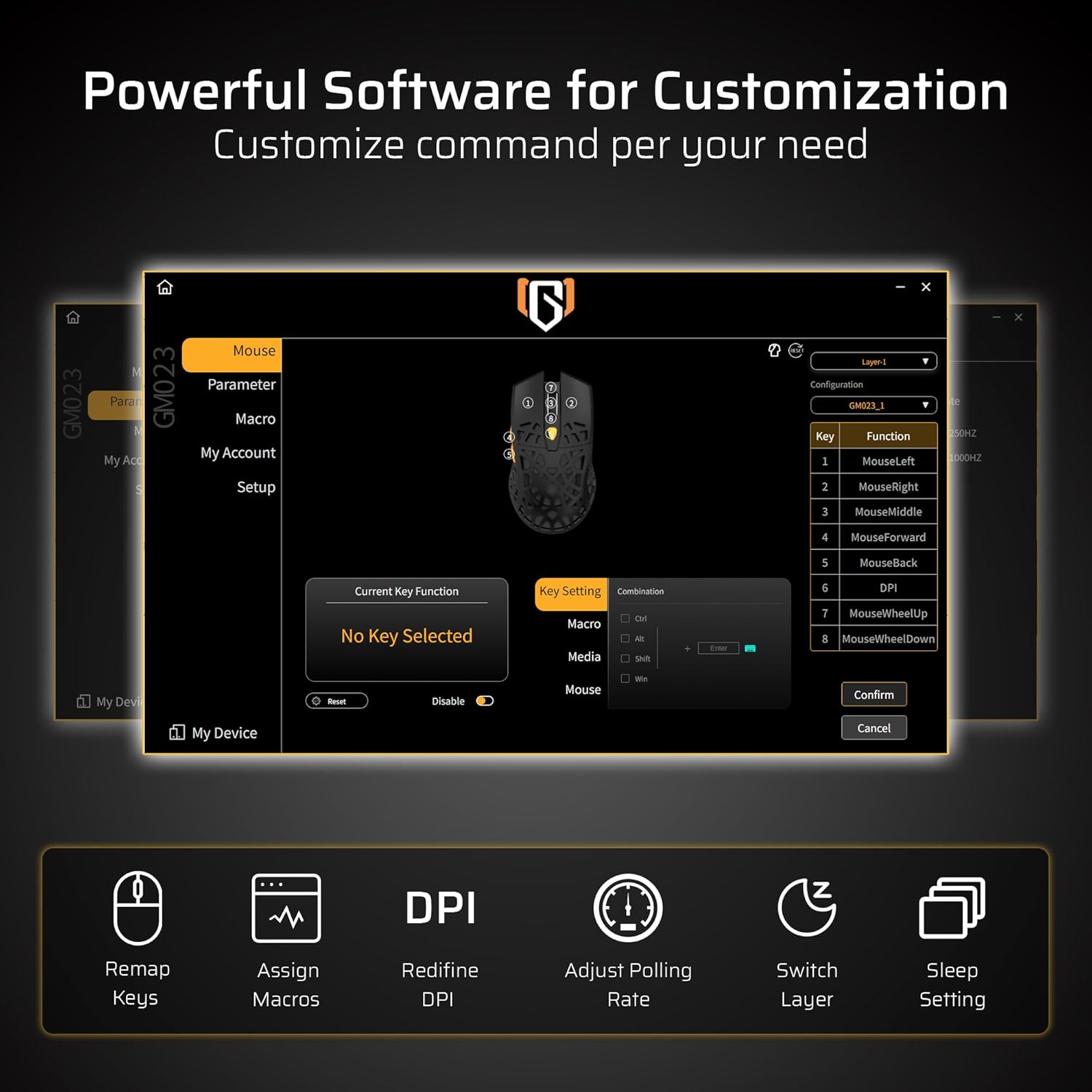
Image: The powerful software interface for customizing the GM023 mouse, showing options for key remapping, macro assignment, DPI adjustment, and more.

Image: Further illustration of the customization options available through the mouse's software, including sleep settings and layer switching.
6. Údržba
To ensure the longevity and optimal performance of your LTC GM023 mouse:
- Myš pravidelně čistěte měkkým suchým hadříkem.
- Avoid exposing the mouse to extreme temperatures or humidity.
- Myš nerozebírejte, mohlo by dojít ke ztrátě záruky.
- Keep the USB receiver in its storage compartment when not in use to prevent loss.
7. Řešení problémů
7.1. Mouse Not Responding:
- Ujistěte se, že je myš zapnutá.
- Zkontrolujte stav baterie a v případě potřeby ji nabijte.
- For 2.4Ghz mode, ensure the USB receiver is securely plugged in and the mode switch is set correctly.
- For Bluetooth mode, ensure Bluetooth is enabled on your device and the mouse is paired. Try re-pairing if connection is lost.
- V případě kabelového režimu se ujistěte, že je kabel USB-C bezpečně připojen k myši i k počítači.
7.2. Cursor Movement is Erratic:
- Vyčistěte optický senzor na spodní straně myši.
- Ujistěte se, že myš používáte na vhodném povrchu (např. podložce pod myš).
- Upravte nastavení DPI na pohodlnou úroveň.
8. Specifikace
| Funkce | Specifikace |
|---|---|
| Rozměry produktu | 4.8 x 2.6 x 0.1 palce |
| Hmotnost položky | 2.01 unce |
| Číslo modelu položky | GM023 |
| Baterie | 1 lithium-polymerová baterie (součástí balení) |
| Technologie připojení | Bluetooth, Radio Frequency (2.4Ghz), USB-C |
| Speciální funkce | LED Lights, Lightweight, Programmable Buttons, Rechargeable, Wireless |
| Technologie detekce pohybu | Optický |
9. Záruka a podpora
For warranty information and technical support, please refer to the official LTC webnebo kontaktujte zákaznický servis prostřednictvím vaší nákupní platformy. Uschovejte si doklad o koupi pro případ reklamace.
10. Oficiální produktová videa
LTC GM023 GM024 Wireless Gaming Mouse
Video: Overview of the LTC GM023 and GM024 wireless gaming mice, showcasinjejich design a vlastnosti.
LTC GM023 GM024 Tri-Mode Wireless Gaming Mouse
Video: A detailed look at the tri-mode connectivity of the LTC GM023 and GM024 wireless gaming mice.
LTC GM023 Wireless Gaming Mouse, 79g Ultra-Light Honeycomb
Video: Highlighting the ultra-lightweight 79g honeycomb design of the LTC GM023 wireless gaming mouse.