
Konec produktuview
Sledovač letů RSH Tags are designed to help you keep track of your valuable items using the Apple Find My network. These tags are compatible with iOS devices only and feature a built-in speaker for audible alerts, a replaceable battery, and IP67 water resistance. They are ideal for tracking luggage, keys, backpacks, and other personal belongings.

Obrázek: Sada čtyř RSH Air Tracker Tags, showcasing their compact, square design with a small loop for attachment.
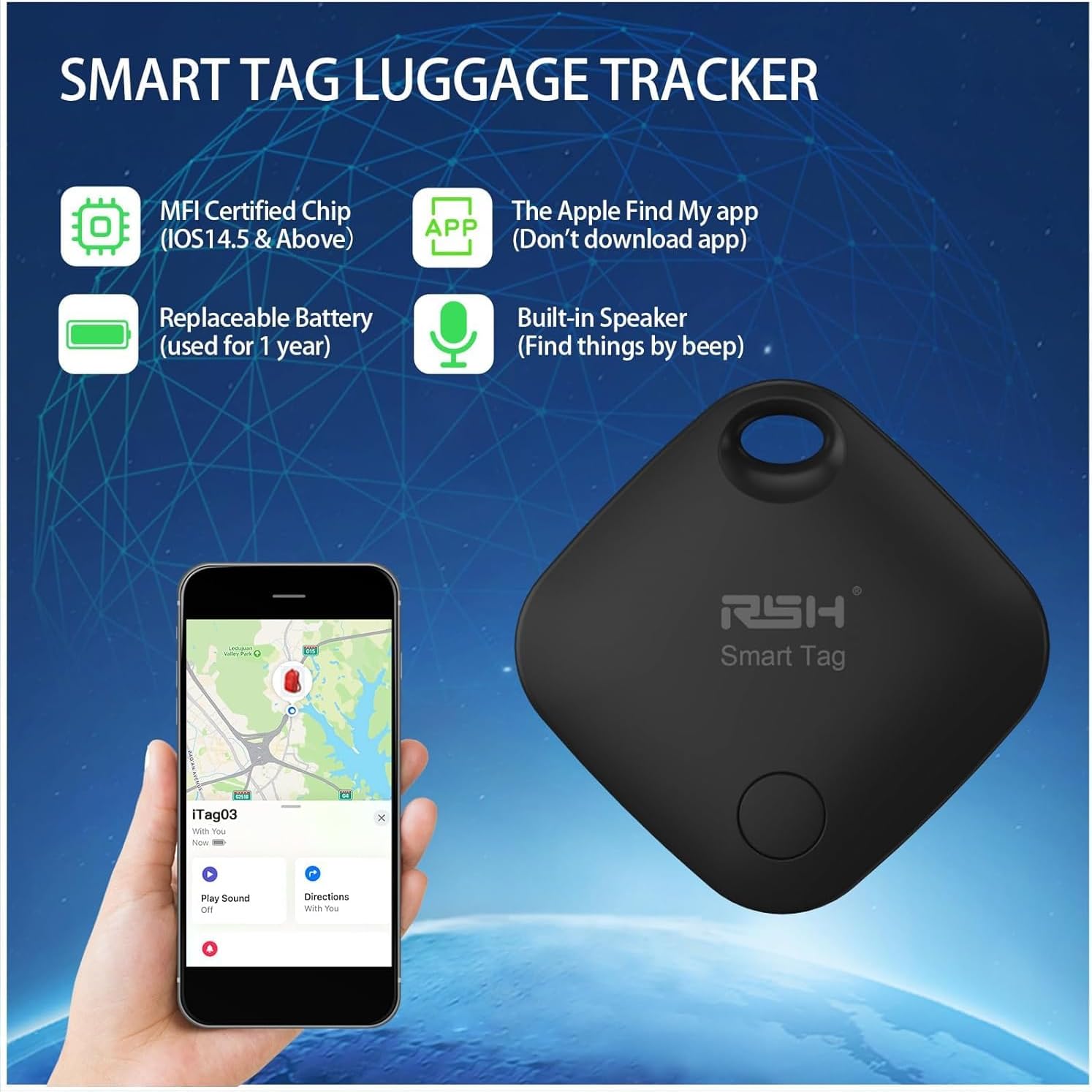
Image: An illustration highlighting key features of the RSH Smart Tag, including MFI certification, compatibility with the Apple Find My app, a replaceable battery, and a built-in speaker.
Průvodce nastavením
Pairing Your Air Tracker Tag
Pro spárování zařízení RSH Air Tracker postupujte podle těchto kroků. Tag s vaším zařízením iOS:
- Turn on Find My and Bluetooth: Ensure both the Find My app and Bluetooth are enabled on your iPhone or iPad.
- Vytáhnout Tag's Baffle: Remove the small plastic tab (baffle) from the side of the tracker tag jej aktivovat.
- Přidat položku: Otevřete na svém zařízení iOS aplikaci Najít.
- Add Other Supported Item: Tap on "Items" at the bottom of the screen, then tap the "+" icon, and select "Add Other Supported Item".
- Search Product Smart Tag: Your device will begin searching for nearby compatible tags.
- Connection Naming: Once detected, follow the on-screen prompts to name your tag (e.g., "Keys", "Luggage").
- Select Emoticons: Choose an emoticon to visually represent your item in the app.
- Agree to Register: Review and agree to the terms for registering the item with the Find My network.
- Kompletní registrace: Dokončete proces párování.
- Stránka funkce: The tag will now appear in your Find My app, ready for use.

Image: A visual guide illustrating the 10 steps to connect and register your RSH Air Tracker Tag within the Apple Find My application.
Operating Your Air Tracker Tags
Find Nearby Function
When your item is within Bluetooth range (up to 60m/200 feet), you can use the Find My app to play a sound on your RSH Air Tracker Tag. The built-in speaker will emit an alarm of 80-100 decibels, helping you quickly locate misplaced items like keys under a couch cushion.

Image: Demonstrates how to use the Find My app to locate an item nearby by playing a sound from the RSH Smart Tag.

Image: Illustrates the audible alert feature of the RSH Smart Tag, showing sound waves and the Find My app interface for locating items.
Left Behind Remind
If your RSH Air Tracker Tag disconnects from your Apple device's Bluetooth, you will receive an instant notification on your phone. This feature helps prevent you from accidentally leaving your belongings behind, such as forgetting your keys at the office or luggage at a hotel. Ensure your phone's notification settings are enabled for the Find My app.

Image: Shows an iPhone screen with a notification indicating that an item (keys) has been left behind, demonstrating the "Left Behind Remind" feature.

Image: Illustrates a scenario where the "Left Behind Remind" feature alerts a user about forgotten keys and wallet, preventing loss.
Lost Mode and Remote Location
If your item is lost and out of Bluetooth range, you can activate "Lost Mode" in the Find My app. If any Apple device comes within range of your tag, its location will be anonymously updated in your Find My app, allowing you to see its last known location on a map. You can also enter your contact information, so if someone finds your tag, they can easily contact you.
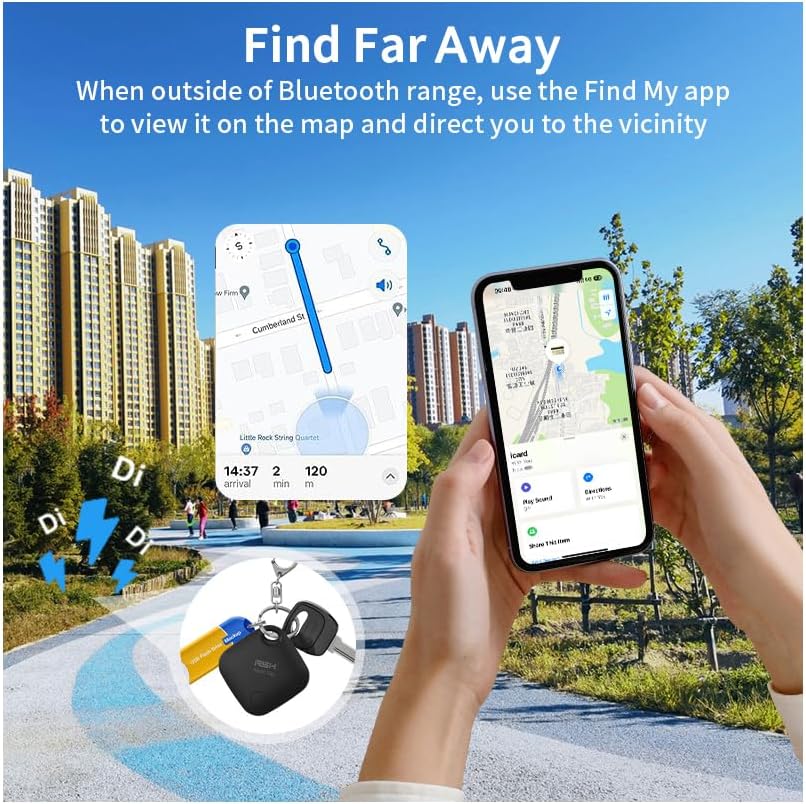
Image: Shows how the Find My app can direct you to your item's location even when it's far away, utilizing the Apple Find My network.

Image: Illustrates the process of setting "Lost Mode" in the Find My app, allowing a finder to access your contact information.

Image: Depicts how the Find My app helps locate lost items remotely by leveraging the network of Apple devices.

Image: Highlights the global tracking capabilities of the RSH Air Tracker Tags through the extensive Find My network.
Údržba
Výměna baterie
Sledovač letů RSH Tag uses a replaceable CR2 battery, designed to last for approximately one year. You can check the battery status within the Find My app. When the battery is low, replace it promptly to ensure continuous tracking functionality.

Image: Shows the RSH Smart Tag with its casing open, revealing the replaceable CR2 battery, emphasizing its long battery life.
Vodotěsnost (IP67)
Your RSH Air Tracker Tag has an IP67 waterproof rating, meaning it can withstand splashing water, rain, and even immersion in up to 3 feet (1 meter) of water for up to 30 minutes. This makes it durable for various environments, but it is not recommended for prolonged submersion or high-pressure water exposure.

Image: Illustrates the IP67 waterproof capability of the RSH Smart Tag, showing it submerged in water.
Odstraňování problémů
| Problém | Možná příčina | Řešení |
|---|---|---|
| Tag not connecting to Find My app. | Bluetooth is off; Tag battery is low/dead; Tag not properly activated; Interference. | Ensure Bluetooth is on. Check/replace battery. Pull out the baffle completely. Move away from other electronic devices. Try re-pairing the tag. |
| Žádný zvuk od tag when trying to find it. | Tag is out of Bluetooth range; Battery is low/dead. | Přibližte se k tag. Check/replace battery. |
| "Left Behind Remind" notifications not appearing. | Notifications for Find My app are disabled; Phone is in Do Not Disturb mode. | Check your iPhone's notification settings for the Find My app. Disable Do Not Disturb or set exceptions. |
| Location not updating in Lost Mode. | No Apple devices nearby to relay location; Tag baterie je mrtvá. | The tag's location updates when an Apple device passes by. This may take time. Ensure the tag has a working battery. |
Specifikace produktu
| Funkce | Detail |
|---|---|
| Číslo modelu | RSH-ITag03 |
| Rozměry | 1.4 x 1.4 x 0.3 palce |
| Hmotnost položky | 2.39 unce (0.07 kilogramů) |
| Konektivita | Bluetooth (Works with Apple Find My network) |
| Kompatibilita | iOS Only (Not for Android) |
| Typ baterie | CR2 (Included, replaceable) |
| Životnost baterie | Přibližně 1 rok |
| Voděodolnost | IP67 (Splash, rain, and dust resistant; up to 3ft for 30 mins) |
| Alarm Decibels | 80-100 dB |
| Dosah Bluetooth | Až 60 m / 200 stop |
Záruka a podpora
RSH stands behind the quality of its products. For any questions, technical assistance, or warranty inquiries, please contact RSH customer support. Refer to the product packaging or the official RSH webstránky s nejaktuálnějšími kontaktními informacemi.
Výrobce: RSH
prodejce: RSH USA