
1. Úvod
This manual provides detailed instructions for the safe and efficient use of your BNCF Bpad Mini Android 14 Tablet. Please read this manual thoroughly before operating the device and retain it for future reference.
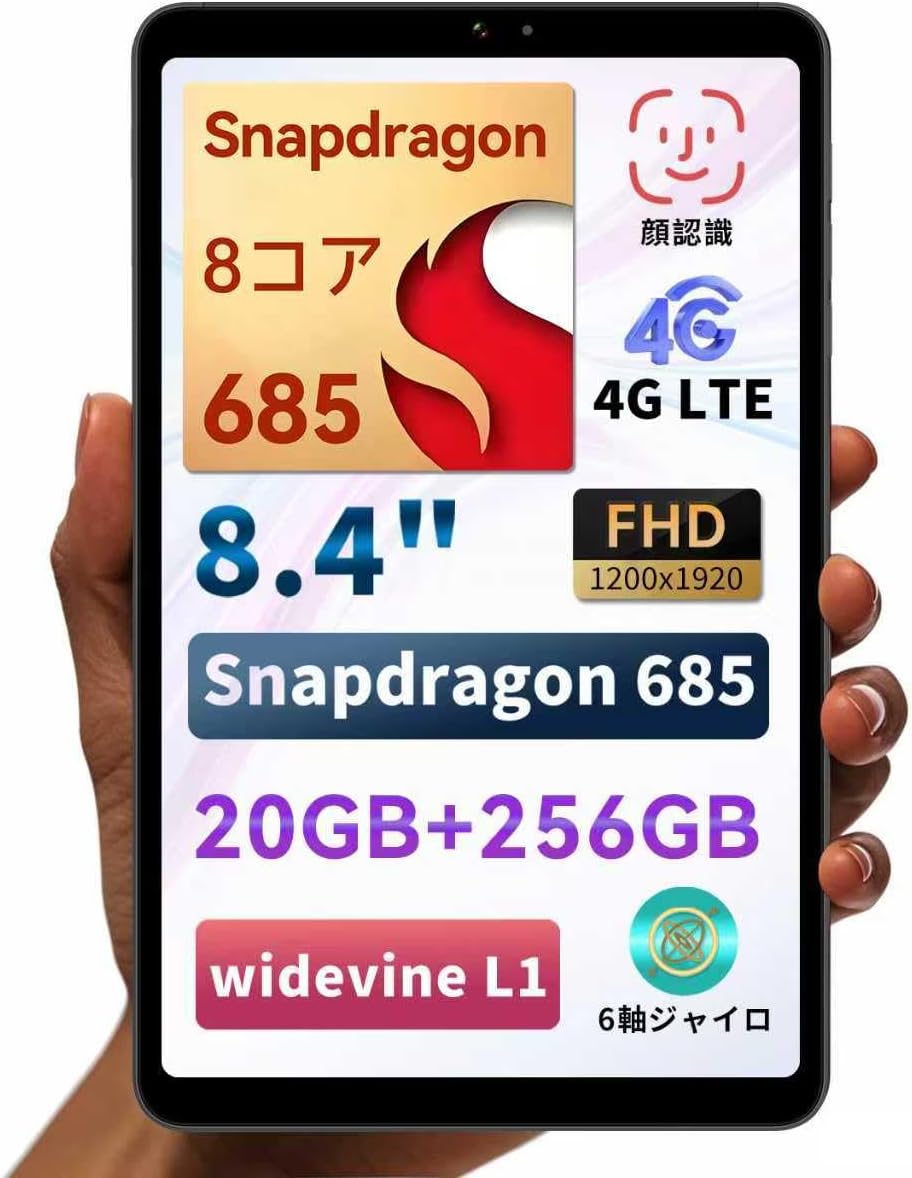
Figure 1: BNCF Bpad Mini Android 14 Tablet
2. Konec produktuview
2.1 Obsah balení
Ujistěte se, že v balení jsou přítomny všechny položky:
- BNCF Bpad Mini Tablet
- Uživatelská příručka
- Charging Adapter (5V/2A)
- Type-C Cable (5V/2A)
- Pin pro vysunutí SIM karty

Obrázek 2: Obsah balení
2.2 Součásti zařízení
Familiarize yourself with the physical layout of your Bpad Mini:
- Přední kamera: Pro selfie a videohovory.
- Rear Camera & Flashlight: Pro fotografie a videa ve vysokém rozlišení.
- Vypínač: Zapnutí/vypnutí zařízení nebo probuzení/uspání obrazovky.
- Tlačítka hlasitosti: Pro nastavení hlasitosti zvuku.
- Řečníci: Integrovaný pro audio výstup.
- Port typu C: Pro nabíjení a přenos dat.
- Mikrofon: Pro audio vstup.
- Slot pro SIM/Micro SD kartu: Pro mobilní připojení a rozšiřitelnou úložnou kapacitu.
- Světelný senzor: Automaticky upravuje jas obrazovky.
- Senzor přiblížení: Turns off the screen during calls.
Figure 3: Device Components and Ports
3. Nastavení
3.1 Počáteční nabíjení
Before first use, fully charge your tablet using the provided charging adapter and Type-C cable. The tablet supports 18W PD fast charging, but a standard charger is included. A fast charger must be purchased separately if desired.

Figure 4: Charging the Bpad Mini
3.2 Zapnutí/vypnutí
- Zapnutí: Stiskněte a podržte tlačítko Napájení, dokud se nerozsvítí obrazovka.
- Vypnutí: Stiskněte a podržte tlačítko napájení a poté z možností vyberte možnost „Vypnout“.
- Restartovat: Stiskněte a podržte tlačítko napájení a poté z možností vyberte „Restartovat“.
3.3 Instalace SIM karty a Micro SD karty
The Bpad Mini supports 4G LTE connectivity and expandable storage via a Micro SD card.
- Vyhledejte slot pro SIM/Micro SD kartu na boku tabletu.
- Insert the SIM eject pin into the small hole next to the tray to open it.
- Place your Nano-SIM card(s) and/or Micro SD card into the tray, ensuring correct orientation.
- Jemně zatlačte zásobník zpět do slotu, dokud nezacvakne na místo.

Figure 5: SIM/Micro SD Card Installation
Important Note for 4G Connectivity:
- After inserting the SIM card, APN settings may be required for certain carriers (e.g., Rakuten Mobile, IIJmio, BIGLOBE Mobile, OCN Mobile ONE, UQ mobile). Please search for "APN manual settings" on your carrier's official webstránky s pokyny.
- For carriers like docomo, au, SoftBank, and Y!mobile, APN settings may be automatically configured.
- If experiencing connection issues, restart the device in an area with good signal. Verify APN settings under Settings > Network > Mobile Network. If the APN field is blank, manual entry is required.
3.4 Průvodce počátečním nastavením
Upon first power-on, follow the on-screen instructions to complete the initial setup, including language selection, Wi-Fi connection, Google account login, and security settings.
4. Návod k obsluze
4.1 Funkce Androidu 14
Your Bpad Mini runs on Android 14, offering enhanced multitasking, improved privacy and security features, efficient battery management, and a smoother user interface.
- Rozdělená obrazovka: Easily use two apps simultaneously.
- Smart Screen Cast: Project your tablet screen wirelessly to a larger display.
- Snímek obrazovky třemi prsty: Capture screenshots quickly with a simple gesture.
- Rodičovská kontrola: Manage device usage for children.

Obrázek 6: Rozhraní systému Android 14

Obrázek 7: Multitasking na rozdělené obrazovce

Figure 8: Wireless Screen Casting
4.2 Konektivita
- Wi-Fi: Supports 2.4G and 5G dual-band Wi-Fi for fast and stable internet browsing and online gaming.
- 4G LTE: Stay connected even without Wi-Fi. The tablet can also function as a phone.
- Bluetooth 5.0: Connect wirelessly to headphones, speakers, and other Bluetooth devices for enhanced entertainment.
- GPS: Provides accurate navigation services.

Figure 9: Connectivity Features

Figure 10: Dual-band Wi-Fi

Obrázek 11: Připojení Bluetooth 5.0

Obrázek 12: GPS navigace
4.3 Použití kamery
The tablet features a 32MP rear camera and a 5MP front camera. Open the Camera app to capture photos and videos. The 32MP rear camera supports high-resolution video recording, including 4K.
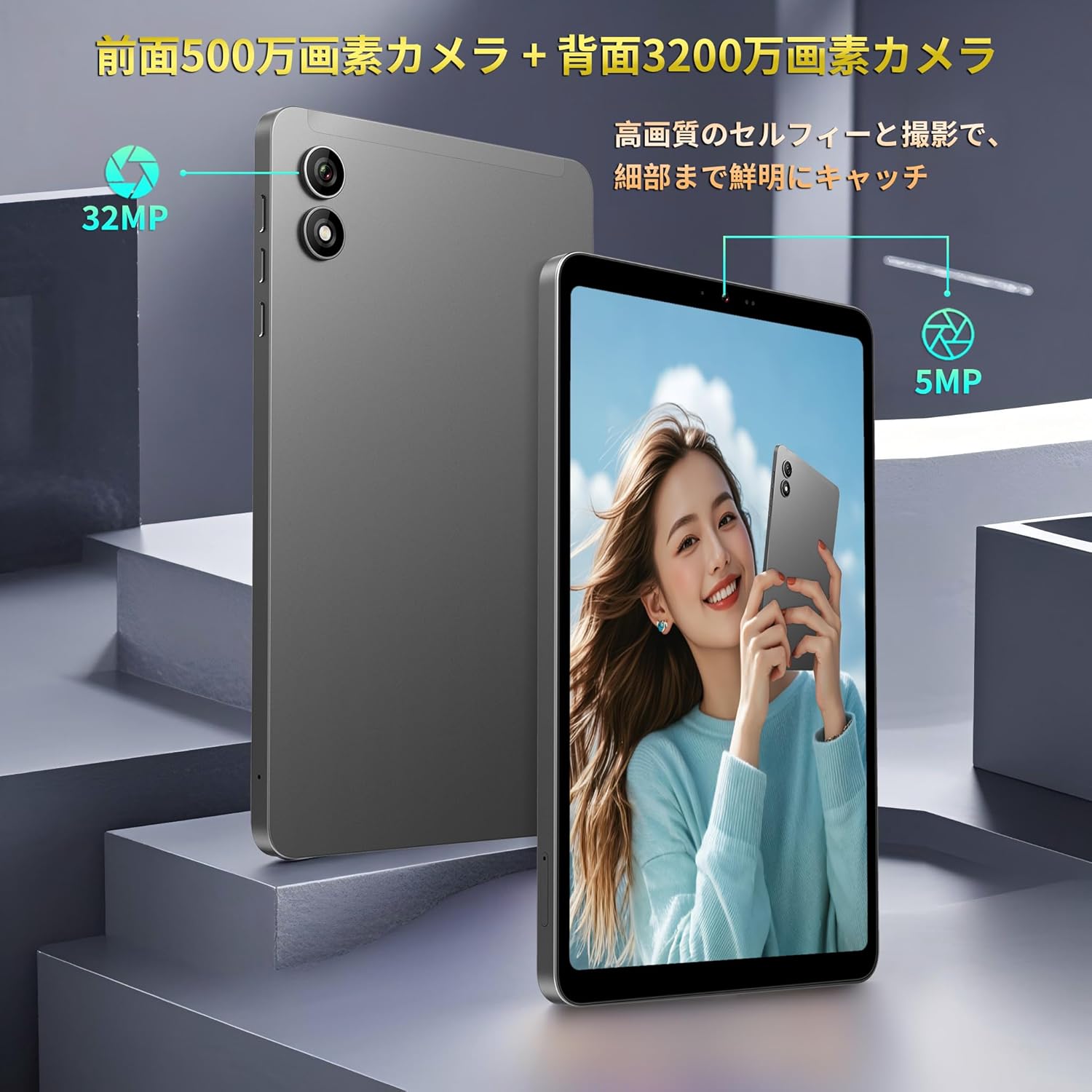
Figure 13: Front and Rear Cameras
4.4 Spotřeba médií
The 8.4-inch FHD IPS display (1920x1200) with in-cell full lamination technology provides clear and vibrant visuals. Widevine L1 support allows for high-definition streaming from services like Netflix, Amazon Prime Video, and Disney+.

Figure 14: FHD IPS Display with Widevine L1
4.5 Sensors and Performance
The Bpad Mini is equipped with a Gyro sensor for automatic screen orientation adjustment and enhanced gaming, a Light sensor for automatic brightness control, and a Proximity sensor for power saving during calls.
Powered by a Snapdragon 685 Octa-core processor (up to 2.8GHz) and Adreno 610 GPU, the tablet ensures smooth performance for various tasks, including gaming and video playback.
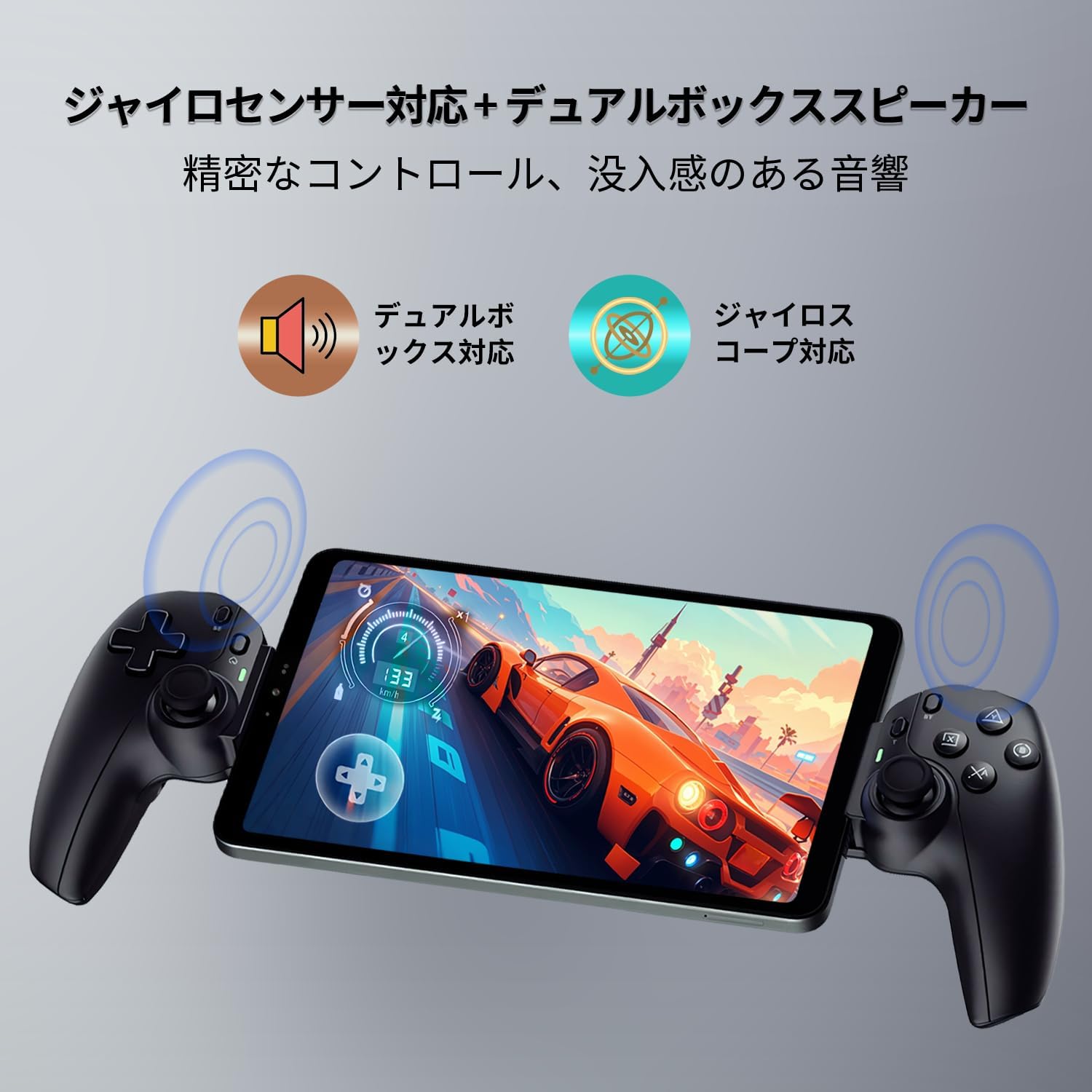
Figure 15: Gyro Sensor for Gaming

Figure 16: Snapdragon 685 Processor and Adreno 610 GPU
4.6 Rozpoznávání tváře
Unlock your device quickly and securely using face recognition. Set up this feature in the security settings.

Figure 17: Face Recognition Security
5. Údržba
5.1 Péče o baterii
- Vyhněte se extrémním teplotám, protože mohou snížit životnost baterie.
- Nenechávejte baterii často úplně vybít.
- Use only the provided or certified chargers and cables.
5.2 Čištění zařízení
K čištění obrazovky a těla tabletu používejte měkký hadřík, který nepouští vlákna. Nepoužívejte agresivní chemikálie ani abrazivní materiály.
5.3 Aktualizace softwaru
Pravidelně kontrolujte a instalujte aktualizace systému, abyste zajistili optimální výkon, zabezpečení a přístup k novým funkcím. Přejděte na Nastavení > Systém > Aktualizace systému.
5.4 Správa úložiště
The tablet comes with 256GB of UFS storage and supports up to 1TB Micro SD card expansion. Regularly manage your filea aplikace pro uvolnění místa a zachování výkonu.
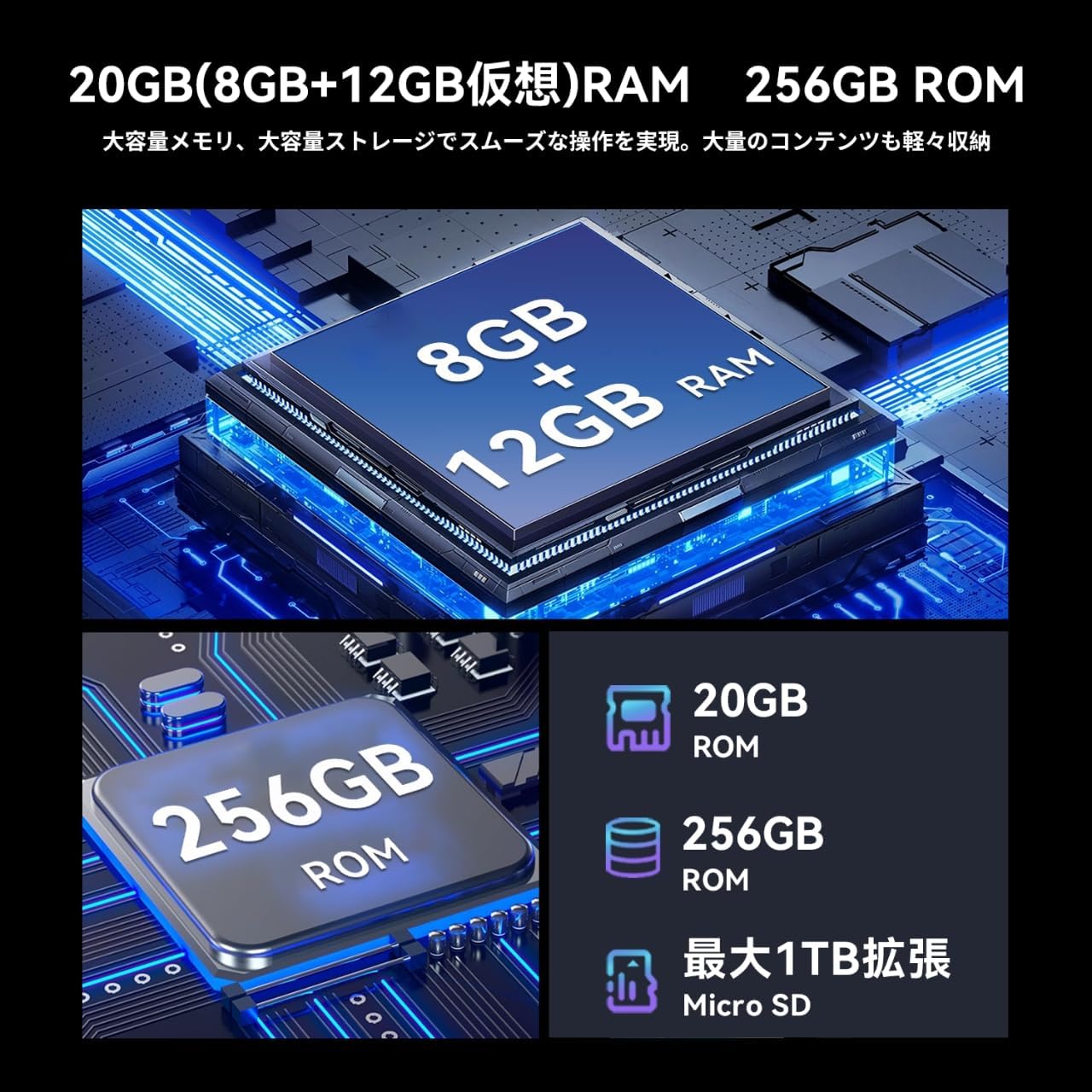
Obrázek 18: Paměť a úložiště
6. Řešení problémů
If you encounter issues with your Bpad Mini, refer to the following common solutions:
- Zařízení se nezapne: Ujistěte se, že je baterie nabitá. Před opětovným zapnutím připojte tablet k nabíječce alespoň na 30 minut.
- Dotyková obrazovka nereaguje: A small number of devices from specific manufacturing batches may experience touch screen issues due to faulty FPC (flexible printed circuit) boards. If you experience this, please contact customer service for a free replacement. For general unresponsiveness, try restarting the device.
- Problémy s připojením (Wi-Fi/4G):
- For Wi-Fi, ensure you are within range of a known network and the password is correct.
- For 4G, ensure the SIM card is correctly inserted and activated. Check APN settings as described in Section 3.3. Restart the device in an area with good signal strength.
- Aplikace padá nebo zamrzá: Close background applications. Clear the cache of the problematic app (Settings > Apps > [App Name] > Storage > Clear cache). If the issue persists, uninstall and reinstall the app.
- Pomalý výkon: Zavřete nepoužívané aplikace, vymažte mezipaměť a zajistěte dostatek úložného prostoru. Obnovení továrního nastavení zvažte jako poslední možnost (Poznámka: This will erase all data on the device. Back up important data first).
7. Specifikace
| Funkce | Specifikace |
|---|---|
| Značka | BNCF |
| Název modelu | Bpad Mini |
| Operační systém | Android 14 |
| CPU | Snapdragon 685 Octa-core (up to 2.8 GHz) |
| GPU | Adreno 610 |
| Velikost displeje | 8.4 palců |
| Rozlišení displeje | 1920x1200 FHD IPS |
| BERAN | 20 GB (8 GB + 12 GB virtuální) |
| Interní úložiště | 256 GB UFS |
| Rozšiřitelné úložiště | Až 1 TB přes kartu Micro SD |
| Zadní kamera | 32 MP |
| Přední kamera | 5 MP |
| Kapacita baterie | 6050 XNUMX mAh |
| Nabíjení | 18W PD Fast Charging (Type-C) |
| Konektivita | 4G LTE, 2.4G/5G Wi-Fi, Bluetooth 5.0, GPS |
| Rozměry | 200.8 x 124.2 x 7.6 mm |
| Hmotnost | 310 g |
| Senzory | Gyro Sensor, Light Sensor, Proximity Sensor |
| Další funkce | Widevine L1, Face Recognition, Dual Box Speakers |
8. Záruka a podpora
8.1 Záruka na produkt
The BNCF Bpad Mini comes with a 12měsíční záruka na výrobek od data nákupu. Tato záruka se vztahuje na výrobní vady a problémy vzniklé běžným používáním.
8.2 Zákaznická podpora
For any questions, technical assistance, or warranty claims, please contact BNCF customer service through Amazon:
- Přihlaste se ke svému účtu Amazon.
- Go to 'Order History'.
- Locate the relevant order for your Bpad Mini.
- Klikněte na „Kontaktovat prodejce“.
Our customer service team typically responds within 6 hours.