
EZVIZ CB8 Lite 4MP
EZVIZ 2K+ Outdoor Wireless Camera with AOV Mode and Solar Panel
Model: CB8 Lite 4MP
Značka: EZVIZ
Zavedení
This instruction manual provides detailed guidance for the installation, operation, and maintenance of your EZVIZ 2K+ Outdoor Wireless Camera, Model CB8 Lite 4MP. This camera system includes a 5W solar panel for continuous power, offering advanced features such as Always-on Video (AOV) mode, AI-powered person and vehicle detection, color night vision, active defense, and two-way audio communication. Please read this manual thoroughly before use to ensure proper setup and functionality.
Obsah balení
- CB8 Lite 2K+ Camera
- Solární panel
- Vrtací šablona
- USB kabel
- Sada šroubů
- Nastavitelná montážní konzola
- Rychlý průvodce
Nastavení a instalace
Before installation, ensure your camera is fully charged. The included 5W solar panel is designed to provide continuous power, but an initial charge is recommended for optimal performance.
1. Umístění kamery
Choose a location that provides the desired surveillance coverage and has good Wi-Fi signal strength. The camera offers a 360° panoramic view (340° horizontal, 80° vertical) allowing flexible monitoring. Ensure the solar panel receives direct sunlight for most of the day.

Image: Camera's 360-degree pan and tilt range (340° horizontal, 80° vertical).
2. Montáž kamery a solárního panelu
- Use the drilling template to mark the positions for screws on your chosen wall or surface.
- Vyvrtejte pilotní otvory a v případě potřeby vložte do nich nástěnné hmoždinky.
- Attach the adjustable mounting bracket to the wall using the provided screws.
- Upevněte kameru k montážnímu držáku.
- Mount the solar panel in a location that maximizes sun exposure, using its adjustable bracket.
- Connect the solar panel to the camera using the USB cable. The solar panel provides 5W high-efficiency charging, with approximately 2 hours of charging providing 24 hours of use under optimal conditions.

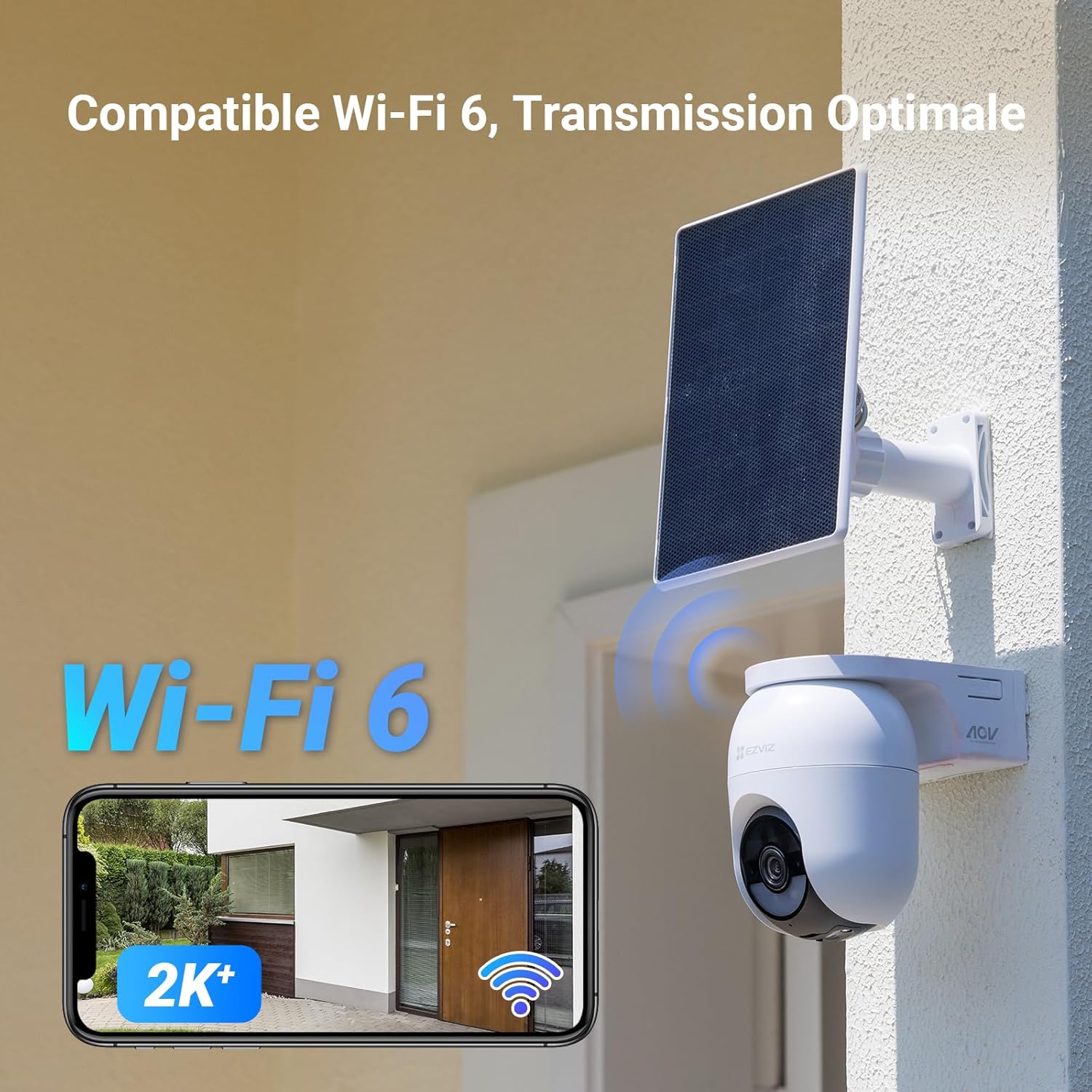
Image: EZVIZ camera and solar panel mounted on an exterior wall.

Image: Solar panel charging efficiency diagram.
3. Konfigurace aplikace
- Download the EZVIZ app from your smartphone's app store.
- Vytvořte si účet EZVIZ nebo se přihlaste, pokud jej již máte.
- Follow the in-app instructions to add your camera. This typically involves scanning a QR code on the camera and connecting it to your Wi-Fi network (supports 2.4GHz Wi-Fi 6).

Image: Camera connected via Wi-Fi 6, viewed through the EZVIZ app.
Návod k obsluze
Always-on Video (AOV) Mode
The EZVIZ AOV technology enables continuous 24/7 surveillance with minimal power consumption. Unlike other battery cameras that only record upon motion detection, the CB8 Lite 4MP automatically wakes up at defined intervals for continuous monitoring. This ensures you have a complete timeline of events.

Image: AOV mode continuous recording vs. standard battery camera recording.
AI-Powered Person and Vehicle Detection
The camera utilizes advanced AI to intelligently detect people and vehicles, significantly reducing false alarms. When a person is detected, the camera can automatically track their movement within its field of view.
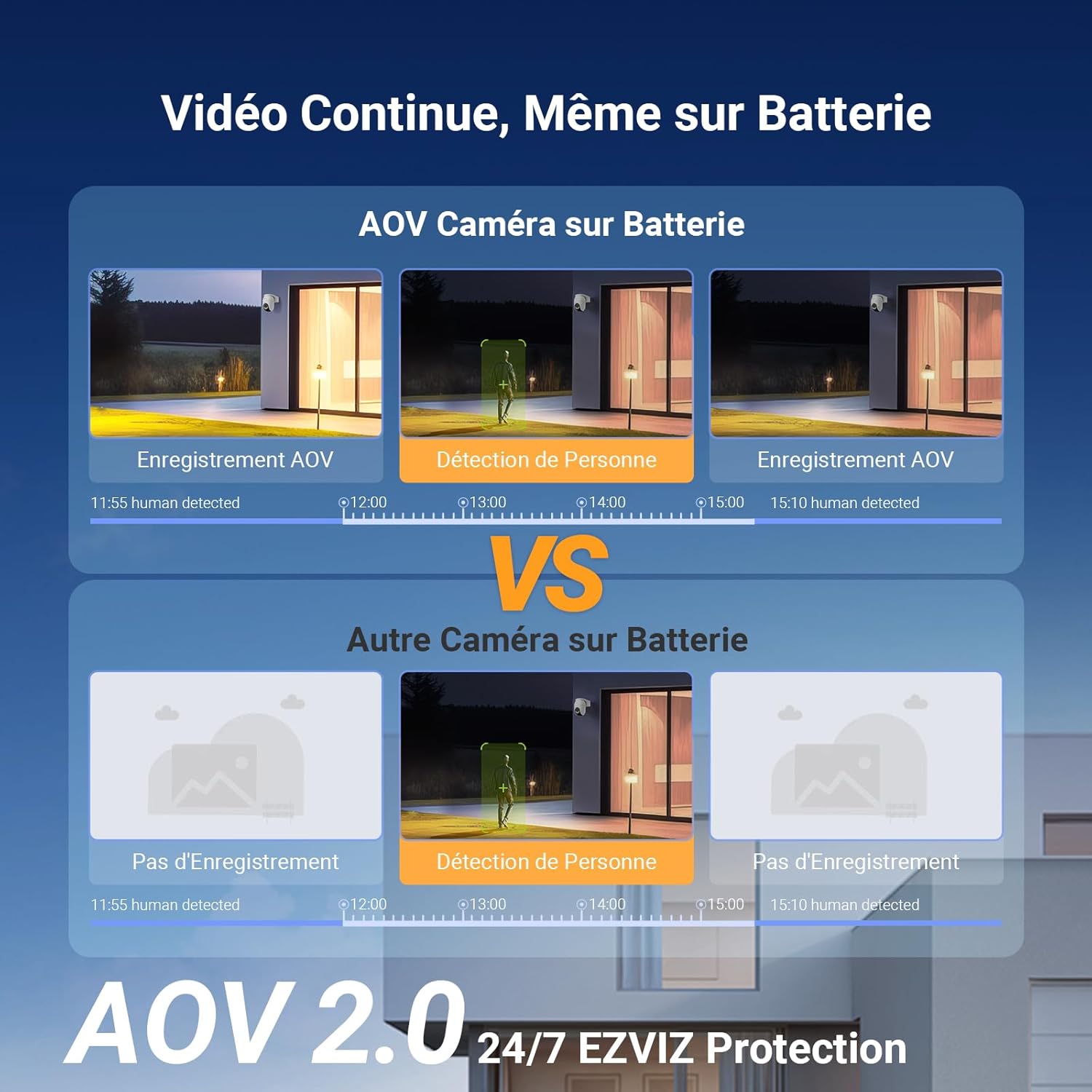
Image: AI detection of persons and vehicles with a maximum range of 25 meters.
Color Night Vision and Active Defense
Even in low-light conditions, the camera produces clear, color-rich images. When motion is detected, the active defense system can trigger a customizable alarm and send push notifications to your EZVIZ app. This feature helps deter intruders.
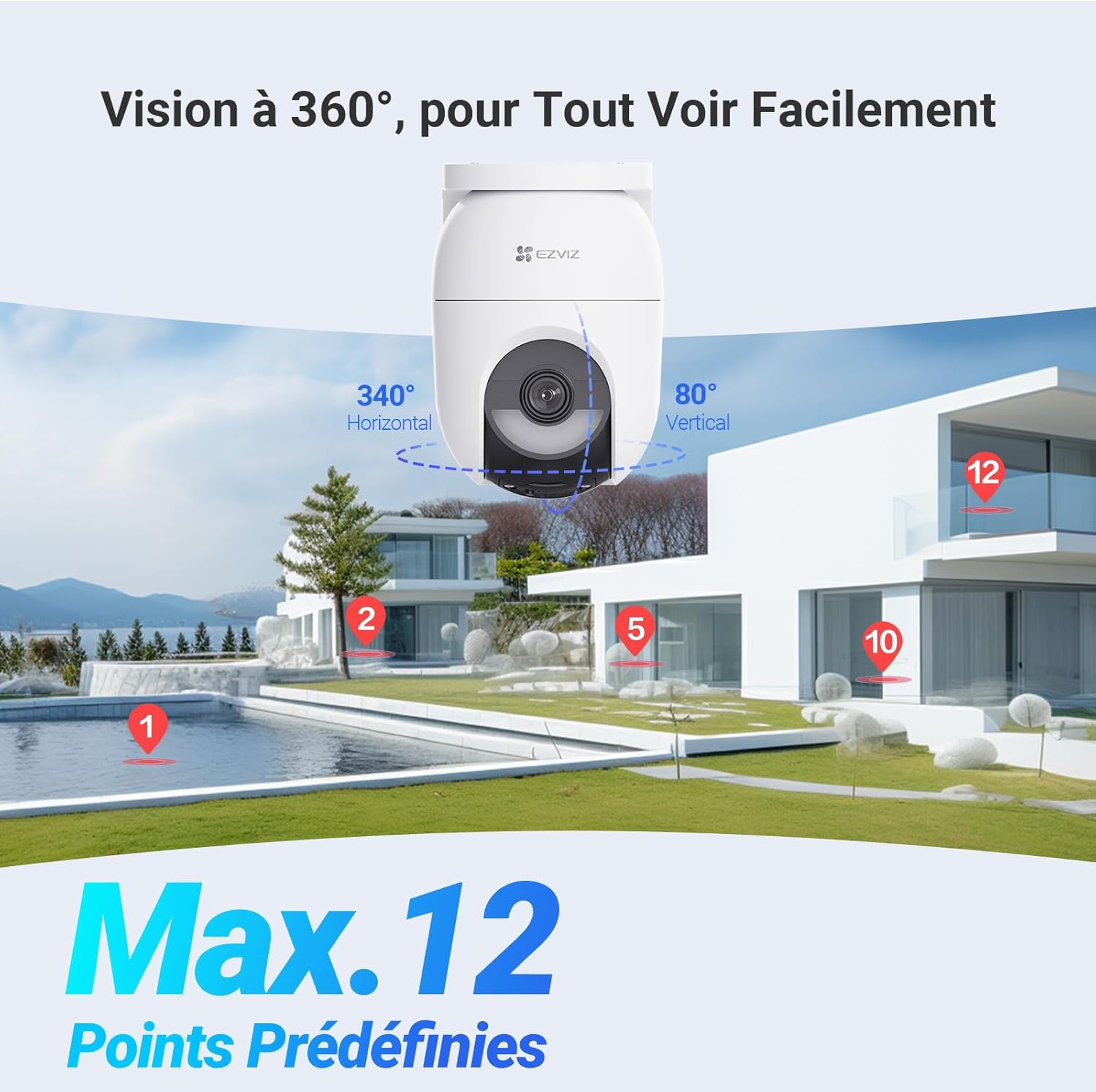
Image: Active defense with flash and audible alarm.
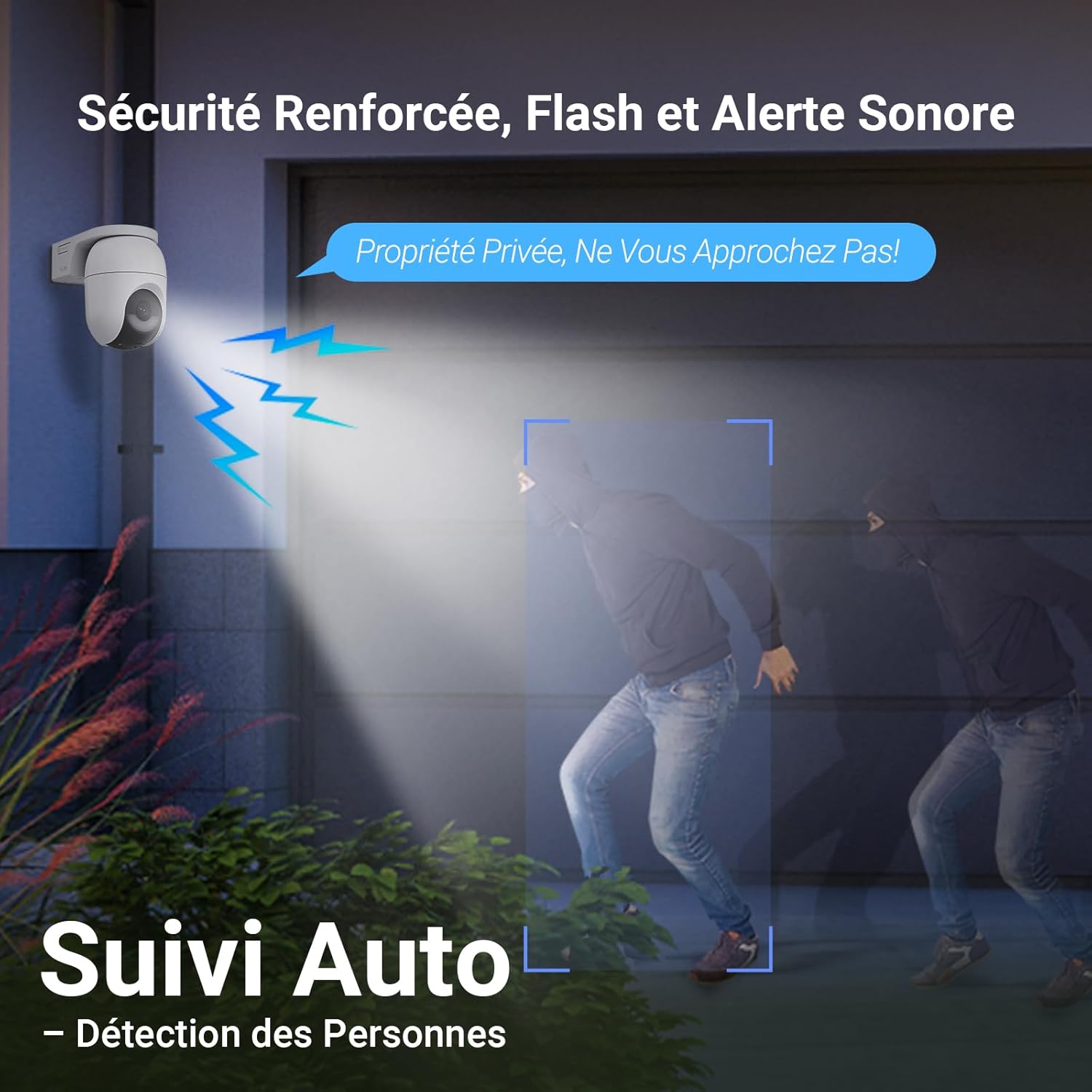
Image: Comparison of Color Night Vision and IR Night Vision.
Two-Way Audio and 2K+ Resolution
The camera provides 2K+ (4MP) resolution for clear surveillance video. It also supports two-way audio, allowing you to communicate with visitors or deter unwanted guests directly through your phone via the EZVIZ app.
Možnosti úložiště
The camera supports local storage via a microSD card (up to 512GB, not included) and cloud storage through the EZVIZ CloudPlay service (free trial available).
Obrázek: Slot pro kartu MicroSD a možnosti cloudového úložiště.
Údržba
- Čištění: Pravidelně otírejte objektiv fotoaparátu a solární panel měkkým hadříkemamp hadříkem, abyste zajistili jasný obraz a efektivní nabíjení. Nepoužívejte abrazivní čisticí prostředky.
- Aktualizace firmwaru: Keep the camera's firmware updated through the EZVIZ app to ensure optimal performance and access to new features.
- Stav baterie: While the solar panel provides continuous power, monitor battery health via the app, especially during prolonged periods of low sunlight.
- Podmínky prostředí: The camera is IP65 rated for outdoor use and can operate in temperatures from -20°C to 50°C. Ensure it is securely mounted to withstand weather conditions.
Odstraňování problémů
| Problém | Možná příčina | Řešení |
|---|---|---|
| Kamera se nepřipojuje k Wi-Fi | Incorrect Wi-Fi password, weak signal, or camera too far from router. | Verify password, move camera closer to router, or use a Wi-Fi extender. Ensure your router supports 2.4GHz. |
| Špatná kvalita obrazu | Dirty lens, low light conditions, or network bandwidth issues. | Clean the lens. Ensure sufficient lighting for color night vision or enable IR night vision. Check your internet speed. |
| Solární panel se nenabíjí | Insufficient sunlight, dirty panel, or loose connection. | Relocate the panel for more direct sunlight, clean the panel surface, and check the USB cable connection. |
| Časté falešné poplachy | Motion detection sensitivity too high, or objects like trees/animals triggering detection. | Adjust motion detection sensitivity in the EZVIZ app. Utilize AI person/vehicle detection to filter out irrelevant motion. |
| Nefunguje obousměrný zvuk | Microphone/speaker disabled in app, or network latency. | Check audio settings in the EZVIZ app. Ensure a stable internet connection. |
Specifikace
| Funkce | Detail |
|---|---|
| Název modelu | CB8 Lite 4MP with EZVIZ Solar Panel |
| Rezoluce | 2K+ (4MP) |
| Rozsah otáčení/naklánění | 340° horizontálně, 80° vertikálně |
| Rozsah nočního vidění | 15 metrů |
| Bezdrátová komunikace | 2.4Ghz Wi-Fi (Wi-Fi 6 compatible) |
| Zdroj napájení | Battery powered (Lithium-ion, included), 5W Solar Panel |
| svtage | 5 V (DC) |
| Moc | 10 wattů |
| Speciální funkce | Two-way audio, Active Defense, Person Detection, Auto Tracking, IP65 Weatherproof, Color Night Vision |
| Prostředí použití | Venkovní |
| Provozní teplota | -20 °C až 50 °C |
| Rozměry (D x Š x V) | 18.3 x 11.6 x 16.6 cm |
| Hmotnost | 803 gramů |
| Skladování | MicroSD card (up to 512GB, not included), EZVIZ CloudPlay |
Záruka a podpora
Informace o záruce a technickou podporu získáte na oficiálních stránkách EZVIZ. website or contact EZVIZ customer service directly. Information regarding spare parts availability is not provided in this document. Always ensure you purchase genuine EZVIZ products from authorized retailers.
Více informací a podporu naleznete na Značkový obchod EZVIZ.
Ask a question about this manual
Ask about setup, troubleshooting, compatibility, parts, safety, or missing instructions. Manuals+ will review the question and use this page’s manual context to help answer it.