
Zavedení
Thank you for choosing the KODAK 7-Inch Wooden Digital Photo Frame. This manual provides essential information for setting up, operating, and maintaining your digital photo frame. Please read these instructions carefully before use to ensure proper functionality and to maximize your enjoyment of the product. This frame is designed to display your cherished photos, videos, and music with its high-quality 1024x600 IPS HD display.
Obsah balení
Zkontrolujte prosím balení, zda neobsahuje následující položky:
- KODAK 7-Inch Wooden Digital Photo Frame
- Napájecí adaptér
- Dálkové ovládání
- Uživatelská příručka
Konec produktuview
The KODAK 7-Inch Wooden Digital Photo Frame features a 1024x600 IPS HD display, supporting various multimedia formats including photos, videos, and music. It includes an auto-rotate feature for flexible placement and is controlled via a remote.
Přední View a dálkové ovládání
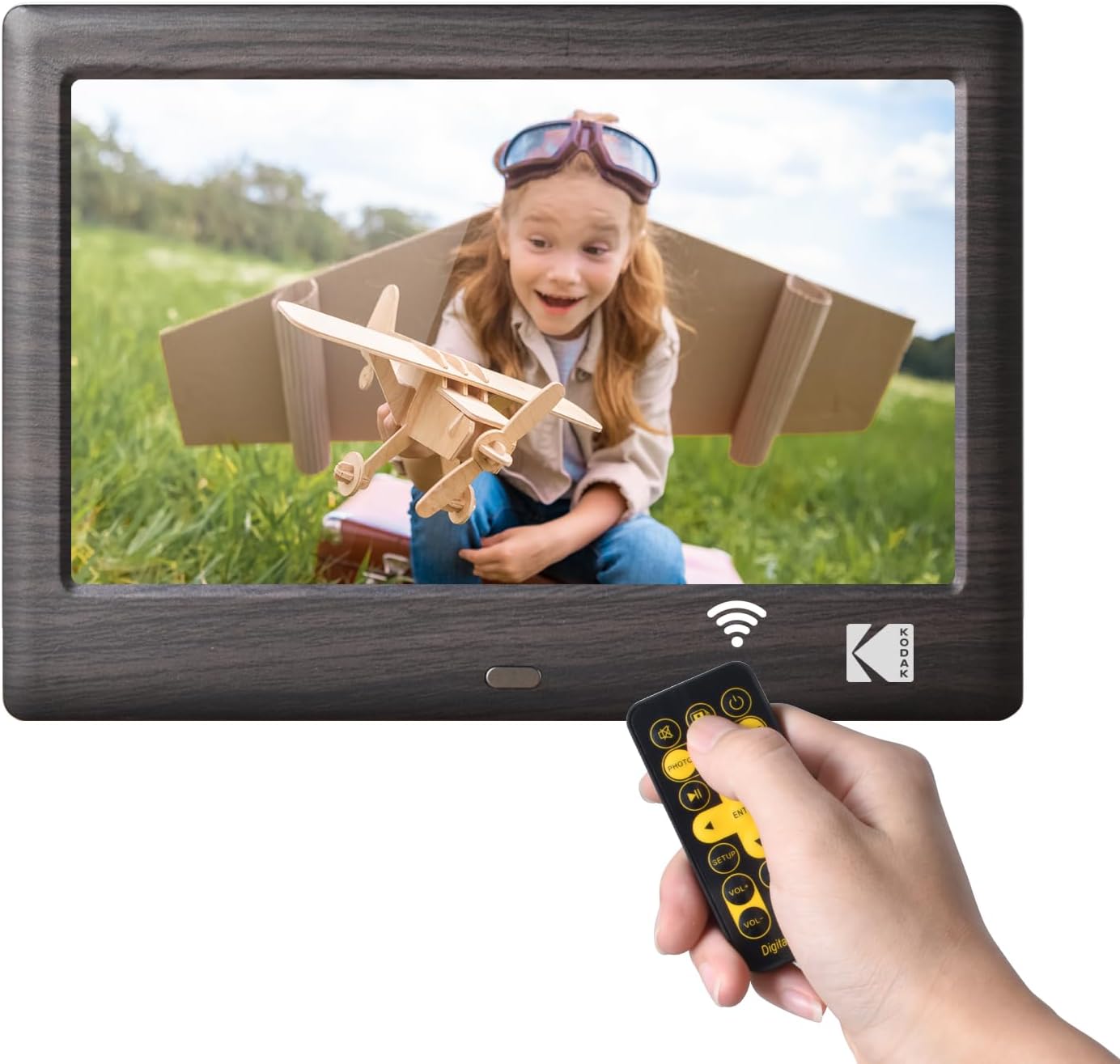
This image shows the front of the KODAK 7-Inch Wooden Digital Photo Frame displaying a picture of a child. A hand is holding the included remote control, highlighting the frame's primary control method.
Zadní View a porty pro připojení

Zadní část view of the digital photo frame illustrates the USB port and SD card slot, where external storage devices can be inserted to load media files. A USB drive is shown being inserted into the USB 3.1 port, and an SD card is visible in its slot.
Nastavení
- Připojení napájení: Connect the provided power adapter to the DC IN port on the back of the frame and then plug it into a standard electrical outlet.
- Insert Storage Device: Insert a USB flash drive or an SD/SDHC memory card (up to 32GB, not included) into the corresponding slot on the back of the frame. Ensure the card or drive is inserted correctly.
- Zapnutí: The frame will typically power on automatically once connected to power. If not, press the power button located on the back or side of the frame.
- Počáteční nastavení: Follow the on-screen prompts to select your preferred language and set the date and time.
Návod k obsluze
Pomocí dálkového ovládání
The included remote control allows for easy navigation and control of the frame's functions. Point the remote directly at the frame's IR receiver.
- Vypínač: Turns the frame on or off.
- Tlačítko nabídky: Accesses the main menu or returns to the previous menu.
- Navigační tlačítka (nahoru/dolů/vlevo/vpravo): Používá se k navigaci v nabídkách a výběru možností.
- Tlačítko Enter: Potvrdí výběr.
- Tlačítka hlasitosti: Adjusts the volume for videos and music.
- Ovládání přehrávání (Přehrát/Pozastavit, Předchozí, Další): Ovládá přehrávání médií.
- Mode Buttons (Photo, Video, Music, Calendar): Switches directly to the respective media mode.
Přehrávání médií
- Selecting Media Source: From the main menu, select the desired media type (Photo, Music, Video) or use the dedicated buttons on the remote.
- Procházení Files: Procházejte svým files and folders using the remote's navigation buttons.
- Spuštění přehrávání: Vyberte a file and press the Enter button to start playback. For photos, a slideshow will typically begin automatically.
Nastavení
Access the settings menu to customize your frame's behavior:
- Nastavení prezentace: Adjust transition effects, display time, and playback order for photos.
- Nastavení systému: Configure language, time, date, auto-rotate function, and brightness.
- Režim kalendáře: Display a calendar with your photos in the background.
Údržba
- Čištění obrazovky: Use a soft, dry, lint-free cloth to gently wipe the screen. For stubborn smudges, slightly dampOtřete hadřík vodou nebo čističem obrazovek určeným pro elektroniku. Vyhněte se agresivním chemikáliím.
- Čištění rámu: Wipe the wooden frame with a soft, dry cloth.
- Skladování: When not in use for extended periods, disconnect the power adapter and store the frame in a cool, dry place away from direct sunlight.
- Vyhněte se tekutinám: Do not expose the frame to water or other liquids.
Odstraňování problémů
- Rám se nezapne:
- Ensure the power adapter is securely connected to both the frame and a working electrical outlet.
- Try a different outlet. - No image or video displayed:
- Verify that a USB drive or SD card with compatible media files is inserted correctly.
- Zkontrolovat file formats. The frame supports common photo (JPEG), video (MP4, AVI), and music (MP3) formats.
- Ensure the correct media source is selected. - Dálkové ovládání nefunguje:
- Zkontrolujte baterii v dálkovém ovladači a v případě potřeby ji vyměňte.
- Ensure there are no obstructions between the remote and the frame's IR receiver.
- Make sure you are pointing the remote directly at the frame. - Obrázky jsou zkreslené nebo rozmazané:
- Ensure the resolution of your images is suitable for the frame's 1024x600 display.
- Clean the screen if there are smudges.
Specifikace
| Funkce | Specifikace |
|---|---|
| Značka | KODAK |
| Číslo modelu | RCF1012WDB |
| Velikost obrazovky | 7 palce |
| Rozlišení displeje | 1024x600 IPS HD |
| Poměr stran | 16:9 |
| Technologie připojení | USB |
| Zdroj napájení | Elektrický kabel |
| Kontrolní metoda | Vzdálený |
| Kompatibilní zařízení | Personal Computer, Smartphone, Tablet (for media transfer) |
| Rozměry položky d x š | 7.09"D x 4.69"Š |
Záruka a podpora
This KODAK Digital Photo Frame comes with a 1 rok záruka od data nákupu. Uschovejte si prosím doklad o koupi pro případné reklamace.
For technical support, troubleshooting assistance beyond this manual, or warranty inquiries, please contact KODAK customer service. Refer to the contact information provided on the product packaging or the official KODAK webmísto.