
1. Úvod
The LinkTap Zigbee Repeater EXT-1 is designed to extend the wireless coverage of your LinkTap smart irrigation system. It ensures reliable communication between your LinkTap Gateway and water timers, especially in large gardens or areas with complex layouts. This device is built for both indoor and outdoor use, offering flexible power options and robust performance in various weather conditions. This manual provides essential information for setting up, operating, and maintaining your LinkTap Zigbee Repeater.
2. Konec produktuview
The LinkTap Zigbee Repeater (EXT-1) is a compact and durable device that enhances the range and stability of your LinkTap Zigbee network. It acts as a bridge, relaying signals between your LinkTap Gateway and other LinkTap devices, ensuring seamless operation across your property.
2.1 Co je v krabici
- LinkTap Zigbee Repeater (EXT-1)
- AC-DC napájecí adaptér
- Uživatelská příručka (tento dokument)
2.2 Device Dimensions and Components
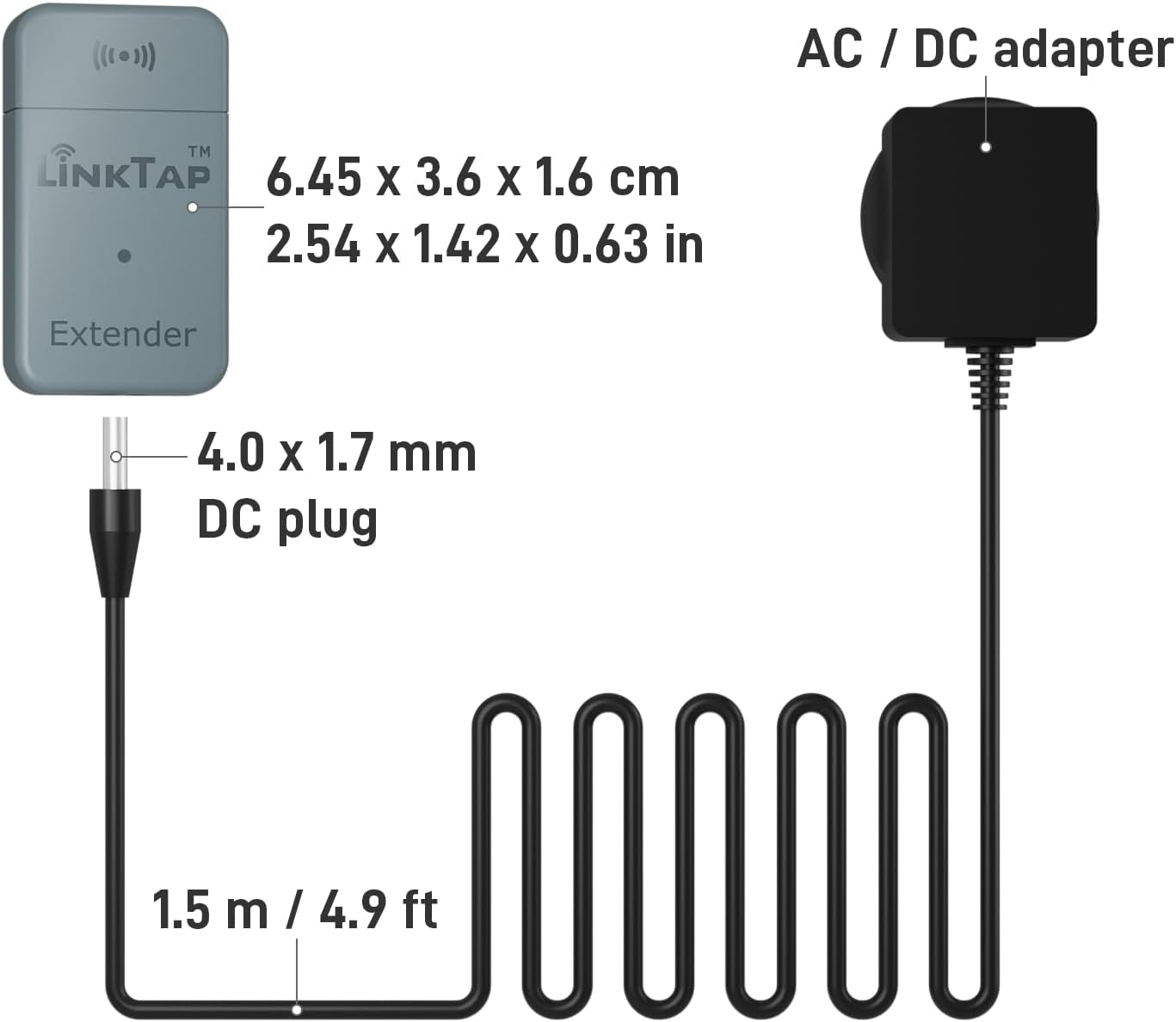
Obrázek 1: The LinkTap Extender (6.45 x 3.6 x 1.6 cm / 2.54 x 1.42 x 0.63 in) shown with its 4.0 x 1.7 mm DC plug and 1.5 m / 4.9 ft cable connected to the AC/DC adapter.
3. Nastavení a instalace
3.1 Powering the Repeater
The LinkTap Zigbee Repeater offers flexible power options:
- AC-DC Adapter (Included): Connect the provided AC-DC adapter to the repeater and plug it into a standard power outlet.
- Solar Panel with Rechargeable Batteries (Sold Separately): For outdoor installations where a power outlet is not readily available, the repeater can be powered by a compatible solar panel with rechargeable batteries.
- 5-12V DC Power Input: The device supports any 5-12V DC power input.

Obrázek 2: The LinkTap Extender shown powered by an AC adapter indoors and by a solar panel outdoors, illustrating its flexible power options.
3.2 Pairing with LinkTap Gateway
The LinkTap Zigbee Repeater requires a LinkTap Gateway for operation. Follow these steps to pair the repeater with your gateway:
- Ensure your LinkTap Gateway is powered on and connected to the internet.
- Power on the LinkTap Zigbee Repeater using one of the methods described above.
- Open the LinkTap app on your smartphone or tablet.
- Navigate to the device pairing section within the app and follow the on-screen instructions to add a new repeater.
- The repeater will automatically connect to the nearest LinkTap Gateway, extending your network.

Obrázek 3: An illustration of the LinkTap expandable mesh network, showing a central Gateway communicating with an Extender and multiple Water Timers, covering a wide garden area.
4. Návod k obsluze
4.1 Extending Network Coverage
The repeater is designed to eliminate wireless dead spots and extend the reach of your Zigbee network. Place the repeater strategically between your LinkTap Gateway and any LinkTap devices that are experiencing weak signals or are out of range.

Obrázek 4: A visual representation of a LinkTap Extender bridging a wireless dead spot (marked with a red X) between a LinkTap Gateway inside a house and a Water Timer outdoors, ensuring signal coverage.
4.2 Monitoring Network Topology
The LinkTap app provides a device topology map, allowing you to visualize your entire Zigbee network. This feature helps you understand the signal strength and connection paths of all your LinkTap devices, including the repeater, enabling optimal placement and troubleshooting.

Obrázek 5: A smartphone screen displaying the LinkTap app's device topology map, showing the Gateway connected to multiple extenders and water timers with their respective signal strengths (dBm values).
4.3 Odolnost vůči povětrnostním vlivům
The LinkTap Zigbee Repeater is designed to withstand various indoor and outdoor conditions, ensuring reliable performance regardless of the weather.
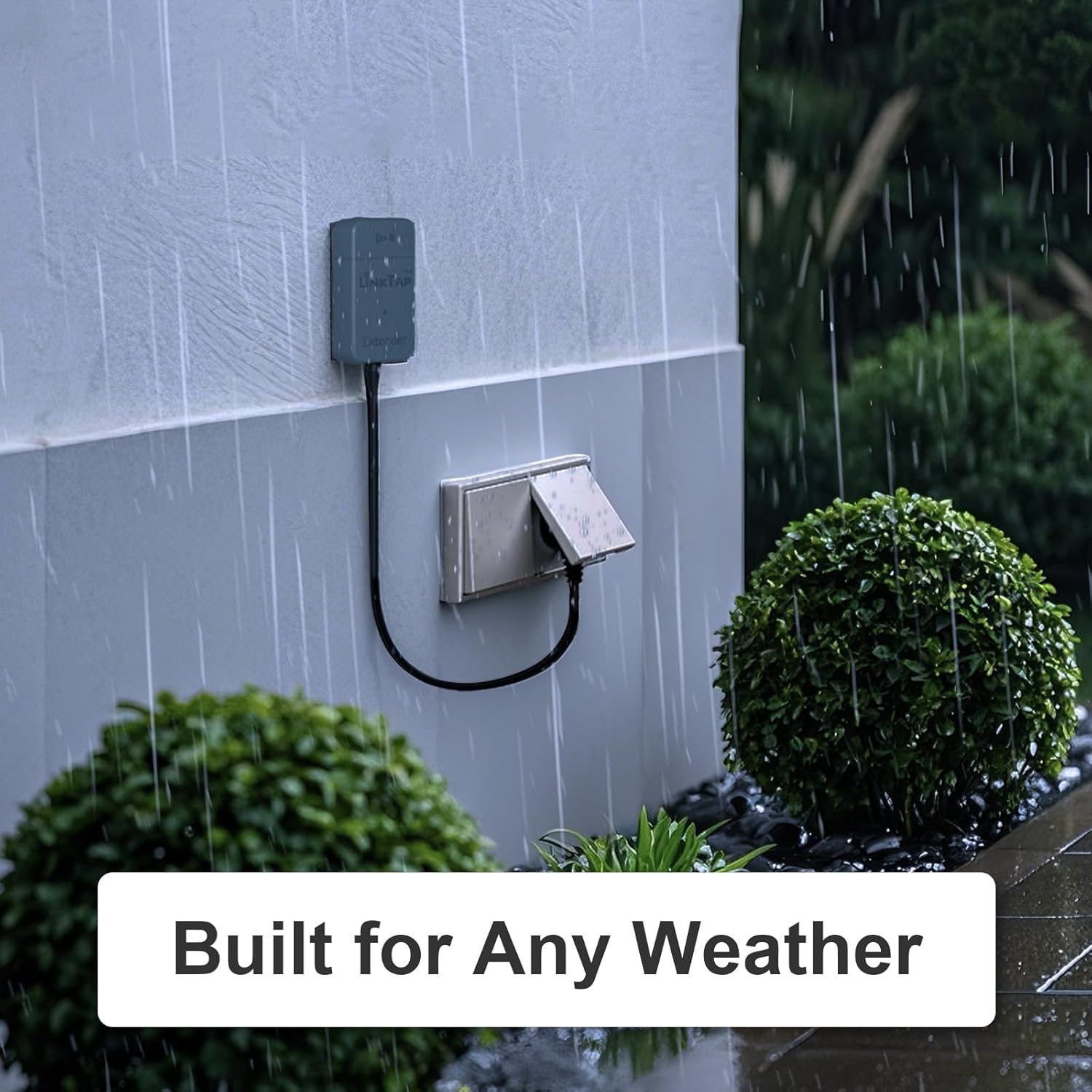
Obrázek 6: The LinkTap Extender is shown mounted on an exterior wall, connected to a power outlet, with rain falling around it, highlighting its weather-resistant construction.
4.4 Advanced Fault Detection
The LinkTap system, including the repeater, offers advanced fault detection capabilities to ensure your irrigation system operates smoothly and efficiently. This includes monitoring for abnormal flow rates, water cut-offs, valve failures, and device disconnections.
1 video: This video demonstrates the advanced fault detection features of the LinkTap system, which provides peace of mind by alerting users to issues like pipe bursts or water supply interruptions.
5. Údržba
- Pravidelný úklid: Periodically wipe the exterior of the repeater with a soft, damp hadříkem odstraňte prach a nečistoty. Nepoužívejte agresivní chemikálie ani abrazivní čisticí prostředky.
- Aktualizace firmwaru: Ensure your LinkTap app and Gateway firmware are up-to-date to benefit from the latest features and improvements, which may also affect repeater performance.
- Kontrola baterie (pokud je k dispozici): If using a solar panel with rechargeable batteries, regularly check the battery status via the LinkTap app to ensure continuous operation.
6. Řešení problémů
- Repeater Not Connecting: Ensure the repeater is powered on and within range of the LinkTap Gateway. Try moving it closer to the Gateway or another active LinkTap device.
- Slabý signál: Use the device topology map in the LinkTap app to identify areas with weak signals. Reposition the repeater or add additional repeaters to improve coverage.
- Zařízení offline: Check the power supply to the repeater. If using batteries, ensure they are charged or replaced. Verify the LinkTap Gateway is online and functioning correctly.
- Rušení: Keep the repeater away from large metal objects, thick walls, or other electronic devices that might cause wireless interference.
7. Specifikace
| Značka | LinkTap |
| Číslo modelu | EXT-1 |
| Standard bezdrátové komunikace | 2.4 GHz Radio Frequency (Zigbee) |
| Třída frekvenčního pásma | Jedno pásmo |
| Speciální funkce | Vodotěsný |
| Barva | Šedá |
| Hmotnost položky | 45 gramů |
| Rozměry produktu | 16P x 36l x 65H milimetrů |
| Kompatibilní zařízení | LinkTap devices only |
| Podporovaná frekvenční pásma | 2.4 GHz |
| Rozsah | Až 400 metrů (otevřené pole) |
| Vstup napájení | Micro USB (5-12V DC) |
| Zahrnuté komponenty | AC-DC napájecí adaptér |
| Země původu | Čína |
8. Záruka a podpora
The LinkTap Zigbee Repeater EXT-1 comes with a 2letá záruka výrobce. For technical support, troubleshooting assistance, or warranty claims, please visit the official LinkTap website or contact LinkTap customer service directly. Ensure you have your product model number (EXT-1) and proof of purchase available when seeking support.
2 video: Toto video poskytuje přesview of the LinkTap G2S Wireless Water Timer, showcasing its features and ease of use within the LinkTap smart irrigation ecosystem.