
Zavedení
This manual provides essential information for the safe and effective use of your Minolta MNB5Z 56MP Dual Lens Point & Shoot Digital Camera. Please read this manual thoroughly before using the camera and keep it for future reference. The Minolta MNB5Z is designed to capture high-quality photos at 56MP and record videos in 5K Ultra HD, featuring a 5x optical zoom and a user-friendly 2.8-inch IPS touchscreen.
Bezpečnostní informace
- Do not expose the camera to water or moisture. This camera is not water resistant.
- Zabraňte pádu fotoaparátu na zem nebo jeho vystavení silným nárazům.
- Keep the camera away from direct sunlight, high temperatures, and dusty environments.
- Používejte pouze určené baterie a příslušenství.
- Nepokoušejte se kameru rozebírat ani upravovat. Veškerý servis svěřte kvalifikovanému personálu.
- Uchovávejte mimo dosah dětí.
Obsah balení
Ověřte, zda jsou v balení přítomny všechny položky:
- Minolta MNB5Z 56MP Digital Camera
- USB nabíjecí kabel
- Nabíjecí lithium-iontová baterie
- MicroSDHC Ultra 64GB Memory Card
- Flexibilní stativ pro vlogování
- Peněženka na paměťovou kartu
- USB Card Reader (SD/microSD)
- Bag kamery
- Čisticí sada
- Corel Photo, Video, & Art Suite Deluxe Software (Download information may be included)
Nastavení
1. Instalace baterie
- Vyhledejte kryt prostoru pro baterie na spodní straně fotoaparátu.
- Posuňte západku krytu a otevřete přihrádku.
- Insert the Lithium-Ion battery according to the polarity indicators (+/-).
- Kryt přihrádky na baterie bezpečně zavřete, dokud nezacvakne na místo.
2. Instalace paměťové karty
The Minolta MNB5Z supports microSD and microSDHC cards up to 256GB.
- Open the battery compartment cover. The microSD card slot is usually located near the battery.
- Insert the microSD card with the gold contacts facing down, gently pushing until it clicks into place.
- Chcete-li kartu vyjmout, znovu ji zatlačte, dokud nevyskočí.
- Zavřete kryt prostoru pro baterie.
3. Nabíjení baterie
- Připojte menší konec nabíjecího kabelu USB k portu USB fotoaparátu.
- Druhý konec kabelu USB připojte k napájecímu adaptéru USB (není součástí balení) nebo k portu USB počítače.
- The charging indicator light (CHG) will illuminate during charging and turn off when fully charged.
4. Počáteční zapnutí
- Stiskněte a podržte ON/OFF tlačítko umístěné na horní straně fotoaparátu.
- The camera will power on, and the display screen will activate.
- Pro počáteční nastavení, například nastavení data a času, postupujte podle pokynů na obrazovce.
Obsluha fotoaparátu
1. Rozložení a ovládání kamery
Familiarize yourself with the camera's buttons and touchscreen interface.

Obrázek: Zadní view of the Minolta MNB5Z camera, highlighting the touchscreen display and physical control buttons for navigation and function selection.
- Tlačítko ON/OFF: Zapne nebo vypne fotoaparát.
- Tlačítko spouště: Namáčknutím zaostříte, stisknutím úplně pořídíte snímek.
- Páčka zoomu: Ovládá 5násobný optický zoom.
- Tlačítko režimu: Switches between different shooting modes (Photo, Video, Playback, etc.).
- Directional Pad (DISP/OK): Prochází menu a potvrzuje výběr.
- Tlačítko přehrávání: Vstoupí do režimu přehrávání view fotografie a videa.
- Tlačítko nabídky: Přístup k nastavení a možnostem fotoaparátu.
- 2.8palcový IPS dotykový displej: For intuitive navigation and reviewobsahu.
2. Fotografování
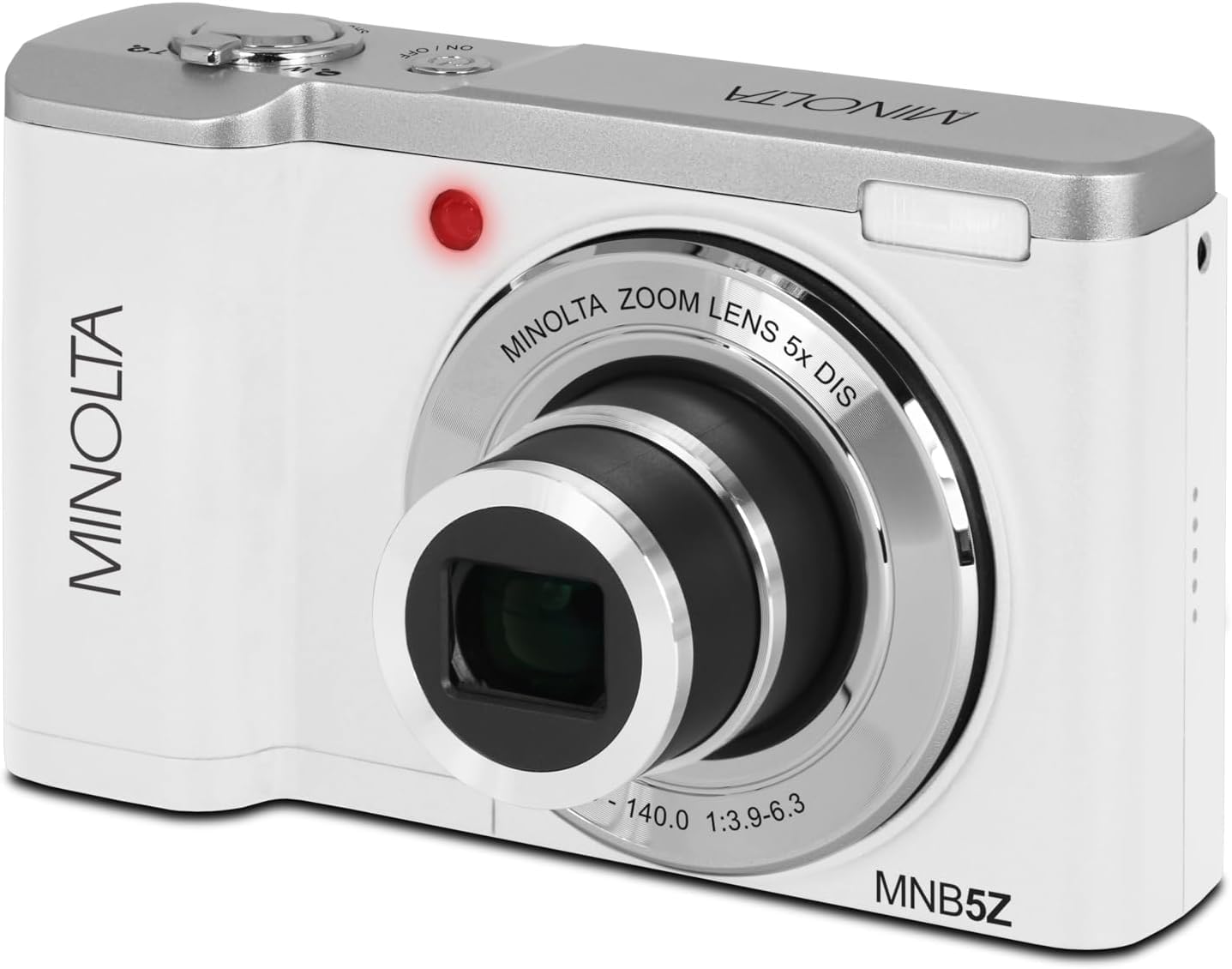
Obrázek: Přední strana view of the Minolta MNB5Z camera, showing the lens extended for capturing images, with the Minolta branding visible.
- Turn on the camera and ensure it is in Photo mode.
- Komponujte snímek pomocí 2.8palcové dotykové IPS obrazovky.
- Pomocí páčky zoomu upravte 5násobný optický zoom.
- Press the shutter button halfway down to allow the camera to focus. The focus indicator will confirm focus.
- Press the shutter button fully to capture the photo.
- Blikat: The built-in flash can be set to Auto, On/Fill, or Off via the menu.
- Režimy natáčení: Access various modes like Photo Burst, Time-Lapse, and Slow Motion via the Mode button or touchscreen menu.
3. Nahrávání videí
- Zapněte fotoaparát a přepněte jej do režimu Video pomocí tlačítka Režim.
- Frame your subject on the touchscreen.
- Press the shutter button to start recording. A recording indicator will appear on the screen.
- Dalším stisknutím tlačítka spouště nahrávání zastavíte.
- The camera records in 5K Ultra HD resolution and includes a built-in microphone for audio capture.
4. Přehrávání
- Stisknutím tlačítka Přehrávání přejděte do režimu přehrávání.
- Use the directional pad or swipe on the touchscreen to browse through your photos and videos.
- Stiskněte tlačítko OK na view video nebo přiblížení fotografie.
- Opětovným stisknutím tlačítka Přehrávání ukončíte režim přehrávání.
5. Nastavení fotoaparátu
- Press the Menu button to access camera settings.
- Use the directional pad or touchscreen to navigate through options such as resolution, white balance, ISO, exposure compensation, and color filters.
- Select an option and press OK to confirm or adjust.
- Pro opuštění nabídky stiskněte znovu tlačítko Menu.
6. Připojení k počítači (USB)
- Ujistěte se, že je fotoaparát vypnutý.
- Připojte fotoaparát k počítači pomocí dodaného kabelu USB.
- Turn on the camera. It should be recognized as a removable disk or media device.
- Nyní můžete přenášet fotografie a videa do počítače.
7. Wi-Fi připojení
The Minolta MNB5Z features Wi-Fi connectivity for wireless transfer of images and remote control via a compatible smartphone application (if available). Refer to the camera's on-screen menu for Wi-Fi setup instructions and pairing with your device.
Údržba
1. Čištění fotoaparátu
- K čištění těla fotoaparátu použijte měkký hadřík, který nepouští vlákna.
- For the lens and screen, use a specialized lens cleaning cloth and solution. Avoid harsh chemicals.
- Gently blow away dust from the lens surface before wiping.
2. Skladování

Obrázek: Přední strana view of the Minolta MNB5Z camera with its lens retracted, demonstrating its compact form factor for easy storage in the included camera bag.
- When not in use, store the camera in the provided camera bag to protect it from dust and scratches.
- Nebudete-li fotoaparát delší dobu používat, vyjměte baterii.
- Skladujte na chladném a suchém místě, mimo dosah extrémních teplot a vlhkosti.
Odstraňování problémů
| Problém | Řešení |
|---|---|
| Fotoaparát se nezapne. | Ensure the battery is correctly inserted and fully charged. Try charging the battery for at least 2 hours. |
| Nelze pořizovat fotografie/videa. | Check if the memory card is inserted correctly and has sufficient free space. Ensure the camera is in the correct mode (Photo/Video). |
| Obrázky jsou rozmazané. | Ensure the lens is clean. Press the shutter button halfway to allow the camera to focus before fully pressing. Use digital image stabilization in shaky conditions. |
| Blesk nefunguje. | Check flash settings in the menu to ensure it is not set to 'Off'. |
| Fotoaparát se zasekne nebo přestane reagovat. | Remove the battery, wait a few seconds, and reinsert it to reset the camera. |
Specifikace
| Funkce | Detail |
|---|---|
| Název modelu | MNB5Z |
| Rozlišení fotografie | 56 megapixelů |
| Rozlišení videa | 5K Ultra HD (30 FPS) |
| Optický zoom | 5x |
| Stabilizace obrazu | Digitální |
| Velikost obrazovky | 2.8palcový IPS dotykový displej |
| Podpora paměťových karet | microSD, microSDHC (up to 256GB) |
| Konektivita | USB, Wi-Fi |
| Typ baterie | Lithium Ion |
| Blikat | Built-In (Auto, On/Fill) |
| Typ snímače | CMOS |
| Minimální rychlost závěrky | 1/4000 sec |
| Podporováno File Formáty | JPEG (fotografie), MP4 (videa) |
| Hmotnost položky | 2.37 libry |
Záruka a podpora
Minolta products are manufactured to the highest quality standards. For information regarding your product's warranty, please refer to the warranty card included in your package or visit the official Minolta support website. For technical assistance, troubleshooting, or service inquiries, please contact Minolta customer support.
Online podpora: Visit the official Minolta webweb s častými dotazy, ovladači ke stažení a kontaktními informacemi.
Služby zákazníkům: Refer to your product packaging or the Minolta webstránky s kontaktními údaji zákaznického servisu.