
RAINPOINT B-ITV347
RAINPOINT Irrigation Computer User Manual
Model: B-ITV347
1. Úvod
Thank you for choosing the RAINPOINT Irrigation Computer. This device is designed to simplify your garden watering tasks with its advanced features and user-friendly interface. It allows for precise control over watering schedules across multiple zones, ensuring optimal hydration for your plants while conserving water.
Please read this manual thoroughly before operating the device to ensure proper installation, programming, and maintenance. Keep this manual for future reference.
2. Konec produktuview
2.1 Komponenty
The RAINPOINT Irrigation Computer features a robust design with a large LCD display and intuitive controls. Key components include:
- Hlavní jednotka: Obsahuje ovládací panel, LCD displej a přihrádku na baterie.
- Brass Inlet: Durable connection point for your water source, compatible with 3/4 and 1-inch hoses/taps.
- Three Independent Outlets: Allows for connection of up to three separate watering zones.
- Ovládací volič: Used for navigating through settings and modes.
- tlačítka: OK/Manual, Delay/+, Zone/-, used for specific functions and adjustments.

Obrázek 2.1: Přední strana view of the RAINPOINT Irrigation Computer, showing the large LCD display, control dial, and three outlets at the bottom.
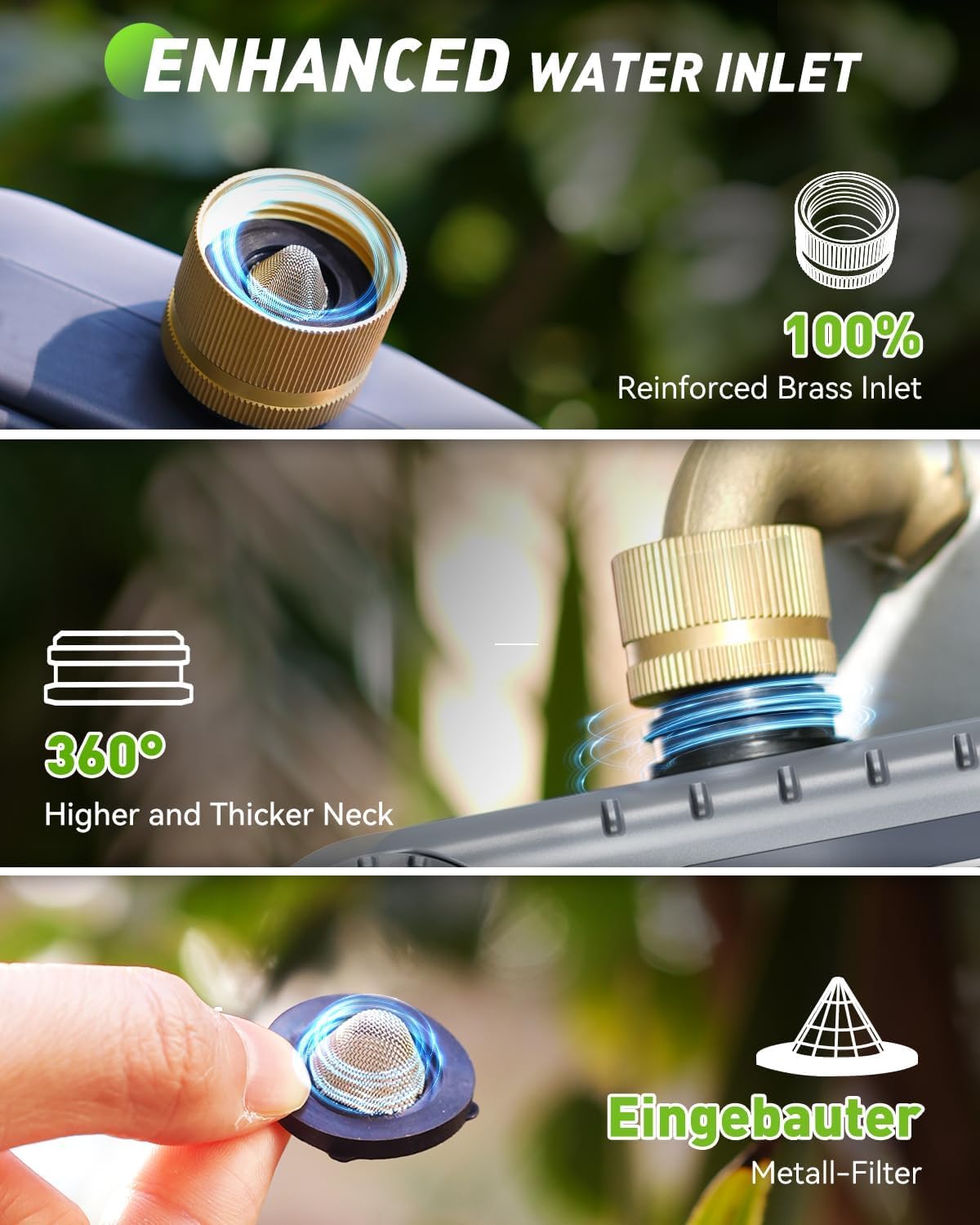
Obrázek 2.2: Detailní view of the enhanced water inlet, featuring a reinforced brass connection and an integrated metal filter for durability and clean water flow.
2.2 Klíčové vlastnosti
- 3 Independent Zones: Program distinct watering schedules for up to three different areas.
- Enhanced Timer Performance: Durable brass inlet and reinforced solenoid valve for stable water flow.
- Funkce zpoždění deště: Pause watering for 24, 48, or 72 hours to prevent overwatering during rainfall.
- Režim ručního zavlažování: Spusťte okamžité zavlažování bez ovlivnění naprogramovaných plánů.
- Velký LCD displej: Clear and easy-to-read screen for programming and monitoring.
- Ochrana před vybitou baterií: Alerts for low battery and automatically shuts off the valve to prevent water waste.
3. Nastavení
3.1 Instalace baterie
The irrigation computer requires 4 AA 1.5V batteries (not included). To install:
- Najděte přihrádku na baterie na zadní straně jednotky.
- Gently pull up the two tabs on the back cover to open the compartment.
- Vložte 4 baterie AA, dbejte na správnou polaritu (+/-).
- Close the battery compartment securely, pressing down until the tabs click into place.
Note: The LCD screen will activate upon successful battery installation.
3.2 Installation to Faucet
Before connecting, ensure your faucet is clean and free of debris.
- Attach the brass inlet of the irrigation computer to your outdoor faucet. Ensure the included sealing washer is properly seated to prevent leaks.
- Tighten the connection by hand until secure. Do not overtighten.
- Connect your garden hoses to the three independent outlets at the bottom of the unit. Ensure each hose is securely fastened.

Figure 3.1: Installation of the irrigation computer to a standard outdoor faucet, highlighting the ergonomic design for easy handling.
4. Návod k obsluze
4.1 Nastavení hodin
- Otočte ovládací kolečko na NASTAVIT HODINY.
- Použijte +/- buttons to adjust the current hour. Press OK/MANUÁLNĚ potvrdit.
- Použijte +/- buttons to adjust the current minute. Press OK/MANUÁLNĚ potvrdit.
- Hodiny jsou nyní nastaveny.
4.2 Programování zavlažovacích plánů (automatický režim)
Each of the three zones can be programmed independently. The device will execute plans for one zone at a time to maintain water pressure.

Figure 4.1: The LCD display illustrating the customizable settings for watering schedules, including start time, duration, and frequency.
- Otočte ovládací kolečko na ČAS STARTU.
- Stiskněte tlačítko ZONE +/- button to select the zone you wish to program (ZONE 1, 2, or 3).
- Použijte +/- buttons to set the desired start time for the selected zone. Press OK/MANUÁLNĚ potvrdit.
- Otočte ovládací kolečko na JAK DLOUHO.
- Ensure the correct zone is selected using ZONE +/-. Použijte +/- buttons to set the watering duration (from 1 minute to 4 hours). Press OK/MANUÁLNĚ potvrdit.
- Otočte ovládací kolečko na JAK ČASTO.
- Ensure the correct zone is selected using ZONE +/-. Použijte +/- buttons to set the watering frequency (from 1-12 hours or 1-7 days). Press OK/MANUÁLNĚ potvrdit.
- Repeat steps for other zones as needed.
- Otočte ovládací kolečko na ON to activate the programmed schedules.
Important Note: The device can only execute the plan for one zone at a time. If there is a conflict in activation plans for multiple zones, only one zone will operate, and the others will wait for the previous zone's execution to complete before starting. This ensures optimal water pressure for each zone.
4.3 Ruční zavlažování
To initiate immediate watering without affecting your programmed schedules:

Figure 4.2: A user demonstrating manual watering, with the display showing options to select and activate specific zones for immediate watering.
- Otočte ovládací kolečko na ON.
- Stiskněte tlačítko OK/MANUÁLNĚ button. The display will show "MANUAL".
- Použijte ZONE +/- button to select the zone you wish to water manually.
- Použijte +/- buttons to set the desired manual watering duration (from 1 minute to 8 hours).
- Stiskněte OK/MANUÁLNĚ pro spuštění ručního zavlažování.
- Chcete-li zastavit ruční zavlažování, stiskněte OK/MANUÁLNĚ znovu nebo otočte voličem na VYPNUTO.
4.4 Funkce zpoždění deště
The rain delay function allows you to temporarily suspend your watering schedule for a set period, preventing overwatering during rainy conditions.
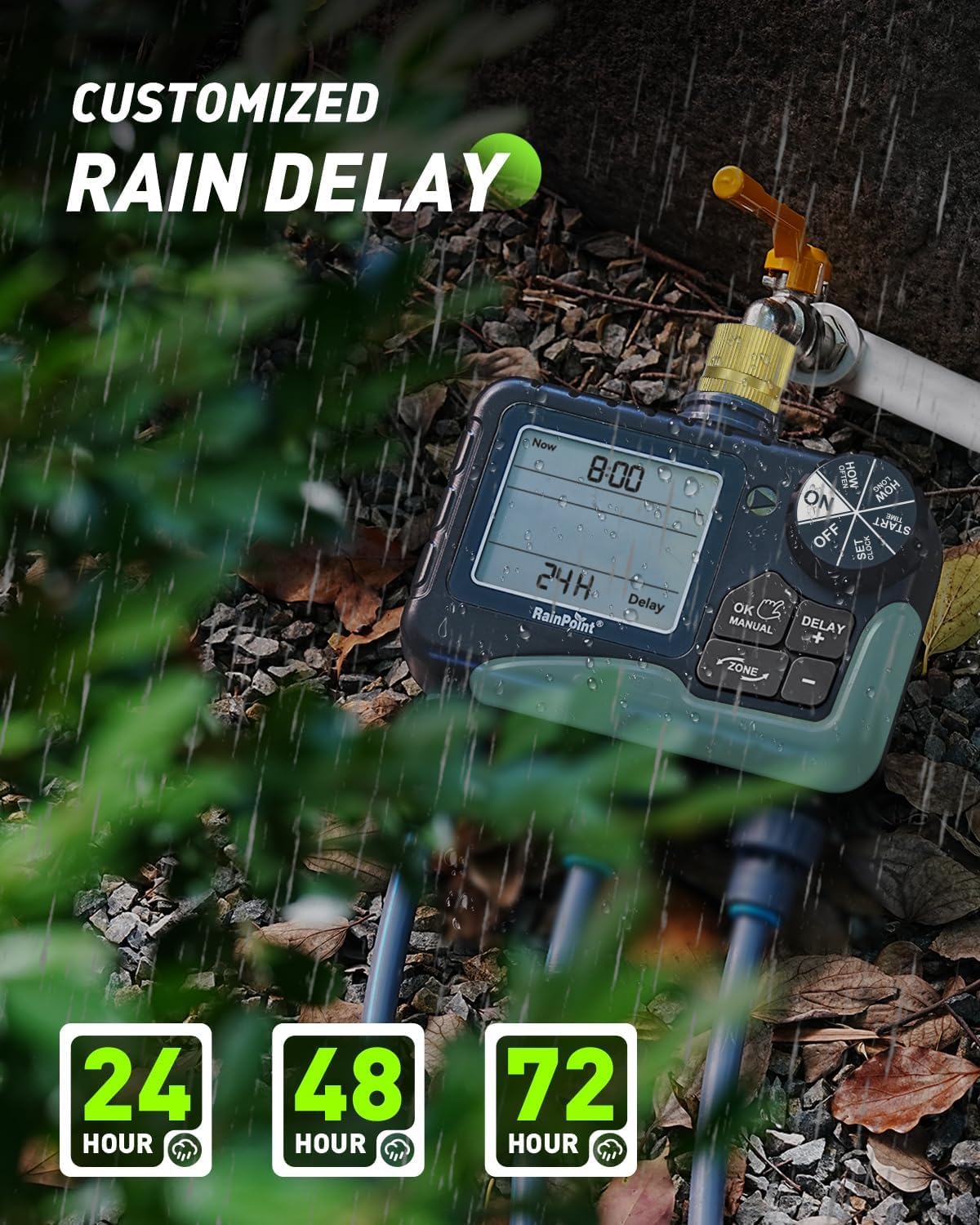
Figure 4.3: The irrigation computer displaying the rain delay options, allowing users to pause watering for 24, 48, or 72 hours.
- Otočte ovládací kolečko na ON.
- Stiskněte tlačítko ZPOŽDĚNÍ/+ button. The display will show "DELAY".
- Použijte +/- buttons to select the desired delay duration (24H, 48H, or 72H).
- Stiskněte OK/MANUÁLNĚ to activate the rain delay. The timer will automatically resume its schedule after the selected delay period.
- Chcete-li zrušit zpoždění kvůli dešti, stiskněte ZPOŽDĚNÍ/+ again and select "0H" or turn the dial to VYPNUTO a pak zpět do ON.
4.5 Turning Off the Device
To stop all watering and programming, turn the control dial to VYPNUTO. This will suspend all active schedules until the dial is turned back to ON.
5. Údržba
- Výměna baterie: Replace batteries when the low battery indicator appears on the LCD. The valve will automatically shut off when batteries are critically low to prevent water waste.
- Čištění: Periodically clean the brass inlet filter to prevent debris from entering the unit and affecting water flow. Remove the filter, rinse it under running water, and reinsert.
- Zimní skladování: During freezing temperatures, remove the irrigation computer from the faucet and store it indoors in a dry, frost-free location. Remove batteries before storage.
- Údržba ventilů: The improved coil valve design minimizes shock and ensures smoother water flow. No specific user maintenance is required for the internal valve beyond keeping the inlet filter clean.

Figure 5.1: The display indicating a low battery reminder and the automatic shut-off feature to conserve water.

Figure 5.2: Visual comparison highlighting the structural design improvements of the upgraded coil valve, leading to less water pressure loss compared to older valve types.
6. Řešení problémů
| Problém | Možná příčina | Řešení |
|---|---|---|
| Žádný proud vody. |
|
|
| Watering does not start at programmed time. |
|
|
| Netěsnosti z přípojek. |
|
|
| Displej je prázdný nebo tmavý. |
|
|
7. Specifikace
| Funkce | Detail |
|---|---|
| Číslo modelu | B-ITV347 |
| Rozměry | Přibližně 18.7 H x 19.5 Š x 10.9 V cm |
| Hmotnost | Approx. 866 Grams |
| Materiál | Brass (inlet), ABS Plastic |
| Rozsah tlaku vody | 0.5–8 barů (7.25–116 PSI) |
| Průtok | 5 - 35 Liters per minute |
| Provozní teplota | 3°C - 50°C |
| Zdroj napájení | 4 x AA 1.5V baterie (nejsou součástí balení) |
| Délka zavlažování | 1 minute to 4 hours (programmable) |
| Frekvence zalévání | 1-12 hours or 1-7 days (programmable) |
| Možnosti zpoždění po dešti | 24H, 48H, 72H |
| Ochrana proti vniknutí | IP65 |
8. Záruka a podpora
RAINPOINT offers lifetime support for this product. If you require further assistance, have questions, or encounter any issues not covered in this manual, please contact RAINPOINT customer service.
For warranty information and to register your product for a 5-year guarantee, please refer to the contact details provided with your purchase or visit the official RAINPOINT webmísto.
Ask a question about this manual
Ask about setup, troubleshooting, compatibility, parts, safety, or missing instructions. Manuals+ will review the question and use this page’s manual context to help answer it.