
Zavedení
This manual provides essential information for the safe and efficient use of your FLEXISPOT E3 Dual Motor Electric Standing Desk. It covers assembly instructions, operational guidelines, maintenance tips, and troubleshooting steps. Please read this manual thoroughly before assembly and first use to ensure proper function and longevity of your desk.
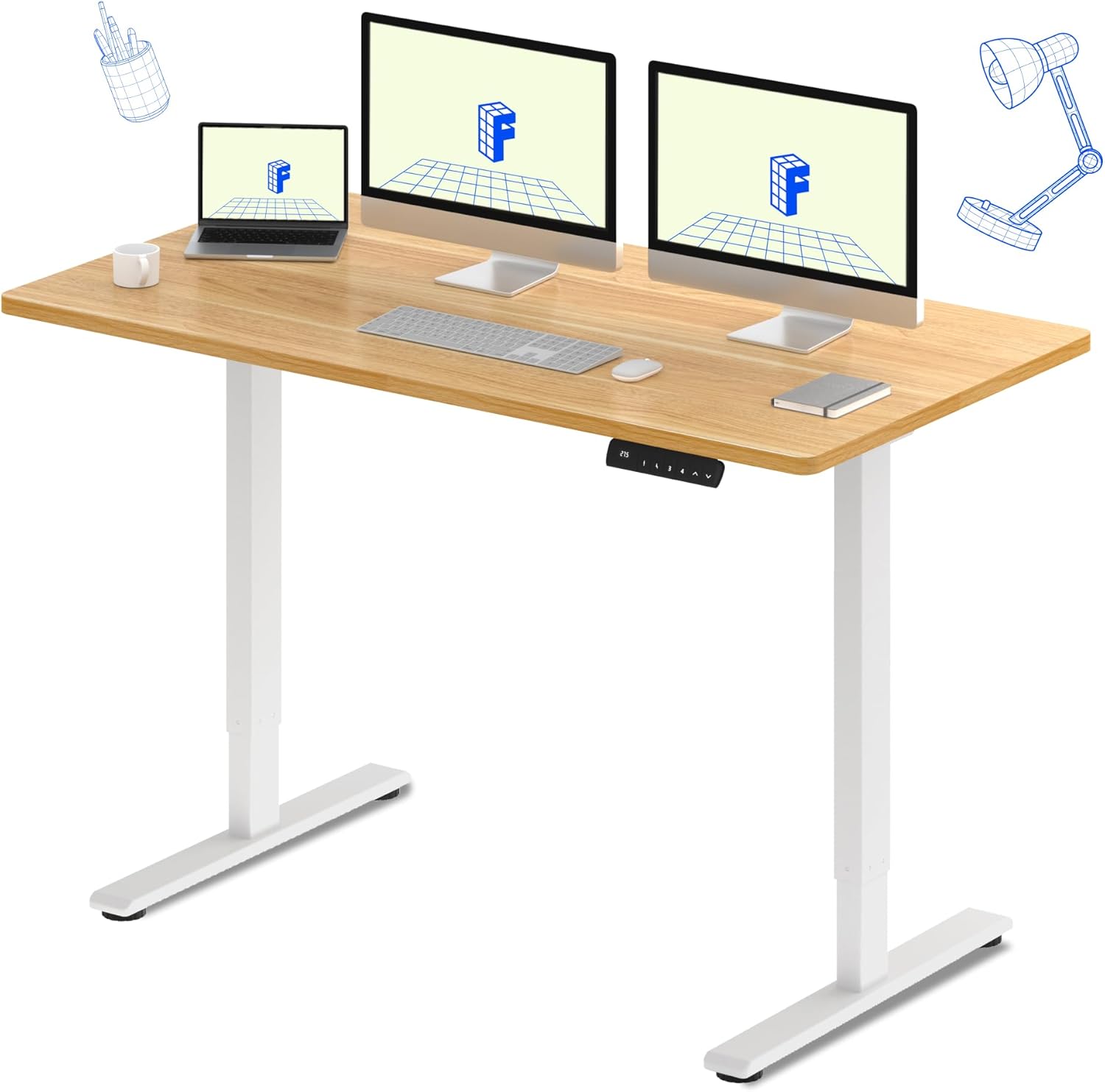
The FLEXISPOT E3 Dual Motor Electric Standing Desk, featuring a spacious 60"x24" maple desktop and a sturdy white frame, designed for a versatile workspace.
Bezpečnostní informace
Pro zajištění bezpečného provozu a prevenci poškození dodržujte následující bezpečnostní opatření:
- Always ensure the desk is properly assembled and stable before use.
- Nepřekračujte maximální hmotnostní limit 220 lb (100 kg) na ploše.
- Be cautious when adjusting the desk height to avoid pinching or crushing objects or body parts. Ensure there are no obstructions in the desk's path.
- Během provozu držte děti a domácí zvířata v dostatečné vzdálenosti od stolu.
- Nesedejte ani nestůjte na stole.
- Používejte pouze dodaný napájecí adaptér a komponenty.
- Před čištěním nebo prováděním jakékoli údržby odpojte napájení.
Klíčové vlastnosti
- Seamless & Silent Dual Motor Operation: Equipped with dual motors for quiet operation (under 50 dB) and enhanced lifting capacity.
- Robustní nosnost: Capable of lifting up to 220 lbs, providing stable support for your equipment.
- Roomy & Ergonomic Workspace: Features a 59" x 23.6" (approx. 60"x24") solid-surface desktop, offering ample space for monitors, laptops, and other work essentials.
- Customizable & Convenient Height Settings: The control panel allows saving up to 4 custom height settings for quick transitions between sitting and standing positions.

Detail of the dual motor frame, illustrating the continuous height adjustment capability of the desk.

Visual representation of the desk's robust 220 lbs weight capacity.
Specifikace
| Atribut | Detail |
|---|---|
| Značka | FLEXISPOT |
| Model | E3 |
| Rozměry produktu (D x Š x V) | 60"H x 23.6"Š x 27.6"V |
| Barva | Bílý rám + javorová deska |
| Styl | Moderní |
| Základní materiál | Kov |
| Typ horního materiálu | Dřevo |
| Typ dokončení | Dřevo |
| Speciální funkce | Kabelové |
| Velikost | 60"x24" Whole-piece |
| Zahrnuté komponenty | Keyboard Tray, Monitor Arm (Note: These may be optional accessories, refer to packaging) |
| Doporučená maximální hmotnost | 220 liber (100 kg) |
| Požadovaná montáž | Ano |
| Tvar | Obdélníkový |
| Design stolu | Stojící stůl |
| Tloušťka desky stolu | 23.6 Inches (Note: This likely refers to the width, not thickness) |
| Délka úhlopříčky pracovní plochy | 66.3 palce |
Nastavení a montáž
The FLEXISPOT E3 desk requires assembly. It typically arrives in two packages: one for the desktop and one for the frame components. While assembly is generally straightforward, it is recommended to have two people for certain steps due to the weight of the components.
Postup generálního shromáždění:
- Rozbalte komponenty: Carefully unpack all parts and verify against the packing list.
- Sestavte rám: Follow the included instructions to assemble the desk frame, including the legs, crossbar, and motors.
- Připojit plochu: Secure the desktop to the assembled frame. Note that the desktop may require pre-drilling holes for attachment, as indicated in some user experiences. Ensure proper alignment before securing.
- Instalace ovládacího panelu: Mount the control panel to the underside of the desktop in an accessible location.
- Připojení kabeláže: Connect all motor and control panel wiring to the control box as per the diagram in your specific instruction manual.
- Zapnutí a testování: Plug in the desk and perform an initial test of the height adjustment functions.
Podrobné pokyny a schémata krok za krokem naleznete v montážním návodu, který je součástí balení produktu.
Návod k obsluze
Your FLEXISPOT E3 desk features an intuitive control panel for easy height adjustments and memory settings.

The programmable control panel for the FLEXISPOT E3 desk, featuring up/down buttons and four memory presets.
Základní provoz:
- Nastavení výšky: Použijte Nahoru (▲) a Dolů (▼) arrows on the control panel to raise or lower the desk to your desired height. The current height is displayed on the digital screen.
- Ukládání předvoleb do paměti: The desk allows you to save up to four preferred height settings. To save a height:
- Nastavte pracovní stůl do požadované výšky.
- Stiskněte tlačítko M. or S. button (depending on control panel version).
- Okamžitě stiskněte jedno z očíslovaných tlačítek předvoleb (1, 2, 3nebo 4) before the display stops flashing. The height is now saved to that number.
- Vyvolání předvoleb paměti: Jednoduše stiskněte odpovídající očíslované tlačítko předvolby (1, 2, 3nebo 4) pro automatické přesunutí stolu do uložené výšky.
Ergonomické použití:
Regularly switching between sitting and standing positions can help alleviate discomfort associated with prolonged sitting. Utilize the memory presets to easily transition throughout your workday.

The FLEXISPOT E3 desk supports an active workspace, allowing for comfortable standing or walking while working.
Údržba
Proper maintenance ensures the longevity and smooth operation of your standing desk.
- Čištění: Otřete pracovní plochu a rám měkkým hadříkemamp hadříkem. Nepoužívejte abrazivní čisticí prostředky ani agresivní chemikálie, které by mohly poškodit povrchovou úpravu.
- Správa kabelů: Periodically check and organize cables to prevent tangles and ensure they do not interfere with the desk's movement.
- Zkontrolujte připojení: Ujistěte se, že všechna elektrická připojení jsou bezpečná a nepoškozená.
- Mazání: The motors and lifting columns are generally maintenance-free. Do not attempt to lubricate internal components unless specifically instructed by FLEXISPOT support.
Odstraňování problémů
If you encounter issues with your FLEXISPOT E3 desk, refer to the following common problems and solutions:
| Problém | Možná příčina | Řešení |
|---|---|---|
| Stůl se nepohybuje / Není napájení | Napájecí kabel odpojen; Problém se zásuvkou | Zkontrolujte všechna připojení k napájení. Ujistěte se, že je zásuvka funkční. |
| Stůl se pohybuje nerovnoměrně nebo se zastaví | Overload; Obstruction; Unbalanced load | Reduce weight on the desk. Remove any obstructions. Distribute weight evenly. |
| Error codes (e.g., ASR/E20) displayed | Motor fault; Sensor issue; Overheat protection | Refer to your specific product manual for error code definitions and reset procedures. Often, unplugging the desk for 10-15 minutes and plugging it back in can clear temporary errors. If the issue persists, contact customer support. |
| Desk makes unusual noises | Loose components; Obstruction | Check for any loose screws or components. Ensure nothing is caught in the lifting mechanism. |
If the problem persists after attempting these solutions, please contact FLEXISPOT customer support for further assistance.
Záruka a podpora
FLEXISPOT stands behind the quality of its products.
- Záruční krytí: Your FLEXISPOT E3 desk comes with a 5-letá záruka on the desk frame and motor, and a 2-letá záruka on the control panel and electronics.
- Plány ochrany: Additional protection plans may be available for purchase, offering extended coverage. Please refer to your purchase details for more information.
- Zákaznická podpora: For any questions, technical assistance, warranty claims, or replacement parts, please contact FLEXISPOT customer service. Have your product model and purchase information ready when contacting support.