
Zavedení
Thank you for choosing the Grandder 47x24 Inch Electric Standing Desk with Keyboard Tray. This manual provides detailed instructions for assembly, operation, maintenance, and troubleshooting to ensure safe and efficient use of your new desk. This electric height-adjustable desk is designed to promote a healthier work environment by allowing seamless transitions between sitting and standing positions.
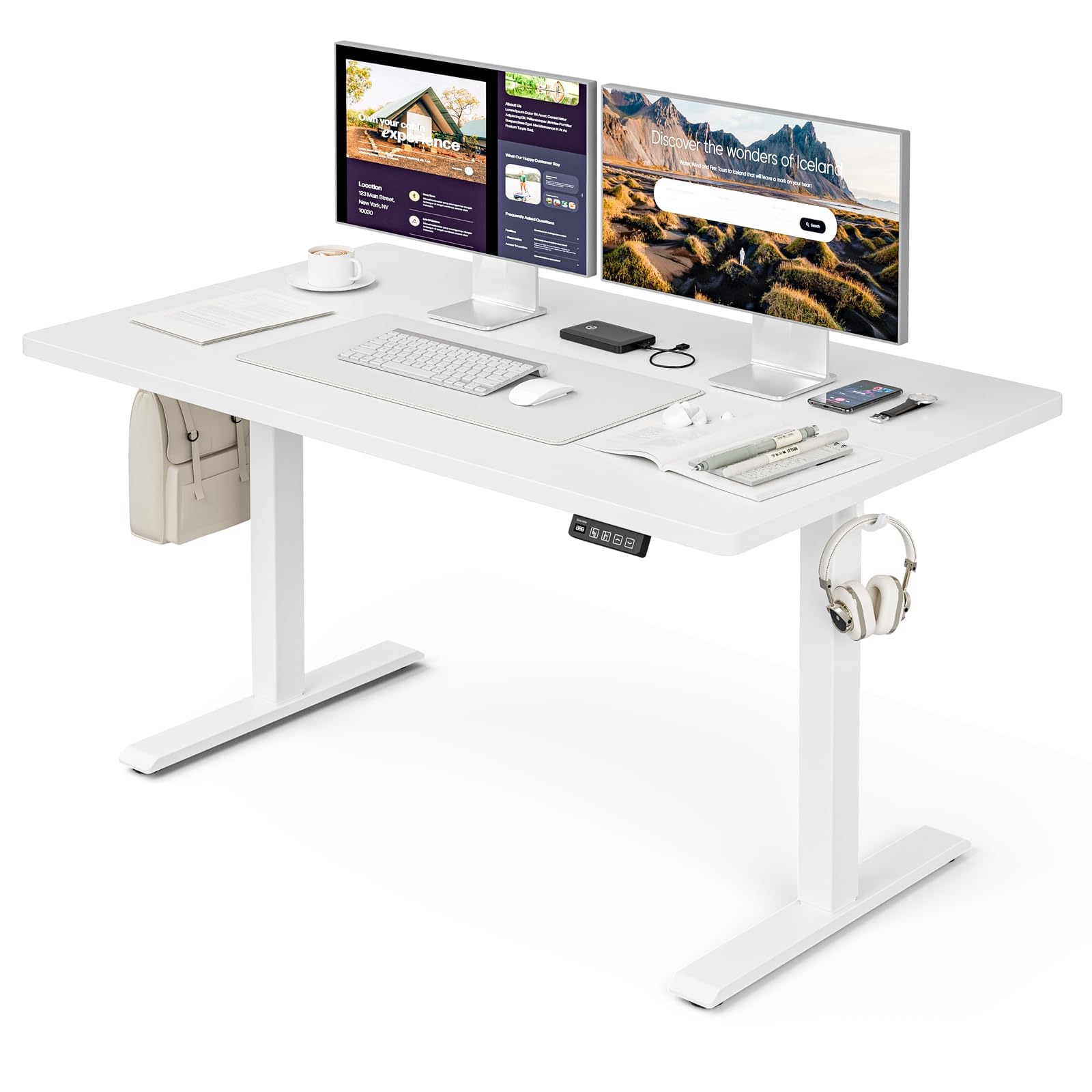
The Grandder 47x24 Inch Electric Standing Desk with Keyboard Tray, featuring a white desktop and frame, integrated keyboard tray, and a control panel for height adjustment.
Bezpečnostní informace
Obecná bezpečnostní opatření
- Nepřekračujte maximální hmotnostní limit 176 lb (80 kg) on the desktop. Overloading can cause damage or injury.
- Always use the motorized lift with caution. Ensure no obstructions are present during height adjustments to prevent injury or damage to property.
- Během provozu držte děti a domácí zvířata v dostatečné vzdálenosti od stolu.
- Ensure all cables are properly managed and secured to prevent tripping hazards or entanglement with moving parts.
- Nesedejte ani nestůjte na stole.
- Před čištěním nebo prováděním jakékoli údržby odpojte napájení.
Obsah balení
Před zahájením montáže ověřte, zda jsou všechny součásti přítomny. Pokud některé součásti chybí nebo jsou poškozené, kontaktujte zákaznickou podporu.
- Stolní počítač (spojovací deska)
- Nohy stolu (2)
- Chrániče nohou (4)
- Motor a řídicí jednotka
- Ovládací panel
- Keyboard Tray and Rails
- Earphone Hooks (2)
- Stahovací pásky (3)
- Napájecí adaptér a kabel
- Montážní materiál (šrouby, vruty atd.)
- L-shaped Allen Wrench
- Návod k použití
Nastavení a montáž
Assembly typically takes approximately 30 minutes. All parts are labeled, and an L-shaped Allen wrench is included for convenience. Follow the step-by-step instructions provided in the separate assembly guide for detailed visual instructions.
Pre-Assembly Considerations
- Pro montáž zvolte volný a prostorný prostor.
- Lay out all components and hardware, matching them against the package contents list.
- Ensure the power outlet is easily accessible once the desk is in its final position.

Desk dimensions: 47 inches wide, 24 inches deep, with a height range of 28 to 45.6 inches.
Klíčové kroky montáže
- Attach the desk legs to the desktop using the provided hardware.
- Install the motor and control box according to the assembly guide.
- Mount the control panel to the underside of the desktop in an accessible location.
- Assemble and attach the keyboard tray rails and the keyboard tray itself.
- Install the adjustable foot pads on the bottom of the desk legs to ensure stability on uneven floors.
- Attach the earphone hooks to the side of the desk for convenient storage.
- Use the included cable ties to manage and secure power and peripheral cables, maintaining a tidy workspace.

Included accessories: two earphone hooks for organization, four adjustable foot pads for stability, and three cable ties for cable management.
Návod k obsluze
Powering On and Initial Use
- Connect the power adapter to the control box and plug it into a wall outlet.
- The LED display on the control panel will illuminate, indicating the current desk height.
Nastavení výšky
The desk can be adjusted electrically from a minimum height of 28.3 inches to a maximum height of 47.2 inches. The motorized lift operates smoothly and quietly (less than 45dB).
- Stiskněte tlačítko Up arrow (↑) tlačítko pro zvednutí stolu.
- Stiskněte tlačítko Down arrow (↓) tlačítko pro spuštění stolu.
- Release the button at your desired height. The LED display shows the real-time height.

The control panel features an LED display for real-time height tracking, memory buttons for preset heights, and up/down adjustment buttons.

The desk operates with a smooth and quiet motor, maintaining noise levels below 45dB during height adjustments.
Předvolby paměti
The control panel includes memory buttons to save and quickly recall your preferred sitting and standing heights.
- Nastavte si stůl do požadované výšky.
- Stiskněte tlačítko M button (or similar memory set button, indicated by a person sitting/standing icon) until the display flashes.
- Press one of the numbered preset buttons (e.g., 1 or 2) pro uložení aktuální výšky do dané předvolby.
- To recall a saved height, simply press the corresponding preset button. The desk will automatically move to the saved position.
Keyboard Tray Usage
The integrated keyboard tray provides additional space and ergonomic benefits. It has a maximum load capacity of 10 kg (22 lb).

The sturdy keyboard tray is designed to save working space and enhance typing comfort, supporting a maximum load of 10 kg.
Protikolizní systém
The desk is equipped with an anti-collision system that automatically stops and slightly reverses the desk's movement if it encounters an obstruction during height adjustment. This feature protects against damage and injury.
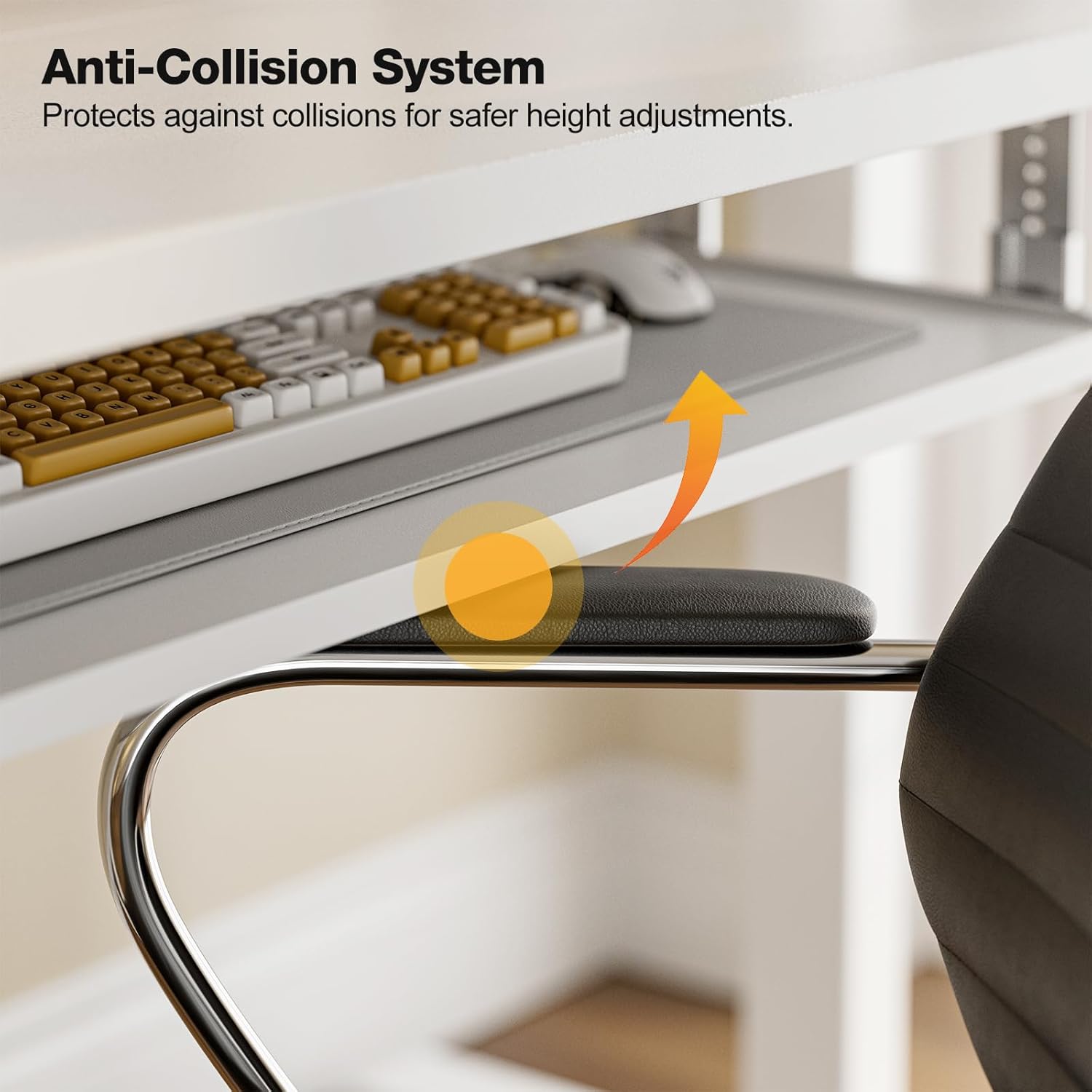
The anti-collision system protects against impacts by stopping and reversing desk movement when an obstruction is detected.
Údržba
Čištění
- Otřete pracovní plochu a rám měkkým hadříkemamp hadříkem. Nepoužívejte abrazivní čisticí prostředky ani agresivní chemikálie.
- Ensure the desk is unplugged before cleaning.
Pravidelné kontroly
- Pravidelně kontrolujte všechny šrouby a vruty, zda jsou pevně utažené. V případě potřeby je dotáhněte.
- Inspect the power cable for any signs of damage. If damaged, discontinue use and contact support.
Odstraňování problémů
If you encounter any issues with your Grandder standing desk, please refer to the following common troubleshooting steps:
| Problém | Možná příčina | Řešení |
|---|---|---|
| Stůl se nepohybuje / Není napájení | Power cable disconnected; Power outlet malfunction; Control box issue. | Check if the power cable is securely plugged into both the desk and the wall outlet. Try a different outlet. Ensure all connections to the control box are secure. |
| Stůl se pohybuje nerovnoměrně nebo vydává neobvyklé zvuky | Nerovnoměrné zatížení; Uvolněné spoje; Překážka. | Ensure weight is evenly distributed on the desktop. Check all assembly screws and bolts for tightness. Inspect for any obstructions in the lifting mechanism. |
| Protikolizní systém se často spouští | Obstruction in path; Sensitivity setting. | Clear any objects from the desk's path. Refer to the full assembly guide for instructions on adjusting anti-collision sensitivity, if available. |
| Předvolby paměti nefungují | Předvolby nebyly správně uloženy. | Re-save your desired heights by following the memory preset instructions in the Operating Instructions section. |
If the problem persists after attempting these solutions, please contact Grandder customer support for further assistance.
Specifikace
| Funkce | Detail |
|---|---|
| Značka | Grander |
| Model | Elektrický stojící stůl 47x24 palců |
| Design stolu | Stojící stůl |
| Tvar | Obdélníkový |
| Rozměry produktu (D x Š x V) | 60D x 120W x 74H Centimetres (approx. 23.6D x 47.2W x 29.1H Inches) |
| Minimální výška | 28.3 palce |
| Maximální výška | 47.2 palce |
| Barva | Bílý |
| Typ horního materiálu | melamin |
| Základní materiál | Kov |
| Doporučená maximální hmotnost | 176 liber (80 kg) |
| Motorized Lift Speed | 25 mm/s |
| Úroveň hluku | Méně než 45 dB |
| Speciální funkce | Ergonomic, Electric Height Adjustable, Keyboard Tray Included, Anti-Collision System |
| Montáž Vyžadována | Ano (nářadí je součástí balení) |
Záruka a podpora
Informace o záruce
Grandder products are manufactured with quality and durability in mind. For specific warranty details regarding your electric standing desk, please refer to the warranty card included in your package or visit the official Grandder website. Typically, warranty covers manufacturing defects and motor malfunctions under normal use.
Zákaznická podpora
Should you require assistance with assembly, operation, or troubleshooting that is not covered in this manual, please contact Grandder customer support. Have your product model number and purchase date ready when contacting support.
- Online podpora: Visit the Grandder official webstránky s častými dotazy a kontaktními formuláři.
- E-mailová podpora: E-mailovou adresu zákaznického servisu naleznete na obalu produktu nebo v záručním listu.