
1. Úvod
This manual provides essential instructions for the safe and efficient operation of your EPEVER Tracer4210ANG3 MPPT Solar Charge Controller. This device is designed to manage power flow from your solar panels to your battery bank, ensuring optimal charging and extending battery life. Please read this manual thoroughly before installation and use.
2. Bezpečnostní informace
Během instalace a provozu dodržujte následující bezpečnostní opatření:
- Ujistěte se, že veškeré kabely jsou správně polarizované a bezpečně připojené, aby nedošlo k poškození regulátoru nebo jiných součástí.
- Vždy nejprve připojte baterii, poté solární panel a nakonec zátěž. Odpojení provádějte v opačném pořadí.
- Nepokoušejte se rozebírat ani opravovat ovladač sami. Pro servis kontaktujte kvalifikovaný personál.
- Regulátor instalujte v dobře větraném prostoru, mimo dosah hořlavých materiálů a přímého slunečního záření.
- Pro ochranu před nadproudem použijte pro všechna připojení vhodné jističe nebo pojistky.
- Při práci s bateriemi používejte ochranu očí.
3. Konec produktuview
The EPEVER Tracer4210ANG3 is an advanced Maximum Power Point Tracking (MPPT) solar charge controller designed for off-grid solar systems. It automatically identifies 12V or 24V system voltages and supports various battery types, including Lithium. Key features include high tracking and conversion efficiency, and comprehensive electronic protections.
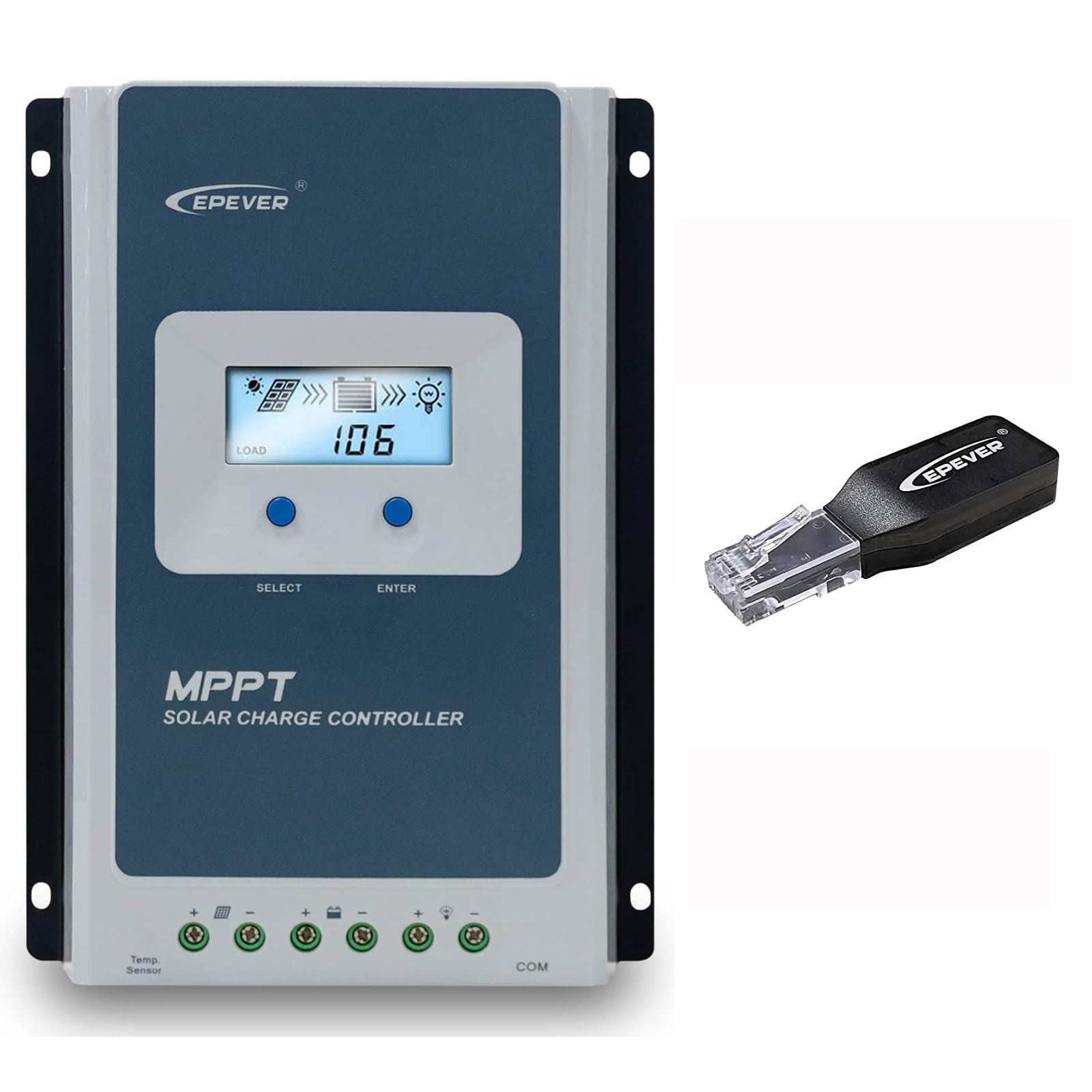
Figure 3.1: EPEVER Tracer4210ANG3 MPPT Solar Charge Controller with LCD display and connection terminals.
3.1 Klíčové vlastnosti
- Automatické ovládání systému 12V/24Vtage identifikace.
- Advanced MPPT technology with tracking efficiency above 99.5% and conversion efficiency up to 98%.
- Čtyři-stage charging (Bulk, Boost, Float, Equalization) to optimize battery health and lifespan.
- Supports various battery types including Sealed, Gel, Flooded, and Lithium.
- Comprehensive electronic protection functions: PV over current, short-circuit, reverse polarity, night reverse charging, battery reverse, over voltage, over-discharging, overheating, Lithium battery low temperature, load short circuit/overload, device overheating, and TVS high voltage transients protection.
- Remote control and monitoring capabilities via BLE (Bluetooth Low Energy) module (included with this model).

Figure 3.2: The Tracer4210ANG3 controller is compatible with multiple battery types, including Lithium (LI), Sealed (SLD), Flooded (FLD), Gel, and AGM, automatically identifying 12V/24V battery voltage.

Figure 3.3: System diagram illustrating the high tracking efficiency (above 99.5%) and conversion efficiency (98%) of the MPPT solar charge controller within a typical solar power setup for a home.

Figure 3.4: The controller offers real-time monitoring via a mobile application using BLE (Bluetooth Low Energy) or an optional MT50 remote meter. Note: BLE module is included with this model, while MT50 or WiFi modules are sold separately.
4. Nastavení a instalace
4.1 Montáž regulátoru
- Vyberte suché, dobře větrané místo, chráněné před přímým slunečním zářením, vysokými teplotami a vlhkostí.
- Zajistěte dostatečný volný prostor kolem regulátoru pro odvod tepla.
- Mount the controller vertically on a wall or suitable surface using appropriate fasteners.
4.2 Zapojení kabeláže
Důležité: Always connect in the following order: Battery → Solar Panel → Load. Disconnect in the reverse order.
- Připojte baterii: Connect the positive and negative terminals of the battery to the corresponding battery terminals on the controller. Ensure correct polarity. The controller will automatically detect the system voltage (12V nebo 24V).
- Připojte solární panel: Připojte kladný a záporný pól solárního panelu k odpovídajícím fotovoltaickým svorkám na regulátoru. Dbejte na správnou polaritu.
- Připojení zátěže: Connect the positive and negative terminals of the DC load to the corresponding load terminals on the controller.
After all connections are made, the controller's LCD display should illuminate, indicating proper power-up.
5. Návod k obsluze
5.1 LCD displej a tlačítka
The controller features an LCD display for real-time system status and parameters, along with buttons for navigation and settings adjustment.
- Tlačítko VYBRAT: Used to cycle through display screens and menu options.
- Tlačítko ENTER: Používá se k potvrzení výběru nebo k vstupu do režimu úpravy parametrů.
Refer to the detailed user manual (available for download from the manufacturer's website) for a complete guide on LCD navigation and parameter settings.
5.2 Výběr typu baterie
It is crucial to select the correct battery type in the controller's settings to ensure proper charging algorithms and prevent battery damage. The Tracer4210ANG3 supports various battery types, including:
- Utěsněné (SLD)
- Gel
- Zatopeno (FLD)
- Lithium (LI)
- User-defined (for custom parameters)
Access the battery settings via the LCD menu and select the type that matches your connected battery bank. For Lithium batteries, ensure the correct voltage and charging parameters are set, especially if using user-defined settings.
5.3 Remote Monitoring (BLE)
This model includes a Bluetooth Low Energy (BLE) module, allowing you to monitor and configure the controller wirelessly via a smartphone application. Download the official EPEVER app from your device's app store, connect to the controller via Bluetooth, and follow the in-app instructions for monitoring system data and adjusting parameters.
6. Údržba
Pravidelná údržba zajišťuje optimální výkon a dlouhou životnost vašeho solárního regulátoru nabíjení:
- Zkontrolujte připojení: Pravidelně kontrolujte veškeré kabelové spoje, zda nejsou pevně utažené a zda nejsou zkorodované. Utáhněte všechny uvolněné spoje.
- Vyčistěte ovladač: Keep the controller clean and free of dust and debris. Use a dry cloth for cleaning. Do not use liquids.
- Větrání: Ujistěte se, že větrací otvory nejsou zablokované, aby bylo možné správné odvádění tepla.
- Kontrola baterie: Regularly check your battery bank for signs of damage, corrosion, or electrolyte levels (for flooded batteries).
7. Řešení problémů
If you encounter issues with your Tracer4210ANG3 controller, refer to the following common problems and solutions:
| Problém | Možná příčina | Řešení |
|---|---|---|
| Displej ovladače je vypnutý. | No power from battery or solar panel; reversed battery polarity. | Zkontrolujte připojení baterie a objtage. Ensure solar panels are receiving sunlight. Verify battery polarity. |
| Baterie se nenabíjí. | Solar panel not connected; low solar input; incorrect battery type setting; faulty wiring. | Check solar panel connections and ensure sufficient sunlight. Verify battery type setting. Inspect all wiring. |
| Zatížení nefunguje. | Load disconnected; battery voltage too low; load overcurrent protection activated. | Zkontrolujte připojení zátěže. Nechte baterii nabít. Snižte zátěž nebo zkontrolujte, zda nedošlo ke zkratu. |
| Varování před přehřátím. | Špatné větrání; nadměrná okolní teplota; přetížený systém. | Ensure adequate airflow around the controller. Reduce load if possible. Relocate to a cooler environment. |
For more complex issues, please contact EPEVER customer support.
8. Specifikace
| Parametr | Hodnota |
|---|---|
| System Nominal Voltage | 12V / 24V Auto Identify |
| Jmenovitý nabíjecí proud | 40A |
| Max. PV vstup Voltage | 100V |
| Max. FV vstupní výkon | 520 W (12V systém) / 1040 W (24V systém) |
| Efektivita sledování MPPT | >99.5 % |
| Účinnost přeměny náboje | až 98 % |
| Podporované typy baterií | Sealed, Gel, Flooded, Lithium, User-defined |
| Nabíjení Stages | Bulk, Boost, Float, Equalization |
| Komunikační port | RS485 (for BLE module, MT50, or PC connection) |
| Zahrnuté komponenty | MPPT Solar Controller, BLE Module |
9. Záruka a podpora
Výrobky EPEVER jsou navrženy pro spolehlivost a výkon. Informace o záruce naleznete v záruční kartě, která je součástí produktu, nebo navštivte oficiální webové stránky EPEVER. website. If you have any questions, require technical assistance, or need to report an issue, please contact EPEVER customer support directly. Contact details can typically be found on the manufacturer's webmístě nebo na obalu produktu.
Můžete také navštívit Obchod EPEVER na Amazonu pro další informace o produktu a zdroje podpory.