
Olafus 3-LBS60Q
Návod k obsluze venkovní bezpečnostní kamery Olafus Floodlight Camera 2K QHD
Model: 3-LBS60Q
Zavedení
Thank you for choosing the Olafus Floodlight Camera Outdoor. This manual provides detailed instructions for the installation, operation, and maintenance of your new security camera system. Please read this manual thoroughly before installation and retain it for future reference.
The Olafus Floodlight Camera is designed to provide comprehensive outdoor surveillance with advanced features including 2K QHD video resolution, motion-activated floodlights, customizable detection zones, color night vision, and two-way audio communication.
Obsah balení
Před instalací se prosím ujistěte, že jsou přítomny všechny komponenty:
- Olafus Floodlight Camera Unit
- Montážní konzola
- Návod k použití (tento dokument)
- (Additional mounting hardware may be included, refer to packaging)
Specifikace
| Funkce | Detail |
|---|---|
| Číslo modelu | 3-LBS60Q |
| Rozlišení videa | 2K QHD (3MP Effective Still Resolution) |
| Pole View | 120 stupňů |
| Noční vidění | Color Night Vision, up to 16.4 feet |
| Floodlight Output | 55W, 5500 Lumens, Dimmable |
| Detekce pohybu | PIR Motion Detection, Customizable Zones |
| Zvuk | Two-Way Talk, 105dB Siren |
| Konektivita | 2.4GHz Wi-Fi (IEEE 802.11b/g/n), Wired Power |
| Možnosti úložiště | Micro SD karta (až 256 GB, není součástí balení), cloudové úložiště |
| Odolnost vůči povětrnostním vlivům | IP65 Vodotěsný |
| Vstup napájení | 110 voltů |
| Rozměry | 8 x 5 x 9 palce (D x Š x V) |
| Hmotnost | 1.5 libry |
| Materiál | Hliník |
| Kompatibilní zařízení | Smartphone (Olafus App), Amazon Alexa |
Důležité bezpečnostní informace
- Elektrická bezpečnost: Installation requires working with electrical wiring. If you are not comfortable with electrical work, consult a qualified electrician. Ensure power is turned off at the circuit breaker before installation.
- Montáž: Mount the camera securely to a stable surface. Ensure the mounting location can support the weight of the device.
- Wi-Fi: This device supports 2.4GHz Wi-Fi networks only. It is not compatible with 5GHz Wi-Fi.
- Provozní teplota: Ensure the camera is installed within its specified operating temperature range for optimal performance.
- Siren Use: When enabling the auto-alarm siren, consider your neighbors to avoid unnecessary disturbance.
Průvodce nastavením
1. Download the Olafus App
The Olafus Floodlight Camera operates via the Olafus mobile application. Download the app from your device's app store or by scanning the QR code below.

2. Fyzická instalace
Before proceeding, ensure the power to the installation area is turned OFF at the circuit breaker.
- Vyberte umístění: Vyberte venkovní místo s jasným view of the area you wish to monitor and access to existing electrical wiring.
- Namontujte držák: Securely attach the mounting bracket to the wall or eaves using appropriate screws and anchors.
- Wire the Camera: Connect the camera's electrical wires to your home's wiring according to local electrical codes. Typically, this involves connecting live, neutral, and ground wires.
- Připojte kameru: Mount the floodlight camera unit onto the secured bracket.
- Obnovit napájení: Once the camera is securely installed and wired, turn the power back ON at the circuit breaker.
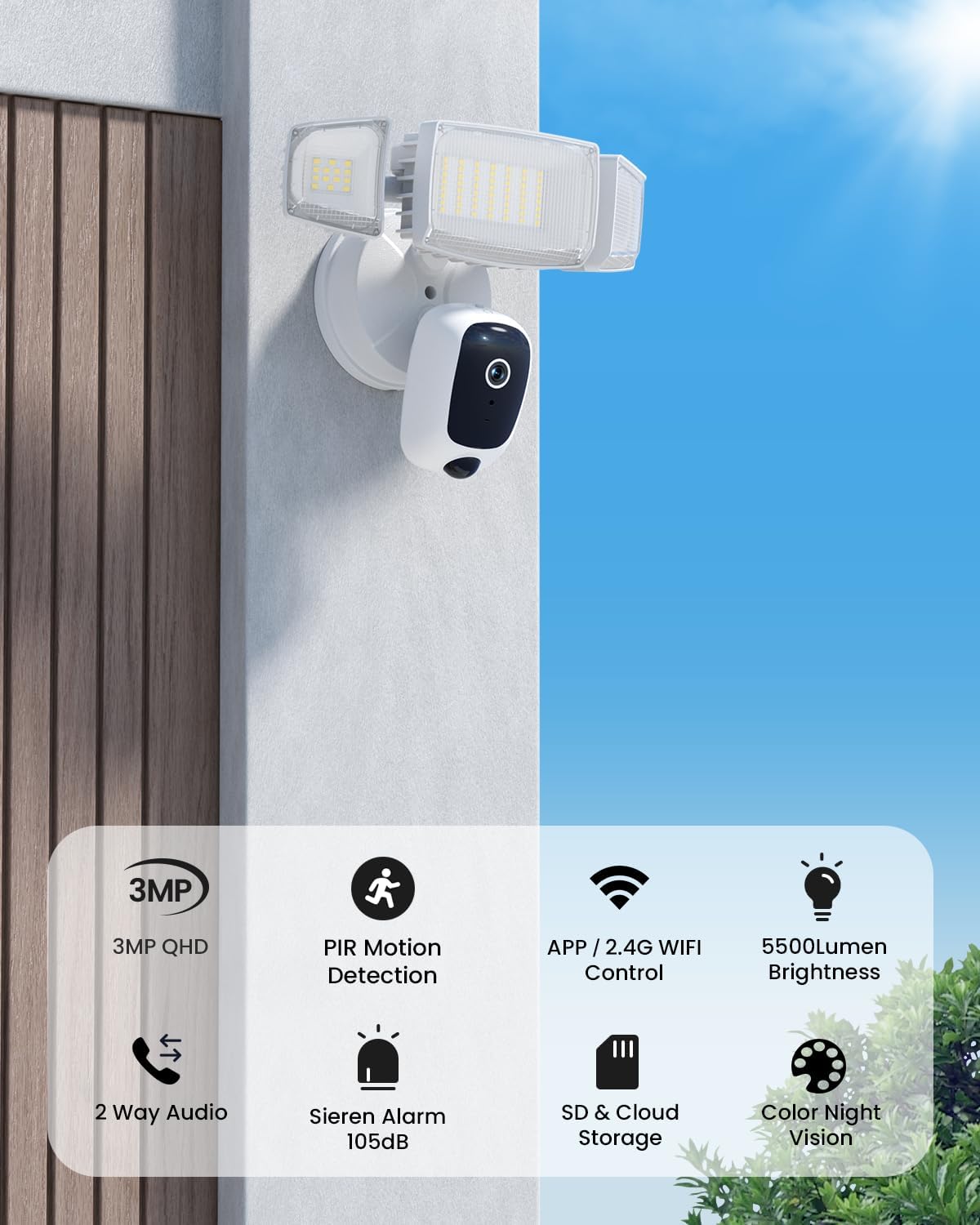
Image showing the Olafus Floodlight Camera mounted on an exterior wall, providing surveillance over an outdoor area.
3. App Pairing and Wi-Fi Connection
After physical installation and restoring power, the camera will enter pairing mode.
- Open the Olafus app on your smartphone.
- Chcete-li přidat nové zařízení, postupujte podle pokynů v aplikaci.
- Vyberte svou síť Wi-Fi 2.4 GHz a zadejte heslo. Kamera nepodporuje Wi-Fi 5 GHz.
- The app will guide you through connecting the camera to your Wi-Fi network. This often involves scanning a QR code displayed on your phone with the camera lens.
- Once connected, the camera will be online and accessible through the app.

Image illustrating the Olafus app interface on a smartphone, showing live camera feed and control options.
Návod k obsluze
Žít View a Nahrávání
Access the live video feed from your camera through the Olafus app. You can manually record video or capture screenshots directly from the live view.
Oboustranný rozhovor
Utilize the two-way audio feature to communicate with visitors or deter intruders. Press the microphone icon in the app to speak, and release to listen.

Image demonstrating the two-way talk feature, where a user communicates with a delivery person via the camera's audio.
For optimal two-way audio quality, maintain a distance of at least 10 feet (3 meters) between the camera and your smartphone during communication to prevent feedback or noise.
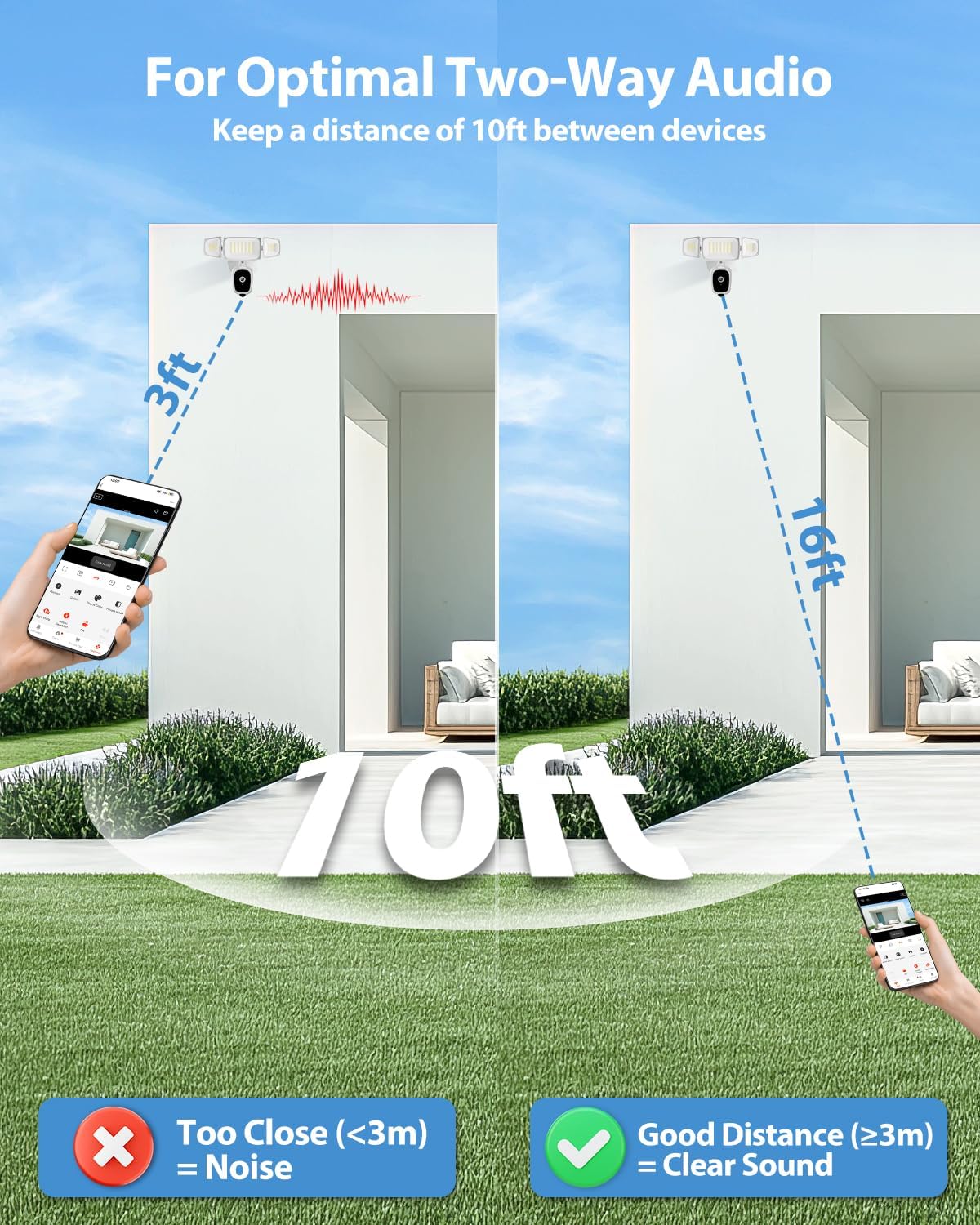
Diagram illustrating recommended distances for clear two-way audio communication, showing that being too close can cause noise.
Detekce pohybu a upozornění
The camera uses PIR motion detection to identify movement. When motion is detected, you will receive real-time alerts on your smartphone.
- Přizpůsobitelné detekční zóny: In the app settings, you can define specific areas within the camera's view where motion detection should be active. This helps reduce false alarms from irrelevant areas.
- Nastavení citlivosti: Adjust the motion detection sensitivity to suit your environment.
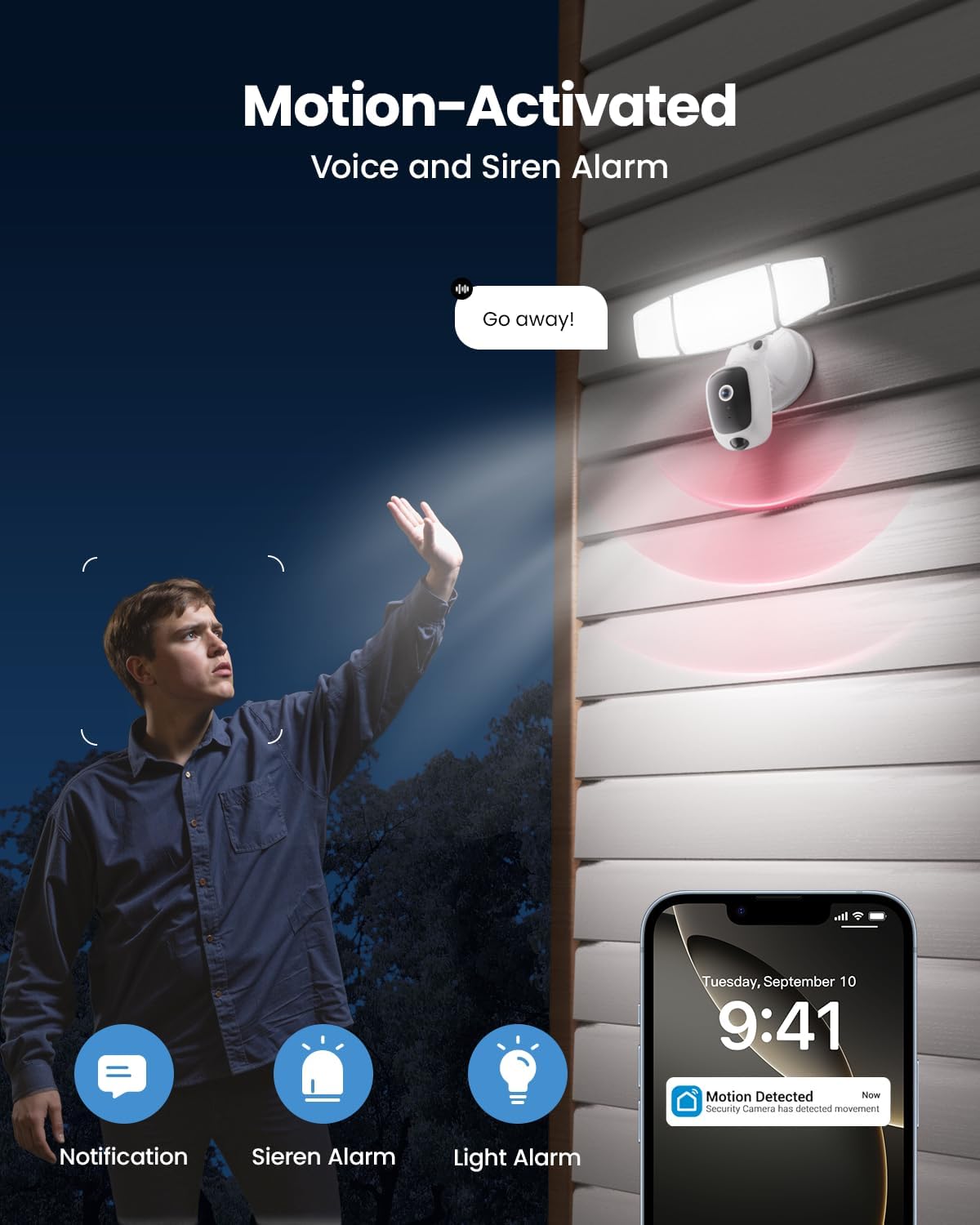
Image depicting the motion-activated features, including floodlight illumination, siren activation, and a smartphone notification for detected movement.
Floodlight Control
The 55W floodlights provide 5500 lumens of dimmable outdoor lighting. You can control the floodlights via the app:
- Ruční ovládání: Turn the lights on/off or adjust brightness manually.
- Aktivováno pohybem: Configure the lights to turn on automatically when motion is detected.
- Plánování: Set schedules for the lights to operate at specific times.
- Nastavitelné hlavy: The three light heads can be physically adjusted to direct illumination where needed.

Image showing the Olafus Floodlight Camera with its three adjustable light heads, allowing for flexible illumination direction.
Siréna Alarm
The integrated 105dB siren can be activated manually through the app or configured to trigger automatically upon motion detection. Use this feature to deter unwanted visitors.
Barevné noční vidění
The camera provides enhanced color night vision, offering clear and detailed footage even in low-light conditions, surpassing traditional black and white night vision.
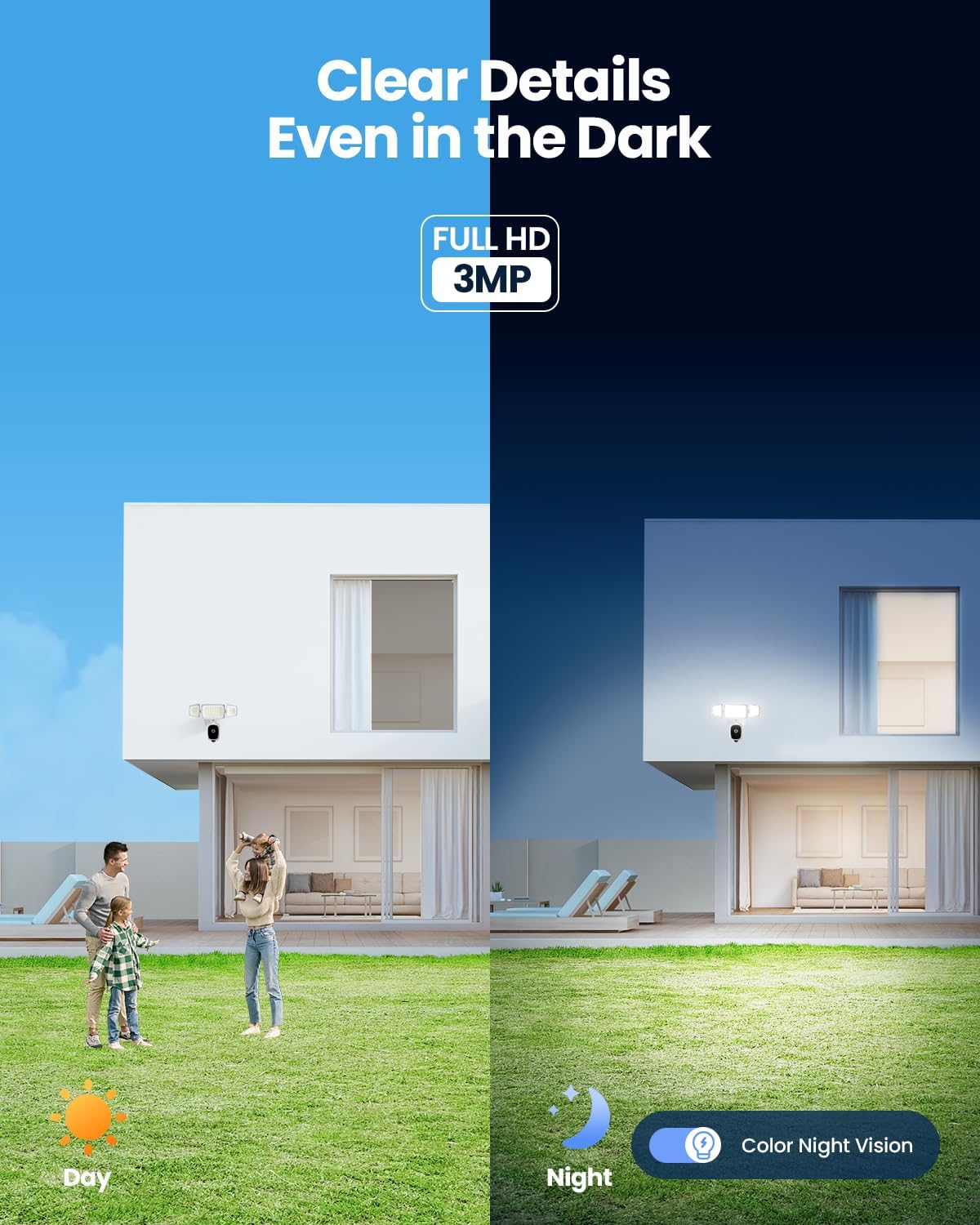
Image comparing the camera's view during the day and its color night vision capability at night, showing clear details in darkness.
Možnosti úložiště
Your recordings can be stored in two ways:
- Micro SD karta: Insert a Micro SD card (up to 256GB, not included) into the designated slot on the camera for local storage.
- Cloudové úložiště: Subscribe to the optional cloud storage service via the Olafus app for secure, remote storage of your footage.

Close-up image of the Olafus Floodlight Camera showing the Micro SD card slot, indicating local storage capability.
Integrace chytré domácnosti
The Olafus Floodlight Camera is compatible with Amazon Alexa, allowing for voice control of certain functions. Refer to the Olafus app for instructions on linking your camera with Alexa.
Údržba
- Čištění: Pravidelně čistěte objektiv kamery a kryty světlometů měkkým hadříkem.amp cloth to ensure clear vision and optimal light output. Do not use harsh chemicals.
- Aktualizace firmwaru: Check the Olafus app regularly for firmware updates. Keeping your camera's firmware updated ensures optimal performance and security.
- Správa SD karet: Pokud používáte SD kartu, pravidelně jiview a spravovat uložené footage, aby se karta nezaplnila.
Odstraňování problémů
| Problém | Možné řešení |
|---|---|
| Kamera se nepřipojuje k Wi-Fi |
|
| Žádné upozornění na detekci pohybu |
|
| Špatná kvalita videa |
|
| Two-way audio feedback/noise |
|
| Reflektory se nezapínají |
|
Záruka a podpora
For warranty information and technical support, please refer to the official Olafus website or contact their customer service directly. Details are typically provided on the product packaging or within the Olafus app.
Výrobce: Olafus
Datum první dostupnosti: 28. dubna 2025
Pro další pomoc prosím navštivte Olafus Store on Amazon.
Ask a question about this manual
Ask about setup, troubleshooting, compatibility, parts, safety, or missing instructions. Manuals+ will review the question and use this page’s manual context to help answer it.