
1. Úvod
This manual provides detailed instructions for the installation, operation, and maintenance of your TMEZON MZ-IP-V728TW IP 4-Wire Intercom Monitor. Please read this manual thoroughly before using the product to ensure proper function and to prevent damage.
The TMEZON MZ-IP-V728TW is an advanced IP-enabled 4-wire intercom monitor designed for home and office security systems, offering reliable communication and video monitoring capabilities.
2. Bezpečnostní informace
- Ujistěte se, že veškeré elektrické připojení provádí kvalifikovaný elektrikář a že jsou v souladu s místními elektrotechnickými předpisy.
- Nevystavujte monitor vodě, vlhkosti ani extrémním teplotám.
- Avoid placing the monitor near strong magnetic fields or sources of interference.
- Před prováděním jakékoli údržby nebo instalace odpojte napájení.
- Use only the power adapter and accessories supplied or recommended by TMEZON.
- Udržujte zařízení mimo dosah dětí.
3. Obsah balení
Ověřte, zda jsou v balení přítomny všechny níže uvedené položky:
- TMEZON MZ-IP-V728TW IP 4-Wire Intercom Monitor
- Montážní konzola
- Napájecí adaptér (AC/DC)
- Connection Cables (4-wire, network cable)
- Montážní šrouby a hmoždinky
- Uživatelská příručka (tento dokument)
4. Konec produktuview
4.1. Součásti monitoru
The TMEZON MZ-IP-V728TW monitor features a high-resolution display, touch-sensitive buttons, and various ports for connectivity.
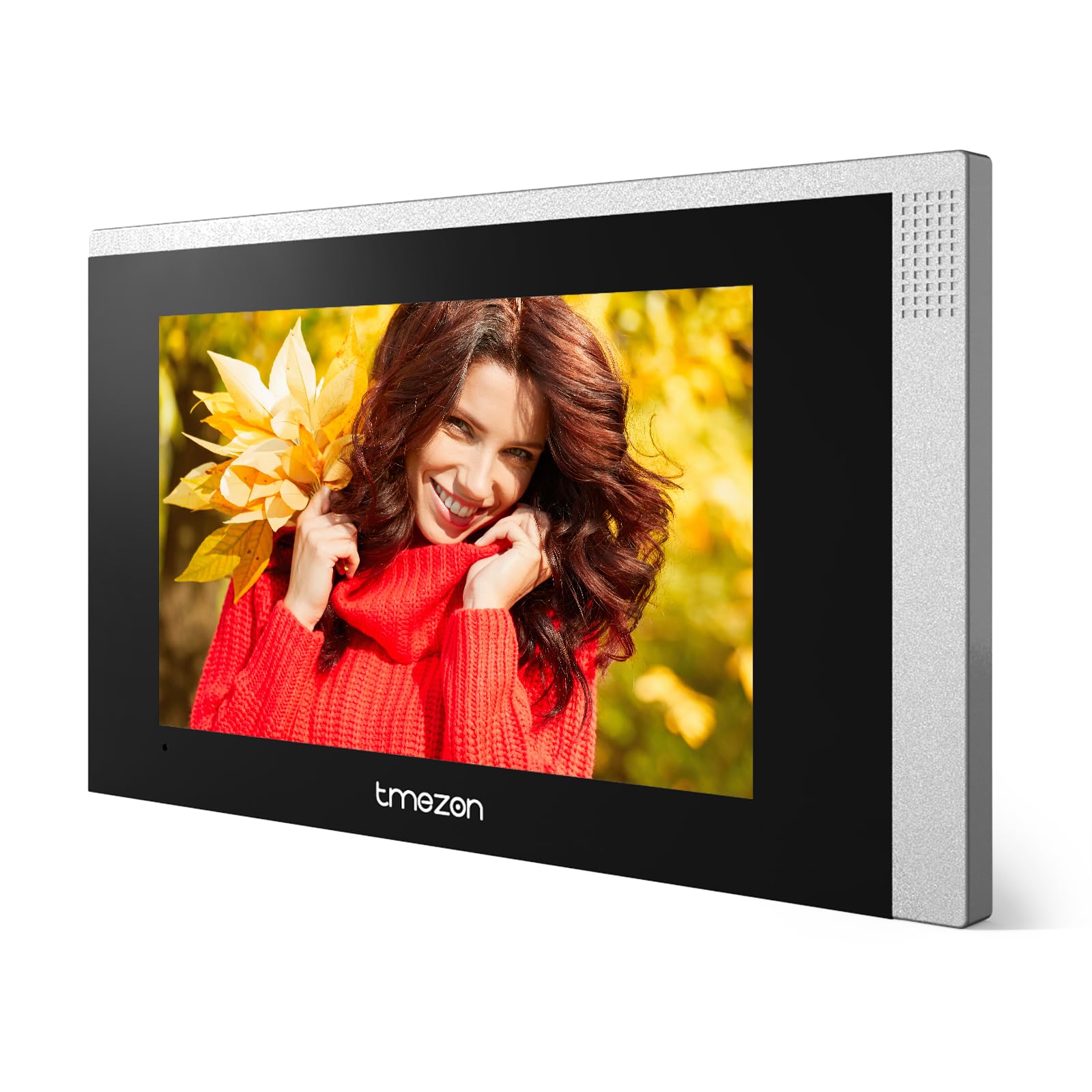
Obrázek 1: Přední strana view of the TMEZON MZ-IP-V728TW IP 4-Wire Intercom Monitor, showing the display and control buttons.
- Displej: Main interface for video and menu navigation.
- Funkční tlačítka: (e.g., Answer, Door Release, Monitor, Menu, Talk) - specific functions may vary slightly based on firmware.
- Mikrofon: Pro obousměrnou audio komunikaci.
- Reproduktor: Pro audio výstup.
- Zadní porty: Power input, 4-wire terminal, Ethernet port (RJ45), alarm inputs/outputs (if applicable).
4.2. Klíčové vlastnosti
- IP-enabled for remote access and integration with smart home systems.
- 4-wire connection for reliable power and data transmission.
- High-resolution color display for clear video.
- Obousměrná audio komunikace.
- Door release function.
- Multiple indoor monitor support.
- Recording and snapshot capabilities (if equipped with storage).
5. Nastavení
5.1. Místo instalace
Choose a suitable indoor location for the monitor, typically at eye level, away from direct sunlight, heat sources, and areas with high humidity. Ensure there is sufficient space for wiring and ventilation.
5.2. Montáž monitoru
- Označte si na zdi požadovanou montážní polohu.
- Použijte montážní držák jako šablonu k označení otvorů pro šrouby.
- Vyvrtejte otvory na vyznačených místech a vložte do nich hmoždinky.
- Připevněte montážní držák ke zdi pomocí dodaných šroubů.
- Ujistěte se, že je držák vodorovný a bezpečně upevněný.
5.3. Připojení vodičů
The MZ-IP-V728TW uses a 4-wire connection system. Proper wiring is crucial for system functionality. Refer to the wiring diagram provided with your outdoor station and other system components.
- Wire 1 (Video): Connects to the video signal output of the outdoor station.
- Wire 2 (Audio): Connects to the audio signal output/input of the outdoor station.
- Wire 3 (Power +): Connects to the positive power supply from the outdoor station or power distributor.
- Wire 4 (Ground -): Connects to the ground/negative power supply.
- Ethernet (RJ45): Connect to your local network router for IP functionality and remote access.
- Příkon: Connect the AC/DC power adapter to the monitor's power input port.
Note: A detailed wiring diagram specific to your complete intercom system (including outdoor station, additional monitors, and power supply) should be consulted. If you are unsure, consult a professional installer.
5.4. Počáteční zapnutí
- After all wiring is complete and secure, plug in the power adapter.
- The monitor will power on and display the TMEZON logo.
- Follow the on-screen prompts for initial setup, including language selection, date/time, and network configuration.
6. Návod k obsluze
6.1. Přijetí hovoru
When a visitor presses the call button on the outdoor station, the monitor will ring and display the visitor's video. Press the Odpověď button to establish two-way audio communication.
6.2. Odemčení dveří
Během hovoru nebo monitorování stiskněte Uvolnění dveří button to unlock the connected electronic lock. Ensure the door is clear before activating the release.
6.3. Monitorování
Stiskněte tlačítko Monitor tlačítko na view the live video feed from the outdoor station without an incoming call. Press it again to end monitoring.
6.4. Navigace v menu
Stiskněte tlačítko Menu button to access the monitor's settings. Use the arrow buttons (if physical) or touch screen gestures to navigate through options. Common settings include:
- Nastavení systému: Language, Date/Time, Ringtone, Volume.
- Nastavení sítě: Wi-Fi configuration, IP address.
- Nahrávání/přehrávání: View recorded videos or snapshots (if storage is installed).
- Nastavení budíku: Configure external alarm sensors (if connected).
7. Údržba
- Čištění: K čištění obrazovky a těla monitoru používejte měkký, suchý hadřík. Nepoužívejte abrazivní čisticí prostředky ani rozpouštědla.
- Aktualizace firmwaru: Periodically check the TMEZON official webweb s aktualizacemi firmwaru pro zajištění optimálního výkonu a zabezpečení.
- Cyklus napájení: If the monitor becomes unresponsive, disconnect the power adapter for 10 seconds and then reconnect it.
8. Řešení problémů
| Problém | Možná příčina | Řešení |
|---|---|---|
| Monitor se nezapne. | Chybí napájení; vadný adaptér; uvolněné připojení. | Check power adapter connection; ensure outlet has power; try a different adapter if available. |
| No video from outdoor station. | Incorrect wiring; faulty outdoor station; damaged cable. | Verify 4-wire connections; check outdoor station power; inspect cable for damage. |
| Během hovoru není slyšet zvuk. | Volume too low; incorrect wiring; faulty microphone/speaker. | Adjust monitor volume; check audio wire connection; test with another monitor if possible. |
| Nefunguje odemykání dveří. | Incorrect wiring to electric lock; faulty lock; insufficient power. | Verify door release wiring; check electric lock functionality; ensure adequate power supply to the lock. |
| Cannot connect to network (IP function). | Incorrect network settings; faulty Ethernet cable; router issue. | Check network cable connection; verify IP settings (DHCP/Static IP); restart router. |
9. Specifikace
| Funkce | Specifikace |
|---|---|
| Číslo modelu | MZ-IP-V728TW |
| Výrobce | TMEZON |
| Typ napájení | AC/DC |
| Konektivita | 4-Wire, IP (Ethernet) |
| Zahrnuté komponenty | Monitor (schermo) |
| ASIN | B0DRJJFFP8 |
10. Záruka a podpora
TMEZON products are designed for reliability and performance. This product comes with a standard manufacturer's warranty. Please refer to the warranty card included in your package or visit the official TMEZON webpodrobné záruční podmínky naleznete na webu.
Pro technickou podporu, pomoc s řešením problémů nebo reklamaci kontaktujte zákaznický servis TMEZON prostřednictvím jejich oficiálních website or the contact information provided with your purchase. When contacting support, please have your product model number (MZ-IP-V728TW) and purchase details ready.
Pro více informací navštivte TMEZON Store on Amazon.