
BENEXMART ZM02
BENEXMART ZM02 Matter WiFi Electric Curtain Track User Manual
Model: ZM02
1. Úvod
Thank you for choosing the BENEXMART ZM02 Matter WiFi Electric Curtain Track. This product is designed to provide automated control over your curtains, enhancing convenience and smart home integration. It supports Matter, WiFi, and can be controlled via app, voice commands (Alexa, Google Home, Siri), and a dedicated remote control.
This manual provides detailed instructions for installation, operation, and maintenance to ensure optimal performance and longevity of your electric curtain track system.
2. Bezpečnostní informace
- Před instalací a provozem si pečlivě přečtěte všechny pokyny.
- Před zahájením jakékoli instalace nebo údržby se ujistěte, že je odpojeno napájení.
- Toto zařízení je určeno pouze pro vnitřní použití.
- Keep children and pets away from the curtain track during operation.
- Nepokoušejte se zařízení opravovat ani upravovat sami. Pro servis kontaktujte kvalifikovaný personál.
- A Matter-enabled hub is required for integration with HomeKit, Alexa, or Google Home. Ensure the configured WiFi network and Matter-enabled hub are within the same local area network (LAN).
3. Obsah balení
Zkontrolujte prosím, zda jsou v balení přítomny všechny komponenty:
- Motor elektrické záclony
- Curtain Track (length according to model, e.g., 4.2m)
- Dálkové ovládání
- Installation Brackets and Hardware
- Napájecí kabel
- Uživatelská příručka (tento dokument)

Image 3.1: Product Components Diagram. This diagram illustrates the main components of the electric curtain track system, including the motor, track, connectors, carriers, wheel runners, sub-drivers, installation brackets, antenna, and power cable.
4. Konec produktuview
The BENEXMART ZM02 electric curtain track system consists of a smart motor, an adjustable track, and various control options. The motor integrates Matter and WiFi connectivity for seamless smart home integration.

Image 4.1: Installed Electric Curtain Track. This image shows the BENEXMART ZM02 electric curtain track system installed above a window, with the motor unit and power cable visible on the left side, and curtains hanging from the track.
4.1 Klíčové vlastnosti
- Matter Control: Supports Matter-certified ecosystems for broad smart home compatibility.
- Hlasové ovládání: Compatible with Siri, Google Home, and Alexa for hands-free operation.
- RF dálkové ovládání: Includes a multi-channel remote for convenient local control, usable handheld or wall-mounted.
- Ovládání aplikace: Manage curtains via Matter-certified apps like Apple Home, Amazon Alexa, Google Home, or SmartThings.
- Manual Push Start: Gently push the curtain a short distance to initiate automatic opening or closing.
- Flexible Opening: Supports opening from the middle to two sides, or from either the left or right side only.
- Adjustable Track: The track can be cut to fit specific window dimensions.
- Manual Operation during Power Outage: Curtains can be opened and closed manually if power is unavailable.
5. Nastavení a instalace
Installation of the BENEXMART ZM02 electric curtain track requires basic tools and adherence to safety guidelines. It is recommended to have two people for installation.
5.1 Sestava kolejnice
- Measure your window frame and determine the desired length of the curtain track.
- If necessary, cut the track to the required length using appropriate tools. Ensure clean cuts for proper connector fit.
- Assemble the track sections using the provided connectors. Ensure all sections are securely joined and aligned.
- Install the wheel runners and carriers onto the track.
5.2 Instalace motoru
- Attach the motor unit to one end of the assembled track. Ensure it is securely fastened.
- Mount the installation brackets to the wall or ceiling above your window. Use appropriate anchors for your wall type.
- Carefully lift and secure the assembled track with the motor onto the installed brackets.
- Connect the power cable to the motor and plug it into a standard electrical outlet.
5.3 Počáteční konfigurace
- Once powered on, the motor may perform an initial calibration. Allow it to complete this process.
- Refer to the remote control section (Section 6.3) to set the open and close limits if they are not automatically configured.
6. Návod k obsluze
The BENEXMART ZM02 offers multiple ways to control your curtains.
6.1 App Control (Matter-enabled)
To control your curtains via a smart home app, you will need a Matter-enabled hub and a compatible app (e.g., Apple Home, Amazon Alexa, Google Home, SmartThings).
- Ensure your Matter-enabled hub is set up and connected to your WiFi network.
- Otevřete si preferovanou aplikaci pro chytrou domácnost kompatibilní s Matter.
- Follow the app's instructions to add a new Matter device. You may need to scan a QR code or enter a pairing code provided with your curtain motor.
- Once added, you can control the curtain's open/close state and set specific percentages of opening within the app.

Image 6.1: App Control Interface. This image displays screenshots from various smart home applications (Apple Home, Amazon Alexa, Google Assistant, SmartThings App) demonstrating how the electric curtain track can be controlled and monitored through a smartphone interface.
6.2 Hlasové ovládání
After successful integration with your Matter-enabled hub and smart home app, you can use voice commands.
- Ensure your smart speaker (e.g., Amazon Echo, Google Nest, Apple HomePod) is linked to your smart home app.
- Použijte příkazy jako například:
- "Hey Siri, close the curtains."
- "Alexa, open the living room curtains."
- "Hey Google, set curtains to 50%."
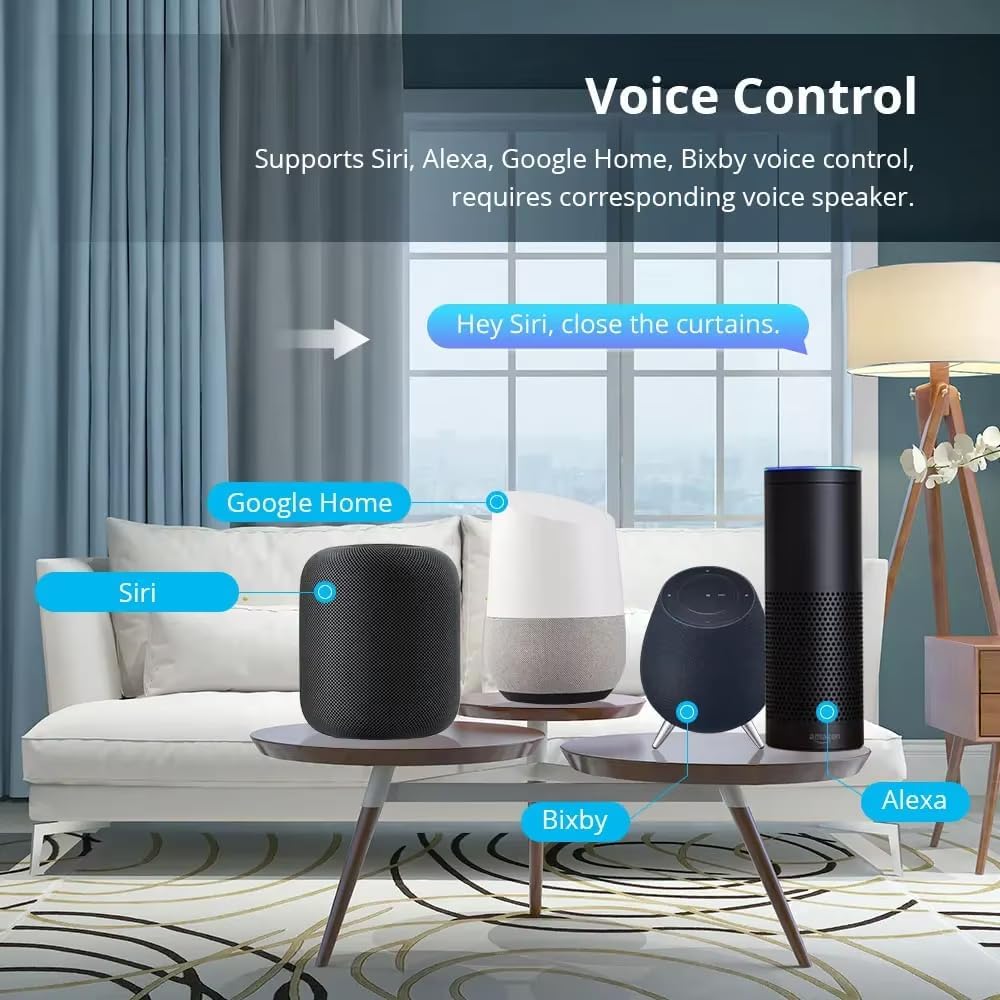
Image 6.2: Voice Control Setup. This image illustrates various smart speakers (Siri, Google Home, Bixby, Alexa) that can be used for voice control of the electric curtain track, with an example command "Hey Siri, close the curtains."
6.3 Dálkové ovládání
The included RF remote control provides direct operation without needing a smart hub or app.

Image 6.3: Remote Control Functions. This image displays the remote control for the electric curtain track, detailing its buttons and their functions, including Up/Open, Stop, Down/Close, Channel selection, and settings for inching reverse/forward and position limits (20%, 50%, 70% open).
Funkce tlačítek dálkového ovladače:
- Up/Open Button: Press to open curtains.
- Down/Close Button: Press to close curtains.
- Tlačítko Stop: Press to stop curtains at any desired position.
- Kanál +/-: Selects different channels to control multiple curtain tracks with one remote.
- Short Press (Inching Reverse/Forward): Moves curtains slightly in reverse or forward direction.
- Long Press (Position Limits): Sets or moves curtains to predefined open percentag(např. 20 %, 50 %, 70 %).
Refer to the remote's specific instructions for pairing and setting limits if not pre-configured.
6.4 Manual Operation (Power Off Function)
V případě výpadku proudutage or if the motor is disconnected from power, the curtains can still be operated manually.
- Gently pull or push the curtain fabric along the track. The motor will disengage, allowing for manual movement.
- Avoid excessive force to prevent damage to the motor or track.

Image 6.4: Manual Operation. This image demonstrates the manual operation feature, showing a person pulling a curtain by hand. An inset diagram indicates that curtains can be controlled manually when the power supply is stopped.
7. Údržba
Regular maintenance ensures the smooth and reliable operation of your electric curtain track.
- Čištění: Periodically wipe the track and motor housing with a soft, dry cloth to remove dust. Do not use abrasive cleaners or solvents.
- Inspekce trati: Check the track for any obstructions or debris that might hinder curtain movement. Ensure the track is free of bends or damage.
- Mazání: The track and runners are generally designed for maintenance-free operation. If you notice stiffness, consult customer support before applying any lubricants.
- Napájecí kabel: Zkontrolujte napájecí kabel, zda nevykazuje známky opotřebení nebo poškození. V případě potřeby jej vyměňte.
8. Řešení problémů
If you encounter issues with your BENEXMART ZM02 electric curtain track, refer to the following common problems and solutions:
| Problém | Možná příčina | Řešení |
|---|---|---|
| Curtains do not move. | No power; Motor disconnected; Remote battery low; Obstruction in track. | Check power connection; Ensure motor is securely attached; Replace remote battery; Clear any obstructions from the track. |
| Motor makes noise but curtains don't move. | Curtain fabric caught; Track obstruction; Motor clutch engaged. | Check for fabric snags; Clear track; Gently assist curtains manually to disengage clutch if stuck. |
| Dálkové ovládání nefunguje. | Battery low/dead; Remote not paired; Out of range. | Replace battery; Re-pair remote with motor (refer to remote instructions); Move closer to the motor. |
| Ovládání aplikací/hlasem nefunguje. | No Matter hub; Hub offline; WiFi issue; Device not paired in app; Incorrect voice command. | Ensure Matter hub is present and online; Check WiFi connection; Re-pair device in smart home app; Use correct voice commands. Ensure hub and device are on the same LAN. |
| Curtains stop at incorrect positions. | Nesprávné nastavení limitů. | Recalibrate the open/close limits using the remote control or smart home app. |
If the problem persists after trying these solutions, please contact BENEXMART customer support for further assistance.
9. Specifikace
| Funkce | Detail |
|---|---|
| Číslo modelu | ZM02 |
| Značka | BENEXMART |
| Výrobce | Zemismart |
| Rozměry produktu | 43.5 x 40 x 5 inches (for 4.2m track) |
| Délka stopy | 4.2m (166inch) - Nastavitelný |
| Zahrnuté komponenty | Motor, Track, Remote Control, Installation Hardware |
| Konektivita | Matter, WiFi, RF (for remote) |
| Kompatibilita hlasového ovládání | Alexa, Google Home, Siri (via Matter hub) |
| Maximální výkon | 55W |
| RPM | 100 XNUMX ot./min |
| Kroucení | 1.5 Nm |
| Rychlost běhu | 128 mm/s |
| Jmenovitý objemtage | AC 100~240V |
| Jmenovitá frekvence | 50/60 Hz |
| Max. Proud | 0.25A |
| Receive Frequency (Remote) | 433.92 MHz |
| Provozní teplota | -10~65°C |
| Provozní vlhkost | RH < 80 % |
| Třída IP | IP20 |
| UPC | 710787165624 |
10. Záruka a podpora
BENEXMART products are designed for reliability and performance. For warranty information, please refer to the warranty card included with your product or visit the official BENEXMART webmísto.
For technical support, troubleshooting assistance, or inquiries regarding your BENEXMART ZM02 electric curtain track, please contact BENEXMART customer service:
- Webmísto: Visit the BENEXMART Store on Amazon (obecné dotazy a informace o produktech)
- E-mail/Telefon: Refer to your product packaging or the BENEXMART webstránky s nejaktuálnějšími kontaktními informacemi.
Please have your model number (ZM02) and purchase date available when contacting support.
Ask a question about this manual
Ask about setup, troubleshooting, compatibility, parts, safety, or missing instructions. Manuals+ will review the question and use this page’s manual context to help answer it.