
SABLUTE MA22 Plus
SABLUTE MA22 Plus Wireless Ergonomic Keyboard and Mouse Combo User Manual
Model: MA22 Plus | Brand: SABLUTE
1. Úvod
Thank you for choosing the SABLUTE MA22 Plus Wireless Ergonomic Keyboard and Mouse Combo. This manual provides essential information for setting up, operating, and maintaining your new device. Please read it thoroughly to ensure optimal performance and longevity of your product.

Image 1.1: SABLUTE MA22 Plus Wireless Ergonomic Keyboard and Mouse Combo.
2. Obsah balení
Ověřte, zda jsou v balení přítomny všechny položky:
- 1 x SABLUTE MA22 Plus Ergonomic Wireless Keyboard
- 1 x Multi-Function Wireless Mouse
- 1 x USB-A 2.4G Wireless Dongle
- 1 x USB-C převodník
- Nabíjecí kabel 1 x USB-C
- 1 x Uživatelská příručka (tento dokument)

Image 2.1: Included components: keyboard, mouse, USB dongle, USB-C converter, and charging cable.
3. Pokyny k nastavení
3.1. Připojení klávesnice a myši
- Locate the 2.4G USB Wireless Dongle. It may be stored in the mouse's battery compartment or a dedicated slot.
- Plug the USB-A 2.4G Wireless Dongle into an available USB-A port on your computer. If your computer only has USB-C ports, use the provided USB-C Converter by plugging the dongle into the converter, then plugging the converter into your computer's USB-C port.
- Zapněte klávesnici a myš pomocí příslušných vypínačů. Zařízení by se měla automaticky připojit k počítači.
- For Mac users, press Fn + S to switch to Mac mode. For Windows users, press fn + A to switch to Windows mode.

Image 3.1: The 2.4G USB Wireless Dongle and USB-C Converter for versatile connectivity.
3.2. Nabíjení zařízení
The keyboard and mouse are Type-C rechargeable. Use the provided USB-C charging cable to charge them.
- Connect the USB-C end of the charging cable to the charging port on the keyboard or mouse.
- Připojte konec nabíjecího kabelu s konektorem USB-A ke zdroji napájení USB (např. k portu USB počítače, k adaptéru USB do zásuvky).
- Plné nabití obvykle trvá 2-3 hodiny.
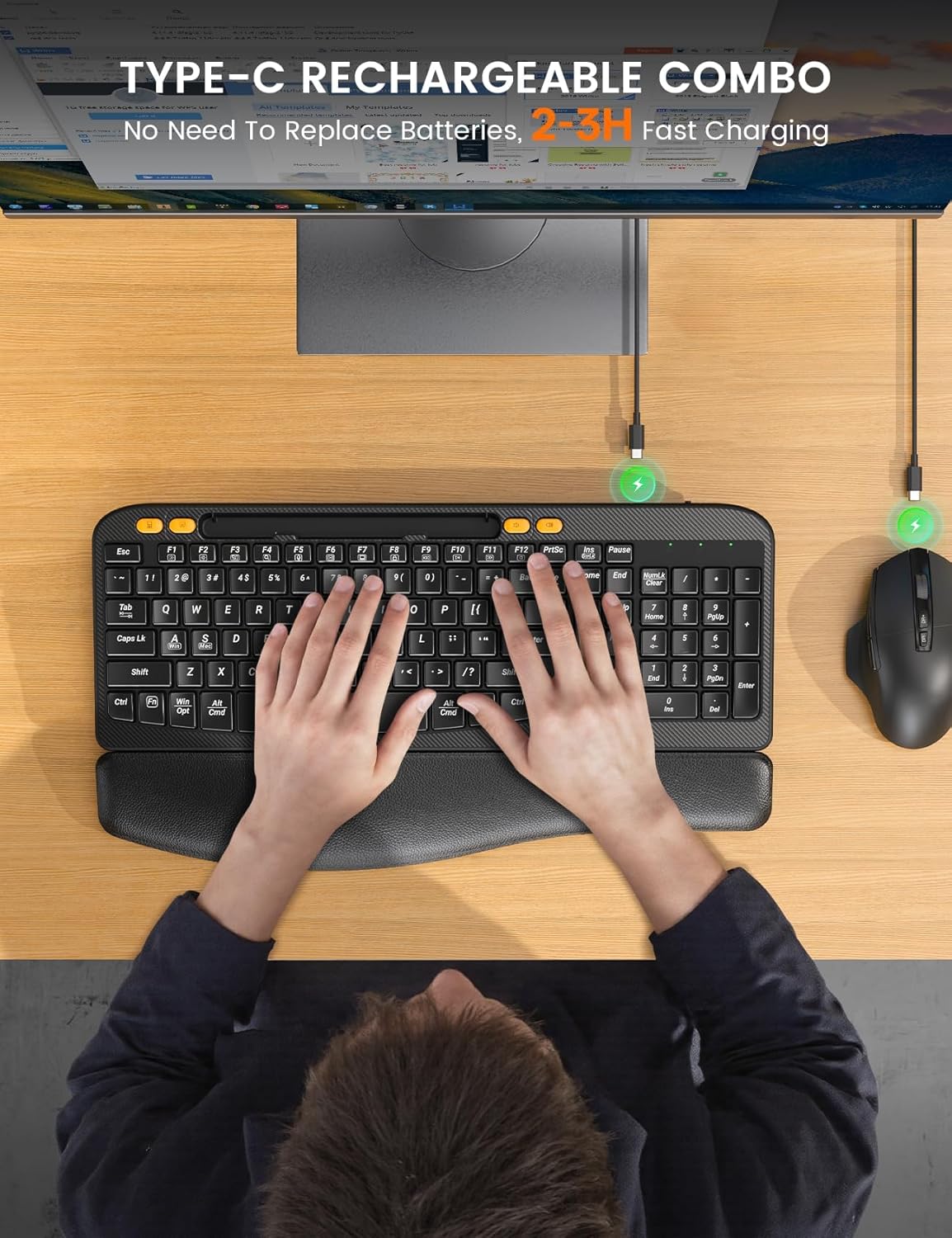
Image 3.2: Charging the keyboard and mouse using the USB-C cable.
4. Návod k obsluze
4.1. Funkce klávesnice
- Ergonomický zakřivený design: The keyboard features an ergonomic arc design that naturally fits the curve of the palm, reducing wrist pressure and promoting a neutral typing posture.
- Soft Leather Wrist Rest: An integrated sponge-filled leather wrist rest provides soft support, dispersing pressure and relieving fatigue during long typing sessions.

Image 4.1: Layers of the soft leather wrist rest, including Togo-style leather, high-density foam support, and a sturdy plastic bottom.
- Nastavitelné sklopné nohy: The keyboard includes adjustable tilt legs on the underside, allowing you to set a 7-degree angle for enhanced comfort and ergonomic typing.
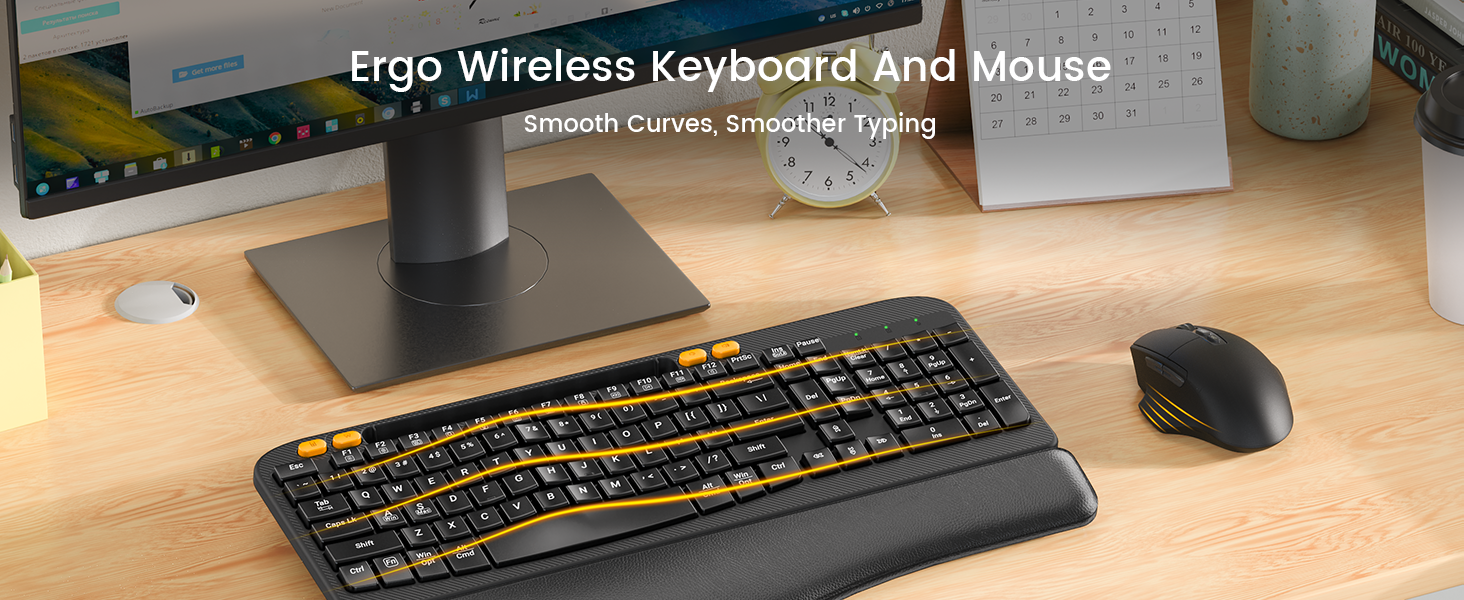
Image 4.2: The keyboard showing the integrated phone holder and the adjustable tilt legs in use.
- Integrovaný držák telefonu: A 7.28-inch holder is built into the keyboard, allowing you to place your smartphone or small tablet for easy viewpři práci.
- Jednodotykové klávesové zkratky: The keyboard features dedicated shortcut keys for common functions such as Calculator, Screenshot, Volume Down, and Volume Up.

Image 4.3: The keyboard's dedicated one-touch shortcut keys.
4.2. Funkce myši
- Technologie tichého kliknutí: The mouse is designed with Silent Switch technology, reducing click noise by 90% for a quieter work environment.
- Nastavitelné DPI: Cycle through 4 adjustable DPI settings (800, 1200, 1600, 2000 DPI) to customize cursor sensitivity.
- Navigační tlačítka: Features dedicated forward and back buttons for efficient web prohlížení a navigace v dokumentech.
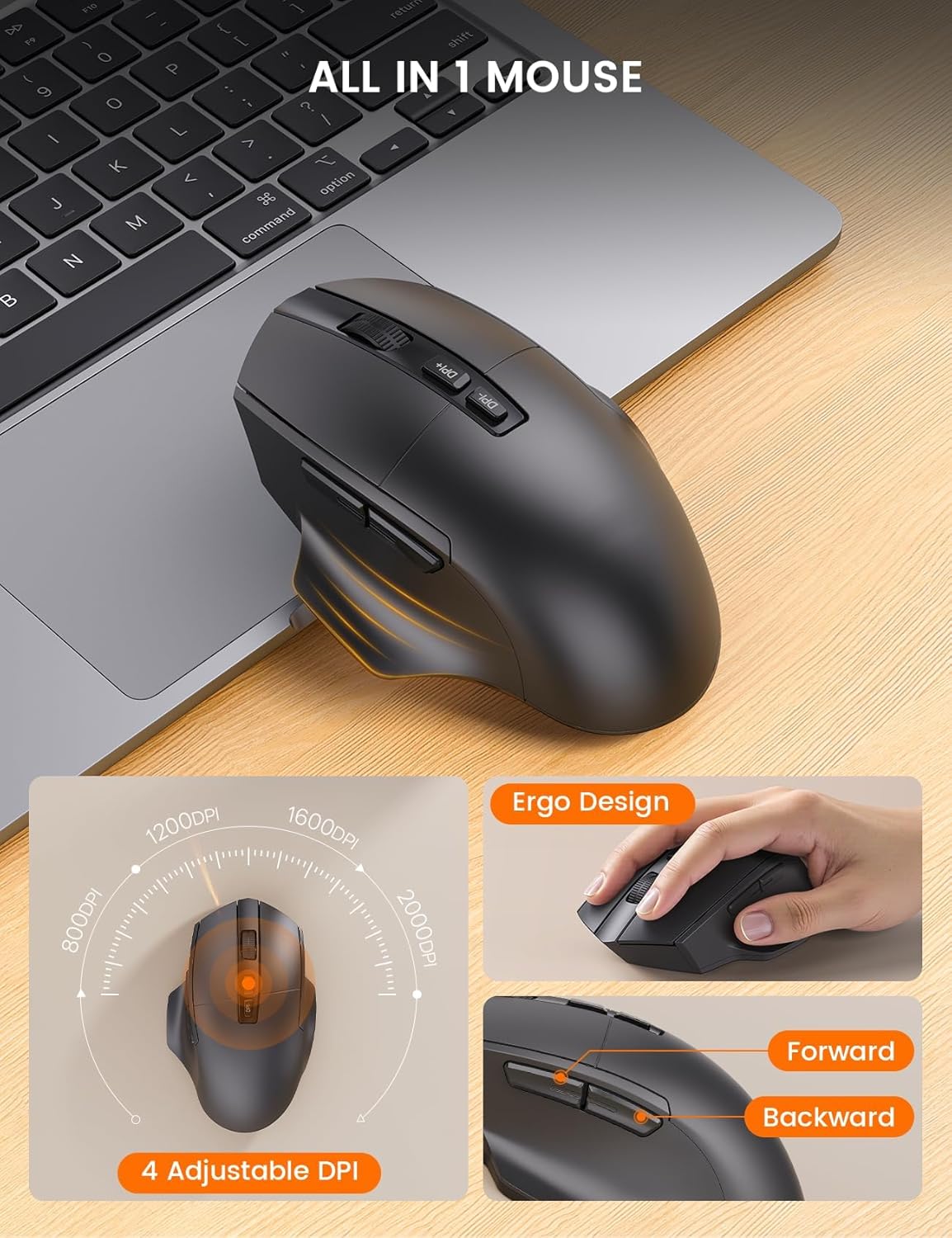
Image 4.4: The ergonomic mouse with its adjustable DPI and navigation buttons.
4.3. Kompatibilita
The combo is compatible with both Windows and Mac operating systems. Use the function keys to switch between modes as described in the setup section.

Image 4.5: The keyboard and mouse combo seamlessly integrates with both Mac OS and Windows environments.
4.4. Oficiální video produktu
Video 4.1: Oficiální konecview of the SABLUTE MA22 PLUS Ergonomic Wireless Keyboard and Mouse, demonstrating its features and ergonomic design.
5. Údržba
- Čištění: Použijte měkký, damp cloth to clean the surfaces of the keyboard and mouse. Avoid harsh chemicals or abrasive materials.
- Skladování: Store the devices in a cool, dry place when not in use. Avoid extreme temperatures.
- Péče o baterie: Chcete-li prodloužit životnost baterie, vyhněte se častému úplnému vybíjení zařízení. Nabíjejte je, když je indikátor baterie nízký.
6. Řešení problémů
| Problém | Možná příčina | Řešení |
|---|---|---|
| Klávesnice/myš nereaguje | Low battery; Dongle not connected; Device not powered on; Driver issue. | Charge devices; Ensure dongle is securely plugged in; Turn on devices; Reinstall drivers or try on another computer. |
| Zpoždění nebo přerušované připojení | Interference; Distance from dongle; Low battery. | Move closer to the dongle; Remove obstacles; Charge devices; Avoid other 2.4Ghz devices nearby. |
| Kurzor myši je příliš rychlý/pomalý | DPI setting needs adjustment. | Stisknutím tlačítka DPI na myši můžete procházet nastavení citlivosti. |
| Keyboard layout incorrect (Mac/Windows) | Incorrect operating system mode selected. | Stiskněte Fn + S pro Mac nebo fn + A pro Windows. |
7. Specifikace
| Funkce | Detail |
|---|---|
| Rozměry produktu (klávesnice) | 16.5 x 9.15 x 1.89 palce |
| Hmotnost položky | 2.77 libry |
| Technologie připojení | Bezdrátové 2.4G USB |
| Speciální funkce | Type-C rechargeable, Ergonomic Wave Keys, Soft Wrist Rest, 7.28-inch Phone Holder, 4 One-Touch Shortcut Keys, Silent Wireless Mouse, Adjustable Mouse DPI |
| Kompatibilní zařízení | Laptop, Personal Computer, Television (Windows/Mac) |
| Číslo modelu | MA22 Plus |

Obrázek 7.1: Detailní rozměry klávesnice a myši.

Image 7.2: Mouse size guide indicating palm length and width for optimal fit.
8. Záruka a podpora
SABLUTE is committed to providing quality products and customer satisfaction. For any inquiries, troubleshooting assistance, or warranty claims, please contact our support team:
- E-mailová podpora: sabluteservices@outlook.com
- Phone Support (US): +1-213-296-1273 (Mon-Fri: 9:00 AM - 1:00 PM PST, 2:00 PM - 6:00 PM PST)
The product comes with a 90-day replacement policy and a 360-day manufacturer warranty.
Image 8.1: SABLUTE customer support contact details and warranty information.
Ask a question about this manual
Ask about setup, troubleshooting, compatibility, parts, safety, or missing instructions. Manuals+ will review the question and use this page’s manual context to help answer it.