
1. Úvod
Thank you for choosing the gorsun Kids Bluetooth Headphones, Model E69. These headphones are designed specifically for children, prioritizing hearing protection, comfort, and durability. Featuring an 85dB volume limit, Bluetooth 5.3 connectivity, and a built-in microphone, they provide a safe and enjoyable audio experience for learning, travel, and entertainment.
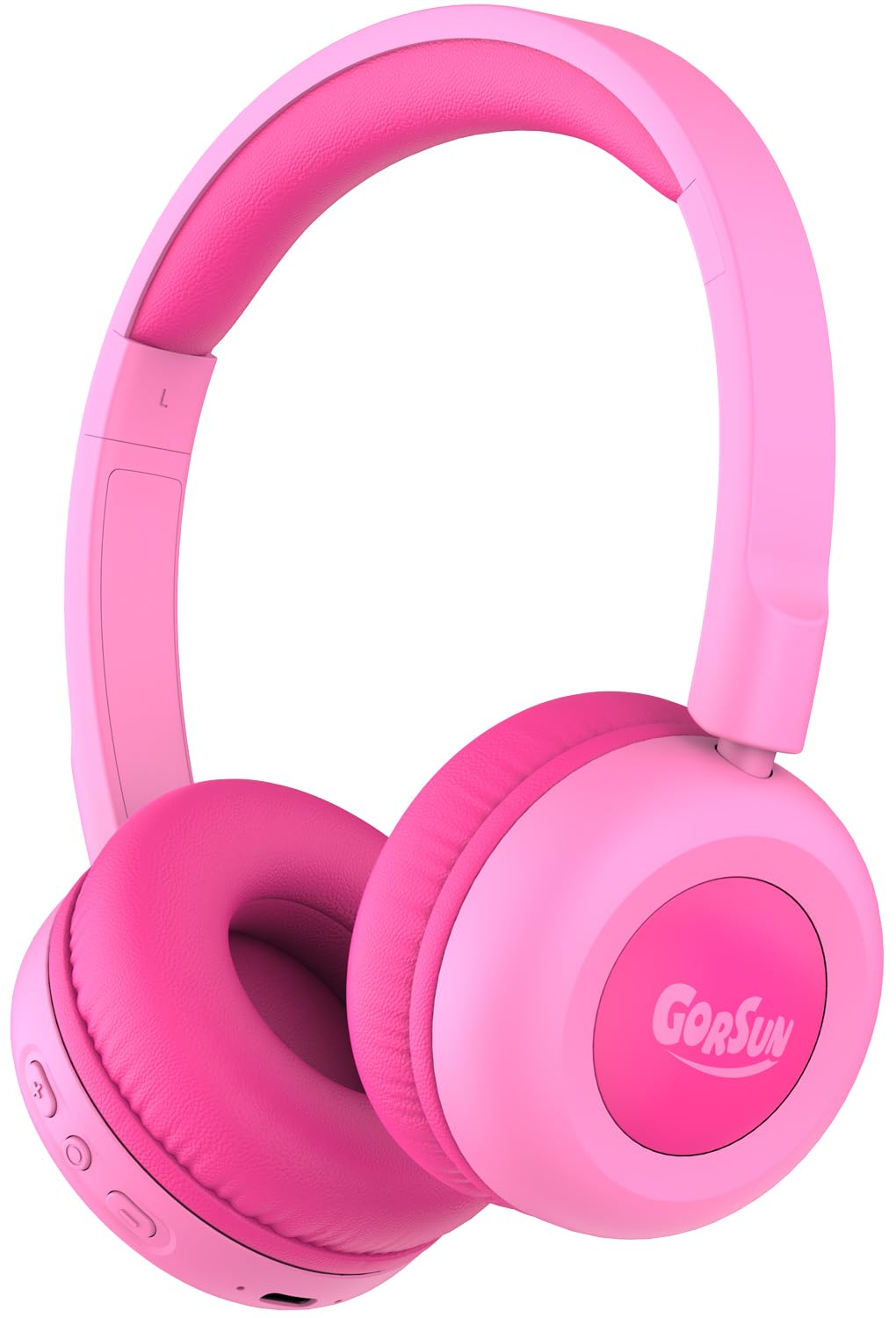
Image: gorsun Kids Bluetooth Headphones E69 in Pink.
2. Co je v krabici
- gorsun Kids Wireless Headphones (Model E69)
- Nabíjecí kabel USB-C
- Uživatelská příručka
3. Vlastnosti produktu
- Ochrana sluchu: Built-in fixed safety volume limit set to 85dB to protect children's ears, meeting strict safety standards.
- Unmatched Comfort & Durability: Lightweight design with memory-protein cushions for comfort. Adjustable headband accommodates children aged 3-12 years. Constructed with food-grade silicone parts to withstand daily use and accidental drops.
- Prodloužená životnost baterie: Enjoy up to 50 hours of continuous playtime on a single charge, ideal for long trips and extended use without frequent recharging.
- Bluetooth 5.3 a vestavěný mikrofon: Equipped with the latest Bluetooth 5.3 technology for stable and fast wireless connections. The integrated microphone allows for clear communication during online classes, video calls, or talking with friends.
- Clear Sound & 40mm Driver: Delivers balanced audio specifically tuned for developing ears, with enhanced clarity. Precisely-tuned speakers eliminate harsh frequencies while maintaining rich detail.

Image: The headphones are designed to be flexible and durable, suitable for active children.

Image: A child comfortably wearing the gorsun Kids Bluetooth Headphones.
4. Nastavení
4.1 Nabíjení sluchátek
Before first use, fully charge the headphones. Connect the provided USB-C charging cable to the charging port on the headphones and the other end to a compatible USB power source (e.g., computer, wall adapter). A full charge takes approximately 2 hours and provides up to 50 hours of playtime.

Image: The headphones connected to a USB-C charging cable.
4.2 Párování Bluetooth
- Ujistěte se, že jsou sluchátka nabitá.
- Stiskněte a podržte tlačítko napájení na sluchátkách, dokud LED indikátor nezačne blikat modře a červeně, což signalizuje režim párování.
- Na svém zařízení (chytrý telefon, tablet, notebook) přejděte do nastavení Bluetooth a zapněte Bluetooth.
- Hledat available devices and select "gorsun E69" from the list.
- Once connected, the LED indicator on the headphones will show a solid blue light.
4.3 Drátové připojení (volitelné)
For devices without Bluetooth or when battery is low, you can use the included 3.5mm audio cable (if provided, check package contents) to connect the headphones directly to your device's audio jack. This model supports both Bluetooth and 3.5mm wired connection.
5. Návod k obsluze
5.1 Základní ovládací prvky
Sluchátka mají intuitivní ovládací prvky umístěné na náušní mušli:
- Vypínač: Stiskněte a podržte pro zapnutí/vypnutí.
- Zvýšení hlasitosti (+): Krátkým stisknutím zvýšíte hlasitost.
- Snížit hlasitost (-): Krátkým stisknutím snížíte hlasitost.
- Multifunkční tlačítko (Přehrát/Pozastavit/Volat):
- Single press to Play/Pause music.
- Single press to Answer/End calls.
- Double press for Next track.
- Triple press for Previous track.
5.2 Limit objemu
The gorsun E69 headphones are designed with a fixed 85dB volume limit to protect children's hearing. This limit cannot be exceeded, ensuring a safe listening experience at all times.
6. Údržba
- Sluchátka pravidelně čistěte měkkým, suchým hadříkem. Nepoužívejte agresivní chemikálie ani abrazivní materiály.
- Nevystavujte sluchátka extrémním teplotám, vlhkosti nebo přímému slunečnímu záření.
- When not in use, store the headphones in a clean, dry place. The foldable design allows for compact storage.
7. Řešení problémů
| Problém | Možné řešení |
|---|---|
| Sluchátka se nezapnou | Ujistěte se, že jsou sluchátka plně nabitá. Stiskněte a několik sekund podržte tlačítko napájení. |
| Nelze spárovat se zařízením | Make sure headphones are in pairing mode (flashing blue/red LED). Turn off and on Bluetooth on your device. Ensure headphones are within 10 meters of the device. |
| Žádný zvuk | Check device volume and headphone volume. Ensure headphones are properly paired or connected via audio cable. Try restarting both devices. |
| Mikrofon nefunguje | Ensure the headphones are connected via Bluetooth. Check device settings to confirm the headphone microphone is selected as the input device. |
8. Specifikace
- Název modelu: E69
- Technologie připojení: Wireless (Bluetooth 5.3) / Wired (3.5mm, if cable included)
- Rozsah Bluetooth: 15 metrů
- Typ zvukového ovladače: Dynamický ovladač
- Velikost ovladače zvuku: 40 milimetrů
- Životnost baterie: 50 hodiny
- Doba nabíjení: 2 hodiny
- Jack pro sluchátka: Typ-C (pro nabíjení)
- Kontrola hluku: Zvuková izolace
- Typ ovládání: Volume Control, Push Button
- Materiál: Akrylonitril-butadien-styren (ABS), kůže
- Hmotnost položky: 5.3 unce
- Věkové rozmezí (popis): Dítě
- Speciální funkce: Volume Limited to 85dB for Kids' Hearing Protection
9. Oficiální produktová videa
Gorsun Kids Headphones - Safe Sound for Little Ears
Video: Overview of the gorsun Kids Headphones, highlighting their safe sound features for young users.
Pohodlí a odolnost
Video: Demonstrates the comfort and durable construction of the gorsun Kids Headphones, including their flexibility.
Perfect Toddler Headphones with Good Sound Quality
Video: Uživatelská zprávaview highlighting the suitability of the headphones for toddlers and their sound quality.
10. Záruka a podpora
gorsun provides 24-hour customer service. If you encounter any issues or have questions regarding your headphones, please feel free to contact us via Amazon email. We are committed to providing satisfactory solutions.