
BNCF Bpad 10 Pro
BNCF Bpad 10 Pro Tablet User Manual
Model: Bpad 10 Pro
Zavedení
Thank you for choosing the BNCF Bpad 10 Pro Tablet. This manual provides essential information for setting up, operating, maintaining, and troubleshooting your device. Please read it thoroughly to ensure optimal performance and longevity of your tablet.
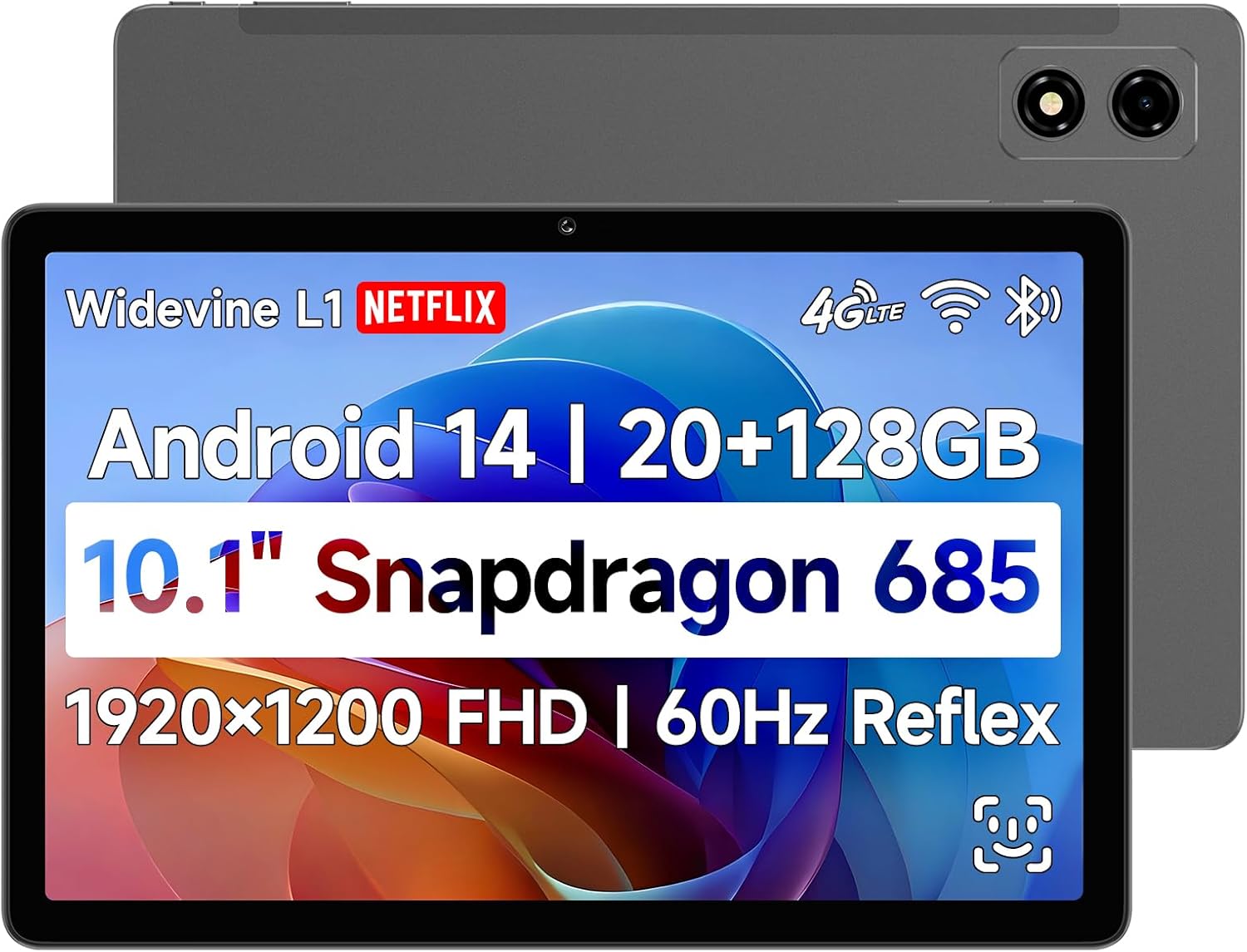
Obrázek: Přední a zadní strana view of the BNCF Bpad 10 Pro Tablet, showcasinjeho elegantní design a duální fotoaparát.
Průvodce nastavením
1. Obsah balení
Než začnete, ujistěte se, že v krabici jsou všechny položky:
- BNCF Bpad 10 Pro Tablet
- Uživatelská příručka
- Dárková krabička
- Charge (5V/2A)
- SIM Card Ejector Pin
- Type-C Cable (5V/2A)

Image: A visual representation of the tablet's ports and buttons, alongside the included accessories in the package.
2. Počáteční nabíjení
Connect the provided Type-C cable to the tablet's charging port and the other end to the power adapter. Plug the adapter into a wall outlet. Charge the tablet fully before first use. The 6500mAh battery supports 18W PD fast charging.
3. Zapnutí/vypnutí
To power on, press and hold the Power button until the screen lights up. To power off, press and hold the Power button, then select 'Power off' from the options.
4. Instalace SIM a MicroSD karty
Locate the SIM/MicroSD card tray on the side of the tablet. Use the ejector pin to open the tray. Insert your 4G LTE SIM card and/or MicroSD card (up to 1TB) into the designated slots, ensuring correct orientation. Close the tray securely.
5. Počáteční nastavení systému Android
Upon first power-on, follow the on-screen prompts to complete the initial setup, including language selection, Wi-Fi connection, Google account login, and security settings (e.g., Face Unlock).
Ovládání tabletu
1. Zobrazení a vizuální prvky
The Bpad 10 Pro features a 10.1-inch FHD IPS display with 1920x1200 resolution and 60Hz refresh rate. It supports Widevine L1 for high-definition streaming on platforms like Netflix and Prime Video.

Image: Highlights of the tablet's display, including 1920x1200 FHD resolution, 60Hz refresh rate, 400 Nits brightness, and IPS Incell Screen technology.

Image: Illustrates Widevine L1 certification, enabling 1080P HD video playback on popular streaming services like Netflix, Prime Video, and Hulu.
2. Výkon
Powered by the Snapdragon 685 processor (2.8GHz, 6nm process) and Adreno 610 GPU, the tablet offers smooth performance. It comes with 20GB (8GB physical + 12GB virtual) RAM and 128GB UFS storage, expandable up to 1TB via MicroSD.

Obrázek: Podrobný view of the Snapdragon 685 processor, highlighting its 2.8GHz clock speed, 6nm process, Adreno 610 GPU, and 6-Axis Gyro Sensor.

Image: Illustrates the tablet's ample storage with 8GB RAM, 12GB virtual RAM, 128GB ROM, and 1TB expandable storage.
3. Funkce Androidu 14
The tablet runs on Android 14, offering enhanced multitasking, security, and user-friendly features:
- Odemknutí obličejem: Bezpečně odemkněte zařízení pomocí rozpoznávání obličeje.
- Rozdělená obrazovka: Use two apps simultaneously for improved productivity.
- Smart Projection: Cast your tablet screen to compatible external displays.
- Snímek obrazovky se třemi prsty: Capture screenshots quickly with a simple gesture.
- Rodičovská kontrola: Manage usage and content for children.
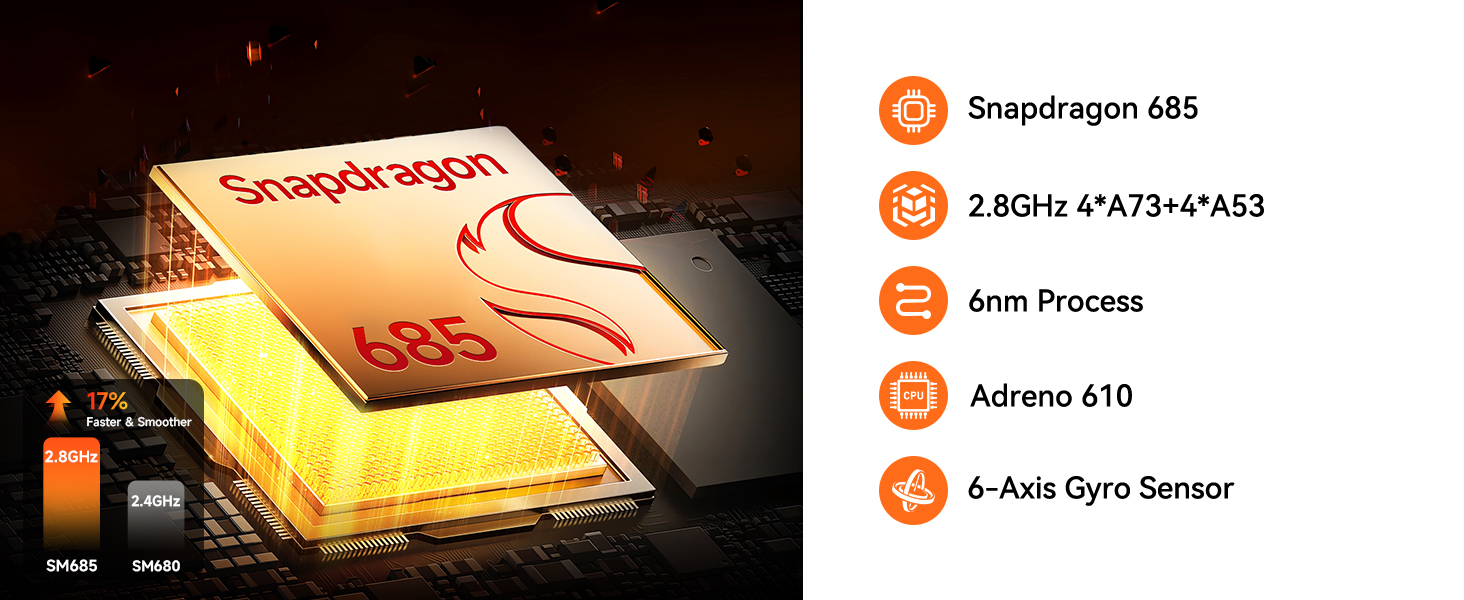
Image: Visuals demonstrating Face Unlock, Smart Projection, Split-Screen, and Three-finger Screen Capture features of Android 14.

Image: A graphic illustrating the tablet's face recognition technology for effortless and secure unlocking.
4. Použití fotoaparátu
The tablet is equipped with 5MP front and 5MP rear cameras, suitable for capturing photos, 4K videos, and conducting HD video calls.

Obrázek: Detailní záběr view of the tablet's camera lens, emphasizing its 5MP+5MP dual camera setup for high-resolution captures.
5. Konektivita
Stay connected with dual-band Wi-Fi (2.4G/5G), 4G LTE for cellular data, Bluetooth 5.0 for seamless accessory pairing, and GPS for reliable navigation.

Image: Icons representing the tablet's connectivity options: 4G LTE, Bluetooth 5.0, 2.4GHz+5GHz WiFi, and GPS.
6. Audio
Experience immersive audio with dual stereo speakers. The tablet also features a Type-C headphone jack (requires adapter).

Image: Graphics illustrating the tablet's dual stereo speakers and the presence of a Type-C headphone jack.
7. Gaming and Gyro Sensor
The integrated 6-Axis Gyro Sensor enhances gaming and video recording by providing anti-shake stabilization for precision and stability.

Image: A tablet displaying a racing game, flanked by game controllers, highlighting the smooth gaming experience provided by the 6-Axis Gyro Sensor.
8. Oficiální video produktu
Video: Oficiální video s produktemasing the key features and benefits of the BNCF Pro Android Tablet, including its display, performance, and connectivity.
Údržba a péče
To ensure the longevity and optimal performance of your BNCF Bpad 10 Pro Tablet, follow these maintenance guidelines:
- Čištění: K čištění obrazovky a těla tabletu používejte měkký hadřík, který nepouští vlákna. Nepoužívejte agresivní chemikálie ani abrazivní materiály.
- Skladování: Tabletu skladujte na chladném a suchém místě mimo dosah přímého slunečního záření a extrémních teplot.
- Péče o baterie: Vyhněte se častému úplnému vybíjení baterie. Pro dlouhodobé skladování nabijte baterii na přibližně 50–60 %.
- Aktualizace softwaru: Pravidelně kontrolujte a instalujte aktualizace systému, abyste zajistili, že váš tablet má nejnovější funkce a bezpečnostní záplaty.
- Ochrana: Zvažte použití ochranného pouzdra a chrániče obrazovky, abyste jej ochránili před pády a poškrábáním.
Odstraňování problémů
If you encounter issues with your BNCF Bpad 10 Pro Tablet, try the following solutions:
| Problém | Možné řešení |
|---|---|
| Tablet se nezapne | Ujistěte se, že je baterie nabitá. Připojte ji k nabíječce alespoň na 30 minut. Pokud stále nereaguje, proveďte vynucený restart podržením tlačítka napájení po dobu 10–15 sekund. |
| Pomalý výkon | Close unnecessary background apps. Clear cache from apps. Restart the tablet. Ensure sufficient storage space is available. |
| Problémy s připojením Wi-Fi | Restartujte Wi-Fi router. Zapomeňte na síť v tabletu a znovu se připojte. Ujistěte se, že jste v dosahu signálu Wi-Fi. |
| Aplikace padá nebo zamrzávají | Clear the app's cache and data in Settings > Apps. Update the app to the latest version. If the issue persists, uninstall and reinstall the app. |
| Baterie se rychle vybíjí | Reduce screen brightness. Disable unused features like GPS, Bluetooth, or Wi-Fi when not needed. Close background apps. Check battery usage in Settings to identify power-hungry apps. |
If these solutions do not resolve the issue, please refer to the Warranty & Support section for further assistance.
Specifikace
Detailed technical specifications for the BNCF Bpad 10 Pro Tablet:
- Název modelu: Bpad 10 Pro
- Operační systém: Android 14
- Procesor: Snapdragon 685 (2.8GHz)
- Velikost obrazovky: 10.1 palce
- Rozlišení obrazovky: 1920 x 1200 pixelů (FHD IPS)
- Paměť (RAM): 20 GB (8 GB fyzické + 12 GB virtuální)
- Úložiště (ROM): 128GB UFS (Expandable up to 1TB via MicroSD)
- Kamery: Přední 5 MP, zadní 5 MP
- Baterie: 6500mAh with 18W PD Fast Charging
- Typ bezdrátového připojení: 802.11ax (Dual-band 2.4G/5G Wi-Fi)
- Konektivita: 4G LTE, Bluetooth 5.0, GPS
- Zvuk: Dual Stereo Speakers, Type-C Headphone Jack
- Rozměry: 9.4 x 6.2 x 0.3 palce
- Hmotnost položky: 1.07 libry
Záruka a podpora
BNCF is committed to providing high-quality products and excellent customer service. We uphold rigorous standards from design to production, ensuring each product undergoes thorough quality checks.

Image: Graphic representing BNCF's commitment to warranty and support services.
Záruční politika
For tablets purchased from the BNCF Official Flagship Store, customers benefit from a 12měsíční záruka na bezplatnou opravu a doživotní technickou podporu.
Často kladené otázky (FAQ)
- Are you specialized in tablets?
Yes, BNCF is dedicated to designing and manufacturing innovative tablets. We prioritize quality, performance, and user experience. You can trust BNCF to deliver devices that exceed your expectations. - Jaké jsou zásady RMA pro tento tablet?
We offer a one-year warranty. You can expect a response from us within 24 hours, ensuring that any issues or inquiries are addressed in a timely manner. - Pokud jsou s mými produkty problémy, co mám dělat?
Please leave us a message, and we will use our expertise to solve the problem for you, or provide a return or exchange service!
Kontaktujte podporu
For any technical assistance, warranty claims, or product inquiries, please contact BNCF customer support through the platform where you purchased the device or visit the official BNCF store page on Amazon: BNCF Store.
Ask a question about this manual
Ask about setup, troubleshooting, compatibility, parts, safety, or missing instructions. Manuals+ will review the question and use this page’s manual context to help answer it.