
1. Konec produktuview
The Adin S8BT Bone Conduction Vibration Speaker is an innovative audio device that transmits sound through vibrations, allowing any flat surface to become a speaker. Its compact and portable design makes it ideal for various indoor and outdoor environments.
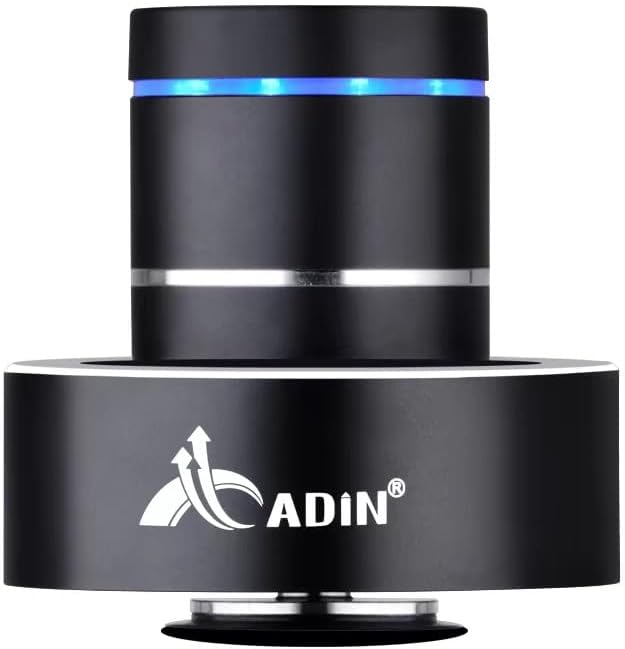
Figure 1: Adin S8BT Bone Conduction Vibration Speaker. This image displays the main unit of the speaker, showcasing its sleek black cylindrical design with a luminous blue accent ring and silver band. The speaker is designed to sit on a surface, utilizing bone conduction technology.

Figure 2: Adin S8BT Speaker and Included Accessories. This image shows the Adin S8BT speaker alongside its retail packaging, a USB charging cable, and an auxiliary audio cable, indicating the complete product package.
2. Klíčové vlastnosti
- Technologie kostního vedení: Transforms any flat surface into a speaker, delivering immersive audio.
- Bezdrátové připojení: Seamlessly stream audio via Bluetooth from compatible devices.
- Kompaktní a přenosné: Lightweight and small form factor for easy transport and placement.
- Intuitivní ovládání: Simple touch controls for volume adjustment, track switching, and playback management.
- Víceúčelový design: Can function as a speaker, ambient lamp, or decorative item.
- Dlouhá výdrž baterie: Built-in high-performance battery with Type-C socket charging.
3. Obsah balení
Prosím, ověřte, zda jsou v balení přítomny všechny položky:
- Adin S8BT Bone Conduction Vibration Speaker
- Nabíjecí kabel USB (1 m)
- Auxiliary Audio Cable (1m)
- Návod k obsluze (PDF verze dostupná online)
4. Technické specifikace
| Funkce | Specifikace |
|---|---|
| Název modelu | Adin S8BT Bone Conduction Speaker |
| Typ reproduktoru | Kostní vedení |
| Technologie připojení | Bluetooth |
| Dosah Bluetooth | 10 metrů |
| Kontrolní metoda | Dotek |
| Zdroj napájení | Napájení z baterie |
| Maximální výstupní výkon reproduktoru | 26 wattů |
| Frekvenční odezva | 18 kHz |
| Režim zvukového výstupu | Stereo |
| Materiál | Hliník |
| Barva | Černý |
| Rozměry produktu | 3.35"H x 3.35"Š x 3.35"V |
| Hmotnost položky | 2.2 libry |
| Vnitřní/venkovní použití | Uvnitř, venku |
| Je voděodolný | Žádný |
5. Průvodce nastavením
5.1 Počáteční nabíjení
Before first use, fully charge the speaker. Connect the provided USB charging cable to the speaker's DC 5V port and the other end to a USB power adapter (not included) or a computer's USB port.

Figure 3: Adin S8BT Speaker Ports. This image shows the side of the speaker with the DC 5V charging port, ON/OFF/BT switch, and AUX input, indicating connectivity options.
5.2 Zapnutí/vypnutí
Locate the ON/OFF switch on the side of the speaker. Slide it to the "ON" position to power on the device. Slide it to the "OFF" position to power off.
5.3 Umístění pro optimální zvuk
For the best audio experience, place the speaker on a flat, solid surface. Different surfaces will produce varying sound qualities and volumes due to the bone conduction technology. Experiment with surfaces like wood, glass, metal, or cardboard to find your preferred sound.
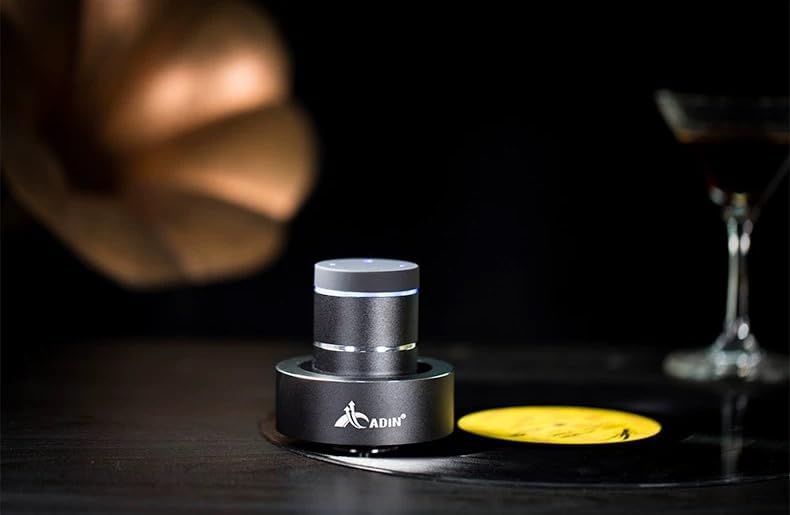
Figure 4: Adin S8BT Speaker in Use. This image depicts the Adin S8BT speaker placed on a flat surface, demonstrating its compact size and how it integrates into an environment for audio playback.
6. Návod k obsluze
6.1 Párování Bluetooth
- Ensure the speaker is powered on and in Bluetooth mode. The blue accent ring will likely flash, indicating it's ready for pairing.
- Na smartphonu nebo jiném zařízení s podporou Bluetooth přejděte do nastavení Bluetooth.
- Hledat available devices. The speaker should appear as "Adin S8BT" or similar.
- Select the speaker from the list to pair. Once paired, the blue light may become solid or change its flashing pattern.
6.2 Přehrávání zvuku
Once connected via Bluetooth, you can play audio from your device. Use the touch controls on the top of the speaker to manage playback:
- Klepněte na: Přehrát/Pozastavit.
- Přejetí doleva/doprava: Previous/Next Track.
- Držet: Volume Up/Down (specific gesture may vary, refer to quick start guide for precise touch controls).
6.3 Vstup AUX
For devices without Bluetooth, use the provided auxiliary cable. Connect one end to the speaker's "Link In" port and the other end to your audio source's headphone jack.
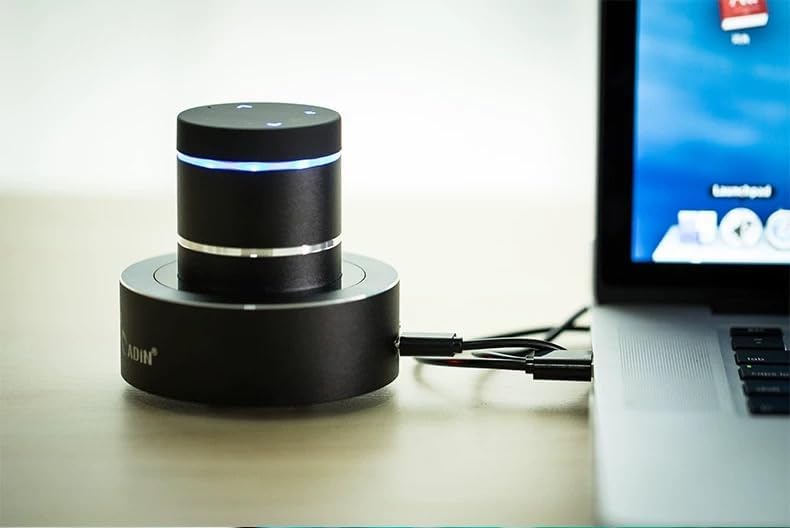
Figure 5: Adin S8BT Speaker with AUX Connection. This image illustrates the Adin S8BT speaker connected to a laptop via an auxiliary cable, demonstrating its wired connectivity option for audio input.
7. Údržba a péče
- Čištění: K otření povrchu reproduktoru použijte měkký, suchý hadřík. Nepoužívejte abrazivní čisticí prostředky ani rozpouštědla.
- Skladování: Reproduktor skladujte na chladném a suchém místě mimo dosah přímého slunečního záření a extrémních teplot.
- Vystavení vodě: Reproduktor je není vodotěsnýZabraňte vystavení vodě nebo nadměrné vlhkosti.
- Péče o baterie: Chcete-li prodloužit životnost baterie, vyvarujte se častého úplného vybíjení. Pravidelně ji nabíjejte, i když ji delší dobu nepoužíváte.
8. Řešení problémů
| Problém | Možná příčina | Řešení |
|---|---|---|
| Z reproduktoru není slyšet žádný zvuk. | Speaker is off, not paired, or volume is too low. | Ensure speaker is ON. Re-pair Bluetooth. Increase speaker and device volume. Check surface contact. |
| Nelze spárovat přes Bluetooth. | Reproduktor není v režimu párování, Bluetooth zařízení je vypnutý nebo je příliš daleko. | Ensure speaker is in pairing mode (flashing blue light). Turn device Bluetooth off/on. Move device closer to speaker (within 10m). |
| Špatná kvalita zvuku. | Unsuitable surface, low battery, or interference. | Try placing on a different, more solid surface. Charge the speaker. Move away from other electronic devices. |
| Reproduktor se nenabíjí. | Cable issue, power source issue, or dirty port. | Check USB cable connection. Try a different USB port or power adapter. Ensure charging port is clean. |
9. Záruka a podpora
For information regarding warranty coverage, please refer to the warranty card included with your purchase or contact the manufacturer directly. Keep your proof of purchase for any warranty claims.
If you encounter issues not covered in this manual or require further assistance, please contact Adin customer support through their official webwebu nebo prodejce, od kterého jste produkt zakoupili.